


 本文介绍了一种使用Delphi中的ListBox与自定义Frame组件创建复杂用户界面的方法。通过循环创建并填充多个Frame,实现了动态加载内容的效果,每个Frame包含多种控件,如矩形、标签、圆形、线条和速度按钮,展示了如何在ListBox中加载这些Frame。
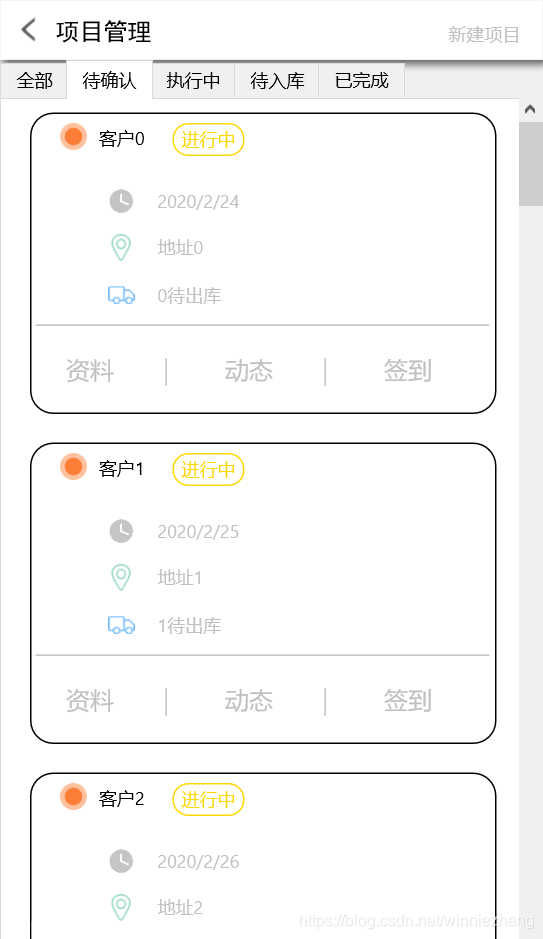
问题:看到如图效果,如何实现。
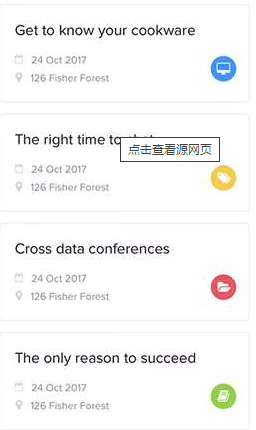
思路:使用ListBox加入Frame来实现,ListBox为容器显示重复记录,Frame作为单个内容展现的组件。
1、新建Frame单元。
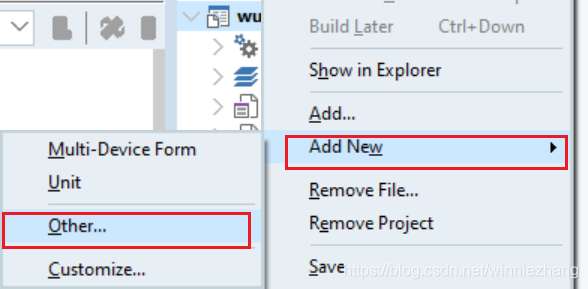
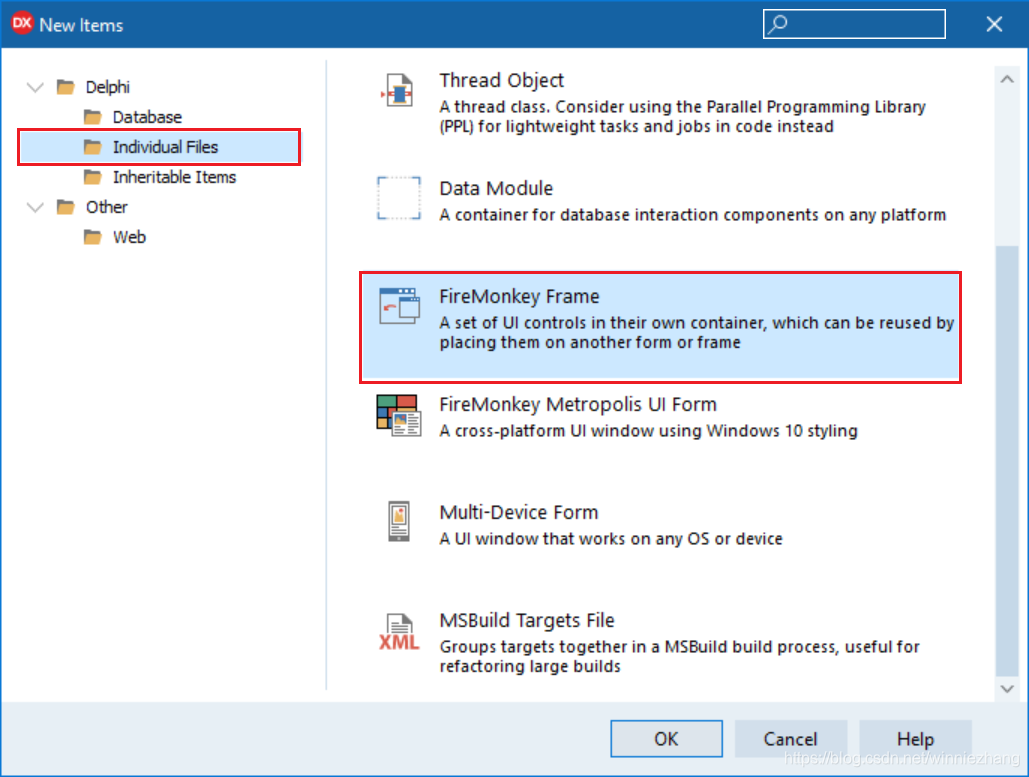
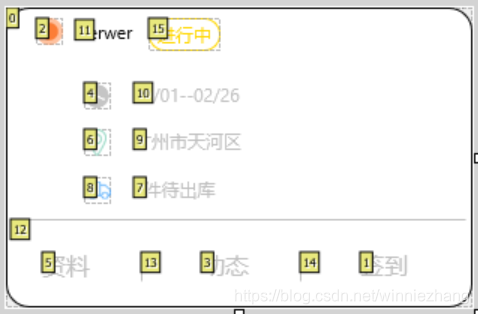
2、在新建的Frame窗体上放置相应得组件:rectangle+label+circle+line+speedbutton等。如图。
3、在主要界面上放置一个ListBox组件。
4、编写addlistframe函数,目的:加载Frame到ListBox中。
   procedure SpeedButton2Click(Sender: TObject);
     procedure addlistframe();
  private
    { Private declarations }
    itemlist: array[0..99] of TListBoxItem;
var
  Form7: TForm7;

implementation

uses
  unit9;

var
  i: integer;
const
  NamePrefix = 'panel';
begin
  begin
    for i := 0 to 30 do
    begin
      tFrame9(FindComponent(NamePrefix + IntToStr(i))).DisposeOf;
      itemlist[i].DisposeOf;
    end;
    Lista.Clear;

    for i := 0 to 30 do
    begin
      itemlist[i] := TListBoxItem.Create(self);
      itemlist[i].Parent := Lista;
      itemlist[i].Selectable := False;
      itemlist[i].Height:=200;
      itemlist[i].Margins.Top:=10;
      itemlist[i].Margins.Bottom:=10;
      itemlist[i].Margins.Left:=20;
      TFrame9.Create(self).Name := NamePrefix + IntToStr(i);
      with tFrame9(FindComponent(NamePrefix + IntToStr(i))) do
      begin
        Parent := itemlist[i];
        label2.text:='客户'+inttostr(i);
        label3.text:=datetostr(date+i);
        label4.text:='地址'+inttostr(i);
        label5.text:=inttostr(i)+'待出库';
        text1.text:='进行中';

      end;
    end;
  end;
5、调用以上函数。
procedure TForm7.SpeedButton2Click(Sender: TObject);
begin
  addlistframe();
end;
结果。





 扫一扫
扫一扫


 988
988

 被折叠的 条评论
为什么被折叠?
被折叠的 条评论
为什么被折叠?
 到【灌水乐园】发言





