


一、问题描述
通过unity相机的RGB和Depth信息生成点云。
二、符号说明
| 符号 | 说明 | 参考值 |
|---|---|---|
| w | 图像宽 | 1920px |
| h | 图像高 | 1440px |
| cx | x方向像素中心 | 960px |
| cy | y方向像素中心 | 720px |
| sw | 传感器宽 | 44mm |
| sh | 传感器高 | 33mm |
| fl | 焦距 | 50mm |
| n | 剪裁平面近处 | 0.5m |
| f | 剪裁平面远处 | 1m |
| fx | x方向焦距 | w / sw * fl |
| fy | y方向焦距 | h / sh * fl |
| d | 深度信息 | - |
| u | 遍历x方向的值 | - |
| v | 遍历y方向的值 | - |
| x | 坐标x | (u - cx) / fx * z |
| y | 坐标y | (v - cy) / fy * z |
| z | 坐标z | (n * f) / (d * (f - n) + n) |
| r | 颜色r | - |
| g | 颜色g | - |
| b | 颜色b | - |
三、具体流程
从相机中获取RGB和Depth信息
1、创建一个名为Depth的camera,将phyical camera的选项勾选,设置focal length为50,sensor size x为44,sensor size y为33,clipping planes near为5,clipping planes far为10。

2、创建一个名为RGB的render texture,设置size为1920 * 1440。
3、创建一个名为RGB的material,设置shader为unlit/texture。
4、将名为RGB的render texture拖入名为RGB的material的base中。
5、将名为RGB的material拖入名为Depth的camera的target texture中。
6、创建一个名为Depth的render texture,设置size为1920 * 1440,color format为R16G16B16A16_SFLOAT。

7、创建一个名为Depth的C#脚本,内容为:
public Camera camera;
public RenderTexture renderTexture;
void Start()
{
    camera.depthTextureMode |= DepthTextureMode.Depth;
}
private void OnPostRender()
{
    Graphics.Blit(Shader.GetGlobalTexture("_CameraDepthTexture"), renderTexture);
}
8、将名为Depth的C#脚本拖入名为Depth的camera。
9、将名为Depth的camera拖入名为Depth的C#脚本下的camera。
10、将名为Depth的render texture拖入名为Depth的C#脚本下的renderTexture。
此时相机的RGB和Depth信息被储存到名为RGB的render texture和名为Depth的render texture中了。

通过RGB和Depth信息生成点云
1、创建一个名为CetPointClound的C#脚本,内容为:
public RenderTexture rgb;
public RenderTexture depth;
float fx = 1920 / 44 * 50;
float fy = 1440 / 33 * 50;
int w = 1920;
int h = 1440;
int cx = 960;
int cy = 720;
float n = 0.5;
float f = 1;
void Update()
{
    if (Input.GetKeyDown(KeyCode.O))
    {
        Texture2D texture2D_rgb = new Texture2D(rgb.width, rgb.height, TextureFormat.ARGB32, false);
        RenderTexture.active = rgb;
        texture2D_rgb.ReadPixels(new Rect(0, 0, rgb.width, rgb.height), 0, 0);
        texture2D_rgb.Apply();

        Texture2D texture2D_depth = new Texture2D(depth.width, depth.height, TextureFormat.RGBAFloat, false);
        RenderTexture.active = depth;
        texture2D_depth.ReadPixels(new Rect(0, 0, depth.width, depth.height), 0, 0);
        texture2D_depth.Apply();

        Color[] rgb = texture2D_rgb.GetPixels();
        Color[] depth = texture2D_depth.GetPixels();

		for(int v=0;v<w;v++)
		{
			for(int u=0;u<h;u++)
			{
				if(depth[v*h+u].r<=1/255||depth[v*h+u].r>=254/255)continue;
	            x = (u - cx) / fx
	            y = (v - cy) / fy
	            z = (n*f)/(depth[v*h+u].r*(f-n)+n)
	            x = x*z
	            y = y*z
	            r = rgb[v*h+u].r
	            g = rgb[v*h+u].g
	            b = rgb[v*h+u].b
	            //保存xyzrgb
			}
		}

        Debug.Log("GetPointCloud OK");
    }
}
2、将名为RGB的render texture拖入名为CetPointClound的C#脚本下的rgb。
3、将名为Depth的camera拖入名为CetPointClound的C#脚本下的depth。
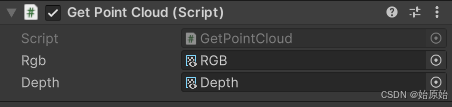
4、将脚本挂到空物体上,运行项目,按O键即可得到点云信息。
四、结果展示
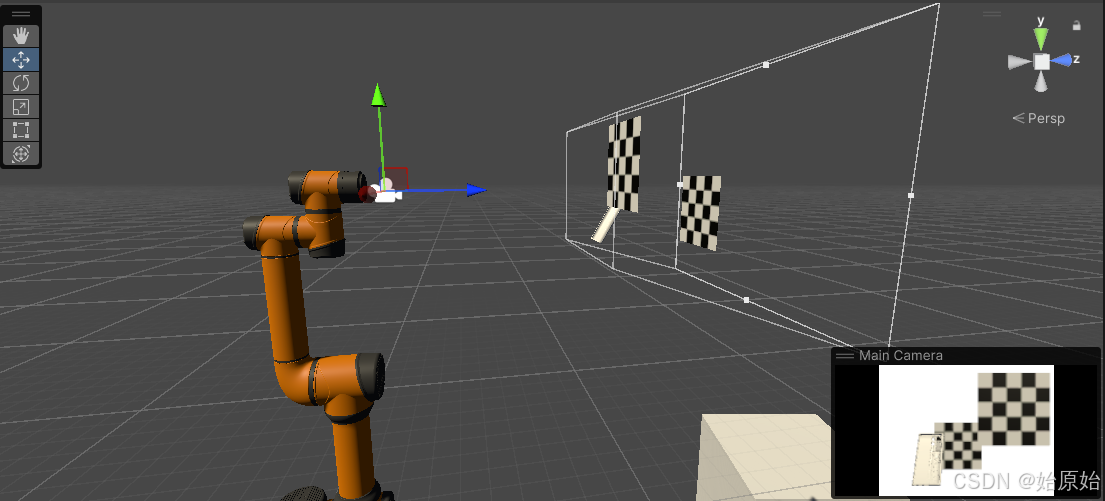

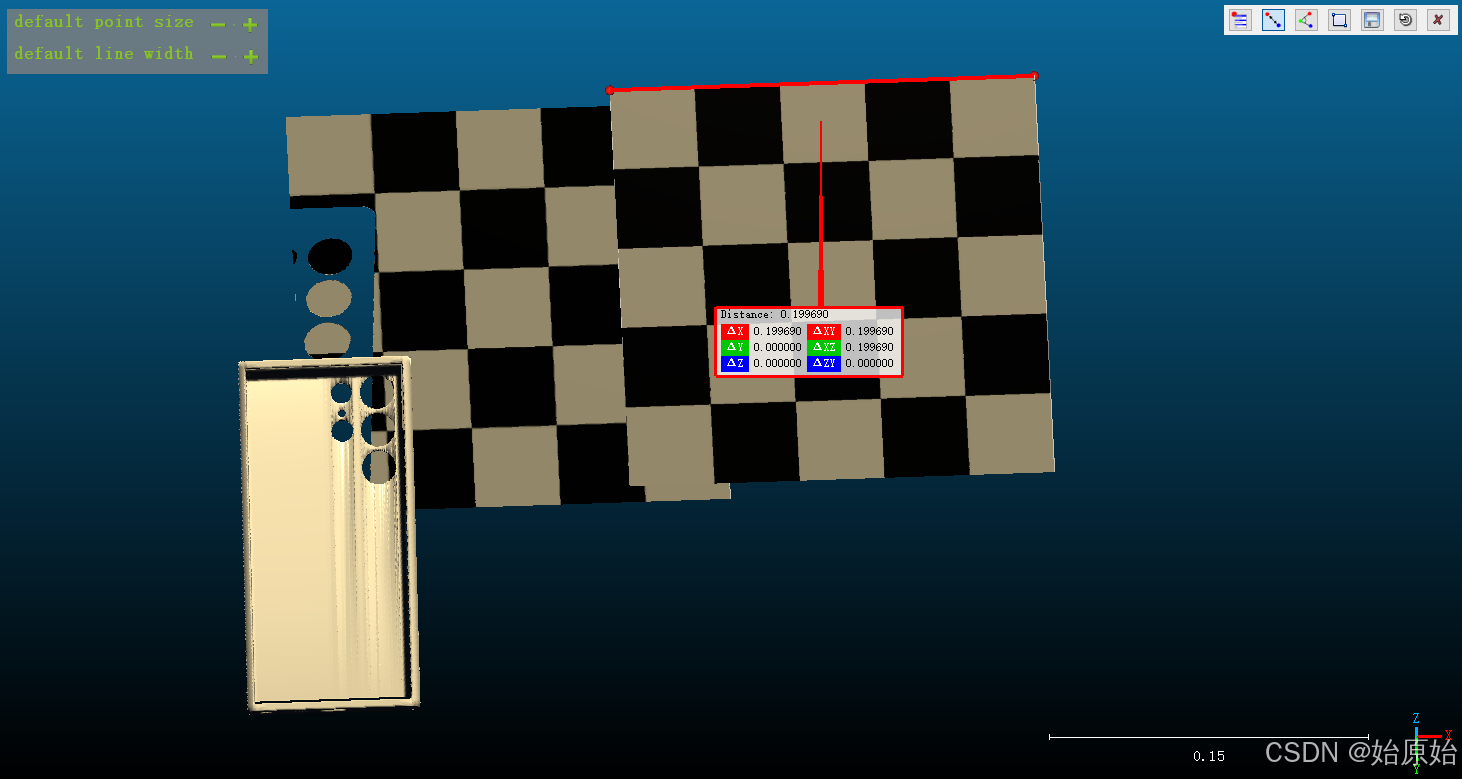

可以看到扫描出来的点云与unity中的坐标一致。
五、原理解释
关于相机成像焦距的像素表示fx、fy的解释(VSLAM14讲Chp5)
SLAM学习之路—双目相机照片生成点云(附C++代码)
基于深度学习的单目深度估计综述(数据集、单/双目视觉等)





 扫一扫
扫一扫


 2351
2351

 被折叠的 条评论
为什么被折叠?
被折叠的 条评论
为什么被折叠?
 到【灌水乐园】发言





