


 本文介绍了如何在没有外网的情况下安装SourceTree并创建本地账户。通过在%LocalAppData%AtlassianSourceTree目录下创建accounts.txt(后改为.json)文件,并填入预设代码,用户可以绕过注册步骤,直接使用SourceTree。只需简单几步,即可完成SourceTree的配置并启动使用。
SourceTree作为一种管理工具,其独特的精美简洁可视化界面使用起来相较于控制面板更为直观,但在安装过程中需要外网注册,另辟蹊径本次与大家分享如何解决。
1.下载好SourceTree后,打开此电脑(我的电脑)

2.在地址栏查找此项:%LocalAppData%\Atlassian\SourceTree

3.在此文件夹下新建名为”accounts.txt“的文件
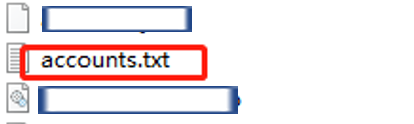
4.复制此段代码到文件: accounts.txt。
  {
    "$id": "1",
    "$type": "SourceTree.Api.Host.Identity.Model.IdentityAccount, SourceTree.Api.Host.Identity",
    "Authenticate": true,
    "HostInstance": {
      "$id": "2",
      "$type": "SourceTree.Host.Atlassianaccount.AtlassianAccountInstance, SourceTree.Host.AtlassianAccount",
      "Host": {
        "$id": "3",
        "$type": "SourceTree.Host.Atlassianaccount.AtlassianAccountHost, SourceTree.Host.AtlassianAccount",
        "Id": "atlassian account"
      },
      "BaseUrl": "https://id.atlassian.com/"
    },
    "Credentials": {
      "$id": "4",
      "$type": "SourceTree.Model.BasicAuthCredentials, SourceTree.Api.Account",
      "Username": "",
      "Email": null
    },
    "IsDefault": false
  }
]
5.把文件后缀 .txt 改为 .json —保存文件—重启SourceTree即可。





 扫一扫
扫一扫


 被折叠的 条评论
为什么被折叠?
被折叠的 条评论
为什么被折叠?
 到【灌水乐园】发言





