burp验证码爆破插件_captcha-killer-modified

部署运行你感兴趣的模型镜像

burp验证码爆破插件_captcha-killer-modified

前期准备,安装包下载

插件下载:https://github.com/f0ng/captcha-killer-modified

python模块安装,requirement.txt里添加ddddocr,flask不用指定版本,下面是模块和安装命令

flask
ddddocr
Pillow==9.5.0
aiohttp==3.8.3
argparse==1.1


pip install -r requirement.txt -i https://pypi.tuna.tsinghua.edu.cn/simple


运行脚本,作者提供的脚本我用的有问题所以改了一下

# -*- encoding=utf-8 -*-

import argparse
import ddddocr                       # 导入 ddddocr
from aiohttp import web

ocr = ddddocr.DdddOcr()
async def handle_cb(request):
    return web.Response(text=ocr.classification(await request.text()))

app = web.Application()
app.add_routes([web.post('/reg', handle_cb)])

if __name__ == '__main__':
    web.run_app(app,host='127.0.0.1',port=8389)
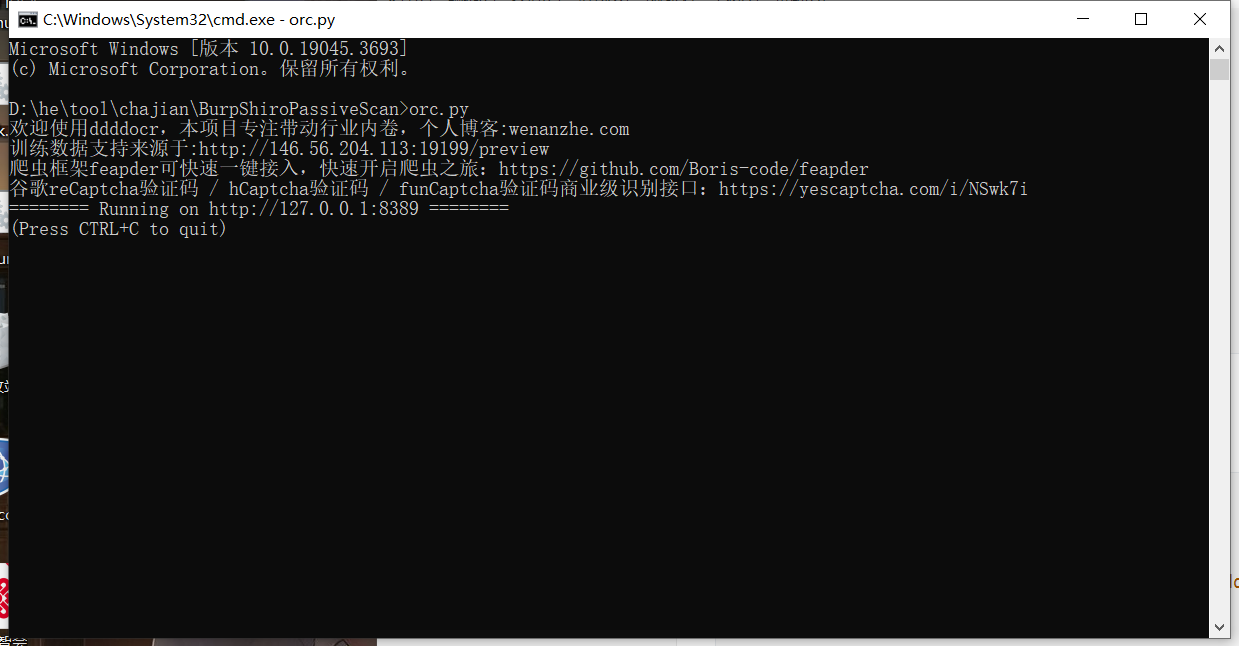
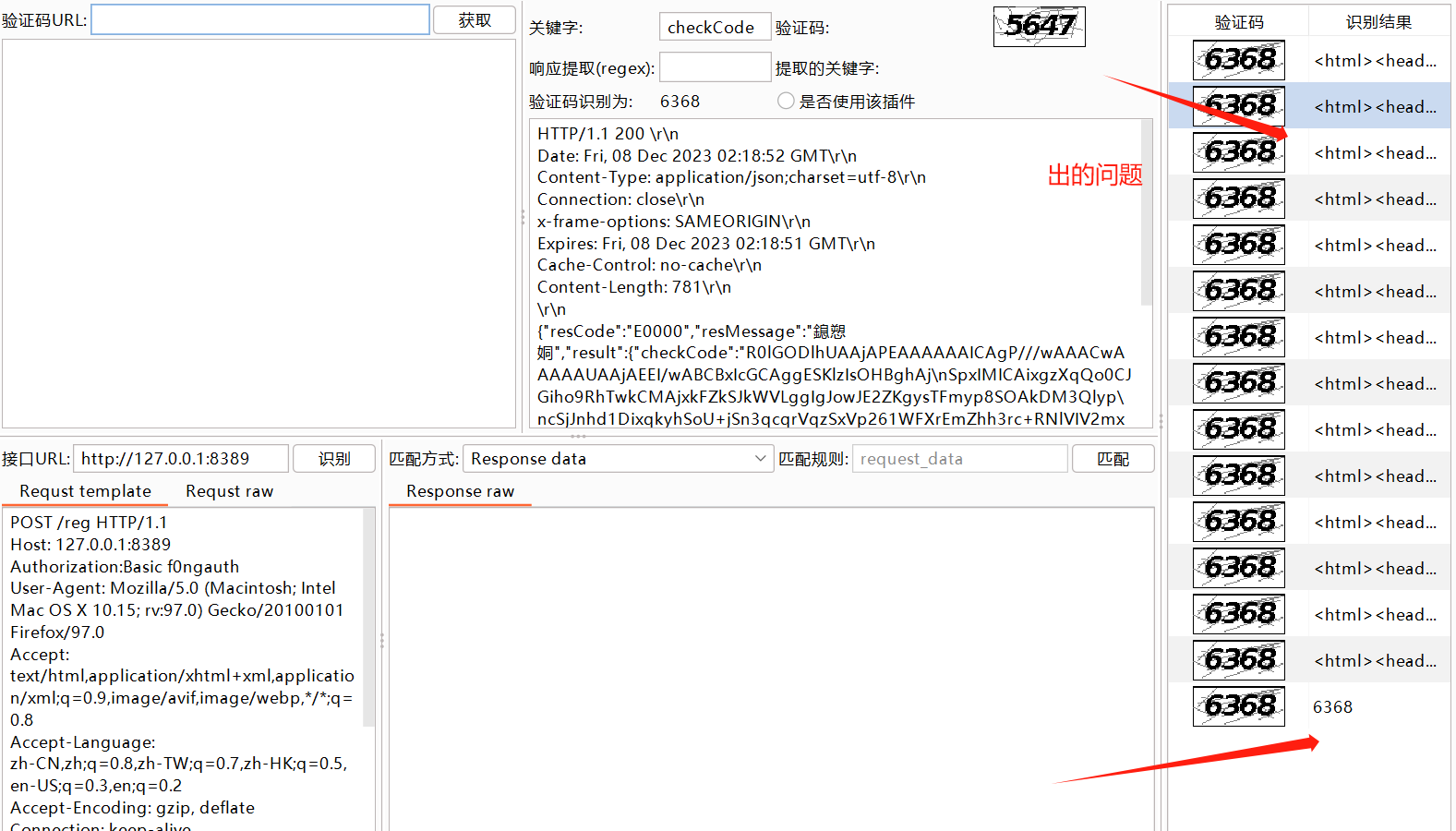
image-20231208134625569

image-20231208134753507

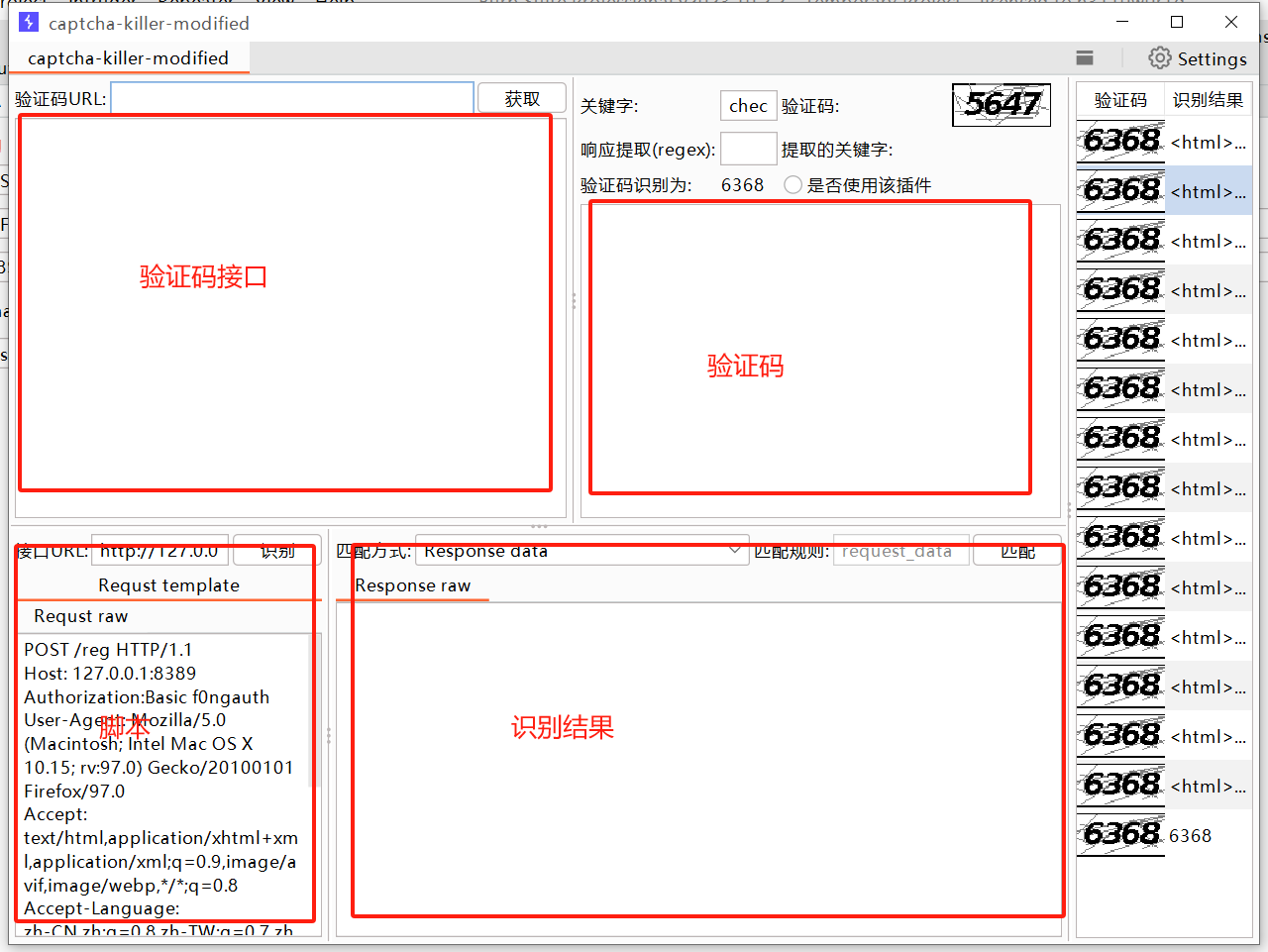
使用方法

image-20231208135000857

image-20231208135331826

最后来个图

86cd566255ba4cb0a11babdd8c3c193a

您可能感兴趣的与本文相关的镜像

Python3.10

Python3.10

Conda
Python

Python 是一种高级、解释型、通用的编程语言,以其简洁易读的语法而闻名,适用于广泛的应用,包括Web开发、数据分析、人工智能和自动化脚本

### 使用 Yakit 实现 Captcha-Killer 验证码爆破的技术细节 #### 1. 准备工作 为了实现验证码爆破,需要准备如下工具和环境: - 安装并配置好 BurpSuite 和 Yakit 工具。 - 下载并安装 `captcha-killer-modified` 插件[^1]。 确保目标网站存在可利用的登录接口,并带有验证码验证机制。例如,可以使用测试站点 `http://demo.xxxxx.com/login.php?s=Admin/login` 进行实验[^2]。 #### 2. 设置 BurpSuite 中间人代理 启动 BurpSuite 并设置浏览器通过其作为中间人代理服务器来捕获 HTTP 请求流量。这一步骤是为了拦截提交给服务器的数据包以便后续处理。 #### 3. 整合 Captcha-KillerBurpSuite 扩展 将下载好的 `captcha-killer-modified` 文件夹放置于指定路径下,使 BurpSuite 能够加载此扩展模块。该版本增加了对 base64 编码图片的支持以及集成了多个 OCR 库以提高识别成功率。 #### 4. 在 Yakit 上编写自动化脚本 打开 Yakit 后台管理界面,在其中创建一个新的 Python 或 JavaScript 自动化任务。以下是基于 Python 的简单示例代码片段: ```python import requests from PIL import Image import io import base64 def get_captcha_image(session, url): response = session.get(url) img_data = base64.b64decode(response.json()['data']) image = Image.open(io.BytesIO(img_data)) return image def ocr_recognize(image_path): with open(image_path, 'rb') as f: result = model.predict(f.read()) return ''.join([str(x) for x in result]) if __name__ == '__main__': login_url = "http://example.com/api/getCaptcha" verify_code_field_name = "verifyCode" s = requests.Session() while True: try: captcha_img = get_captcha_image(s, login_url) # Save the CAPTCHA locally to process it using an external tool like Tesseract or EasyOCR. temp_file = "/tmp/temp.png" captcha_img.save(temp_file) recognized_text = ocr_recognize(temp_file).strip() payload = { "username": "admin", "password": "password", verify_code_field_name: recognized_text, } resp = s.post("http://example.com/api/authenticate", json=payload) if resp.status_code == 200 and '"success":true' in resp.text: print("[+] Login successful!") break else: continue except Exception as e: print(f"[!] Error occurred during processing {e}") ``` 这段代码展示了如何获取 Base64 编码形式返回的验证码图像数据流,并将其转换成 Pillow 图像对象;接着调用外部 OCR 模型预测函数解析出可能的文字序列;最后尝试用这些字符组合去完成一次有效的身份认证请求循环直到成功为止。 请注意实际应用时还需要考虑更多因素如反爬虫策略应对措施等。 #### 5. 测试与优化 运行上述编写的脚本之前先在一个受控环境中进行全面的功能性和安全性评估。调整参数设定直至达到预期效果后再应用于真实场景当中。 ---
评论
添加红包

请填写红包祝福语或标题

红包个数最小为10个

红包金额最低5元

当前余额3.43前往充值 >
需支付:10.00
成就一亿技术人!
领取后你会自动成为博主和红包主的粉丝 规则
hope_wisdom
发出的红包
实付
使用余额支付
点击重新获取
扫码支付
钱包余额 0

抵扣说明:

1.余额是钱包充值的虚拟货币,按照1:1的比例进行支付金额的抵扣。
2.余额无法直接购买下载,可以购买VIP、付费专栏及课程。

余额充值