



 本文介绍了解决iOS应用在Xcode中从debug模式切换到release模式时出现的编译错误的方法。通过调整代码签名设置,可以有效解决apphasconflictingprovisioningsettings等问题。
报错
app has conflicting provisioning settings. BestWill is automatically signed, but code signing identity iPhone Developer: Developer (84YS8U3U) has been manually specified. Set the code signing identity value to Apple Development in the build settings editor, or switch to manual signing in the Signing & Capabilities editor.
Code signing issues: "Code signing is required for product type 'Application' in SDK 'iOS 14.2'"
具体场景
debug模式下正常编译,切换到release模式报错。
解决方法
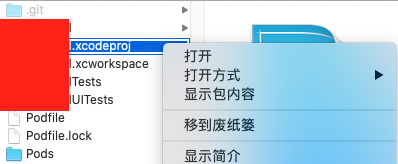
- 右击.xcodeproj文件 ——> 显示包内容
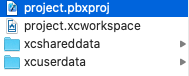
- 打开project.pbxproj
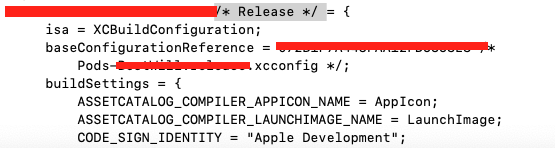
- 搜索 CODE_SIGN_IDENTITY
- 找到
/* Release */,此处CODE_SIGN_IDENTITY 的值与/* Debug */相同,为 “Apple Development”
- 设置Signing
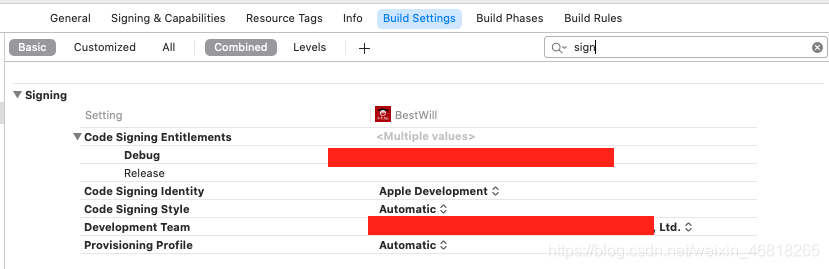
- 设置自动管理签名
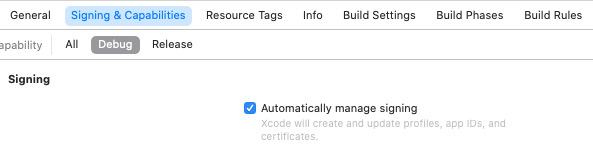
- 重新编译,问题解决





 扫一扫
扫一扫


 1万+
1万+

 被折叠的 条评论
为什么被折叠?
被折叠的 条评论
为什么被折叠?
 到【灌水乐园】发言





