


 本文介绍了如何在Vue项目中使用FullCalendar全屏日历组件。首先提供了官方链接,接着详细阐述了安装步骤和实际应用过程。
官网:https://fullcalendar.io/
安装
    npm install @fullcalendar/core@^5.9.0
    npm install @fullcalendar/daygrid@^5.9.0
    npm install @fullcalendar/interaction@^5.9.0
    npm install @fullcalendar/list@^5.9.0
    npm install @fullcalendar/timegrid@^5.9.0
    npm install @fullcalendar/vue@^5.9.0
使用
<template>
  <div class="cont">
    <FullCalendar ref="myCalendar" :options="options" />
  </div>
</template>

<script>
// 引入已经安装好的,项目中所需要的 FullCalendar 插件
import FullCalendar from "@fullcalendar/vue";
import dayGridPlugin from "@fullcalendar/daygrid";
import timeGridPlugin from "@fullcalendar/timegrid";
import interactionPlugin from "@fullcalendar/interaction";
import listPlugin from "@fullcalendar/list";
export default {
  name: "HelloWorld",
  props: {
    msg: String,
  },
  components: {
    FullCalendar,
  },
  data() {
    return {};
  },
  computed: {
    calendarOptions: function() {
      return {
        plugins: [dayGridPlugin, timeGridPlugin, interactionPlugin, listPlugin],  // 需要的FullCalendar插件
        locale: "zh-cn",    // 设置中文
        headerToolbar: { left: '', center: 'prev title next', right: 'today dayGridMonth timeGridWeek' },
        firstDay: "1",      // 首列从周几开始,默认 '7'
        weekNumbers: true,  // 显示周
        weekText: "周",     // 周 的前缀,默认 'W'
        height: '800px',    // 最小值,设置后相应的自适应
        contentHeight: '1000px',
        buttonText: { today: "今天", month: "月", week: "周", },    // 头部的对应字段展示
        navLinks: true,     // 小格子中右上角 是否可以点击进去 查看当天的事件。默认false
        eventColor: '#BA55D3',      // 事件的背景颜色
        eventTextColor: '#8B8989',  // 事件的字体颜色
        dayMaxEvents: false,        // 事件内容超出时,是否折叠。默认true,如果false则会撑开单元格高度
        eventClick: function(){
          console.log('hehe');
        }
      }
    }
  },
  methods: {},
};
</script>


<style scoped>
.cont {
  width:1000px;
  height:800px;
  margin:auto;
}
</style>
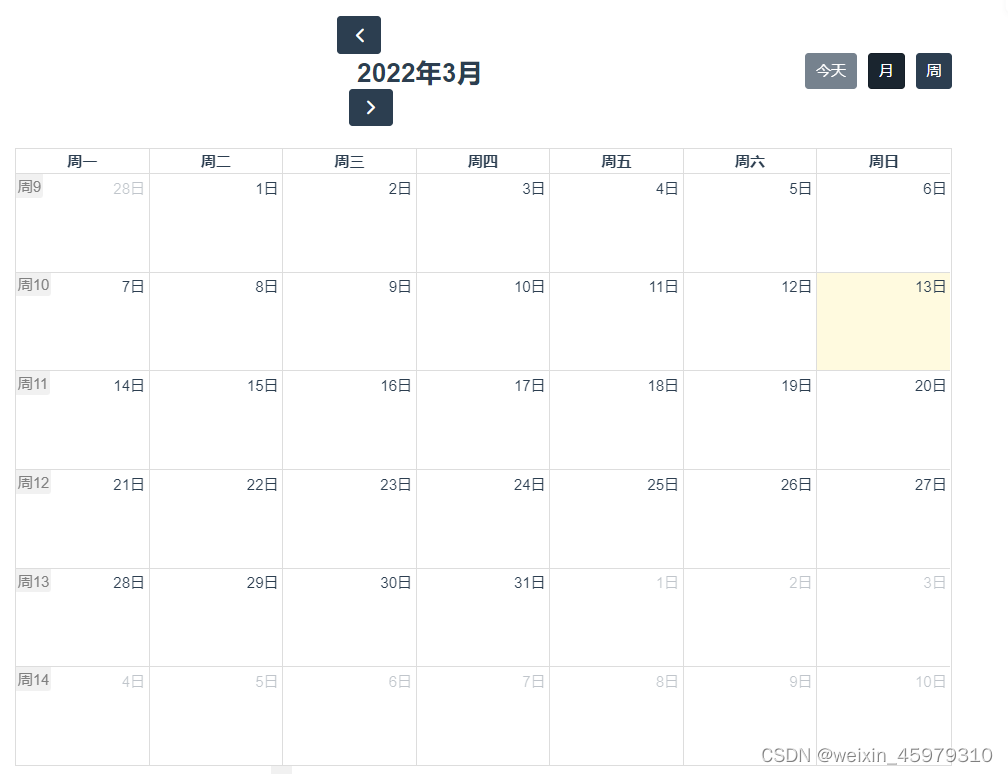
完成





 扫一扫
扫一扫


 1232
1232

 被折叠的 条评论
为什么被折叠?
被折叠的 条评论
为什么被折叠?
 到【灌水乐园】发言





