- 打开VS Code软件
- 打开工具栏,点击插件图标
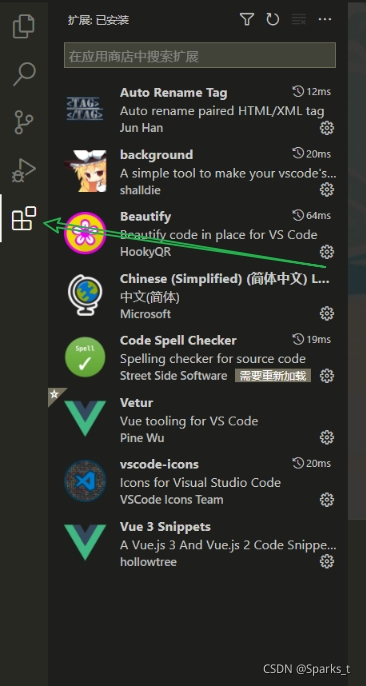
- 搜索框中输入background,选择第一个直接安装
- 打开设置
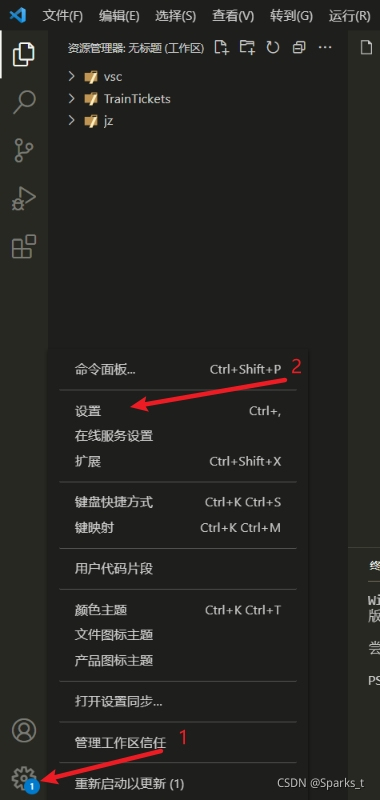
- 点击打开settings.json文件
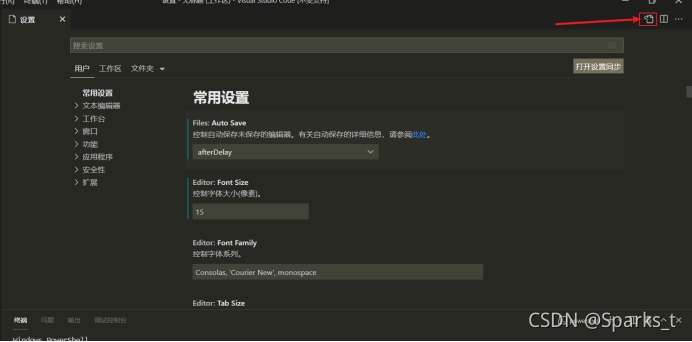
- 输入下面代码
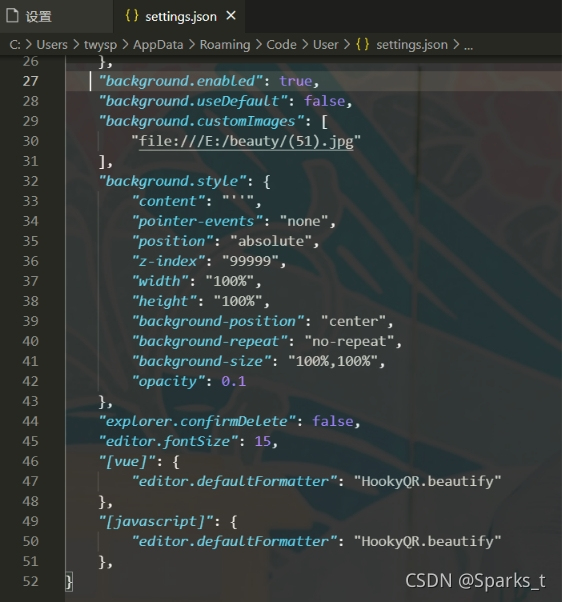
代码示例:
"background.enabled": true,
    "background.useDefault": false,
    "background.customImages": [
        "file:///E:/beauty/(51).jpg"//图片地址
    ],
    "background.style": {
        "content": "''",
        "pointer-events": "none",
        "position": "absolute",
        "z-index": "99999",
        "width": "100%",
        "height": "100%",
        "background-position": "center",
        "background-repeat": "no-repeat",
        "background-size": "100%,100%",
        "opacity": 0.1
    },
    "explorer.confirmDelete": false,
    "editor.fontSize": 15,
    "[vue]": {
        "editor.defaultFormatter": "HookyQR.beautify"
    },
    "[javascript]": {
        "editor.defaultFormatter": "HookyQR.beautify"
    },
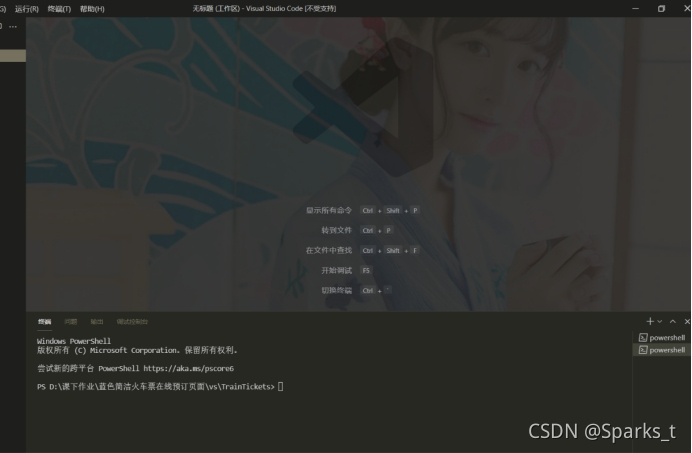
- 背景图片更换成功,能根据窗口大小自动伸缩





 扫一扫
扫一扫


 2926
2926


 到【灌水乐园】发言



