import networkx as nx
import matplotlib.pyplot as plt
#二维数组生成有向图/无向图classGraph_Matrix:"""
Adjacency Matrix
"""def__init__(self, vertices=[], matrix=[]):"""
:param vertices:a dict with vertex id and index of matrix , such as {vertex:index}
:param matrix: a matrix
"""
self.matrix = matrix
self.edges_dict ={
}# {(tail, head):weight}
self.edges_array =[]# (tail, head, weight)
self.vertices = vertices
self.num_edges =0# if provide adjacency matrix then create the edges listiflen(matrix)>0:iflen(vertices)!=len(matrix):raise IndexError
self.edges = self.getAllEdges()
self.num_edges =len(self.edges)# if do not provide a adjacency matrix, but provide the vertices list, build a matrix with 0eliflen(vertices)>0:
self.matrix =[[0for col inrange(len(vertices))]for row inrange(len(vertices))]
self.num_vertices =len(self.matrix)defisOutRange(self, x):try:if x >= self.num_vertices or x <=0:raise IndexError
except IndexError:print("节点下标出界")defisEmpty(self):if self.num_vertices ==0:
self.num_vertices =len(self.matrix)return self.num_vertices ==0defadd_vertex(self, key):if key notin self.vertices:
self.vertices[key]=len(self.vertices)+1# add a vertex mean add a row and a column# add a column for every rowfor i inrange(self.getVerticesNumbers()):
self.matrix[i].append(0)
self.num_vertices +=1
nRow =[0]* self.num_vertices
self.matrix.append(nRow)defgetVertex(self, key):



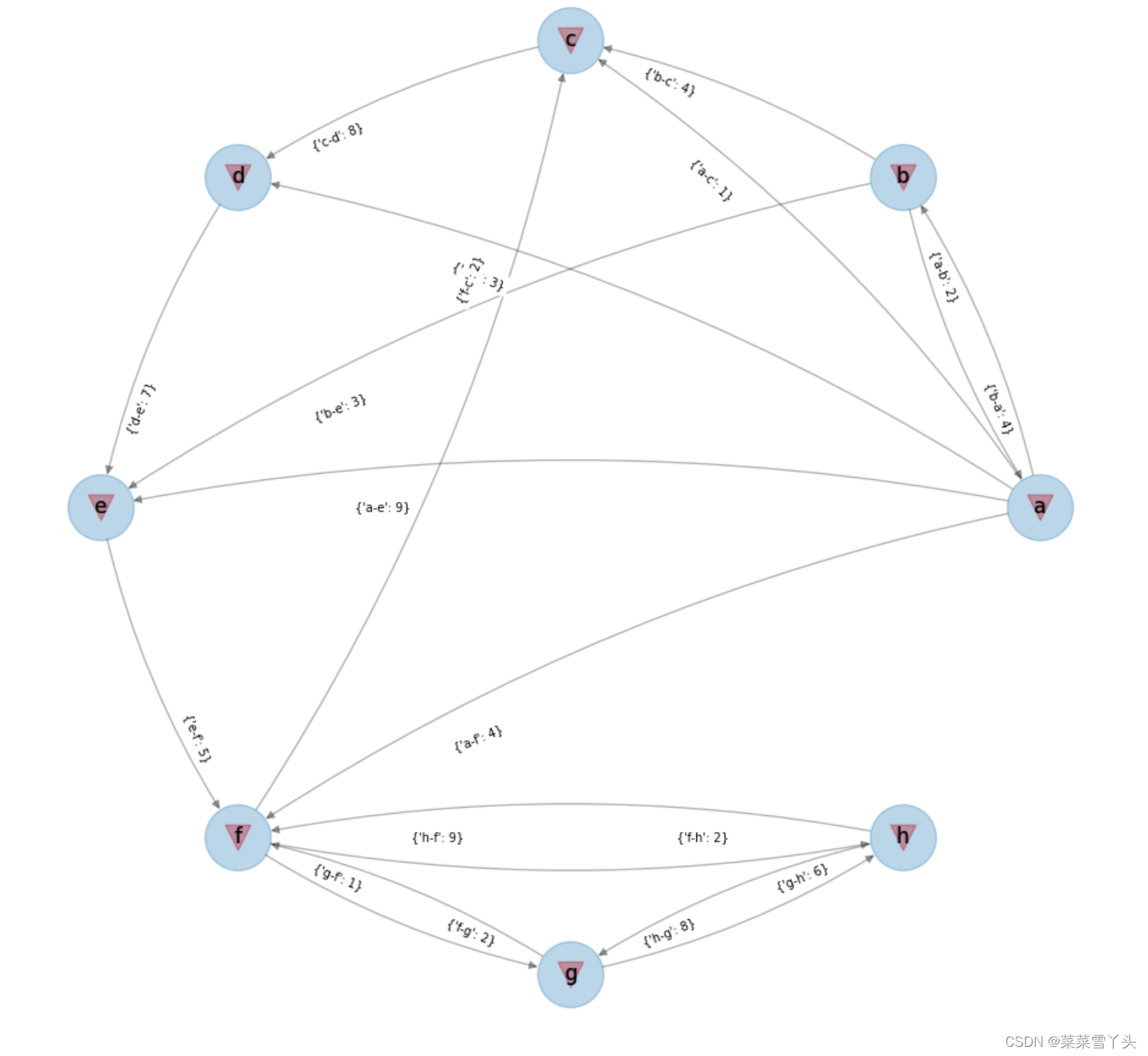
 本文介绍了一种使用二维数组表示图的方法,并通过具体示例展示了如何创建有向图和无向图。此外,还提供了利用NetworkX库进行图形可视化的方法。
 最低0.47元/天 解锁文章






 扫一扫
扫一扫


 464
464

 被折叠的 条评论
为什么被折叠?
被折叠的 条评论
为什么被折叠?
 到【灌水乐园】发言





