



 本文深入解析ZooKeeper客户端的MyCommandOptions类,详细介绍了其如何处理客户端连接参数和命令行指令,包括参数和指令的解析流程,以及在客户端界面的使用方式。
源码解析
MyCommandOptions 是 ZooKeeperMain 里的一个内部类,包含了两个概念:command 和 options。
它们分别被用在两处:进入客户端之后和进入客户端之前
- 进入客户端前:
“zkCli.sh -server 127.0.0.1:2181”
这里,进入 main 的 args 是一个 String 数组: ["-server", “127.0.0.1:2181”]:
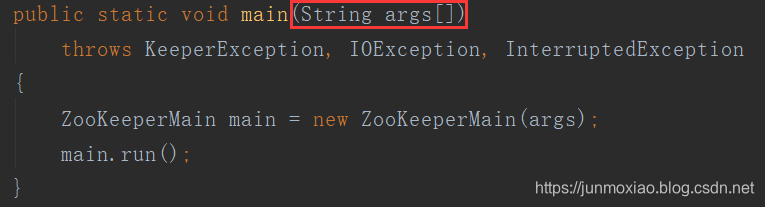
这里就会被 parseOptions 方法转换为键值对存在 options里,具体看后文。 - 进入客户端之后,命令行由操作cmd 和参数args 组成,如:
“create -s /zk”,是一个 String ,不再是 String[]
这里就会被 parseCommand 方法转换为 command 和 cmdArgs ,具体看后文。
一开始,我这里也是糊了好久,才把这两个东西分开,现在开始看源码:
static class MyCommandOptions {
		//<选项,参数>,存放的是进入客户端之前的选项和参数,选项有server、timeout、readonly
        private Map<String,String> options = new HashMap<String,String>();
        //存放客户端界面里一条命令行里的参数,如"create -s /zk"里的"create"、"-s"、"/zk"
        private List<String> cmdArgs = null;
        //存放指令,不带参数,如"create"
        private String command = null;
        //针对客户端内的命令行,如"create -s /zk"
        public static final Pattern ARGS_PATTERN = Pattern.compile("\\s*([^\"\']\\S*|\"[^\"]*\"|'[^']*')\\s*");
        //匹配带有引号的参数
        public static final Pattern QUOTED_PATTERN = Pattern.compile("^([\'\"])(.*)(\\1)$");
		//默认值
        public MyCommandOptions() {
          options.put("server", "localhost:2181");
          options.put("timeout", "30000");
        }

        public String getOption(String opt) {
            return options.get(opt);
        }

        public String getCommand( ) {
            return command;
        }

        public String getCmdArgument( int index ) {
            return cmdArgs.get(index);
        }

        public int getNumArguments( ) {
            return cmdArgs.size();
        }

        public String[] getArgArray() {
        	//(String[])cmdArgs.toArray();
            return cmdArgs.toArray(new String[0]);
        }

        /**
         * Parses a command line that may contain one or more flags
         * before an optional command string
         * @param args command line arguments
         * @return true if parsing succeeded, false otherwise.
         */
         //args:"-server" "127.0.0.1:2181"
        public boolean parseOptions(String[] args) {
            List<String> argList = Arrays.asList(args);
            Iterator<String> it = argList.iterator();

            while (it.hasNext()) {
                String opt = it.next();
                //登陆的话就会到这里来,如"zkCli.sh -server 127.0.0.1:2181"
                try {
                    if (opt.equals("-server")) {
                        options.put("server", it.next());
                    } else if (opt.equals("-timeout")) {
                        options.put("timeout", it.next());
                    } else if (opt.equals("-r")) {
                        options.put("readonly", "true");
                    }
                } catch (NoSuchElementException e){
                    System.err.println("Error: no argument found for option "
                            + opt);
                    return false;
                }
				//这里感觉没有用武之地,比如 zkCli.sh -server 127.0.0.1:2181
				//就没有不带 - 的操作啊。但是后来博主想到了一个点,见后文
                if (!opt.startsWith("-")) {
                    command = opt;
                    cmdArgs = new ArrayList<String>( );
                    cmdArgs.add( command );
                    while (it.hasNext()) {
                        cmdArgs.add(it.next());
                    }
                    return true;
                }
            }
            return true;
        }

        /**
         * Breaks a string into command + arguments.
         * @param cmdstring string of form "cmd arg1 arg2..etc"
         * @return true if parsing succeeded.
         */
         //针对进入客户端内的命令
        public boolean parseCommand( String cmdstring ) {
            Matcher matcher = ARGS_PATTERN.matcher(cmdstring);

            List<String> args = new LinkedList<String>();
            //提取参数
            while (matcher.find()) {
            	//取第一个分组里的内容,也就是括号里的内容,去掉了两边的空白字符
                String value = matcher.group(1);
                if (QUOTED_PATTERN.matcher(value).matches()) {
                    // Strip off the surrounding quotes
                    //去掉两边的引号
                    value = value.substring(1, value.length() - 1);
                }
                args.add(value);
            }
            //没有参数是不行的
            if (args.isEmpty()){
                return false;
            }
            //args 的第一个是指令
            command = args.get(0);
            //把包括指令在内的整个数组给cmdArgs
            cmdArgs = args;
            return true;
        }
    }
使用位置
这个类用在了哪里呢?
1)ZooKeeperMain 里的属性 cl,就是这个类的对象
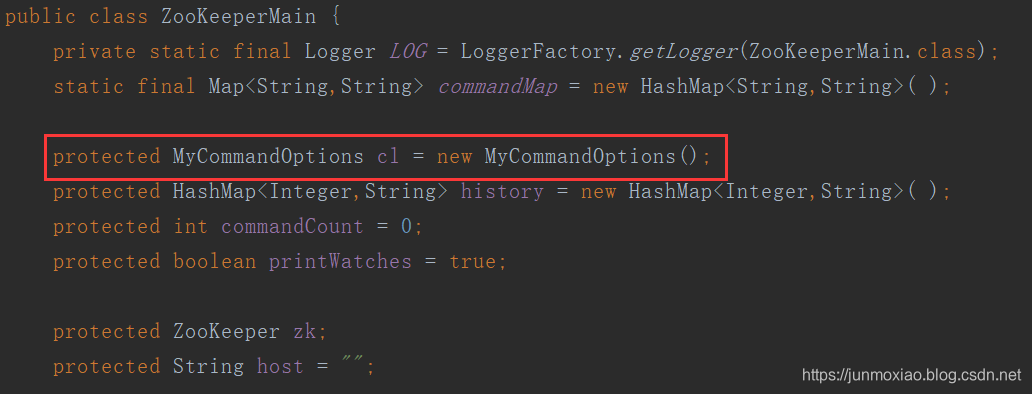 2)ZooKeeperMain 的 main 方法里,进行了创建 ZooKeeperMain 对象
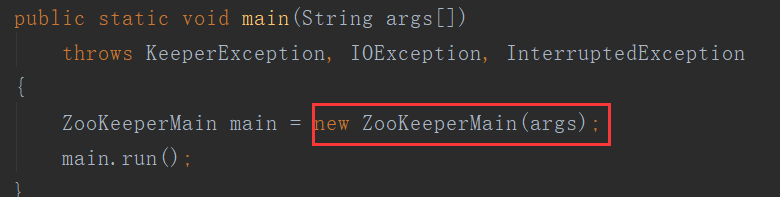
在它的构造函数里:
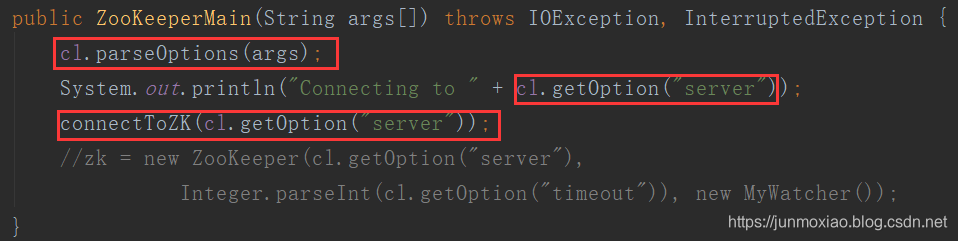
重点是 parseOptions,后面就是在 parseOptions 拿到 “server” 对应的值。
parseOptions 好像就这里用到了:
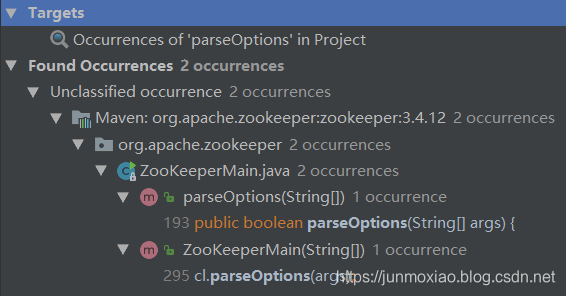
所以我在之前的源码里注释了,应该不存在不是以"-"开头的情况才对,这个点一直存在问题,后面也会提到。
注意 MyCommandOptions的构造函数,就知道就算没有 server 参数一样可以连接(如果服务器在本地):
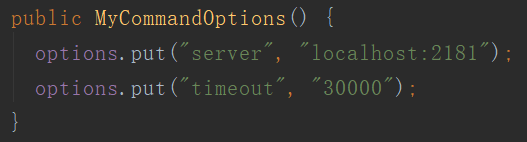

验证成功
3)ZooKeeperMain 的 main 方法里,创建 ZooKeeperMain 对象之后,调用了 run() 方法
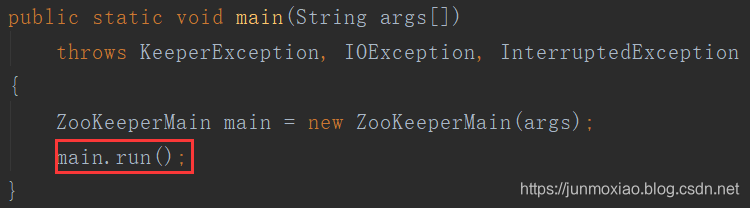

getCommand() 返回的是 command,还记得 command 是什么吗?是登陆客户端之后的指令。所以为 null 就是这是登陆的命令,输出 “Welcome to ZooKeeper!”
4)在登陆的时候(登陆完成之前),存在两种情况:是否使用 jline,但无论如何都会执行 executeLine(line):
用 jline:

不用 jline :
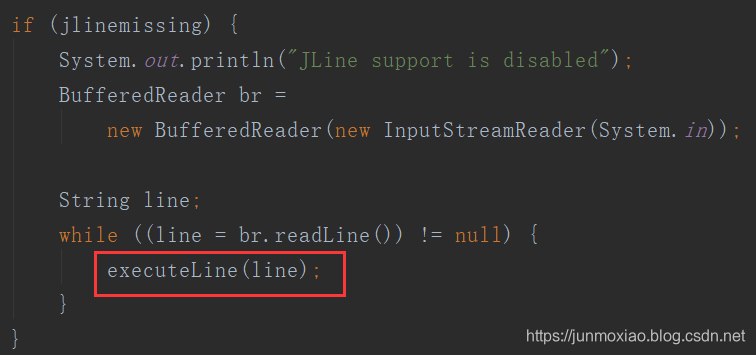
那么 executeLine(line) 到底是什么呢?
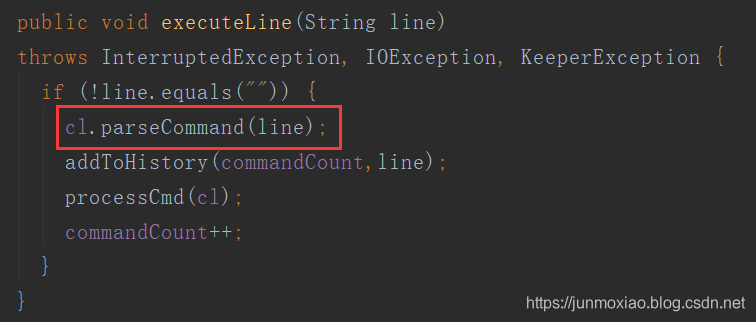
可以看到,这里先做了一个判断如果不为空,然后有四步:
- 调用了 parseCommand 更新了cl 里的 command 和 args
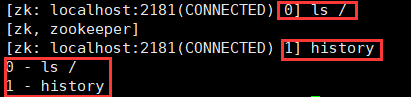
- 将 commandCount 和 line 加入 history,这一点在客户端上很直观:
- 调用 processCmd 执行命令
- commandCount 计数器加一
看一下 processCmd 里对 cl 做了什么:
protected boolean processCmd(MyCommandOptions co)
        throws KeeperException, IOException, InterruptedException
    {
        try {
            return processZKCmd(co);
        } catch (IllegalArgumentException e) {
            System.err.println("Command failed: " + e);
        } catch (KeeperException.NoNodeException e) {
            System.err.println("Node does not exist: " + e.getPath());
        } catch (KeeperException.NoChildrenForEphemeralsException e) {
            System.err.println("Ephemerals cannot have children: "
                    + e.getPath());
        } catch (KeeperException.NodeExistsException e) {
            System.err.println("Node already exists: " + e.getPath());
        } catch (KeeperException.NotEmptyException e) {
            System.err.println("Node not empty: " + e.getPath());
        } catch (KeeperException.NotReadOnlyException e) {
            System.err.println("Not a read-only call: " + e.getPath());
        }catch (KeeperException.InvalidACLException  e) {
            System.err.println("Acl is not valid : "+e.getPath());
        }catch (KeeperException.NoAuthException  e) {
            System.err.println("Authentication is not valid : "+e.getPath());
        }catch (KeeperException.BadArgumentsException   e) {
            System.err.println("Arguments are not valid : "+e.getPath());
        }catch (KeeperException.BadVersionException e) {
            System.err.println("version No is not valid : "+e.getPath());
        }
        return false;
    }
这里是用来处理异常信息的,真正的执行命令在 processZKCmd(co) 方法里,我把它分成几段来看:
protected boolean processZKCmd(MyCommandOptions co)
        throws KeeperException, IOException, InterruptedException
    {
        Stat stat = new Stat();
        //得到参数数组
        String[] args = co.getArgArray();
        //得到指令
        String cmd = co.getCommand();
        //如果参数数组长度为0,也就是没有输入
        if (args.length < 1) {
            usage();
            return false;
        }
		//如果不存在这个指令
        if (!commandMap.containsKey(cmd)) {
            usage();
            return false;
        }
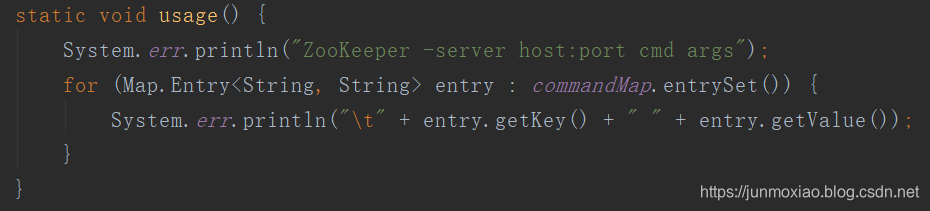
什么是 usage ?
什么是 commandMap ?
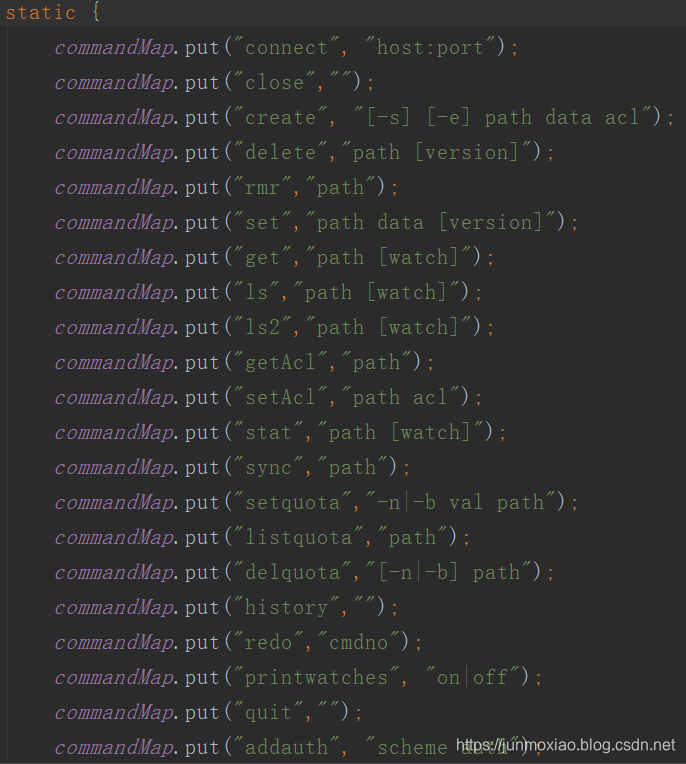
在客户端试一下:
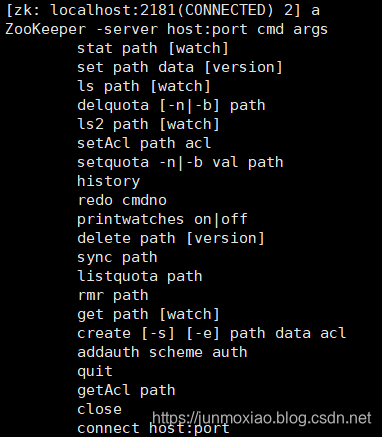
果然就是源码里的 usage() 的效果。继续 processZKCmd 的代码,下面的代码阅读性就很好了,基本上就是判断 cmd 是什么,然后做出对应的操作:
        boolean watch = args.length > 2;
        String path = null;
        List<ACL> acl = Ids.OPEN_ACL_UNSAFE;
        LOG.debug("Processing " + cmd);

        if (cmd.equals("quit")) {
            System.out.println("Quitting...");
            zk.close();
            System.exit(0);
        } else if (cmd.equals("redo") && args.length >= 2) {
            Integer i = Integer.decode(args[1]);
            if (commandCount <= i || i < 0){ // don't allow redoing this redo
                System.out.println("Command index out of range");
                return false;
            }
            cl.parseCommand(history.get(i));
            if (cl.getCommand().equals( "redo" )){
                System.out.println("No redoing redos");
                return false;
            }
            history.put(commandCount, history.get(i));
            processCmd( cl);
        } else if (cmd.equals("history")) {
            for (int i=commandCount - 10;i<=commandCount;++i) {
                if (i < 0) continue;
                System.out.println(i + " - " + history.get(i));
            }
        } else if (cmd.equals("printwatches")) {
            if (args.length == 1) {
                System.out.println("printwatches is " + (printWatches ? "on" : "off"));
            } else {
                printWatches = args[1].equals("on");
            }
        } else if (cmd.equals("connect")) {
            if (args.length >=2) {
                connectToZK(args[1]);
            } else {
                connectToZK(host);
            }
        }

        // Below commands all need a live connection
        if (zk == null || !zk.getState().isAlive()) {
            System.out.println("Not connected");
            return false;
        }

        if (cmd.equals("create") && args.length >= 3) {
            int first = 0;
            CreateMode flags = CreateMode.PERSISTENT;
            if ((args[1].equals("-e") && args[2].equals("-s"))
                    || (args[1]).equals("-s") && (args[2].equals("-e"))) {
                first+=2;
                flags = CreateMode.EPHEMERAL_SEQUENTIAL;
            } else if (args[1].equals("-e")) {
                first++;
                flags = CreateMode.EPHEMERAL;
            } else if (args[1].equals("-s")) {
                first++;
                flags = CreateMode.PERSISTENT_SEQUENTIAL;
            }
            if (args.length == first + 4) {
                acl = parseACLs(args[first+3]);
            }
            path = args[first + 1];
            String newPath = zk.create(path, args[first+2].getBytes(), acl,
                    flags);
            System.err.println("Created " + newPath);
        } else if (cmd.equals("delete") && args.length >= 2) {
            path = args[1];
            zk.delete(path, watch ? Integer.parseInt(args[2]) : -1);
        } else if (cmd.equals("rmr") && args.length >= 2) {
            path = args[1];
            ZKUtil.deleteRecursive(zk, path);
        } else if (cmd.equals("set") && args.length >= 3) {
            path = args[1];
            stat = zk.setData(path, args[2].getBytes(),
                    args.length > 3 ? Integer.parseInt(args[3]) : -1);
            printStat(stat);
        } else if (cmd.equals("aget") && args.length >= 2) {
            path = args[1];
            zk.getData(path, watch, dataCallback, path);
        } else if (cmd.equals("get") && args.length >= 2) {
            path = args[1];
            byte data[] = zk.getData(path, watch, stat);
            data = (data == null)? "null".getBytes() : data;
            System.out.println(new String(data));
            printStat(stat);
        } else if (cmd.equals("ls") && args.length >= 2) {
            path = args[1];
            List<String> children = zk.getChildren(path, watch);
            System.out.println(children);
        } else if (cmd.equals("ls2") && args.length >= 2) {
            path = args[1];
            List<String> children = zk.getChildren(path, watch, stat);
            System.out.println(children);
            printStat(stat);
        } else if (cmd.equals("getAcl") && args.length >= 2) {
            path = args[1];
            acl = zk.getACL(path, stat);
            for (ACL a : acl) {
                System.out.println(a.getId() + ": "
                        + getPermString(a.getPerms()));
            }
        } else if (cmd.equals("setAcl") && args.length >= 3) {
            path = args[1];
            stat = zk.setACL(path, parseACLs(args[2]),
                    args.length > 4 ? Integer.parseInt(args[3]) : -1);
            printStat(stat);
        } else if (cmd.equals("stat") && args.length >= 2) {
            path = args[1];
            stat = zk.exists(path, watch);
            if (stat == null) {
              throw new KeeperException.NoNodeException(path);
            }
            printStat(stat);
        } else if (cmd.equals("listquota") && args.length >= 2) {
            path = args[1];
            String absolutePath = Quotas.quotaZookeeper + path + "/" + Quotas.limitNode;
            byte[] data =  null;
            try {
                System.err.println("absolute path is " + absolutePath);
                data = zk.getData(absolutePath, false, stat);
                StatsTrack st = new StatsTrack(new String(data));
                System.out.println("Output quota for " + path + " "
                        + st.toString());

                data = zk.getData(Quotas.quotaZookeeper + path + "/" +
                        Quotas.statNode, false, stat);
                System.out.println("Output stat for " + path + " " +
                        new StatsTrack(new String(data)).toString());
            } catch(KeeperException.NoNodeException ne) {
                System.err.println("quota for " + path + " does not exist.");
            }
        } else if (cmd.equals("setquota") && args.length >= 4) {
            String option = args[1];
            String val = args[2];
            path = args[3];
            System.err.println("Comment: the parts are " +
                               "option " + option +
                               " val " + val +
                               " path " + path);
            if ("-b".equals(option)) {
                // we are setting the bytes quota
                createQuota(zk, path, Long.parseLong(val), -1);
            } else if ("-n".equals(option)) {
                // we are setting the num quota
                createQuota(zk, path, -1L, Integer.parseInt(val));
            } else {
                usage();
            }

        } else if (cmd.equals("delquota") && args.length >= 2) {
            //if neither option -n or -b is specified, we delete
            // the quota node for thsi node.
            if (args.length == 3) {
                //this time we have an option
                String option = args[1];
                path = args[2];
                if ("-b".equals(option)) {
                    delQuota(zk, path, true, false);
                } else if ("-n".equals(option)) {
                    delQuota(zk, path, false, true);
                }
            } else if (args.length == 2) {
                path = args[1];
                // we dont have an option specified.
                // just delete whole quota node
                delQuota(zk, path, true, true);
            } else if (cmd.equals("help")) {
                usage();
            }
        } else if (cmd.equals("close")) {
                zk.close();
        } else if (cmd.equals("sync") && args.length >= 2) {
            path = args[1];
            zk.sync(path, new AsyncCallback.VoidCallback() { public void processResult(int rc, String path, Object ctx) { System.out.println("Sync returned " + rc); } }, null );
        } else if (cmd.equals("addauth") && args.length >=2 ) {
            byte[] b = null;
            if (args.length >= 3)
                b = args[2].getBytes();

            zk.addAuthInfo(args[1], b);
        } else if (!commandMap.containsKey(cmd)) {
            usage();
        }
        return watch;
    }
其中,create 这个指令十分重要,我在另外一篇博客中会详细介绍。
- 如果不为null(接着3)后面),意思是运行 run() 方法前就有 command 了。
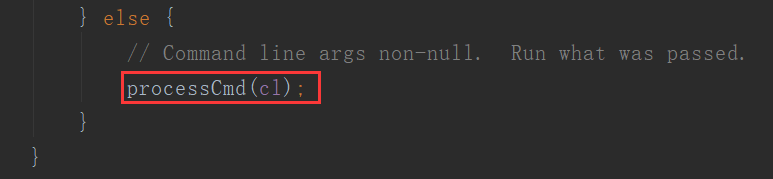
这里一直不理解,可对应 parseOptions 的代码,说明确实是有这个可能。于是我试了一下这样:
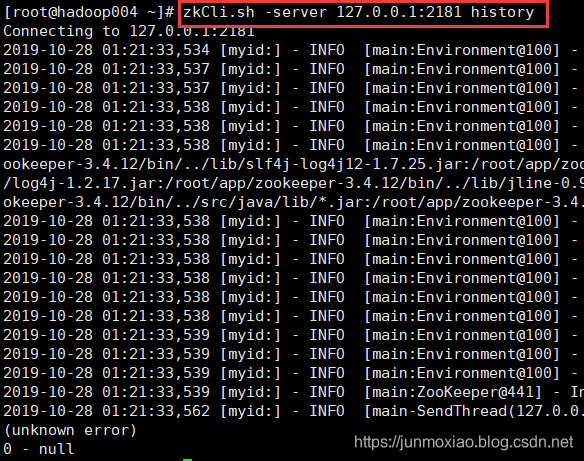
不行,报错。但,如果是这样呢?
zkCli.sh -server 127.0.0.1:2181
history
这段代码加了两个换行,全部复制下来,去执行:
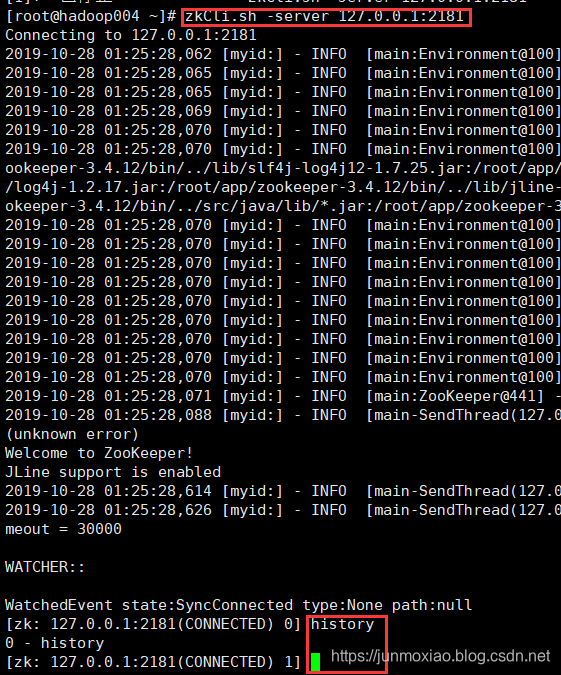
一气呵成!理性分析,源码考虑的情况可能就是这里了。这里的"\r\n"通过了正则匹配(对应的是\\s*)。
另一种可能
上面的解释有点牵强,我认为还有一种可能,当输入某个命令行的时候,还没有来得及执行,突然连接断了。
这个时候客户端会自动重连一段时间,加入这段时间内重连成功,会不会继续处理之前的命令行呢?





 扫一扫
扫一扫


 987
987

 被折叠的 条评论
为什么被折叠?
被折叠的 条评论
为什么被折叠?
 到【灌水乐园】发言





