






 本文深入解析了Element UI中El-upload组件的使用方法,包括各类事件处理如:before-upload、:on-change、:on-exceed等,及自定义http-request实现文件上传的高级技巧。通过实例展示了如何控制上传前的验证、上传过程中的状态变化、上传数量限制及上传后的处理。
下面这是标签
可以看出来 :http-request="(params) =>beforeMasterPictureUpload(params,‘ruleForm’,fileList0)"
http-request 传递参数的方法 是可以这样写的,其他方法一样,但是如果写错少些可能会导致覆盖原来的方法。
<el-upload :class="{hidesse:hideUpload0,'avatar-uploader':true}"
						multiple action="这里不需要填或者随便写"
                        list-type="picture-card" :before-upload="beforeAvatarUpload"
                        :on-preview="(params) =>handlePictureCardPreview(params,'ruleForm',fileList0)"
                        :http-request="(params) =>beforeMasterPictureUpload(params,'ruleForm',fileList0)"
                        :on-change="(params,fileList) =>onChangeMaster(params,fileList,'ruleForm','fileList0')"
                        :on-exceed="OnExceed"
                        :on-remove="(params) =>handleRemove(params,'ruleForm',fileList0,'fileList0')" :limit="5"
                        :file-list="fileList0" @click="titext">
                        <i class="el-icon-plus"></i>
                    </el-upload>
下面是JS 接受方法 同样 我们拿 http-request 这个方法做例子
beforeMasterPictureUpload(params, fromData, prop) {
	console.log('----aaaa', this.fileList);
    console.log('file', params, fromData, prop);
}
大家可以输出看看结果 是否有拿到你上面传递过来的字符串或者是值
下面我将 源码放上
HTML标签
<el-upload :class="{hidesse:hideUpload0,'avatar-uploader':true}"
						multiple action="这里不需要填或者随便写"
                        list-type="picture-card" :before-upload="beforeAvatarUpload"
                        :on-preview="(params) =>handlePictureCardPreview(params,'ruleForm',fileList0)"
                        :http-request="(params) =>beforeMasterPictureUpload(params,'ruleForm',fileList0)"
                        :on-change="(params,fileList) =>onChangeMaster(params,fileList,'ruleForm','fileList0')"
                        :on-exceed="OnExceed"
                        :on-remove="(params) =>handleRemove(params,'ruleForm',fileList0,'fileList0')" :limit="5"
                        :file-list="fileList0" @click="titext">
                        <i class="el-icon-plus"></i>
                    </el-upload>
JS语句
// 主图上传之前
                beforeAvatarUpload(file) {
                    console.log('主图上传之前:', file)
                    const idJPG =
                        file.type === "image/jpeg" || "image/gif" || "image/png" || "image/bmp";
                    if (!idJPG) {
                        this.$message.error(
                            '123123'
                        );
                    }
                    return idJPG;
                },
                // 图片触发
                onChangeMaster(file, fileList, fromData, prop) {
                    // fileList 当前上传框的数据
                    switch (prop) {
                        case 'fileList0':
                            { this.hideUpload0 = fileList.length >= this.limitCount; }
                            break;
                        case 'fileList1':
                            { this.hideUpload1 = fileList.length >= this.limitCount; }
                            break;
                        case 'fileList2':
                            { this.hideUpload2 = fileList.length >= this.limitCount; }
                            break;
                        case 'fileList3':
                            { this.hideUpload3 = fileList.length >= this.limitCount; }
                            break;
                        case 'fileList4':
                            { this.hideUpload4 = fileList.length >= this.limitCount; }
                            break;
                        case 'fileList5':
                            { this.hideUpload6 = fileList.length >= this.limitCount; }
                            break;

                        default:
                            break;
                    }
                    console.log('判断一次', file, fileList, this.fileList0)

                    if (this.inde > 0) {
                        return
                    } else {

                        //let existFile = fileList.slice(0, fileList.length - 1).find(f => f.name === file.name)
                        //if (existFile) {
                           // this.inde++
                          //  console.log(existFile)
                          //  this.$message.error(
                          //      '图片重复' + existFile.name
                        //    );
                        //    // fileList.pop()
                     //   }
                        this[prop] = fileList
                    }

                },
                // 图片个数超出限制
                OnExceed(file, fileList) {
                    this.$message.error(
                        '每个选项最多上传5张', "error"
                    );
                },
                handleRemove(params, fileList, prop, item) {
                    prop.forEach((obj, index) => {
                        console.log(index, obj)
                        if (params.uid == obj.uid) {
                            prop.splice(index, 1)
                        }

                    })
                    console.log('删除后的数组', prop);
                    setTimeout(() => {
                        switch (item) {
                            case 'fileList0':
                                { this.hideUpload0 = prop.length >= this.limitCount; }
                                break;
                            case 'fileList1':
                                { this.hideUpload1 = prop.length >= this.limitCount; }
                                break;
                            case 'fileList2':
                                { this.hideUpload2 = prop.length >= this.limitCount; }
                                break;
                            case 'fileList3':
                                { this.hideUpload3 = prop.length >= this.limitCount; }
                                break;
                            case 'fileList4':
                                { this.hideUpload4 = prop.length >= this.limitCount; }
                                break;
                            case 'fileList5':
                                { this.hideUpload6 = prop.length >= this.limitCount; }
                                break;

                            default:
                                break;
                        }
                        console.log(prop.length >= this.limitCount)
                    }, 1000)

                    // this.fileList = [];
                    this.dialogImageUrl = '';
                },
                handlePictureCardPreview(file, fromData, prop) {
                    console.log(file, fromData, prop)
                    this.dialogImageUrl = file.url;
                    this.dialogVisible = true;
                },
                beforeMasterPictureUpload(params, fromData, prop) {
                    console.log('----aaaa', this.fileList);
                    console.log('file', params, fromData, prop);

                },
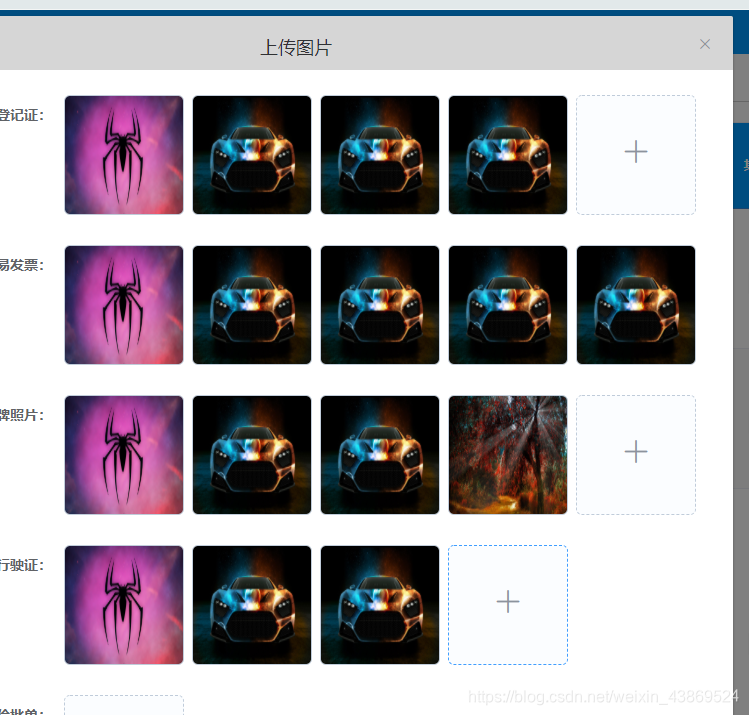
下面是需求案列





 扫一扫
扫一扫


 1842
1842

 被折叠的 条评论
为什么被折叠?
被折叠的 条评论
为什么被折叠?
 到【灌水乐园】发言





