



 本文介绍了解决Gradle构建过程中出现的内存溢出错误的方法。当Gradle守护进程配置不当导致无法分配足够的堆内存时,可通过修改gradle.properties文件中的jvm参数来解决。具体操作是在该文件末尾添加一行:org.gradle.jvmargs=-Xmx512m,以调整分配给Gradle守护进程的堆内存大小。
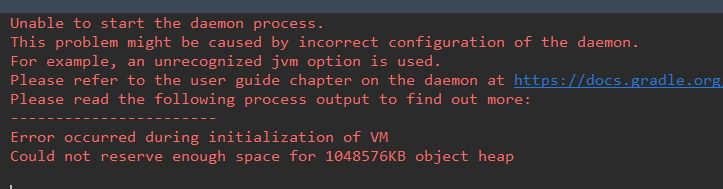
在运行时出现以下报错:
Unable to start the daemon process.
This problem might be caused by incorrect configuration of the daemon.
For example, an unrecognized jvm option is used.
Please refer to the user guide chapter on the daemon at https://docs.gradle.org/4.6/userguide/gradle_daemon.html
Please read the following process output to find out more:
-----------------------
Error occurred during initialization of VM
Could not reserve enough space for 1048576KB object heap
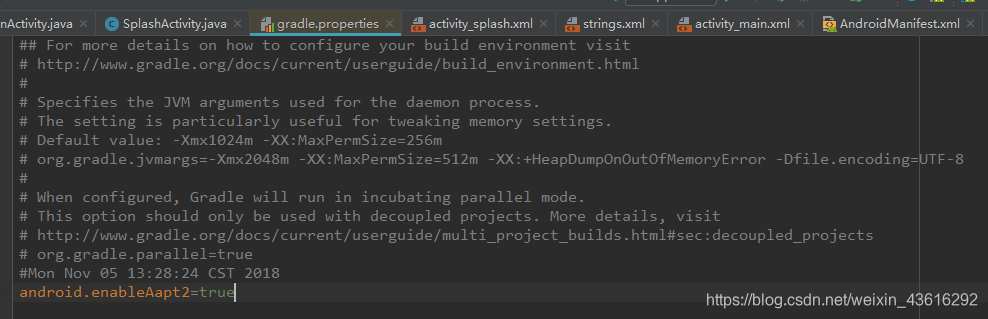
打开项目下的gradle.properties文件
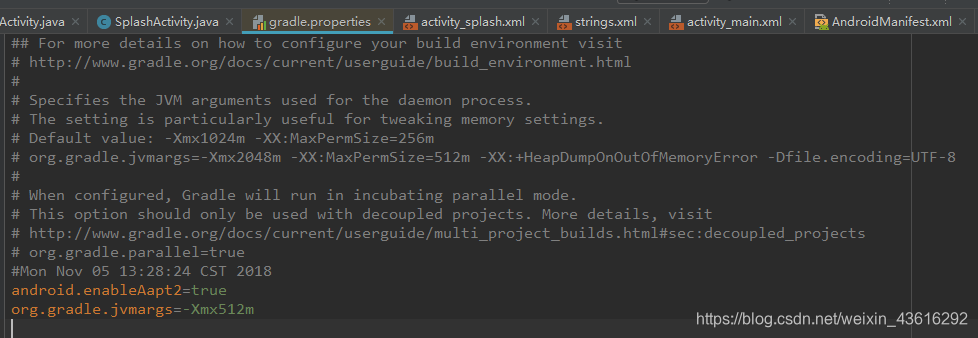
加入:org.gradle.jvmargs=-Xmx512m 即可
(下图中最后一行)
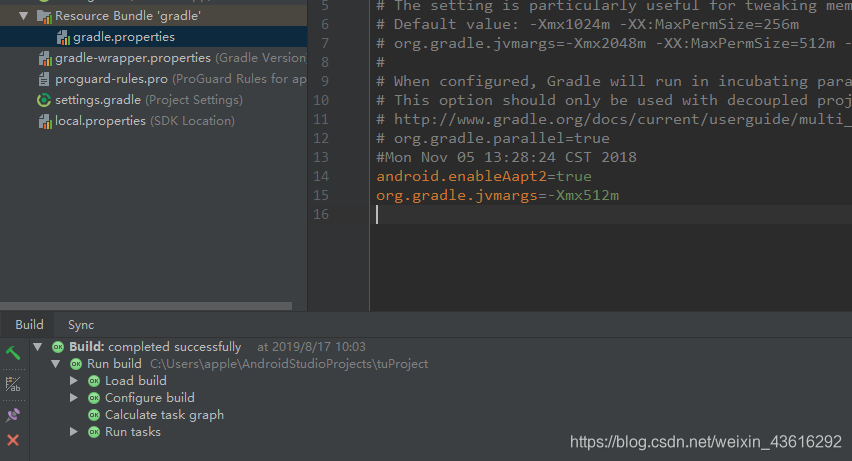
之后运行通过





 扫一扫
扫一扫


 4897
4897

 被折叠的 条评论
为什么被折叠?
被折叠的 条评论
为什么被折叠?
 到【灌水乐园】发言





