



1、下载
地址:https://www.iterm2.com/
下载后直接解压,可以直接点击打开,不用安装。
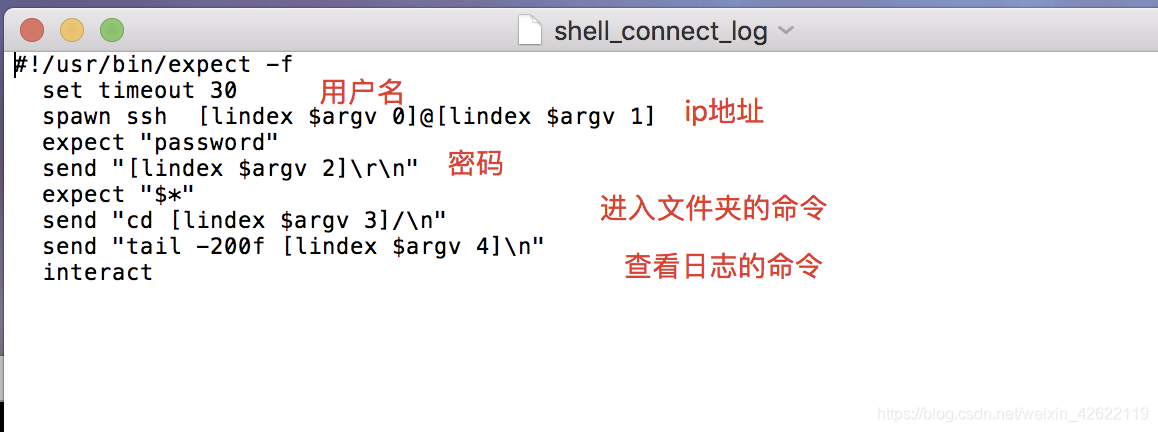
2、可以用vi命令新建文件,输入模版
注:[lindex $argv 0]为第1个参数,其他的依次类推。
用账号密码登录的举例:
#!/usr/bin/expect -f
  set timeout 30
  spawn ssh  [lindex $argv 0]@[lindex $argv 1]
  expect "password"
  send "[lindex $argv 2]\r\n"
  expect "$*"
  send "cd [lindex $argv 3]/\n"
  send "tail -200f [lindex $argv 4]\n"
  interact
用跳板机登录的举例:
#!/usr/bin/expect -f
  set timeout 30
  spawn ssh  jhost1
  send "[lindex $argv 0]\r\n"
  expect "$*"

  send "cd [lindex $argv 1]/\n"
  send "tail -200f [lindex $argv 2].log\n"
  interact
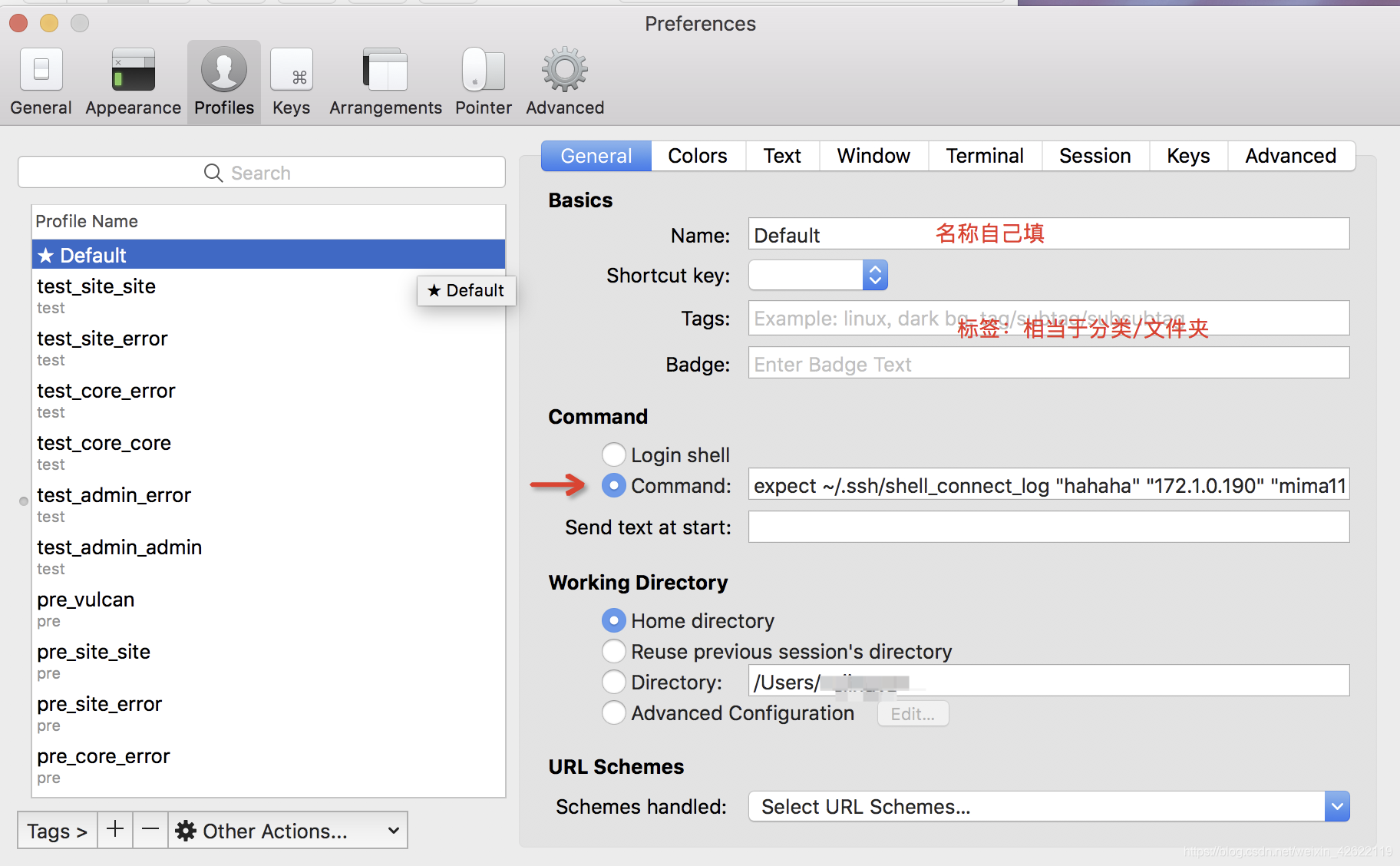
3、iterm2里面配置profiles
路径:iterm2–preference–profiles–左下角的+号可以新增–右侧的general配置如下:
command处填写:expect 文件路径 “参数0” “参数1” “参数2” “参数3” “参数4”
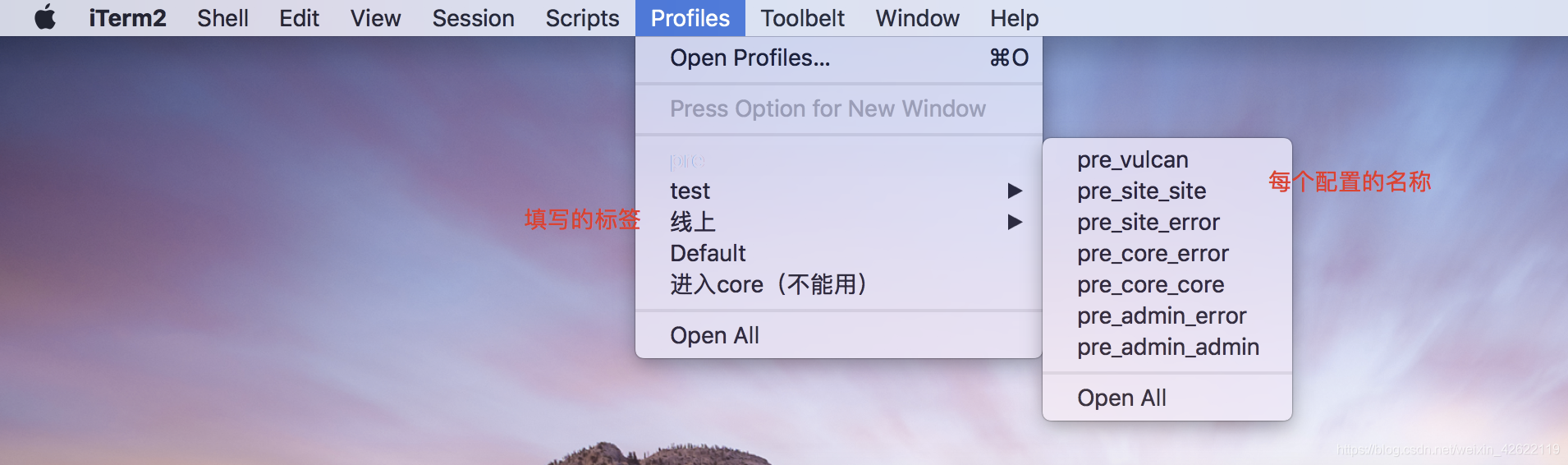
4、点击菜单栏里profiles的具体的名称,就可以自动登录服务器并查看日志了。





 扫一扫
扫一扫


 414
414

 被折叠的 条评论
为什么被折叠?
被折叠的 条评论
为什么被折叠?
 到【灌水乐园】发言





