



 在Windows环境下使用pip安装Python包时,常遇到因网络连接超时导致的安装失败问题。本文提供了一种解决方案,通过修改pip配置文件,更换源为阿里云镜像,有效避免了HTTPS连接超时错误。
windows环境下 pip大多数包 或者失败
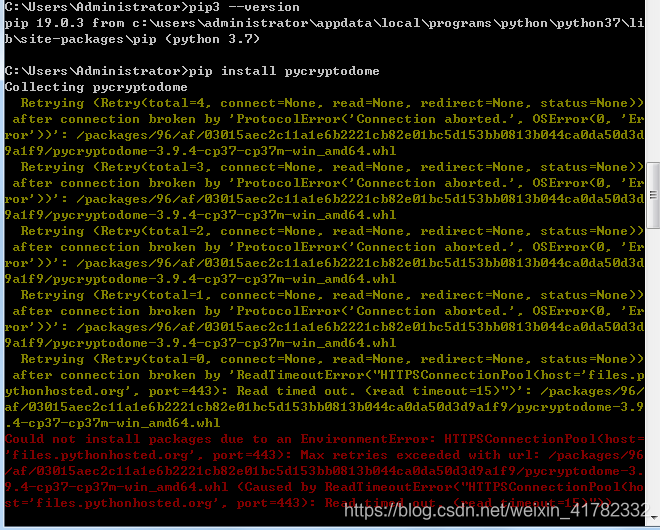
出现如下错误:
Could not install packages due to an EnvironmentError: HTTPSConnectionPool(host=
'files.pythonhosted.org', port=443): Max retries exceeded with url: /packages/96
/af/03015aec2c11a1e6b2221cb82e01bc5d153bb0813b044ca0da50d3d9a1f9/pycryptodome-3.
9.4-cp37-cp37m-win_amd64.whl (Caused by ReadTimeoutError("HTTPSConnectionPool(ho
st='files.pythonhosted.org', port=443): Read timed out. (read timeout=15)"))
解决办法:
在本地创建:
C:\Users\Administrator\pip
pip.ini 文件
[global]

trusted-host=mirrors.aliyun.com

index-url=http://mirrors.aliyun.com/pypi/simple/
解决完美!





 扫一扫
扫一扫


 9万+
9万+


 到【灌水乐园】发言



