


1、通过Visual Stdio新建.net项目
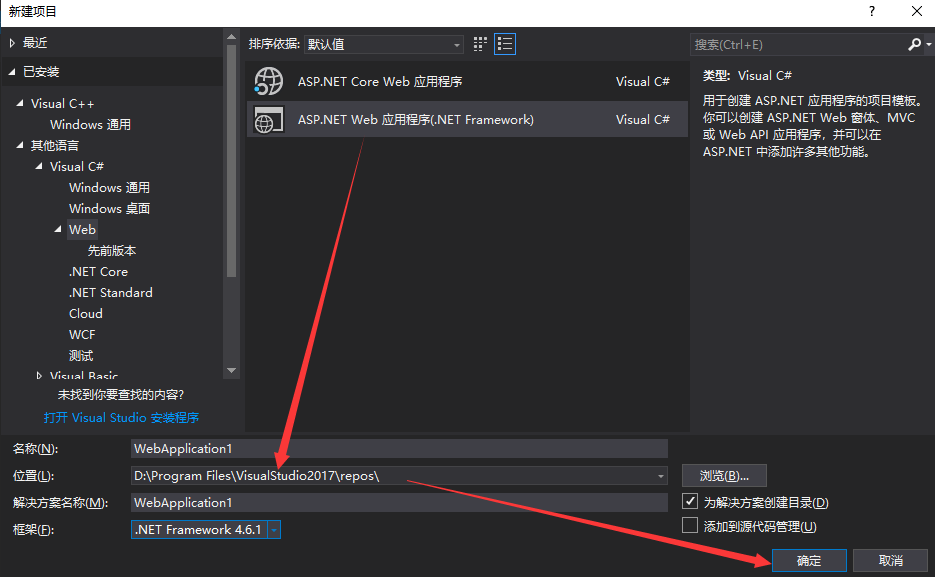
(1)新建项目
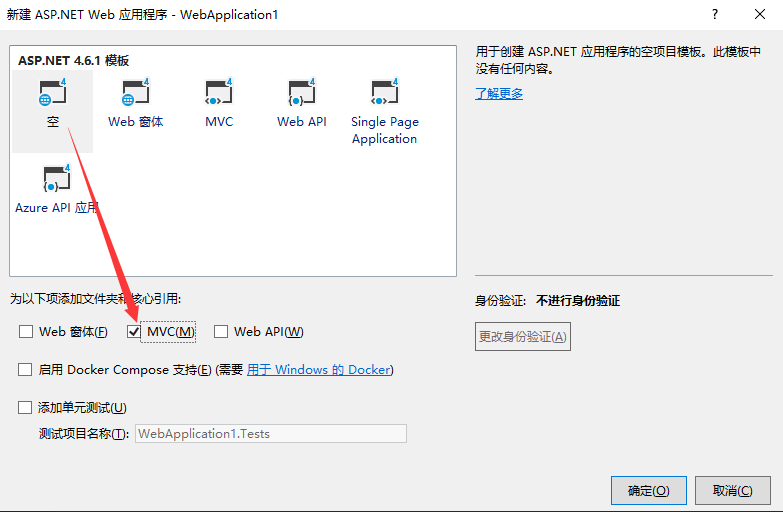
(2)选择项目配置
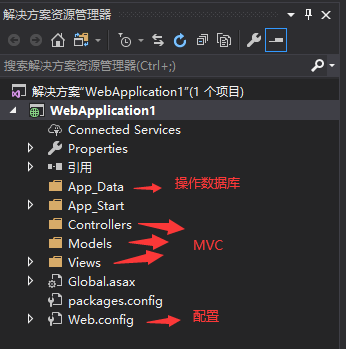
(3)项目结构
(4)新建一个Controller,名称要取HomeController
using System;
using System.Collections.Generic;
using System.Linq;
using System.Web;
using System.Web.Mvc;
namespace WebApplication1.Controllers
{
public class HomeController : Controller
{
// GET: Home
public String Index()
{
return "Hello world";
}
}
}
测试:

2、创建ODBC数据源
(1)下载ODBC数据源

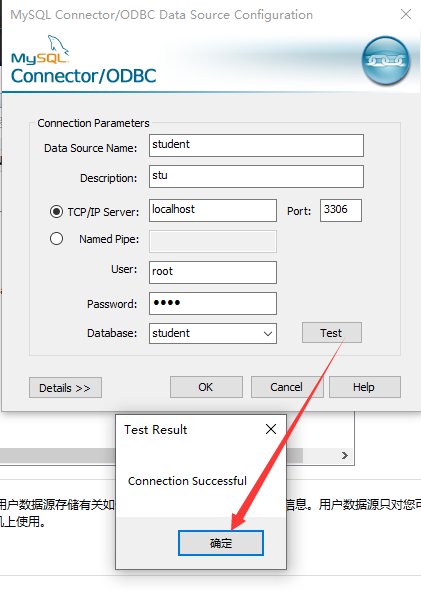
(2)配置ODBC数据源
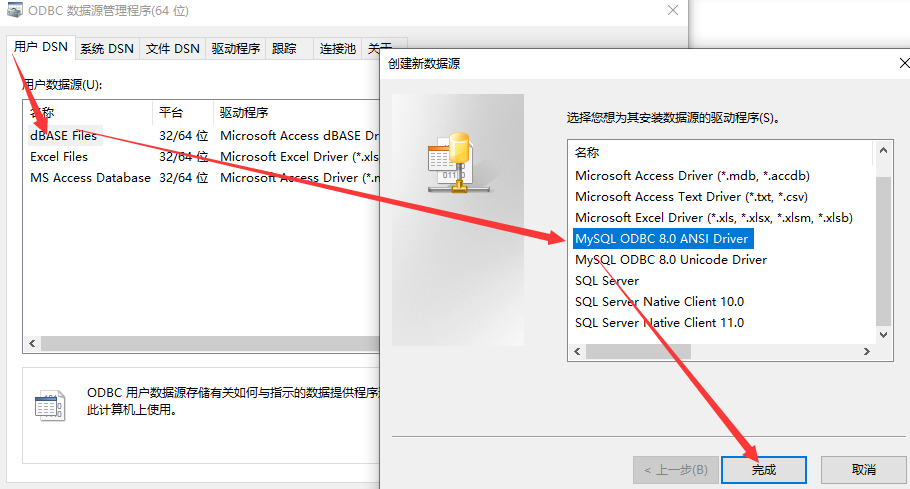
添加相关的信息后点击测试:
3、.net连接MySQL数据库
方式一:
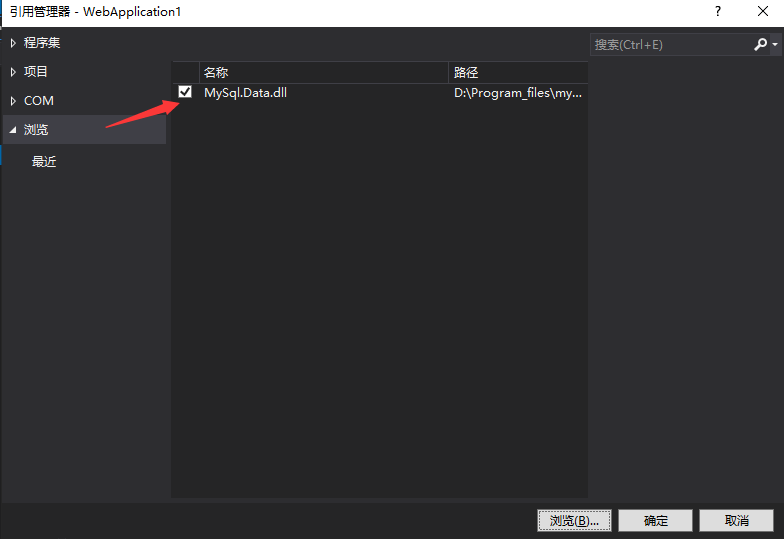
(1)添加引用
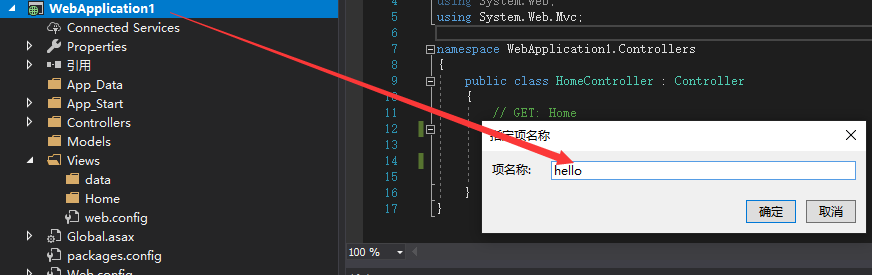
(2)添加一个Web窗体
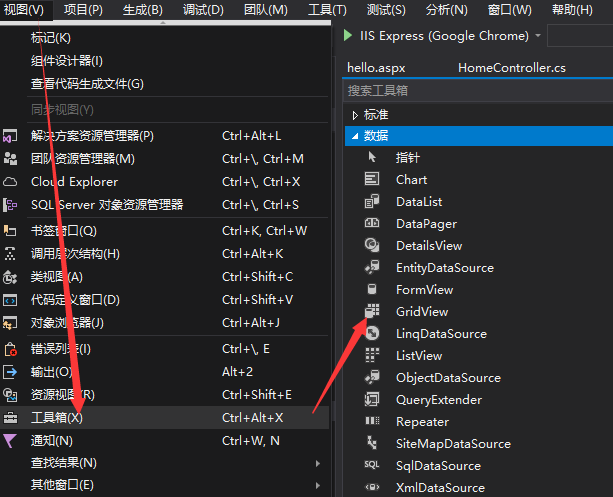
(3)设计页面
选择工具:
(4)连接数据源(该数据源是前面已经配置了的数据源)
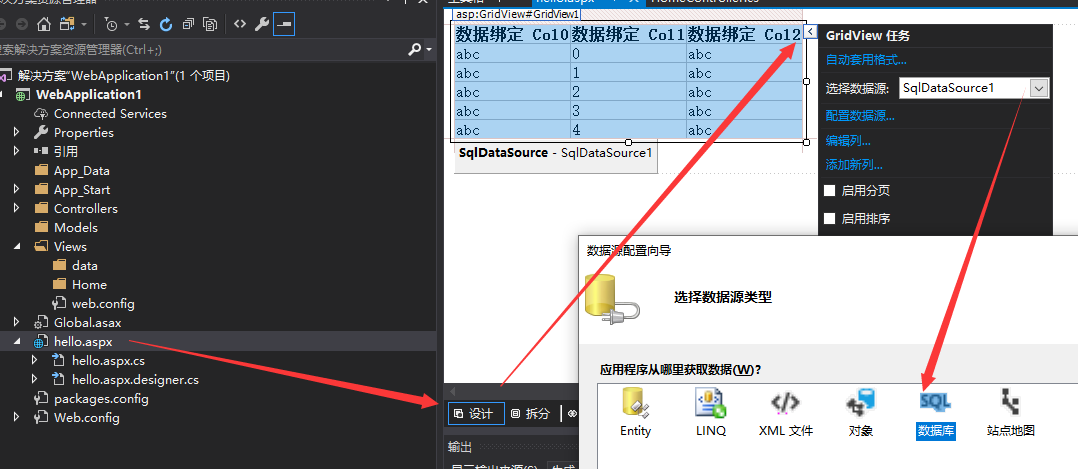
双击SQL数据库
(5)测试

(6)运行生成的页面即可
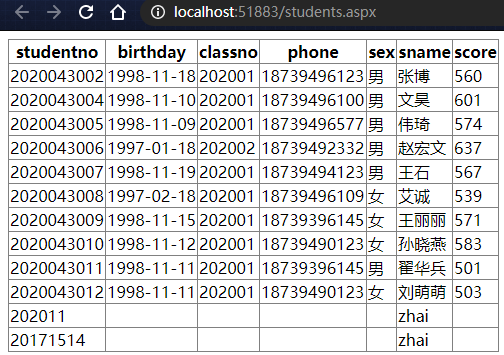
(7)生成的代码如下
1044
runat="server"
ConnectionString=""
ProviderName=""
SelectCommand="select *from student">
方式二:
在程序中进行书写获取数据库连接相关的代码,获取到数据库连接并操作数据库
(1)引用MySql.Data
(2)书写代码获取数据库连接,操作数据库
namespace WebApplication1.Controllers
{
public class HomeController : Controller
{
public MySqlDataReader Index()
{
String constr = "server=127.0.0.1;user=root;password=root; database=student;";
MySqlConnection mycn = new MySqlConnection(constr);
try
{
mycn.Open();
Console.WriteLine("已经建立连接");
}
catch (MySqlException ex)
{
Console.WriteLine(ex.Message);
}
MySqlCommand mycm = new MySqlCommand("select * from student", mycn);
MySqlDataReader dr = mycm.ExecuteReader();
while (dr.Read())
{
if (dr.HasRows)
{
Response.Write(dr.GetString("sname") + "
");
}
}
mycn.Close();
return dr;
}
}
}
(3)测试
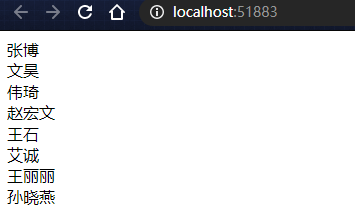
方式三:
(1)书写连接数据库的配置文件
connectionString="server=localhost;
user id=root;
password=root;
database=student;
pooling=true;"
providerName="MySql.Data.MySqlClient" />
(2)书写获取数据库连接的工具类
namespace WebApplication1.utils
{
public class ConnectionUtils
{
public static MySqlConnection CreateConn()
{
string _conn = WebConfigurationManager.ConnectionStrings["DBConnection"].ConnectionString;
MySqlConnection conn = new MySqlConnection(_conn);
return conn;
}
}
}
(3)书写测试类
namespace WebApplication1.Controllers
{
public class HomeController : Controller
{
public MySqlDataReader Index()
{
MySqlConnection mycn = ConnectionUtils.CreateConn();
try
{
mycn.Open();
Console.WriteLine("已经建立连接");
}
catch (MySqlException ex)
{
Console.WriteLine(ex.Message);
}
MySqlCommand mycm = new MySqlCommand("select * from student", mycn);
MySqlDataReader dr = mycm.ExecuteReader();
while (dr.Read())
{
if (dr.HasRows)
{
Response.Write(dr.GetString("sname") + "
");
}
}
mycn.Close();
return dr;
}
}
}
(4)测试
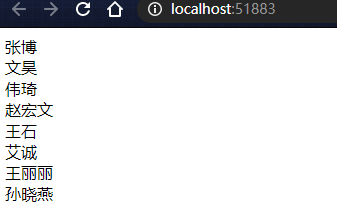





 扫一扫
扫一扫


 1902
1902

 被折叠的 条评论
为什么被折叠?
被折叠的 条评论
为什么被折叠?
 到【灌水乐园】发言





