


 本文详细介绍了如何在Windows Server 2008 SP2或R2上配置RADIUS服务(NPS),包括环境准备、安装步骤、客户端设置及策略配置等内容。适用于无线接入点及远程访问服务的认证。
Step1: Prepare AAA Environment
Windows Server 2008 SP2 or Windows Server 2008 R2
Active Directory Domain Services
Active Directory Certificate Services
DHCP
Radius i.e. NPS must be a member of domain
Computer certificate installed in Radius Server
Windows 7, Windows XP or Mac OSX 10.5.8 Client
Cisco Wireless Access Point
Step2: Installation
Start menu>Administrative Tools>Server manager>Roles>Add Roles

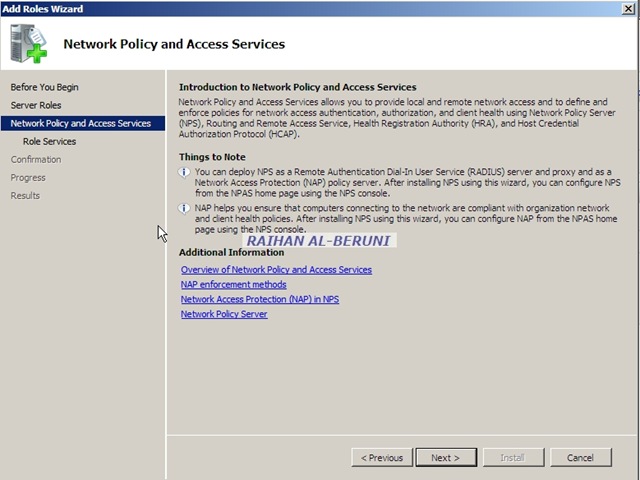


Step3: Setup Clients
Administrative Tools>Network Policy Server>Radius Client>Right Click>New Radius Client


Radius Secret mentioned here must be same in Cisco Wireless Access Point. You must verify connection by clicking verify.
Step4: Setup Policy
Network Policy Server>Policies>network Policies>Right Click>New

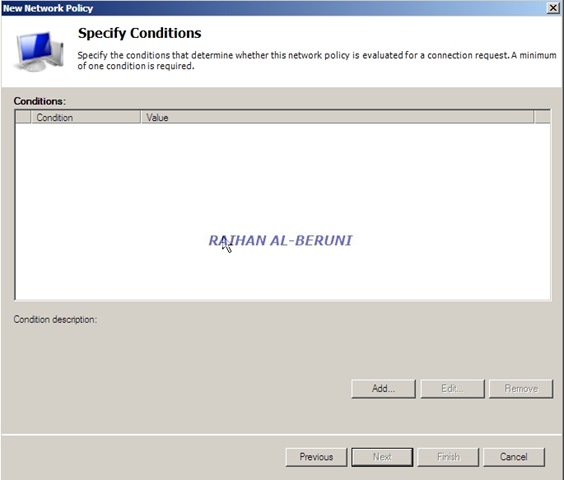
This is highly important part of entire config. Based on your need, you have to choose desire config type among all.
××× Tunnel Type:L2TP
NASPort Type: ××× or Wireless
EAP Type: EAP-TLS, MSChap v2 or PEAP
AD Group: Wireless User Group or ××× User Group


Here, you can choose one or both depending on your infrastructure. I have shown both ××× and Wireless Client.


Here, I am showing both EAP type for this article. But you have to choose only one again depending on your infrastructure.


Smart card or Certificate is the best option. For Windows 7 and XP, only certificates will work smooth as silk. However, if you have Macintosh Client then you have choose Certificate and PEAP.


If you want ××× client to authenticate via Radius i.e. NPS then select Tunnel type.


Here, I explained standard Radius config. I would recommend following for two different situations:
L2TP, Certificate and EAP for ××× Client
Certificate, PEAP and MSChap v2 for Wireless Client.
You can have more then one policy in NPS. A single server can be used to authenticate both ××× and Wireless Client. For some weird reason, my Macintosh client did not work with only user and machine certificate. Apple support advised me to use user cert and Radius shared secret instead. But for Windows 7 and XP client, certificates and EAP will work smooth as silk.
Further Help:
Keywords: L2TP, Radius, NPS, Windows Server 2008, Certificates
转载于:https://blog.51cto.com/lijiaqiang/1539311





 扫一扫
扫一扫


 3687
3687

 被折叠的 条评论
为什么被折叠?
被折叠的 条评论
为什么被折叠?
 到【灌水乐园】发言





