





 本文档详细介绍了如何在CentOS7上安装MySQL服务器。首先,通过下载并安装MySQL社区版的YUM源。接着,安装MySQL80社区版RPM包,并检查YUM源。然后,解决安装过程中可能出现的问题,如依赖冲突,通过移除MariaDB库并重新运行安装命令。启动并设置MySQL服务器,包括设置root用户的密码。在遇到登录问题时,使用安全模式启动MySQL并更新权限。最后,修改配置文件以设置新密码,并取消安全模式。整个过程详尽阐述了每个步骤及可能遇到的错误解决方案。
CentOS7 is a great platform as server and Mysql is a great tool as database. and the following steps shows how to install mysql server on it.
1-- Install repo source on CentOS, with the following commands.
  wget http://repo.mysql.com/mysql-community-release-el7-5.noarch.rpm
  rpm -ivh mysql-community-release-el7-5.noarch.rpm
or this operaiton could be achieved by visit the official website to download the repo source and install the repo source with the following URL address, please be noticed that select the correct repo source according to your own operation system:
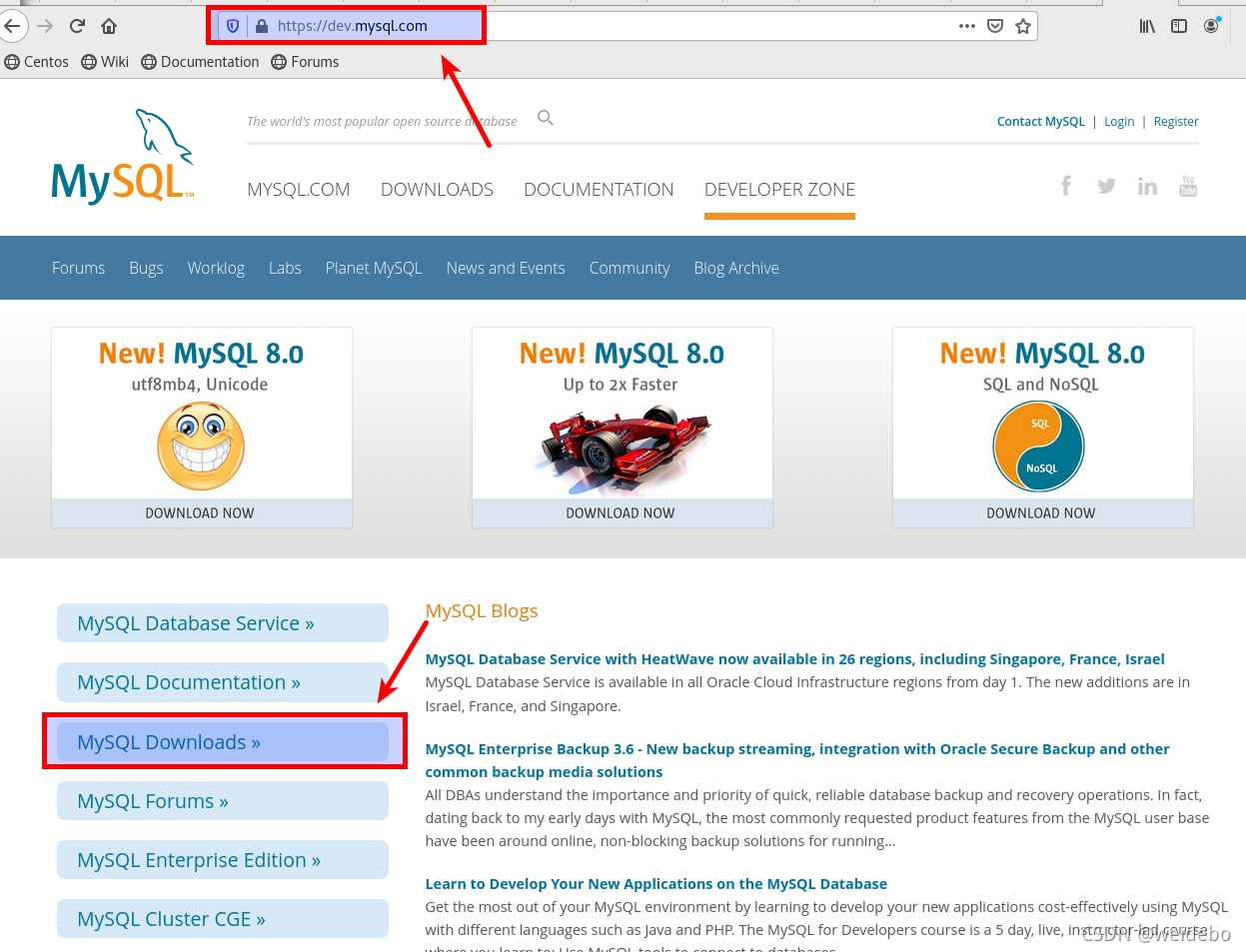
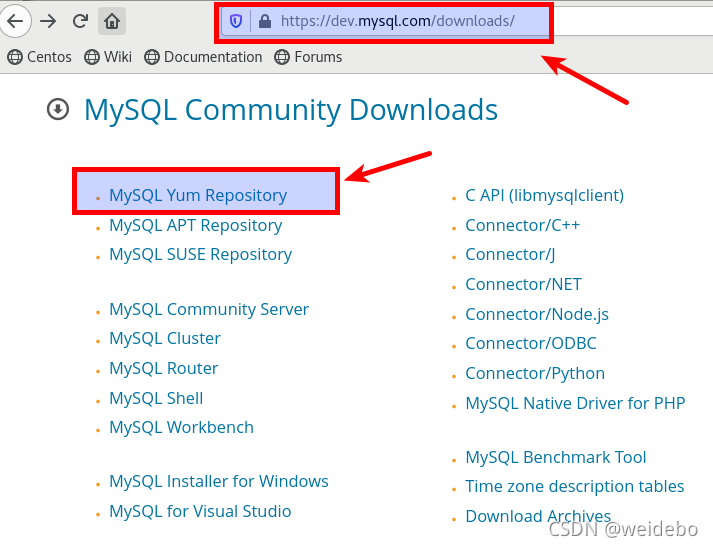
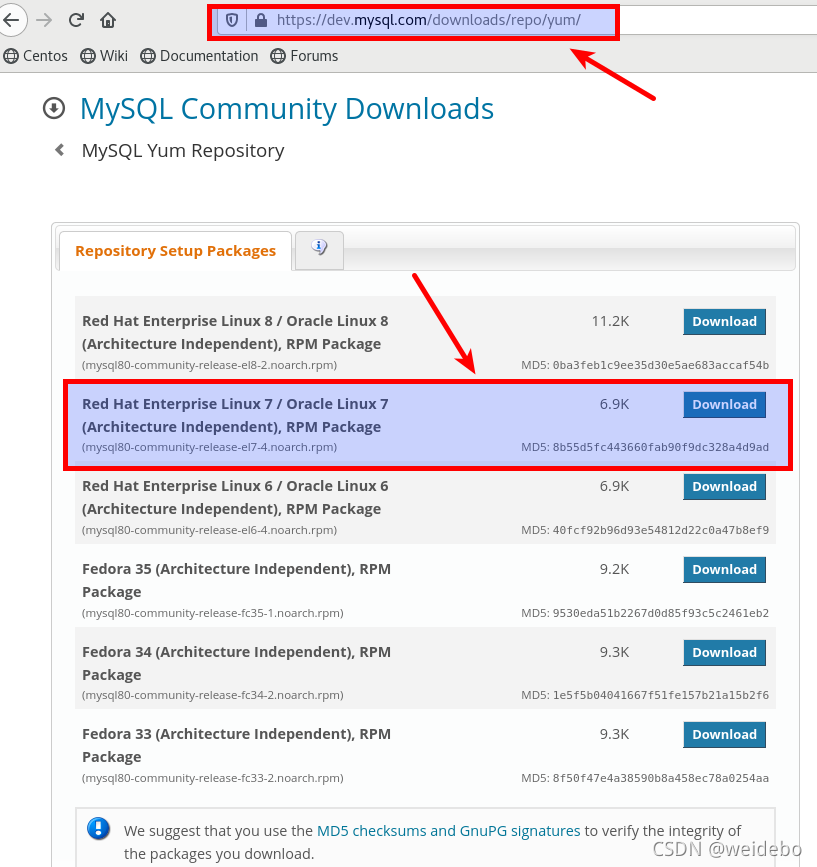
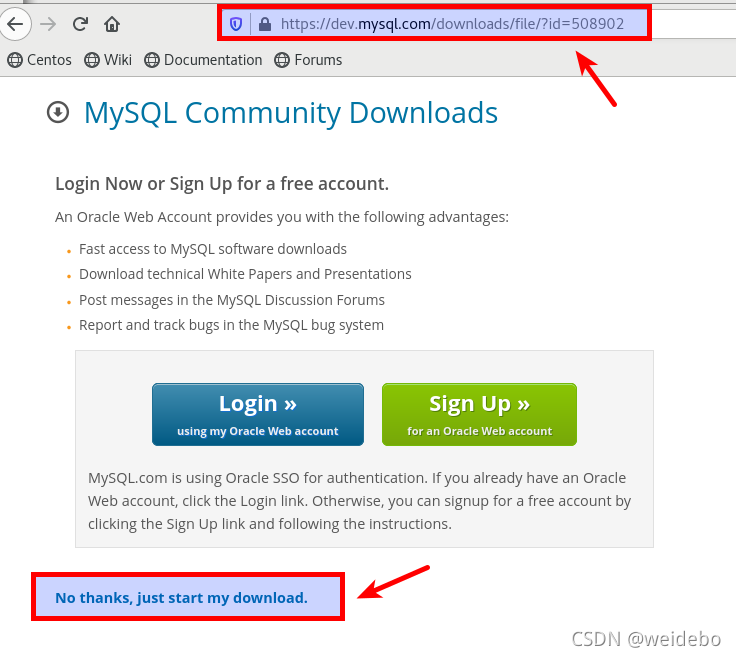
2-- Find the RPM packages where you have downloaed and install the downloaded RPM package with the following command:
rpm -ivh mysql80-community-release-el7-4.noarch.rpm

3-- Check the repo source in the following address: /etc/yum.repos.d/, if the repo source doesn't exist in the folder, repeat step1 until it appeares.
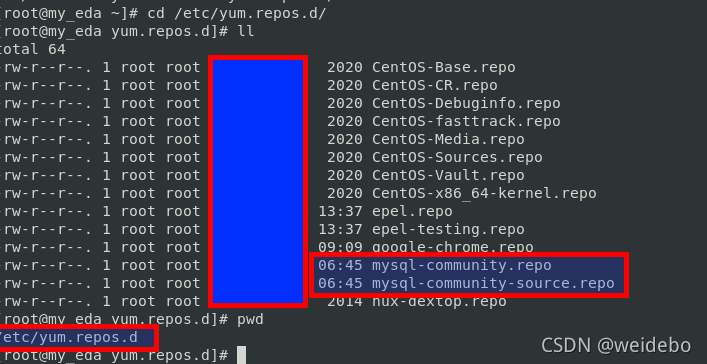
4-- Execute the follwing command to install mysql server.
yum install mysql-community-server
then maybe something wrong occures, just as the following imange shows.
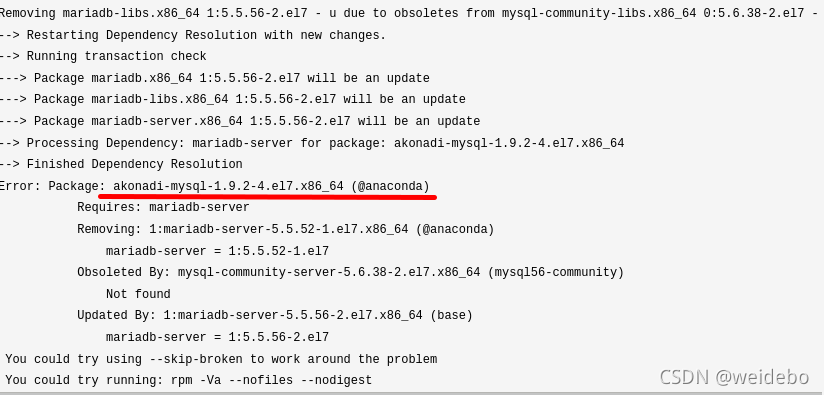
this issue could be solved by executing this command:
yum -y remove mariadb-libs
and then re-run: yum install mysql-community-server to finish the server installation.
5-- Start mysql server and set password for root or other users. Startup mysql with this command: service mysqld restart
then try to set root password for mysql server with this command:
mysql -u root
however, there are something wrong as the following imange shown.

and now try to stop and then login mysql server with this command:
service mysqld stop
usr/bin/mysqld_safe --skip-grant-tables &
and then error occures again due to mysqld_safe function doesn't exist at all. so, change this command option into configuration files in /etc/my.cnf directly as the following figure shown.
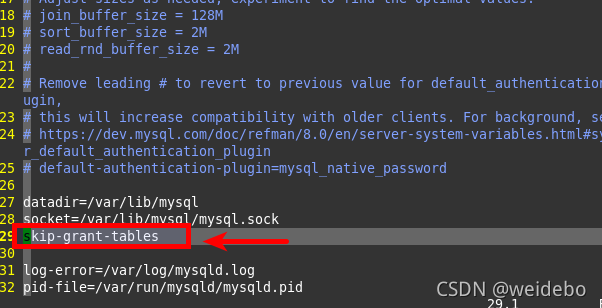
after saving this configuration file,restart mysql server with: service mysqld restart
and login into mysql server with: mysql -u -root
and then flush the privilege with: flush privileges;
and finally set passowrd for root with: SET PASSWORD FOR 'root'@'localhost' = 'password'

then the modifications on /etc/my.conf could be cancelled by comment the added options:
skip-grant-tables
after this operation, restart mysql server with: service mysqld restart
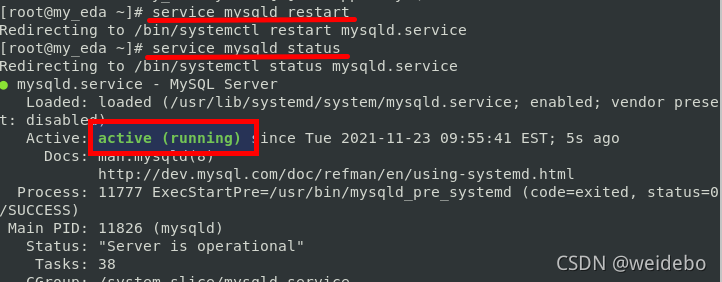
then confirm mysql server status with: service mysqld status
once confirmed server status is [active (running)],
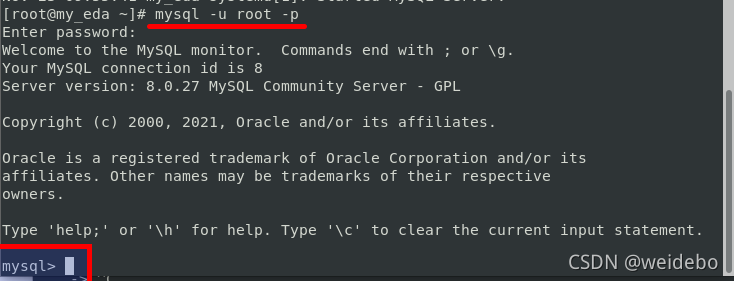
then login into mysql server with: mysql -u root -p passowrd
and the server could be login successfully.





 扫一扫
扫一扫


 2万+
2万+

 被折叠的 条评论
为什么被折叠?
被折叠的 条评论
为什么被折叠?
 到【灌水乐园】发言





