


 本文介绍了一个基于Android平台的音频播放应用程序的实现过程。通过创建raw文件夹存储音频资源,使用XML布局文件设计UI,包括播放、暂停、停止和退出按钮。主活动(MainActivity)和音乐服务(MusicService)类负责处理用户操作和服务执行,实现了音频的播放控制。代码展示了如何通过Intent传递指令到服务,并在服务中使用MediaPlayer进行音频播放。
首先展示代码结构图
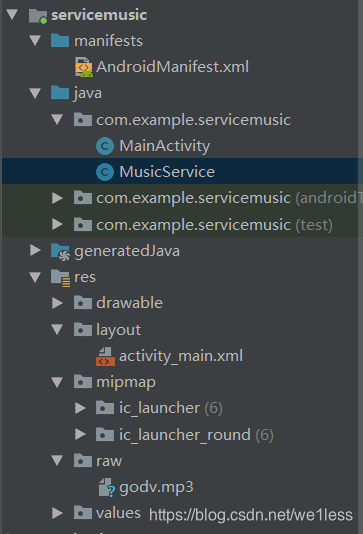
首先在res里建立raw文件用来存放音频文件 这里注意如果写代码过程中发现raw文件引用不到 就build-clear project 一下
编写main-xml文件
<?xml version="1.0" encoding="utf-8"?>
<LinearLayout xmlns:android="http://schemas.android.com/apk/res/android"
android:layout_width="match_parent"
android:layout_height="match_parent"
android:orientation="vertical">
<Button
android:id="@+id/btn_main_play"
android:layout_width="match_parent"
android:layout_height="wrap_content"
android:text="播放" />
<Button
android:id="@+id/btn_main_pause"
android:layout_width="match_parent"
android:layout_height="wrap_content"
android:text="暂停" />
<Button
android:id="@+id/btn_main_stop"
android:layout_width="match_parent"
android:layout_he 最低0.47元/天 解锁文章






 扫一扫
扫一扫


 4343
4343

 被折叠的 条评论
为什么被折叠?
被折叠的 条评论
为什么被折叠?
 到【灌水乐园】发言





