



安装时出现这样的错误,一般都是异常删除安装目录,导致未清理干净。建议使用 uninstall 删除。
Could not set file security for file’D:\Config.Msi\1ef1d48c.rbf.Error:5. Verify that
you have sufficient privileges to modify the security permissions for this file.
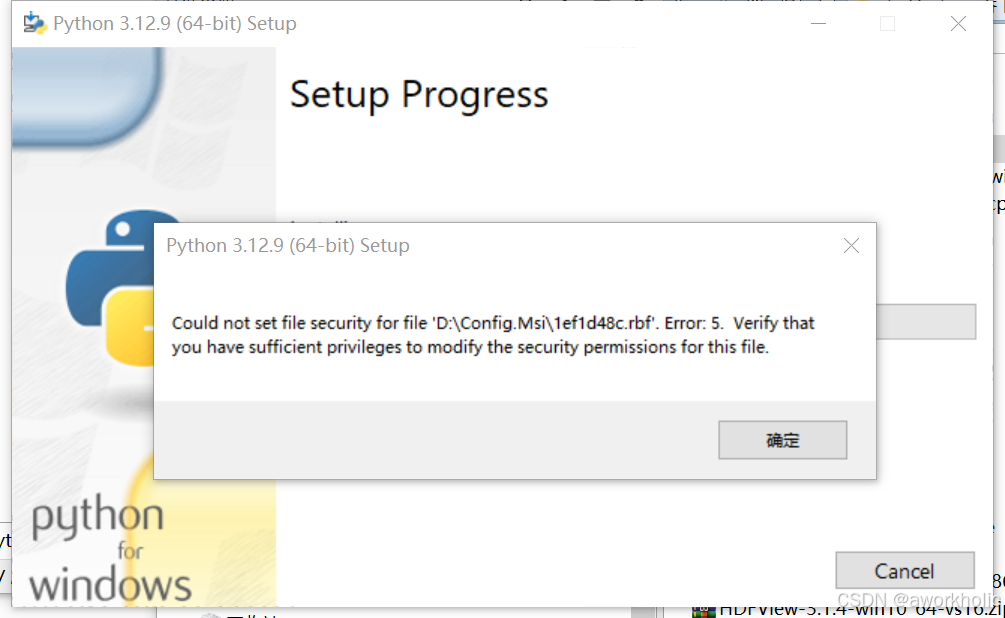
https://www.python.org/downloads/release/python-3129/
如果依然无法解决,那么可以使用msi独立包安装。
终极解决方案
例如,进入指定版本msi的ftp页面,如3.12.9 的 win 64版本,进入页面
https://www.python.org/ftp/python/3.12.9/amd64/
根据需要下载必须要的 msi文件,_d为debug版本。
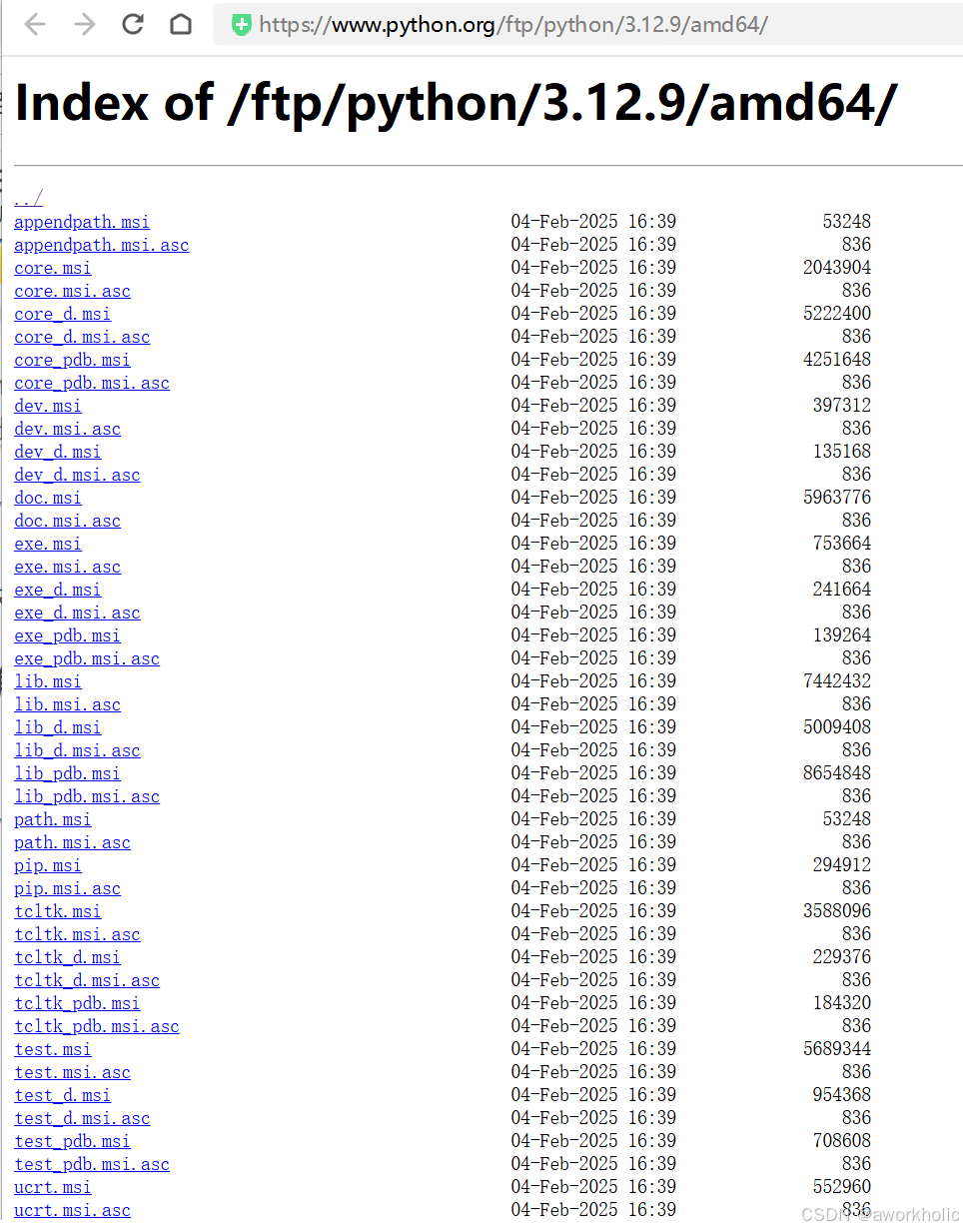
安装时,使用命令行对每个文件,添加 /TargetDir 参数安装到指定目录,如:
exe.msi /TargetDir=D:\python\python312
core.msi /TargetDir=D:\python\python312
ucrt.msi /TargetDir=D:\python\python312
pip.msi /TargetDir=D:\python\python312
lib.msi /TargetDir=D:\python\python312






 扫一扫
扫一扫


 3783
3783

 被折叠的 条评论
为什么被折叠?
被折叠的 条评论
为什么被折叠?
 到【灌水乐园】发言





