





 博客提及可前往微信开发文档查看相关内容,指出微信已做好封装,还提到看代码及呈现的效果,聚焦于微信小程序开发方面。
可以前往微信开发文档查看
这个微信已经封装好了
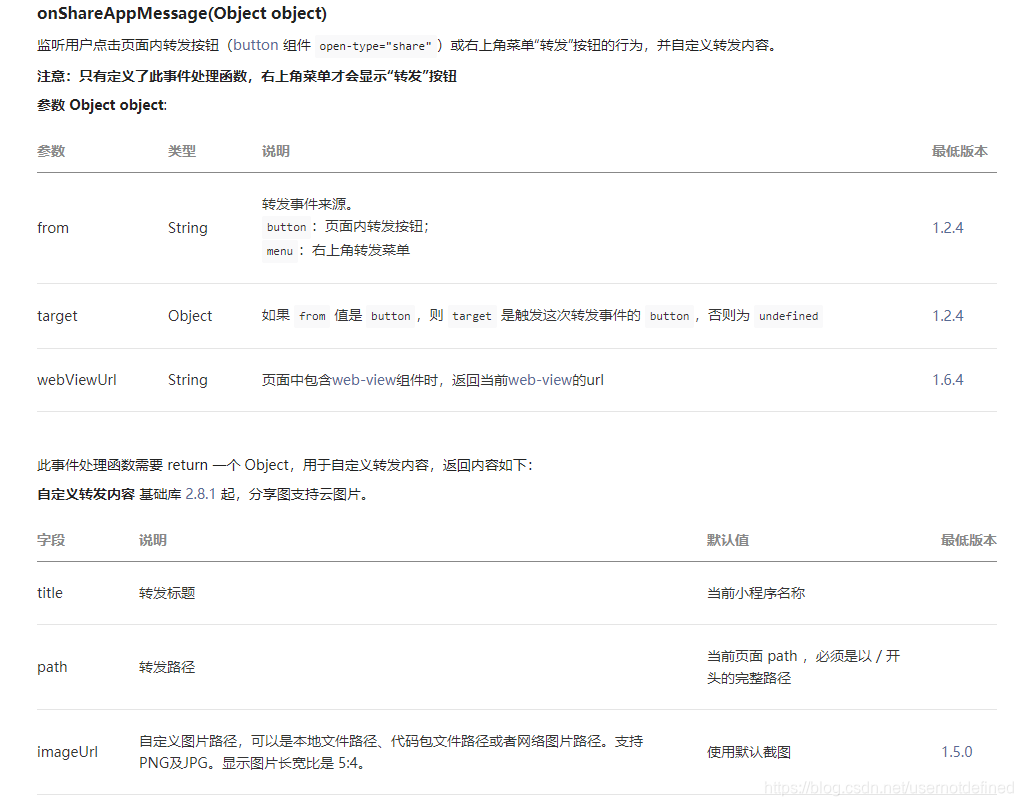
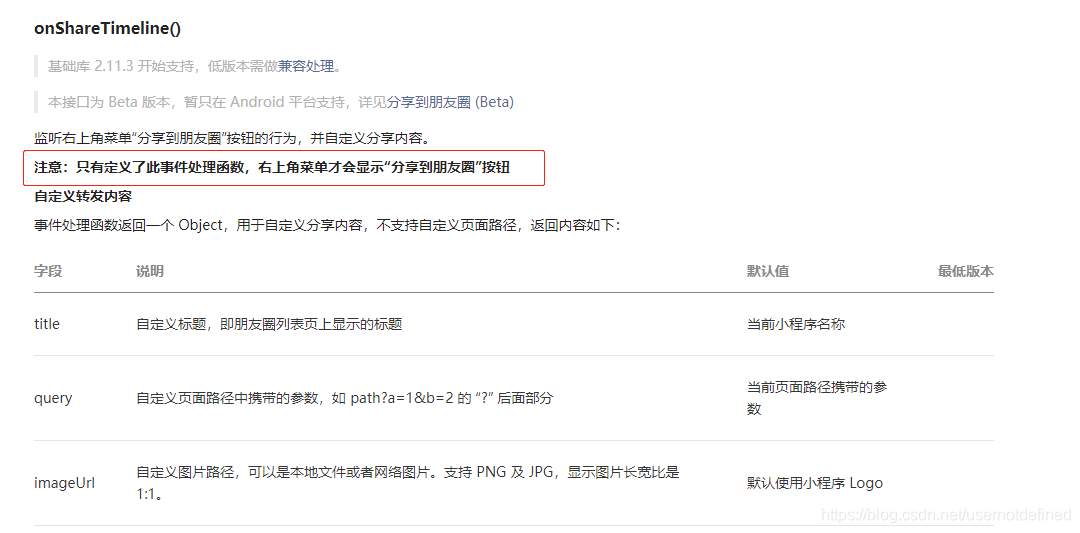
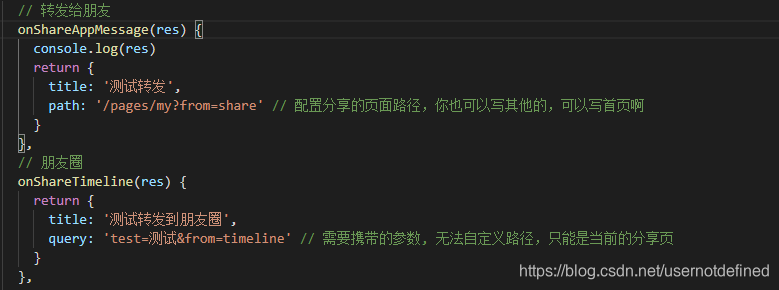
看代码
<template>
  <view>my</view>
  <!-- 进入提示 -->
  <view
    class="sharetip"
    wx:if="{{shareTipShow}}"
    style="height: {{ !bottomNum ? mainHeight-30 : mainHeight}}px"
  >
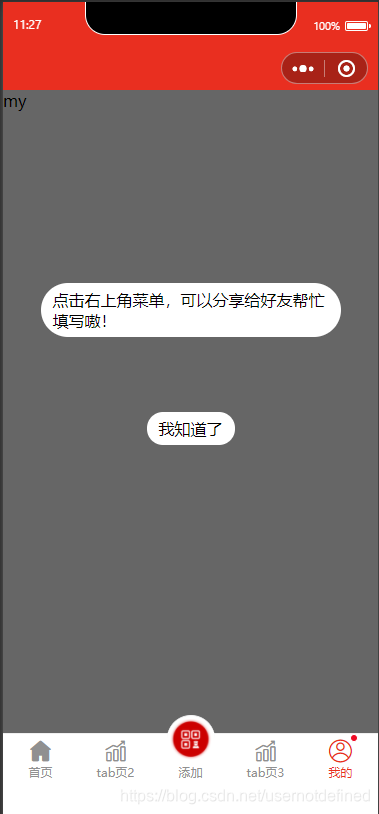
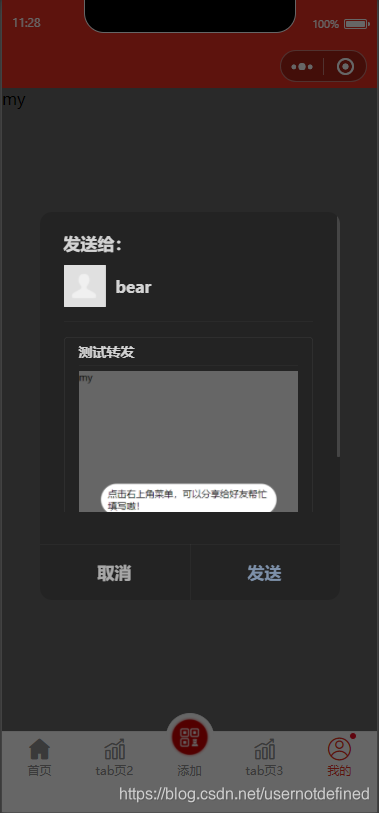
    <view class="tip_content">点击右上角菜单,可以分享给好友帮忙填写嗷!</view>
    <view class="tip_buttom" catchtap="closeShareTip">我知道了</view>
  </view>
</template>
<script>
import { createPage } from '@mpxjs/core'
import store from '../store'
const app = getApp()
createPage({
  data: {
    mainHeight: app.globalData.mainHeight - 51,
    shareTipShow: true
  },
  computed: {
    bottomNum() {
      return store.state.bottomNum
    }
  },
  onLoad(options) {
    // 从参数判断从哪里来,直接返回分享页
    if (options.from === 'timeline' || options.from === 'share') {
      // 这个可以直接关闭所有页面打开任意的一个页面
      // wx.reLaunch({
      //   url: '/pages/my'
      // })
      // 由于这个是tab页,处理tabActive问题
      store.commit('CHANGE_TABER', 'my')
    }
  },
  methods: {
    // 转发给朋友
    onShareAppMessage(res) {
      console.log(res)
      return {
        title: '测试转发',
        path: '/pages/my?from=share' // 配置分享的页面路径,你也可以写其他的,可以写首页啊
      }
    },
    // 朋友圈
    onShareTimeline(res) {
      return {
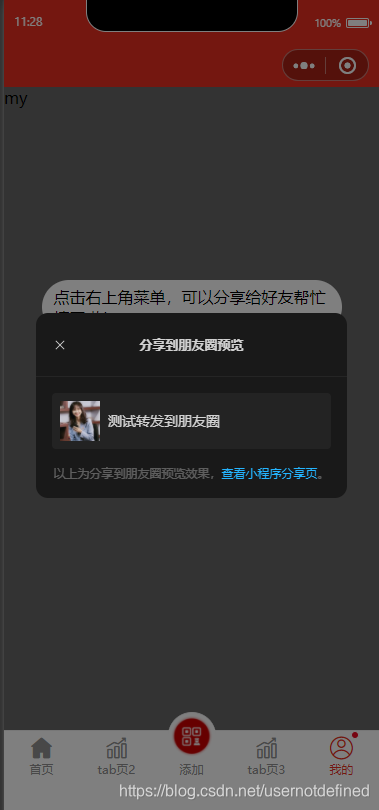
        title: '测试转发到朋友圈',
        query: 'test=测试&from=timeline' // 需要携带的参数, 无法自定义路径,只能是当前的分享页
      }
    },
    closeShareTip() {
      this.setData({
        shareTipShow: false
      })
    }
  }
})
</script>
<style lang="stylus" scoped>
.sharetip
  position fixed
  top 0
  left 0
  width 100%
  background rgba(0, 0, 0, 0.6)
  .tip_content
    background #fff
    border-radius 40px
    width 80%
    padding 6px 12px 6px 12px
    position absolute
    top 30%
    right 10%
  .tip_buttom
    position absolute
    top 50%
    left 50%
    transform translateX(-50%)
    background #fff
    border-radius 40px
    padding 6px 12px 6px 12px
</style>
效果





 扫一扫
扫一扫


 1万+
1万+

 被折叠的 条评论
为什么被折叠?
被折叠的 条评论
为什么被折叠?
 到【灌水乐园】发言





