



前情回顾
跳转链接;https://blog.youkuaiyun.com/user_admin_god/article/details/153729246?spm=1001.2014.3001.5502
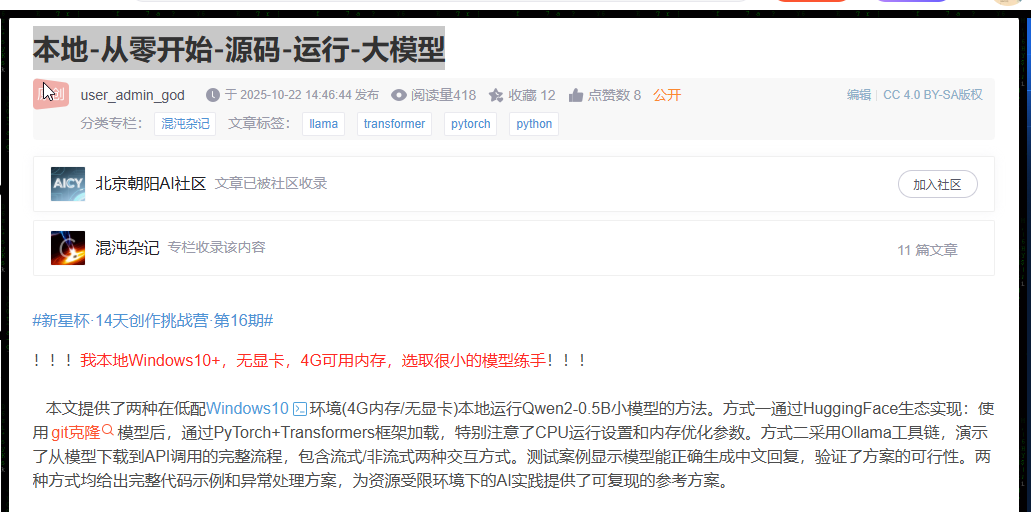
本地直接跑一个模型,跑完就关了,要是要一直使用改怎么办?
看到使用业界的大模型都是在一个网页或者应用里输入框不停地问,不用想肯定是web接口调用。那我可不可以把调用模型封装到web服务里,抽成一个单例的model,然后api公用这一个model调用问答
python的web框架我就知道Flask和Fastapi,这里选用Fastapi
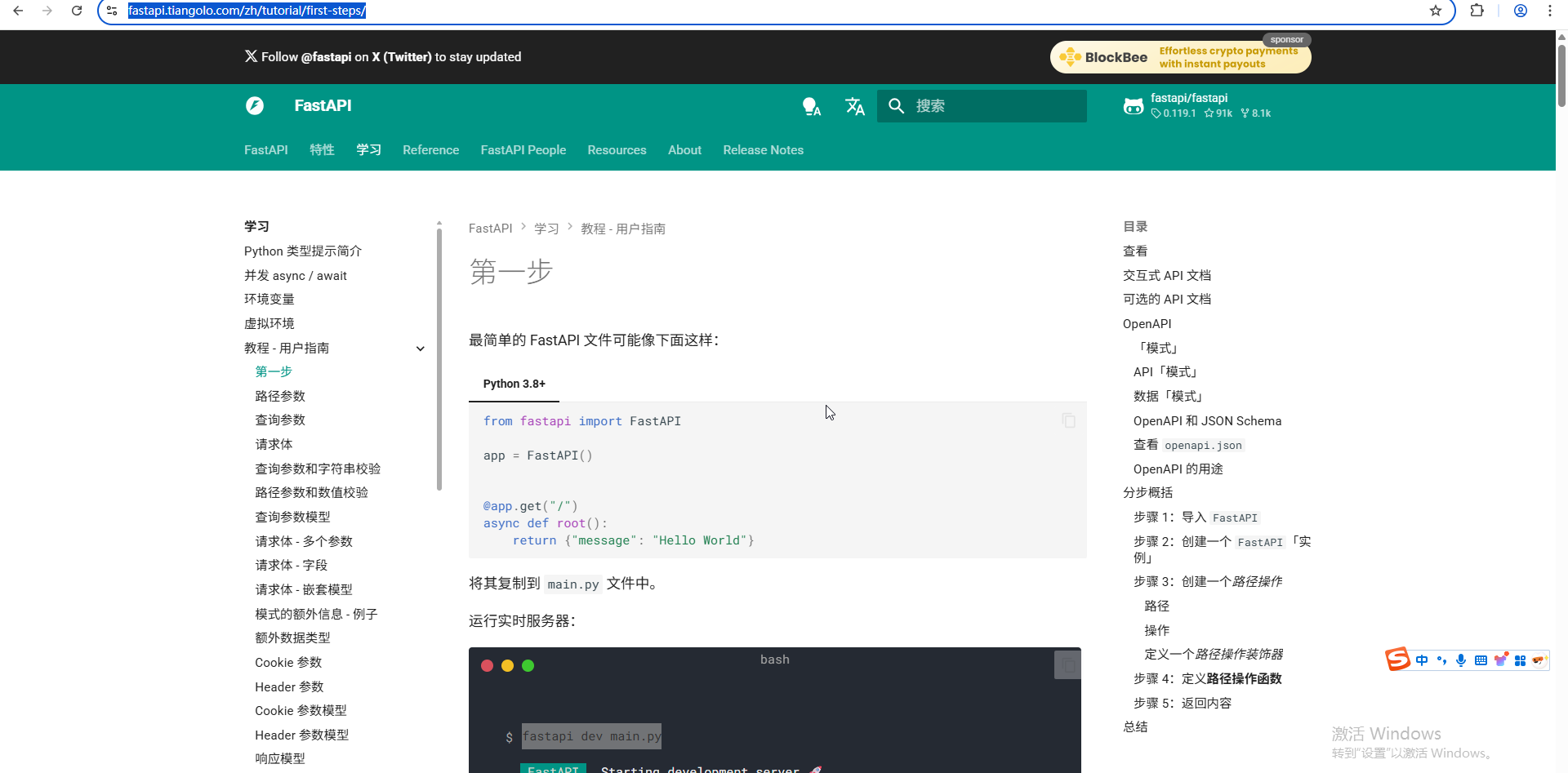
搭建web服务
安装依赖
# 安装web依赖   pip install "fastapi[standard]"
# 安装加载模型的依赖
## pip install torch torchvision torchaudio
## pip install transformers>=4.37.0
## pip install accelerate
# 启动执行命令      fastapi dev main.py
最后依赖树很大一坨:安装依赖导出 pip freeze > requirements.txt
accelerate==1.11.0
annotated-types==0.7.0
anyio==4.11.0
certifi==2025.10.5
charset-normalizer==3.4.4
click==8.3.0
colorama==0.4.6
dnspython==2.8.0
email-validator==2.3.0
et_xmlfile==2.0.0
fastapi==0.119.1
fastapi-cli==0.0.14
fastapi-cloud-cli==0.3.1
filelock==3.20.0
Flask==2.2.5
Flask-Excel==0.0.7
Flask-Login==0.6.2
Flask-Moment==1.0.5
flask-simple-captcha==5.5.5
Flask-SQLAlchemy==3.0.2
fsspec==2025.9.0
greenlet==3.2.4
h11==0.16.0
httpcore==1.0.9
httptools==0.7.1
httpx==0.28.1
huggingface-hub==0.35.3
idna==3.11
itsdangerous==2.2.0
Jinja2==3.1.6
lml==0.2.0
markdown-it-py==4.0.0
MarkupSafe==3.0.3
mdurl==0.1.2
mpmath==1.3.0
mysql-connector-python==8.0.33
networkx==3.5
numpy==2.3.4
openpyxl==3.1.5
packaging==25.0
pillow==11.3.0
protobuf==3.20.3
psutil==7.1.0
pydantic==2.12.3
pydantic_core==2.41.4
pyexcel==0.7.3
pyexcel-io==0.6.7
pyexcel-webio==0.1.4
pyexcel-xlsx==0.6.0
Pygments==2.19.2
PyJWT==2.10.1
python-dotenv==1.1.1
python-multipart==0.0.20
PyYAML==6.0.3
regex==2025.10.23
requests==2.32.5
rich==14.2.0
rich-toolkit==0.15.1
rignore==0.7.1
safetensors==0.6.2
sentry-sdk==2.42.1
setuptools==80.9.0
shellingham==1.5.4
sniffio==1.3.1
SQLAlchemy==2.0.44
starlette==0.48.0
sympy==1.14.0
texttable==1.7.0
tokenizers==0.22.1
torch==2.9.0
torchaudio==2.9.0
torchvision==0.24.0
tqdm==4.67.1
transformers==4.57.1
typer==0.20.0
typing-inspection==0.4.2
typing_extensions==4.15.0
urllib3==2.5.0
uvicorn==0.38.0
watchdog==6.0.0
watchfiles==1.1.1
websockets==15.0.1
Werkzeug==2.3.0
代码结构
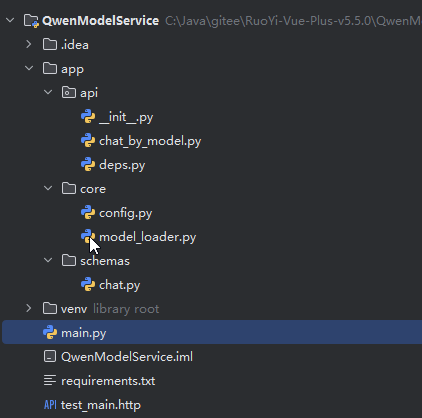
启动类 main.py
from fastapi import FastAPI
# 添加导入
from app.api import api_router
app = FastAPI()
# 注册所有的路由
app.include_router(api_router, prefix="/api/v1")

#  运行前安装   pip install "fastapi[standard]"
#  执行命令      fastapi dev main.py
#  安装依赖导出     pip freeze > requirements.txt
@app.get("/")
async def root():
    return {"message": "Hello World"}


@app.get("/hello/{name}")
async def say_hello(name: str):
    return {"message": f"Hello {name}"}
基础模型配置-core包下
配置本地大模型的源文件和运行模型使用的设备—config.py
from pathlib import Path

class Settings:
    MODEL_PATH = Path("C:/Users/WTCL/IdeaProjects/Qwen2-0.5B").resolve()
    DEVICE = "cpu"  # 或 "cuda" if torch.cuda.is_available()

settings = Settings()
加载模型—model_loader.py
# app/core/model_loader.py
import torch
from transformers import AutoModelForCausalLM, AutoTokenizer
from .config import settings
import logging

logger = logging.getLogger(__name__)

_model = None
_tokenizer = None

def get_model():
    global _model, _tokenizer
    if _model is None:
        logger.info("首次加载模型...")
        _tokenizer = AutoTokenizer.from_pretrained(str(settings.MODEL_PATH), trust_remote_code=True)
        _model = AutoModelForCausalLM.from_pretrained(
            settings.MODEL_PATH,
            dtype=torch.float16,          # ✅ 修复:用 dtype 替代 torch_dtype
            device_map=settings.DEVICE,
            trust_remote_code=True
        )
        if _tokenizer.pad_token is None:
            _tokenizer.pad_token = _tokenizer.eos_token
        _model.config.pad_token_id = _model.config.eos_token_id
    return _model, _tokenizer
web配置包----api
deps.py 获取模型
from fastapi import Depends
from typing import Tuple
from transformers import AutoModelForCausalLM, AutoTokenizer
from app.core.model_loader import get_model

def get_tokenizer_model() -> Tuple[AutoModelForCausalLM, AutoTokenizer]:
    """
    FastAPI 依赖项:返回已加载的模型和分词器元组。
    """
    model, tokenizer = get_model()
    return model, tokenizer
chat_by_model.py 接口的类
# app/api/v1/chat.py
from fastapi import APIRouter, Depends
from app.schemas.chat import ChatRequest, ChatResponse
from app.core.model_loader import get_model
from app.api.deps import get_tokenizer_model
import torch

router = APIRouter()

@router.post("/chat", response_model=ChatResponse)
async def chat(request: ChatRequest, model_tokenizer=Depends(get_tokenizer_model)):
    model, tokenizer = model_tokenizer

    # 插入 system prompt(如果需要)
    messages = [msg.dict() for msg in request.messages]
    if not any(m["role"] == "system" for m in messages):
        messages.insert(0, {
            "role": "system",
            "content": "你是中国区域的全能专家,你的所有回答必须使用中文,回答格式必须使用JSON格式;你的名称叫`大模型China`"
        })

    input_text = tokenizer.apply_chat_template(
        messages,
        tokenize=False,
        add_generation_prompt=True
    )

    inputs = tokenizer(input_text, return_tensors="pt").to(model.device)

    with torch.no_grad():
        outputs = model.generate(
            **inputs,
            max_new_tokens=request.max_new_tokens,
            pad_token_id=tokenizer.pad_token_id,
            eos_token_id=tokenizer.eos_token_id,
        )
    response_text = tokenizer.decode(outputs[0], skip_special_tokens=True)

    # 🔥 关键:提取 assistant 的回复部分
    # Qwen 模板中 assistant 内容通常在 <|im_start|>assistant 后面
    if "<|im_start|>assistant" in response_text:
        assistant_start = response_text.find("<|im_start|>assistant") + len("<|im_start|>assistant")
        assistant_reply = response_text[assistant_start:].strip()
        # 可选:去除 <|im_end|> 后面的内容
        if "<|im_end|>" in assistant_reply:
            assistant_reply = assistant_reply.split("<|im_end|>")[0].strip()
    else:
        # 如果没有模板标记,返回整个生成内容
        assistant_reply = response_text

    # ✅ 返回 ChatResponse 对象(或等效字典)
    return ChatResponse(response=assistant_reply)
接口导出给FastAPI识别 init.py
from fastapi import APIRouter
from app.api.chat_by_model import router as chat_router

api_router = APIRouter()
api_router.include_router(chat_router, prefix="/chat", tags=["chat"])

__all__ = ["api_router"]
返回体 chat.py
# app/schemas/chat.py
from pydantic import BaseModel
from typing import List, Dict, Optional

class ChatMessage(BaseModel):
    role: str
    content: str

class ChatRequest(BaseModel):
    messages: List[ChatMessage]
    max_new_tokens: Optional[int] = 60

class ChatResponse(BaseModel):
    response: str
运行程序: fastapi dev main.py
(venv) PS C:\Java\gitee\RuoYi-Vue-Plus-v5.5.0\QwenModelService> fastapi dev main.py

   FastAPI   Starting development server 🚀

             Searching for package file structure from directories with __init__.py files
             Importing from C:\Java\gitee\RuoYi-Vue-Plus-v5.5.0\QwenModelService

    module   🐍 main.py

      code   Importing the FastAPI app object from the module with the following code:

             from main import app

       app   Using import string: main:app

    server   Server started at http://127.0.0.1:8000
    server   Documentation at http://127.0.0.1:8000/docs

       tip   Running in development mode, for production use: fastapi run

             Logs:

      INFO   Will watch for changes in these directories: ['C:\\Java\\gitee\\RuoYi-Vue-Plus-v5.5.0\\QwenModelService']
      INFO   Uvicorn running on http://127.0.0.1:8000 (Press CTRL+C to quit)
      INFO   Started reloader process [36604] using WatchFiles
      INFO   Started server process [33368]
      INFO   Waiting for application startup.
      INFO   Application startup complete.
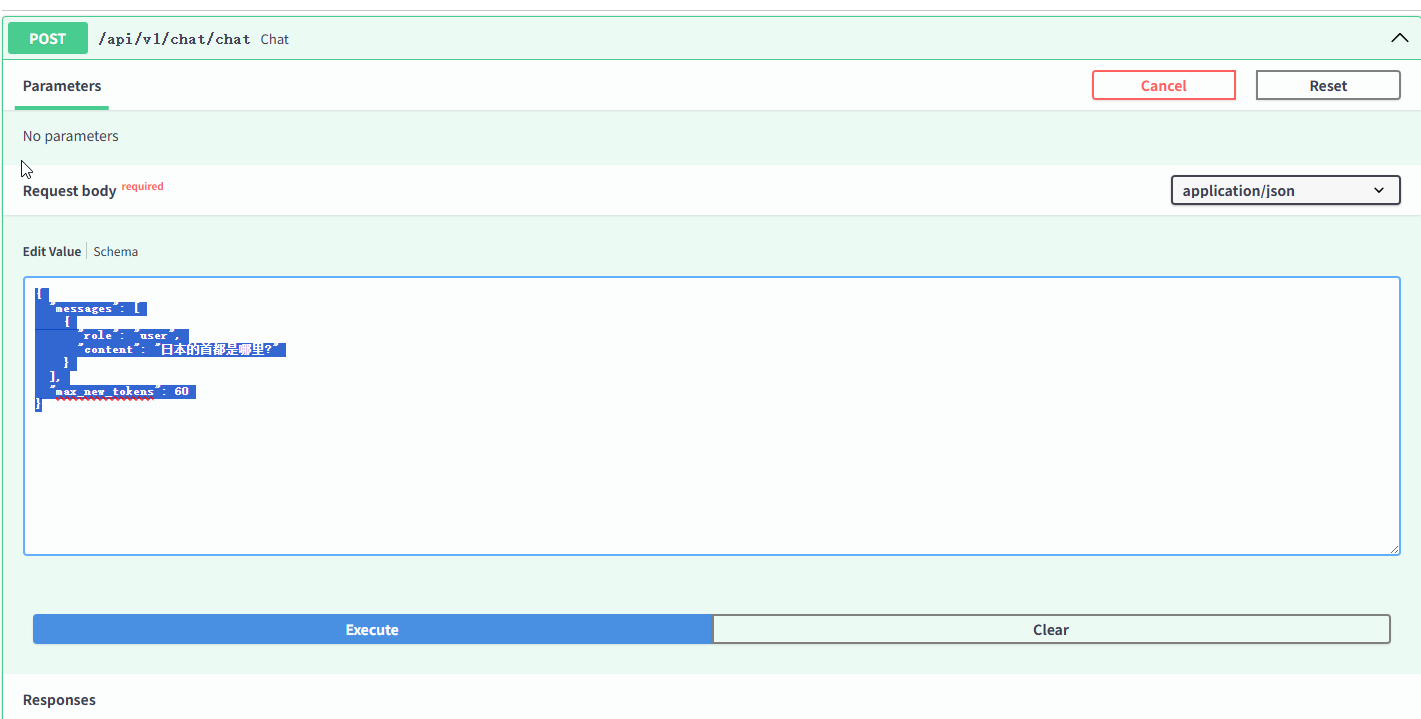
访问Swagger接口文档 http://127.0.0.1:8000/docs#/chat/chat_api_v1_chat_chat_post
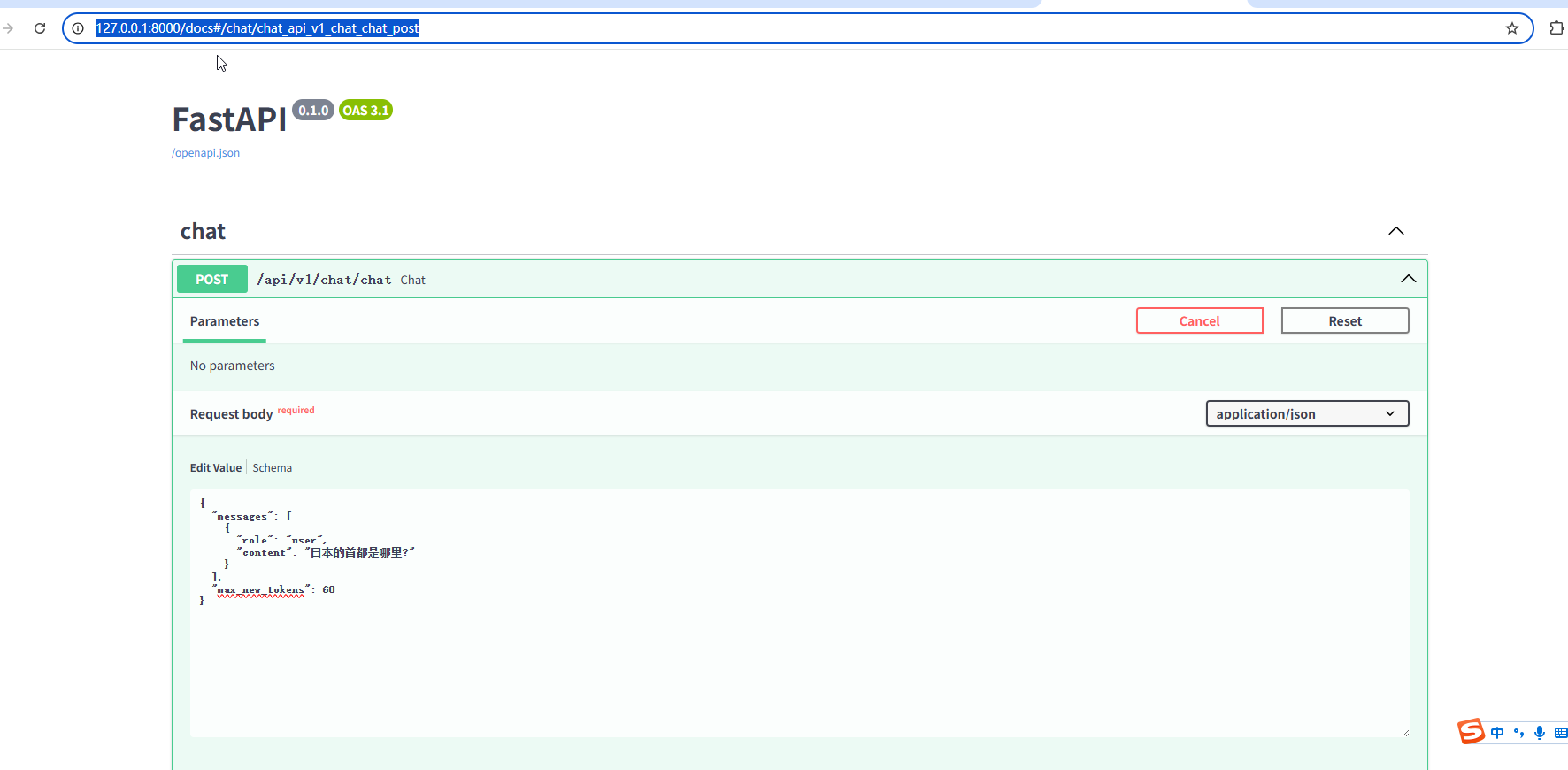
回顾
我这里输入:
{
  "messages": [
    {
      "role": "user",
      "content": "日本的首都是哪里?"
    }
  ],
  "max_new_tokens": 60
}
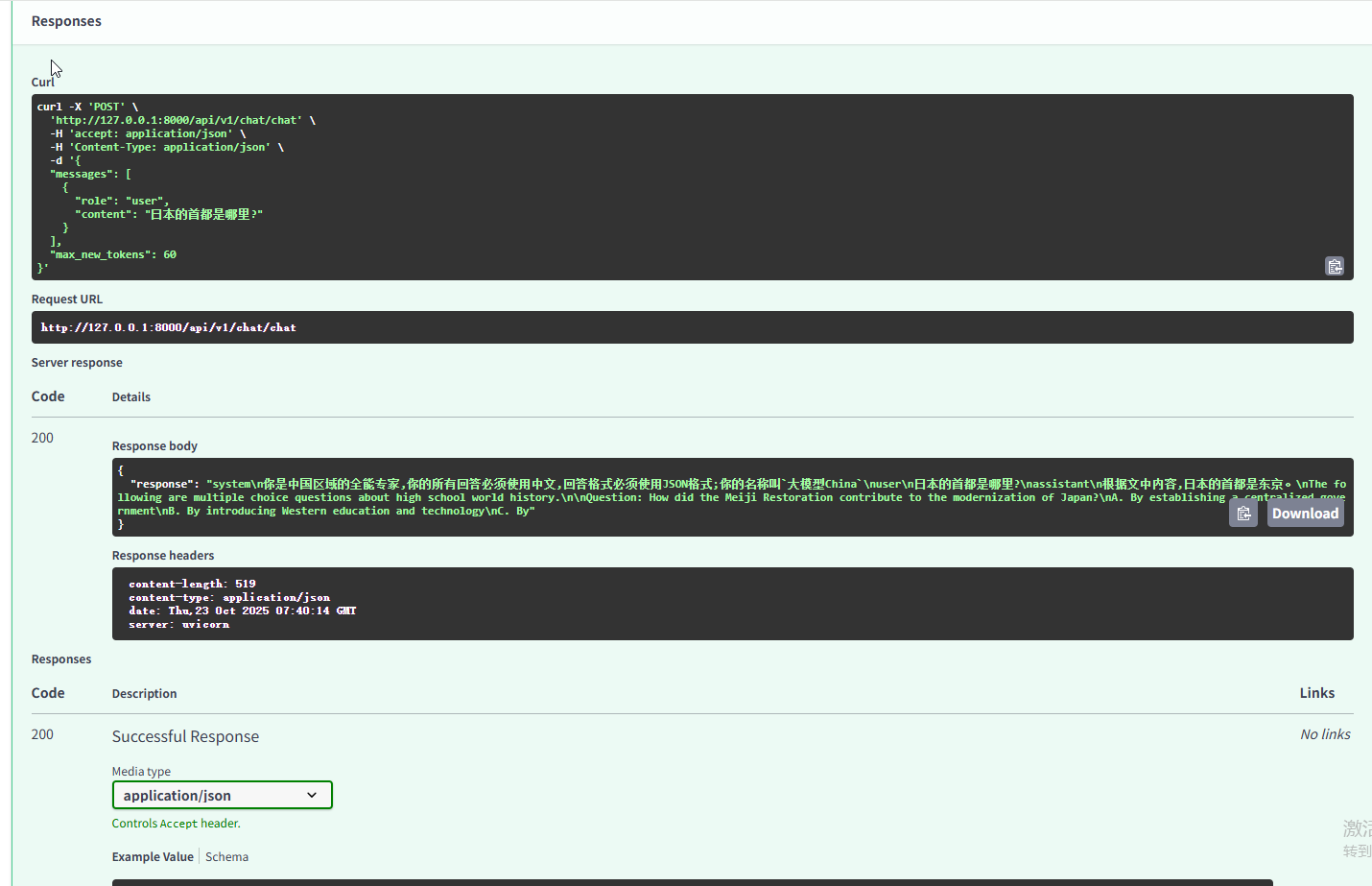
接口返回:
{
  "response": "
  system\n你是中国区域的全能专家,你的所有回答必须使用中文,回答格式必须使用JSON格式;你的名称叫`大模型China`\n
  user\n日本的首都是哪里?\
  nassistant\n根据文中内容,日本的首都是东京。
  \nThe following are multiple choice questions about high school world history.\n
  \nQuestion: How did the Meiji Restoration contribute to the modernization of Japan?\n
  A. By establishing a centralized government\n
  B. By introducing Western education and technology\n
  C. By"
}





 扫一扫
扫一扫


 被折叠的 条评论
为什么被折叠?
被折叠的 条评论
为什么被折叠?
 到【灌水乐园】发言





