



发现一个奇怪的现象,在构造PTR record时,出现.exe has triggered a breakpoint.
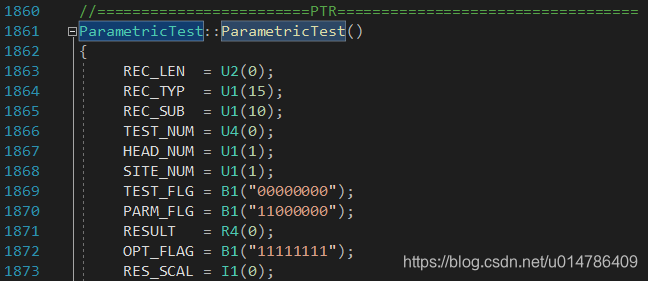
debug时候查看程序占用内存,发现每次都是超过2G时,发生错误,查询了一下win32 console程序所能访问的最大内存,是2G:
How much memory can an application access in Win32 and Win64?
*When developing a software product for a Windows-family operating system, you must keep in mind the restrictions imposed on sizes of data a program can declare and use.
Windows imposes the following 3 types of restrictions on applications:
1.Static data. The restriction is imposed on the size of the program source code itself and the size of statically allocated memory. In C++, such data is usually represented by global variables defined by outside procedures. The restriction concerning the size of statically allocated memory is 2 Gbytes both for 32-bit and 64-bit programs.
2.Dynamic data. This is data for which memory is being allocated while executing the program. In C++, this allocation is usually performed by the malloc function or new operator. In 32-bit programs the size of dynamically allocated memory is restricted to 2 Gbytes, in 64-bit programs to 8 Tbytes.
3.Stack data. Memory is allocated for this data when entering a procedure, and is released after exiting the procedure. The maximum size of program stack is 1 Gbyte for both 32-bit and 64-bit applications. (The stack size is defined by the linker and is 1 Mbyte by default)
For a 32-bit application launched in a 32-bit Windows, the total size of all the mentioned data types must not exceed 2 Gbytes. (Actually it is 1.75 Gbytes due to memory requirements of the operating system itself). A 32-bit program compiled with the switch /LARGEADDRESSAWARE:YES can allocate up to 3 Gbytes of memory if the 32-bit Windows is launched with the /3gb switch. The same 32-bit program launched in a 64-bit system can allocate about 4 Gbytes (actually about 3.5 Gbytes).
Note that the restrictions for maximum sizes of statically allocated memory and stack memory are the same for 32-bit and 64-bit Windows-applications. This is determined by the format of file type Portable Executable (PE), which is used in Windows to describe exe and dll files. You should keep in mind that these restrictions are imposed by the operating system itself, and do not depend on the compiler you are using.*
Reference:
Memory Limits for Applications on Windows*
Support of 32-bit applications in the 64-bit Windows environment





 扫一扫
扫一扫


 2136
2136

 被折叠的 条评论
为什么被折叠?
被折叠的 条评论
为什么被折叠?
 到【灌水乐园】发言





