


 本文详细介绍如何使用Postman通过Restful接口操作ElasticSearch,包括创建和删除索引、设置映射、创建和修改文档以及多种查询方法。
03 ElasticSearch的客户端操作
实际开发中,主要有三 种方式可以作为e l a s t i c s e a rc h 服务的 客户端:
- 第一种,e l a s t i c s e a rc h - h e a d 插件
- 第二种,使用e l a s t i c s e a rc h 提供的R e s t f u l 接口 直接访问
- 第三种,使用e l a s t i c s e a rc h 提供的A P I 进行访问
1. 安装Postman工具
P o s t m a n 中文版是p o s t m a n 这款强大网页调试工具的 w i n d ow s 客户端 ,提供功 能强大 的We b A P I & H T T P 请求调试。软件功能非常强大 ,界面简洁明晰、操作方便快 捷,设计 得很人 性化。P o s t m a n 中文版能够发送任何类型 的
H T T P 请求 ( G E T, H E A D, P O S T, P U T. . ) ,且可以附带 任何数 量的参数 。
2.下载Postman工具
P o s t m a n 官网:h t t p s : / / w w w. g e t p o s t m a n . c o m
3.注册Postman工具
根据提示完成注册
4.使用Postman工具进行Restful接口访问
4.1 ElasticSearch的接口语法
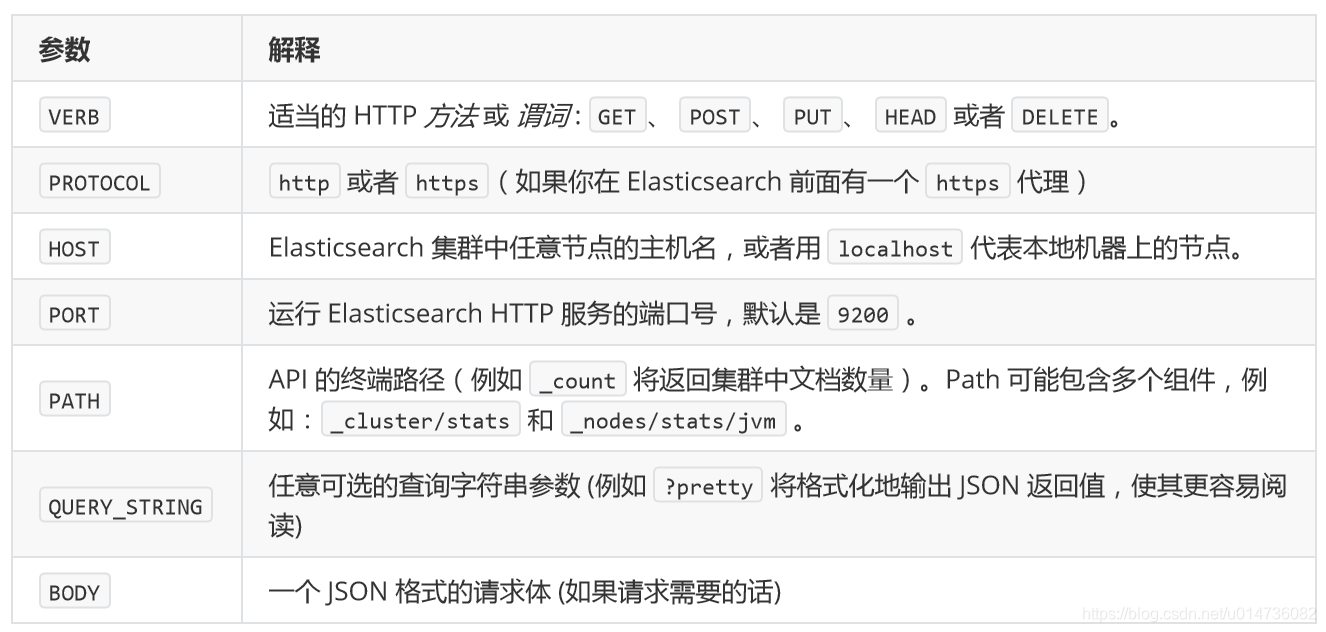
curl ‐X<VERB> '<PROTOCOL>://<HOST>:<PORT>/<PATH>?<QUERY_STRING>' ‐d '<BODY>'
其中:
4.2创建索引index和映射mapping
请求url:
PUT localhost:9200/blog1
请求体:
{
    "mappings": {
        "article": {
            "properties": {
                "id": {
                    "type": "long",
                    "store": true,
                    "index":"not_analyzed"
                },
                "title": {
                    "type": "text",
                    "store": true,
                  "index":"analyzed",
                    "analyzer":"standard"
                },
                "content": {
                    "type": "text",
                    "store": true,
                    "index":"analyzed",
                    "analyzer":"standard"
                }
            }
        }
    }
}
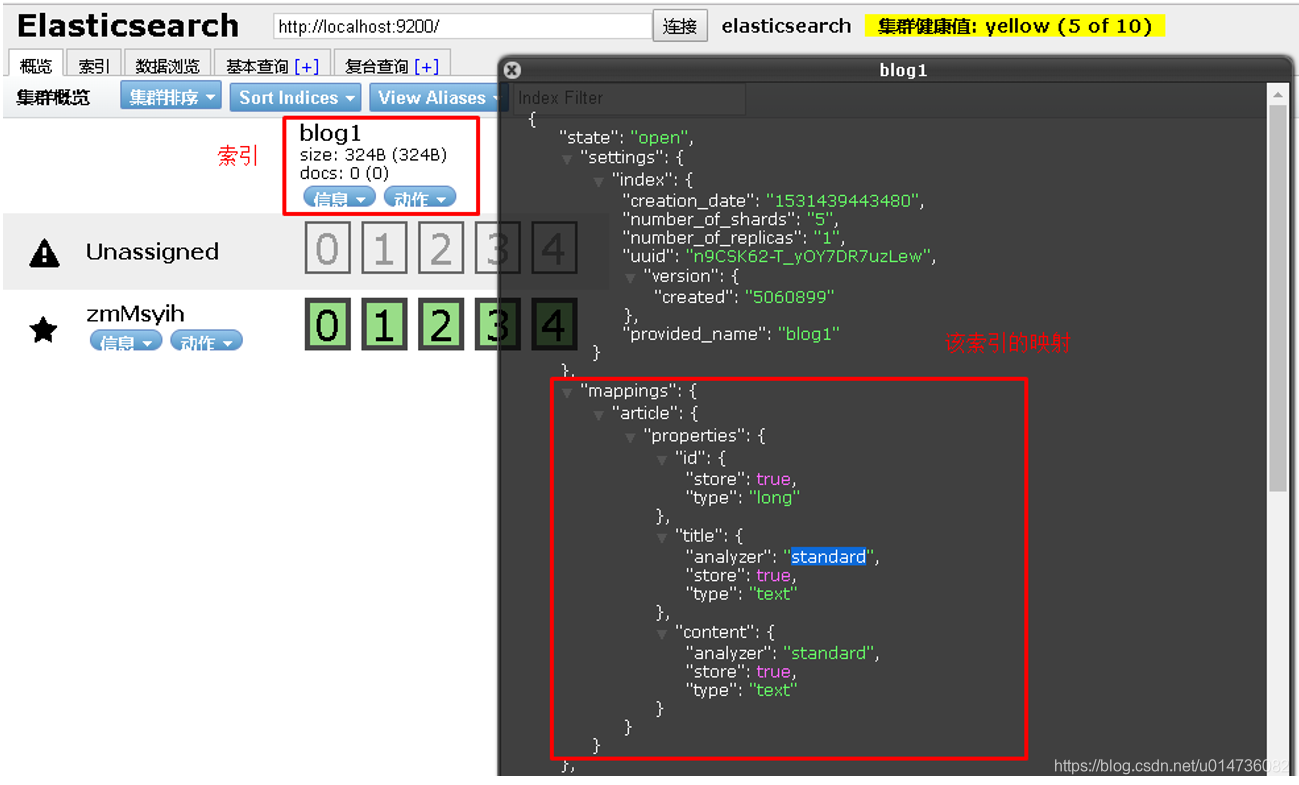
postman截图:

elasticsearch-head查看:
4.3 创建索引后设置Mapping
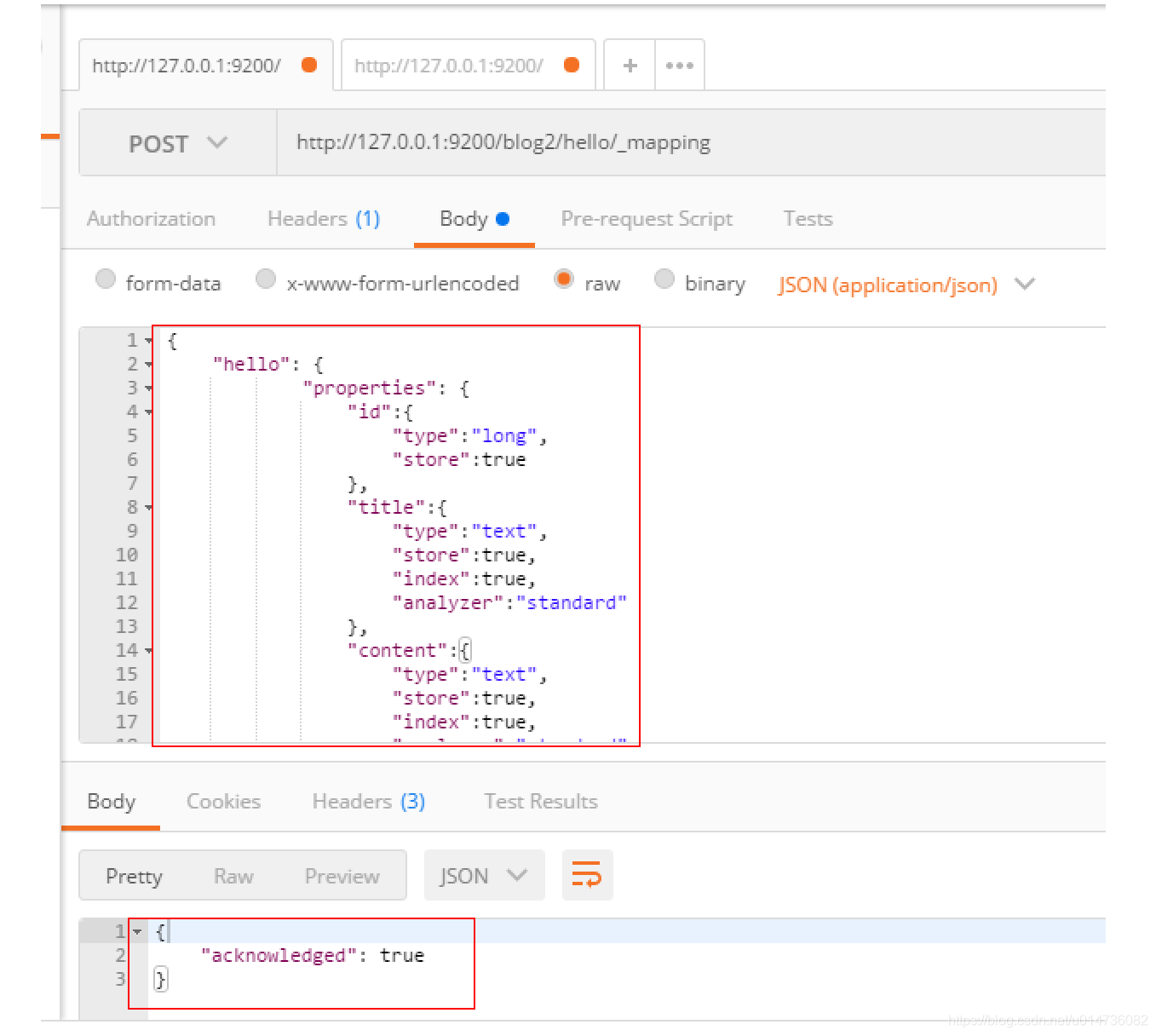
我们可以在创建索引时设置mapping信息,当然也可以先创建索引然后再设置mapping。 在上一个步骤中不设置maping信息,直接使用put方法创建一个索引,然后设置mapping信息。
请求的url:
POST http://127.0.0.1:9200/blog2/hello/_mapping
请求体:
{
    "hello": {
        "properties": {
            "id":{
                "type":"long",
                "store":true
            },
            "title":{
                "type":"text",
                "store":true,
                "index":true,
                "analyzer":"standard"
            },
            "content":{
                 "type":"text",
                "store":true,
                "index":true,
                "analyzer":"standard"
            }
        }
    }
}
PostMan截图:
4.4 删除索引index
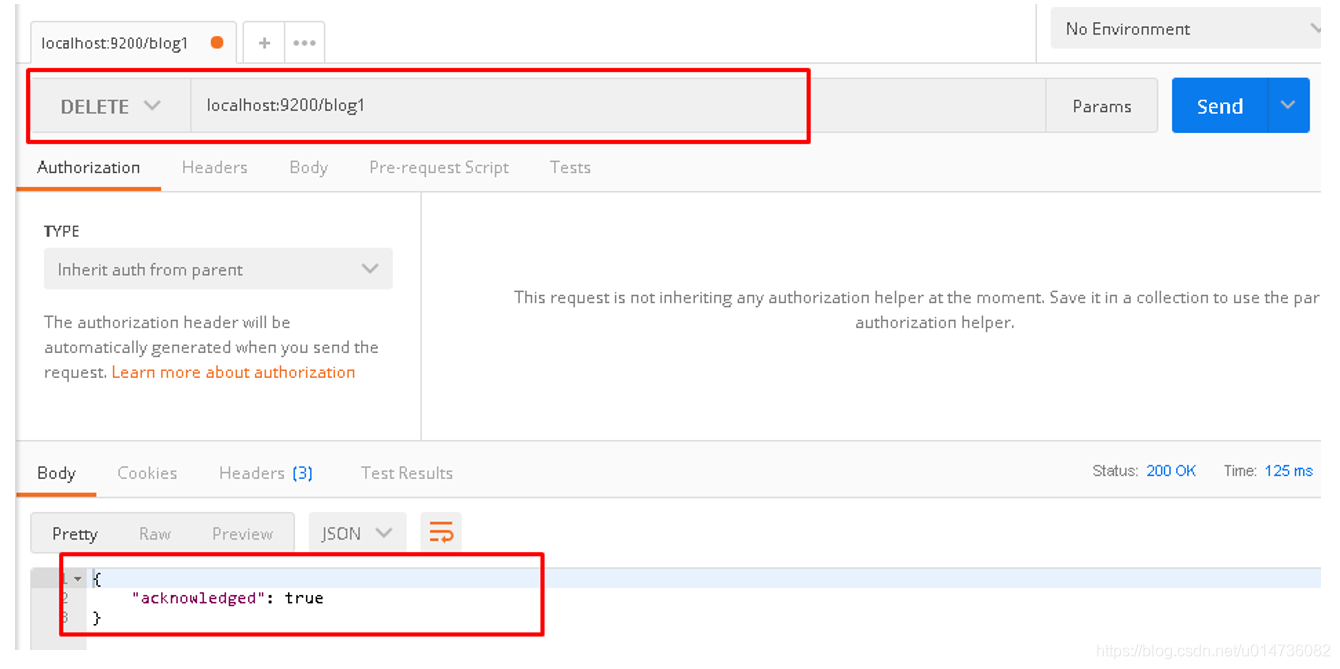
请求url:
DELETE localhost:9200/blog1
PostMan截图:
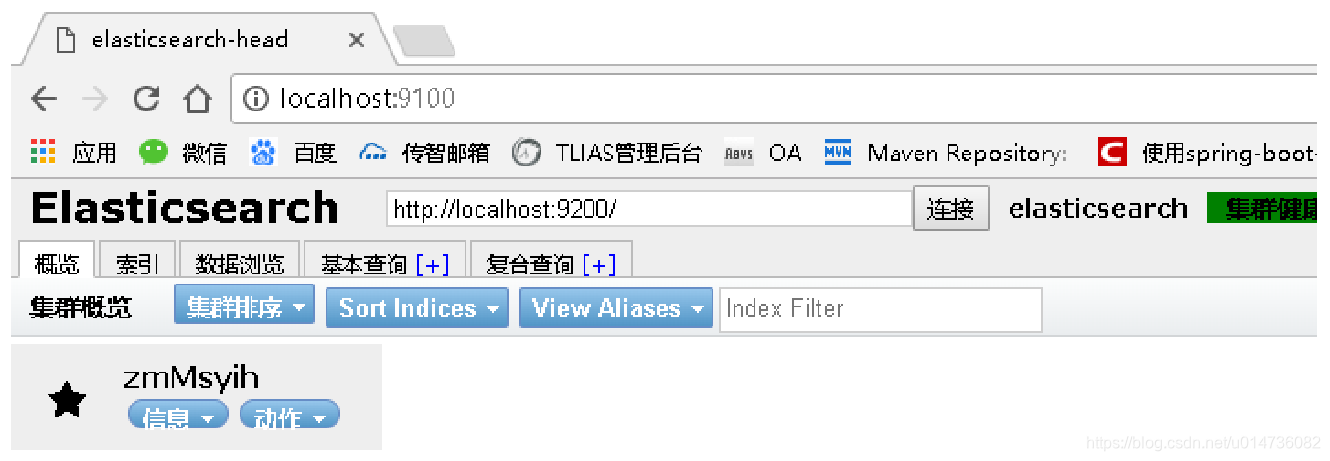
elasticsearch-head查看:
4.5 创建文档document
请求url:
POST localhost:9200/blog1/article/1
请求体:
{
    "id":1
    "title":"ElasticSearch是一个基于Lucene的搜索服务器",
    "content":"它提供了一个分布式多用户能力的全文搜索引擎,基于RESTful web接口。Elasticsearch是用Java 开发的,并作为Apache许可条款下的开放源码发布,是当前流行的企业级搜索引擎。设计用于云计算中,能够达到实时 搜索,稳定,可靠,快速,安装使用方便。"
}
postman截图:

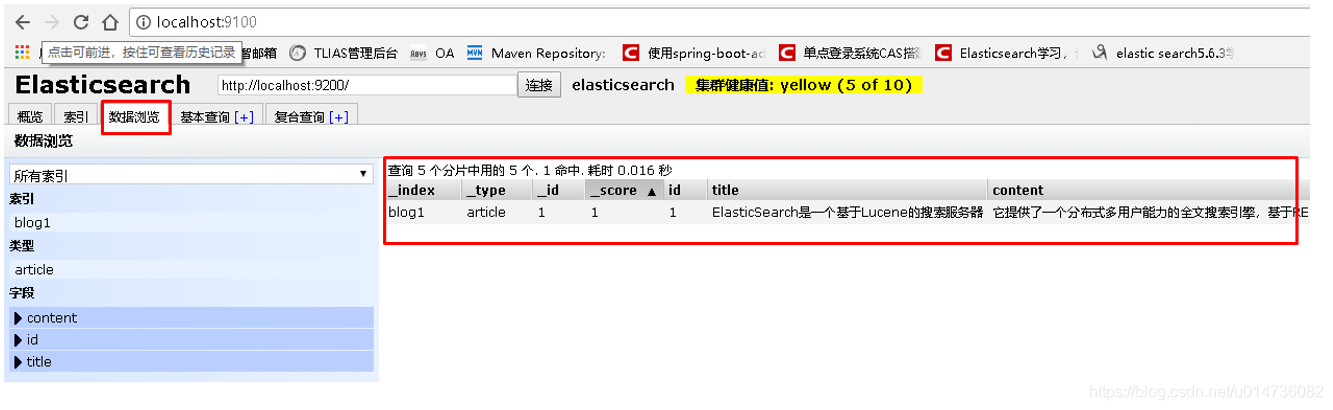
elasticsearch-head查看:
4.6 修改文档document
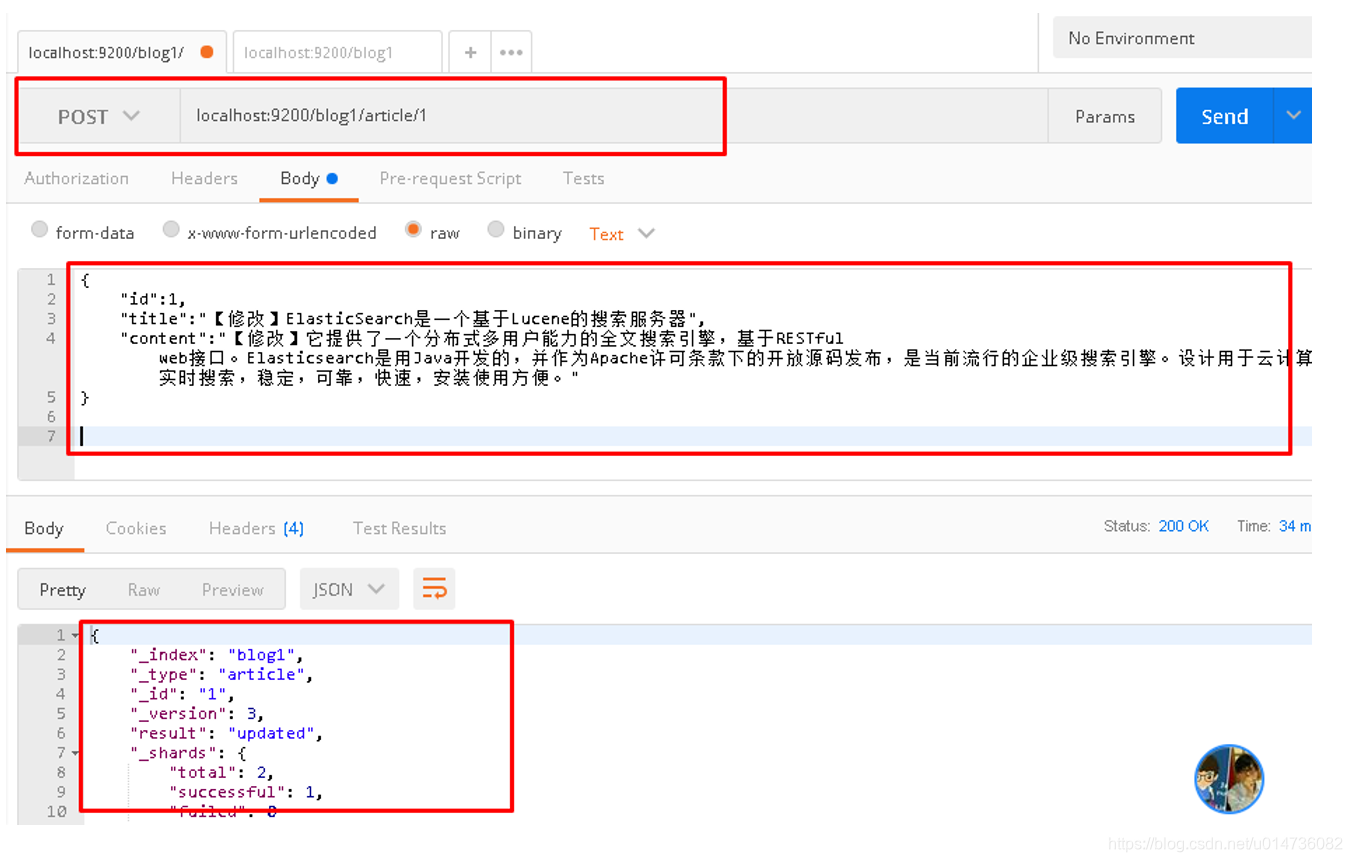
请求url:
POST localhost:9200/blogq/article/1
请求体:
{
    "id":1
    "title":[修改]"ElasticSearch是一个基于Lucene的搜索服务器",
    "content":[修改]"它提供了一个分布式多用户能力的全文搜索引擎,基于RESTful web接口。Elasticsearch是用Java 开发的,并作为Apache许可条款下的开放源码发布,是当前流行的企业级搜索引擎。设计用于云计算中,能够达到实时 搜索,稳定,可靠,快速,安装使用方便。"
}
postman截图:
elasticsearch-head查看:

4.7 删除文档document
请求url:
DELETE localhost:9200/blog1/article/1
postman截图:

elasticsearch-head查看:

4.8 查询文档-根据id查询
请求url:
GET localhost:9200/blog1/article/1
postman截图:

4.9 查询文档-querystring查询
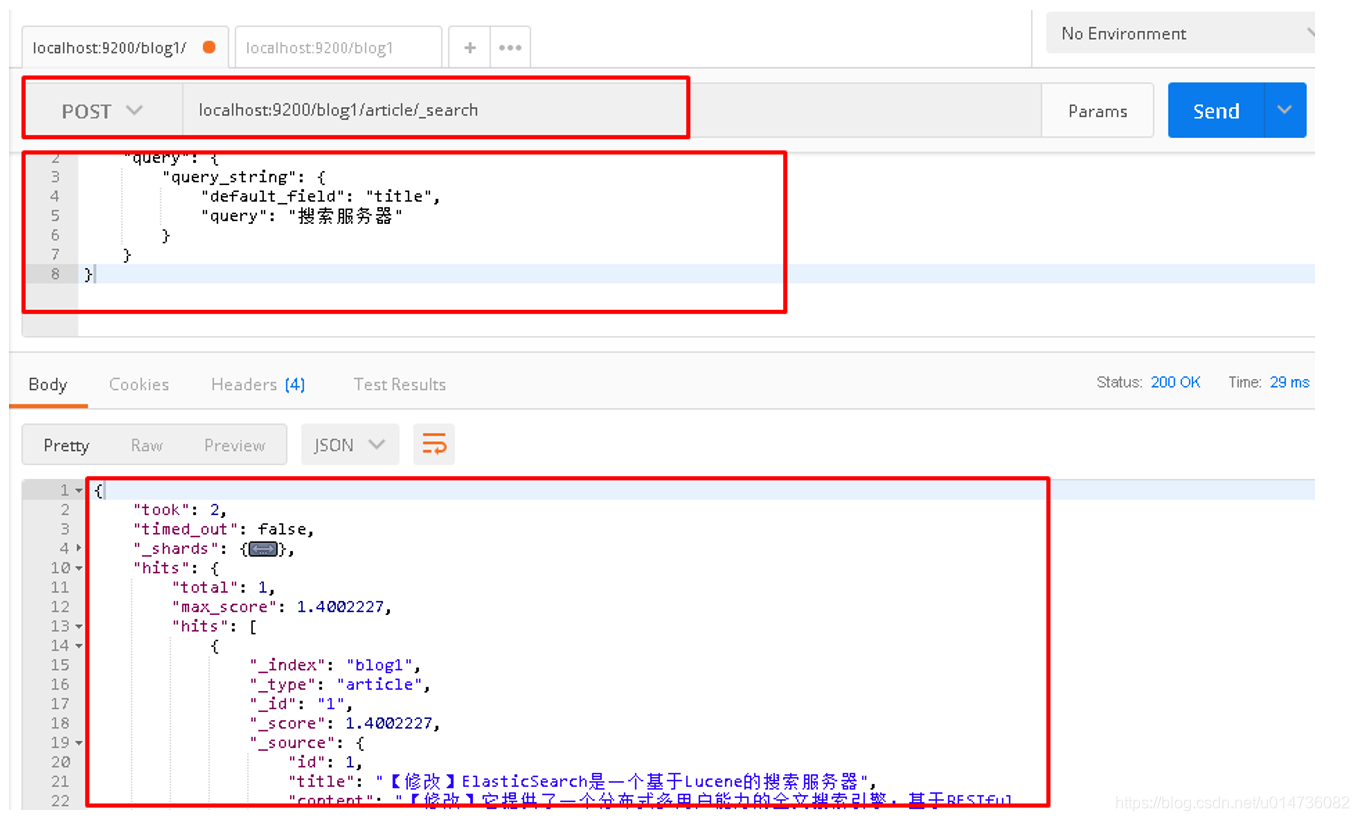
请求url:
POST localhost:9200/blog1/article/_search
请求体:
{
	"query":{
		"query_string":{
			"default_field": "title",
			"query": "搜索服务器"
		}
	}
}
postman截图:
注意:
将搜索内容"搜索服务器"修改为"钢索",同样也能搜索到文档,该原因会在下面讲解中得到答案
{
	"query":{
		"query_string":{
			"default_field": "title",
			"query": "钢索"
		}
	}
}
4.10 查询文档-term查询
请求url:
POST localhost:9200/blog1/article/_search
请求体:
{
	"query":{
		"term":{
			"title": "搜索"
		}
	}
}
postman截图:

eld": "title",
			"query": "钢索"
		}
	}
}
4.10 查询文档-term查询
请求url:
POST localhost:9200/blog1/article/_search
请求体:
{
	"query":{
		"term":{
			"title": "搜索"
		}
	}
}





 扫一扫
扫一扫


 508
508

 被折叠的 条评论
为什么被折叠?
被折叠的 条评论
为什么被折叠?
 到【灌水乐园】发言





