


 本文介绍了解决在IntelliJ IDEA中编写Spring配置文件时遇到的URI is not registered错误的方法。通过设置Schemas and DTDs,将Spring的Beans命名空间添加到IDEA的配置中,即可解决问题。
第一次写spring配置文件时出现了URI is not registered ( Setting | Project Settings | Schemas and DTDs )

在网上找到了解决办法如下:
1.打开File–>Settings–>Languages&Frameworks–>Schemas and DTDs
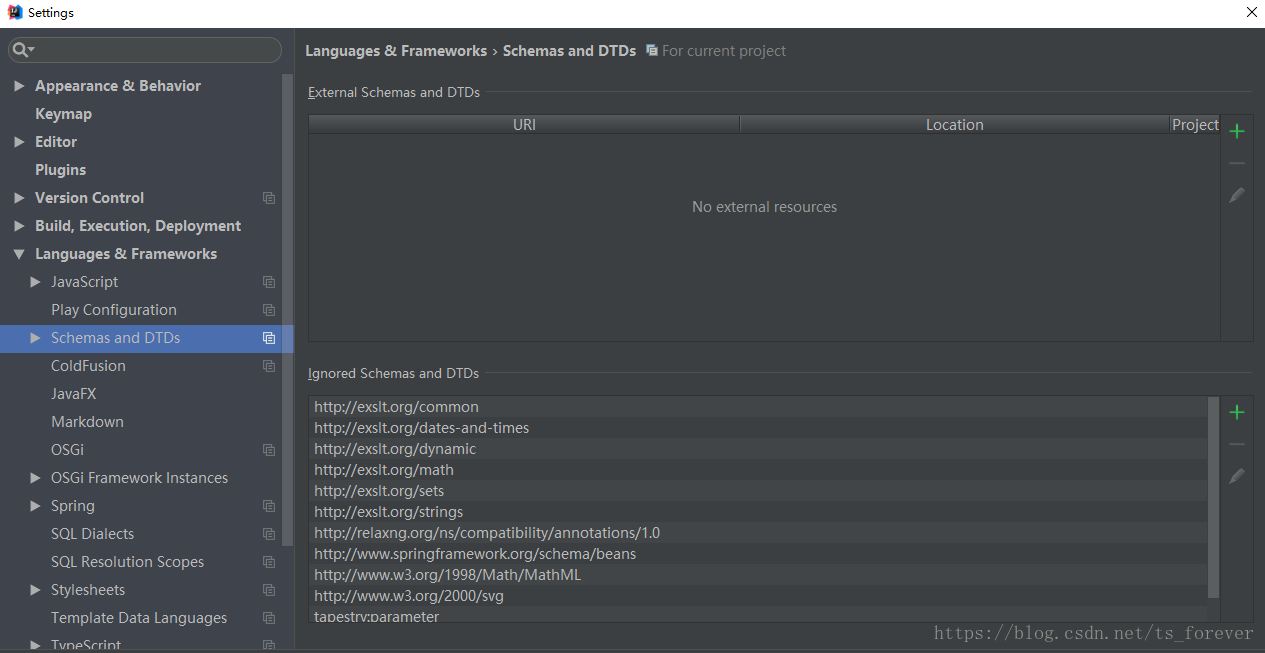
2.点击下面的绿色加号,URI中填写:http://www.springframework.org/schema/beans
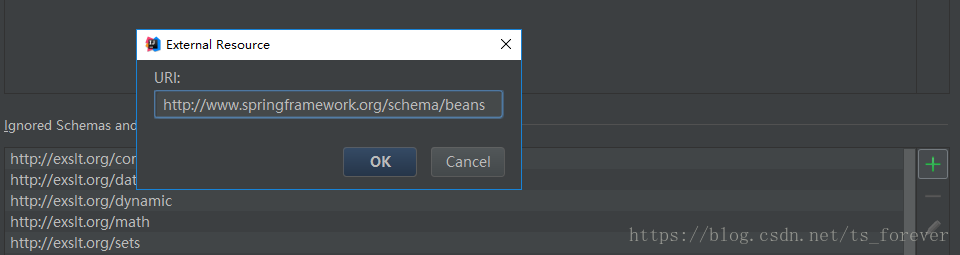
3.ok–>Apply–>ok就好啦哈哈哈哈





 扫一扫
扫一扫


 到【灌水乐园】发言



