


 本文详细介绍了如何在Spring Boot项目中整合JPA,包括创建ORM实体类、自定义JpaRepository接口、配置数据源、编写测试用例,以及利用JPA实现按文章编号分页查询评论的个性化操作。
一、Spring Boot整合JPA
(一)创建Spring Boot项目JPADemo
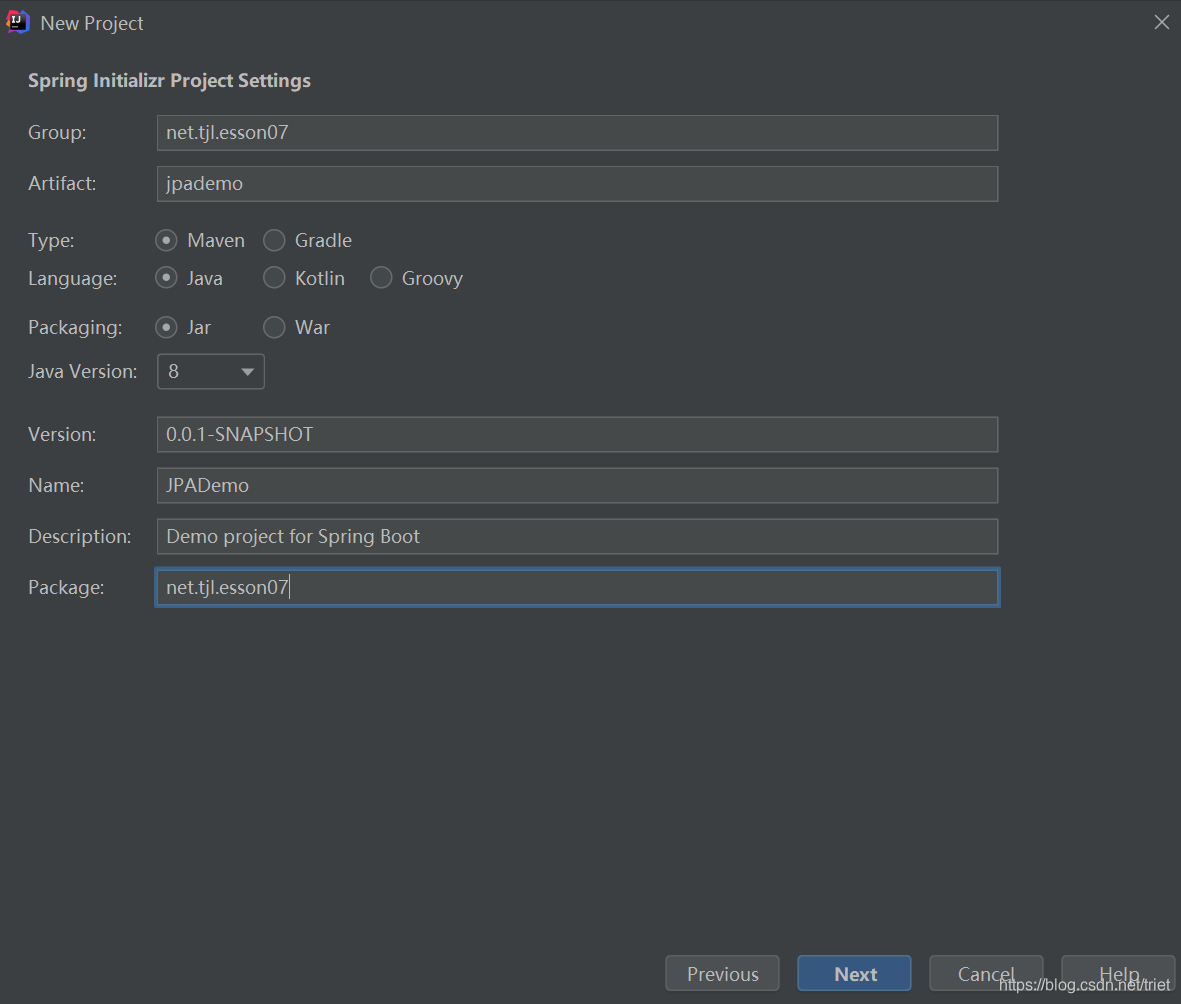
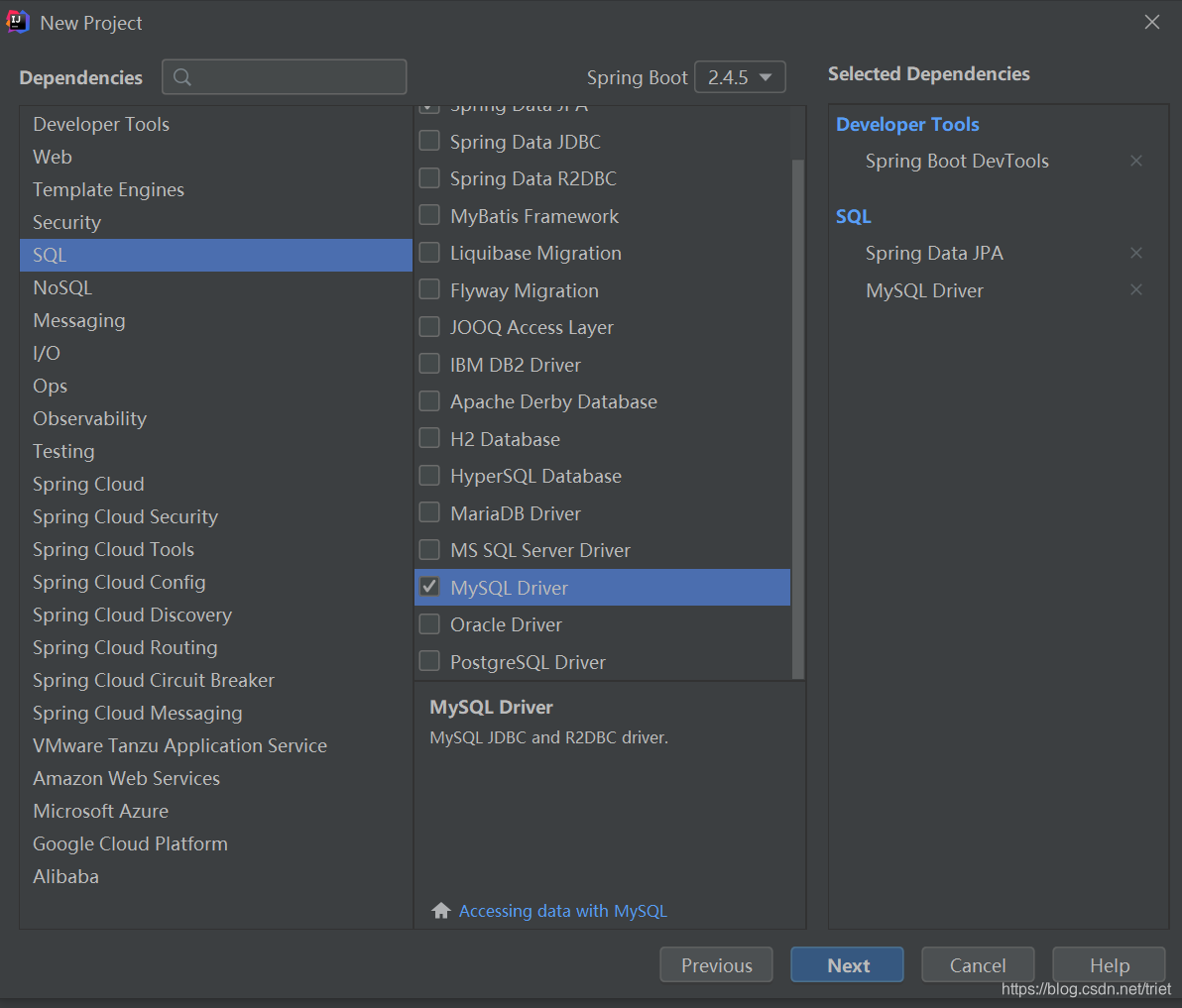
(二)创建ORM实体类
ORM: Object Relation Mapping 对象关系映射
1、创建评论实体类Comment
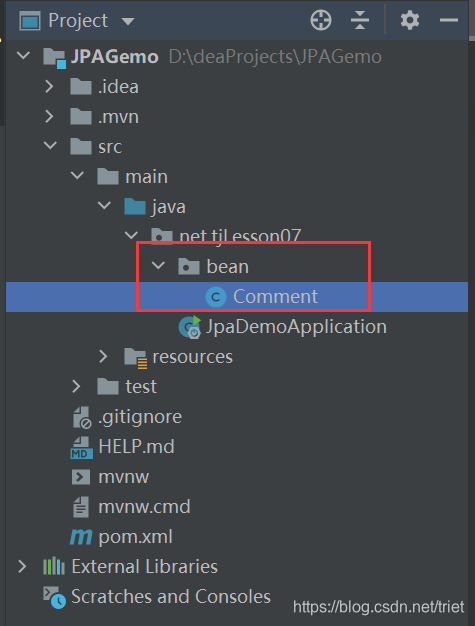
package net.tjl.esson07.bean;

import javax.persistence.*;

/**
        * 功能:评论实体类
        * 作者:谭金兰
        * 日期:2021年05月12日
        */
@Entity(name = "t_comment")
public class Comment {


    @Id
    @GeneratedValue(strategy = GenerationType.IDENTITY)
    @Column(name = "id")
    private Integer id;
    @Column(name = "content")
    private String content;
    @Column(name = "author")
    private String author;

    public Integer getId() {
        return id;
    }

    public void setId(Integer id) {
        this.id = id;
    }

    public String getContent() {
        return content;
    }

    public void setContent(String content) {
        this.content = content;
    }

    public String getAuthor() {
        return author;
    }

    public void setAuthor(String author) {
        this.author = author;
    }

    public Integer getaId() {
        return aId;
    }

    public void setaId(Integer aId) {
        this.aId = aId;
    }

    @Column(name = "a_id")
    private Integer aId;
    @Override
    public String toString() {
        return "Comment{" +
                "id=" + id +
                ", content='" + content + '\'' +
                ", author='" + author + '\'' +
                ", aId=" + aId +
                '}';
    }

}
2、创建文章实体类Article
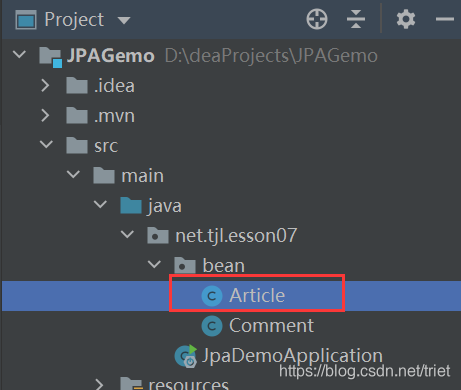
package net.tjl.esson07.bean;

import javax.persistence.*;
import java.util.List;

/**
 * 功能:文章实体类
 * 作者:谭金兰
 * 日期:2021年05月12日
 */
@Entity(name = "t_article")
public class Article {
    @Id
    @GeneratedValue(strategy = GenerationType.IDENTITY)
    @Column(name = "id")
    private Integer id;
    @Column(name = "title")
    private String title;
    @Column(name = "content")
    private String content;
    //查询时把子表一并查出来
    @OneToMany(fetch = FetchType.EAGER) // FetchType.LAZY 懒加载
    @JoinTable(name = "t_comment", joinColumns = {@JoinColumn(name = "a_id")},
            inverseJoinColumns = {@JoinColumn(name = "id")})
    private List<Comment> commentList;

    public Integer getId() {
        return id;
    }

    public void setId(Integer id) {
        this.id = id;
    }

    public String getTitle() {
        return title;
    }

    public void setTitle(String title) {
        this.title = title;
    }

    public String getContent() {
        return content;
    }

    public void setContent(String content) {
        this.content = content;
    }

    public List<Comment> getCommentList() {
        return commentList;
    }

    public void setCommentList(List<Comment> commentList) {
        this.commentList = commentList;
    }

    @Override
    public String toString() {
        return "Article{" +
                "id=" + id +
                ", title='" + title + '\'' +
                ", content='" + content + '\'' +
                ", commentList=" + commentList +
                '}';
    }
}
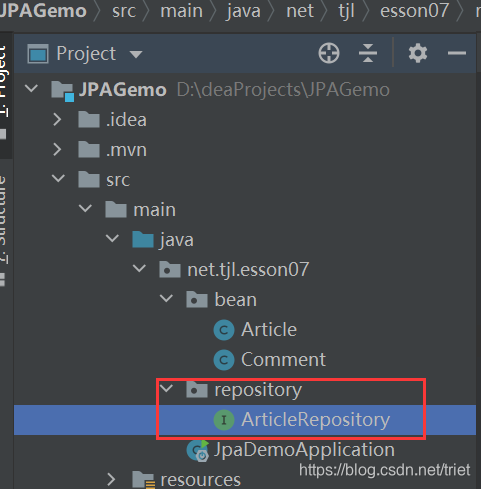
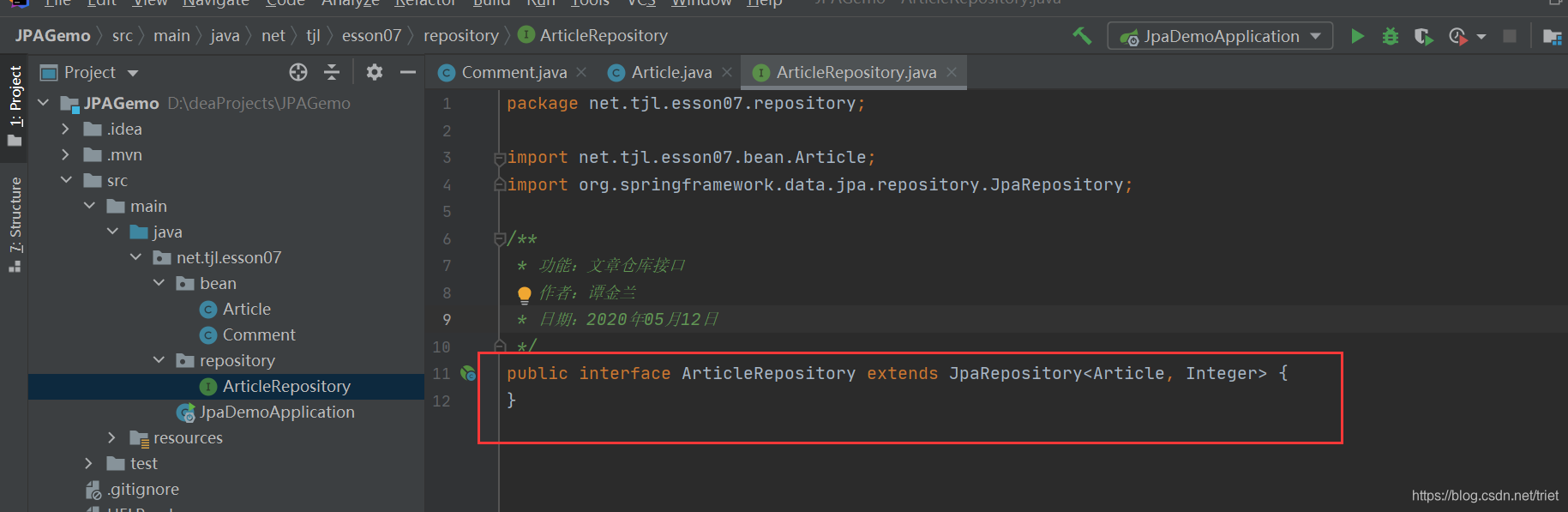
(三)创建自定义JpaRepository接口 - ArticleRepository
(四)添加数据源依赖,配置数据源属性
1、在pom.xml里添加阿里巴巴数据源依赖
<dependency>
            <groupId>com.alibaba</groupId>
            <artifactId>druid</artifactId>
            <version>1.2.6</version>
        </dependency>
2、在全局配置文件里配置数据源
#配置数据源
spring.datasource.url=jdbc:mysql://localhost:3306/blog?serverTimezone=UTC
spring.datasource.username=root
spring.datasource.password=forget

spring.datasource.druid.max-active=100
spring.datasource.druid.min-idle=10
spring.datasource.druid.initial-size=20
3、在测试类里编写测试方法
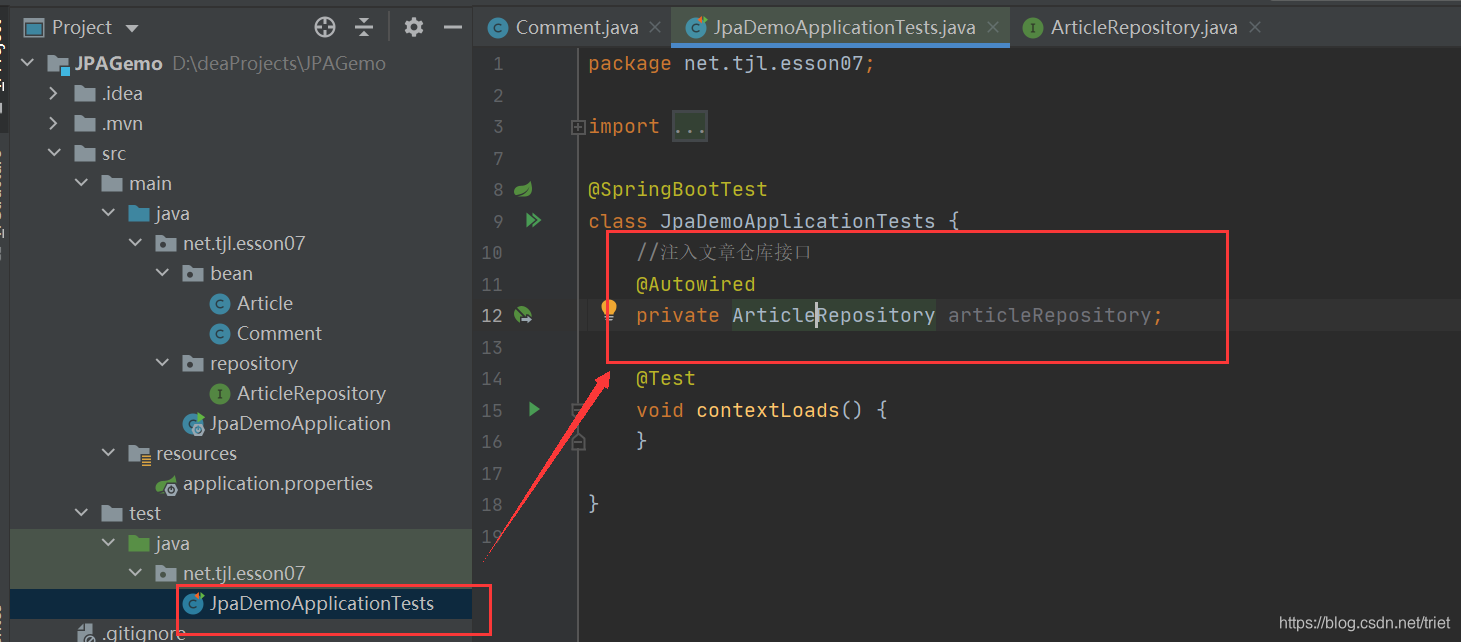
(1)注入文章仓库
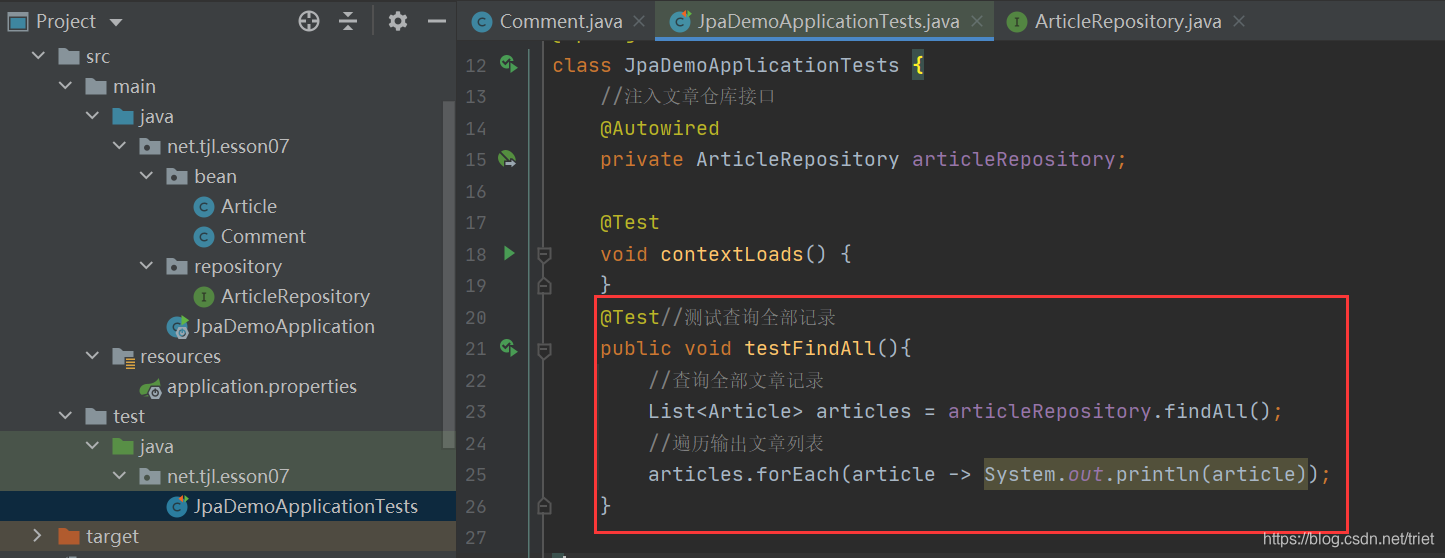
(2)创建测试方法testFindAll()
运行测试方法,查看结果

课堂练习
1、测试findById()方法
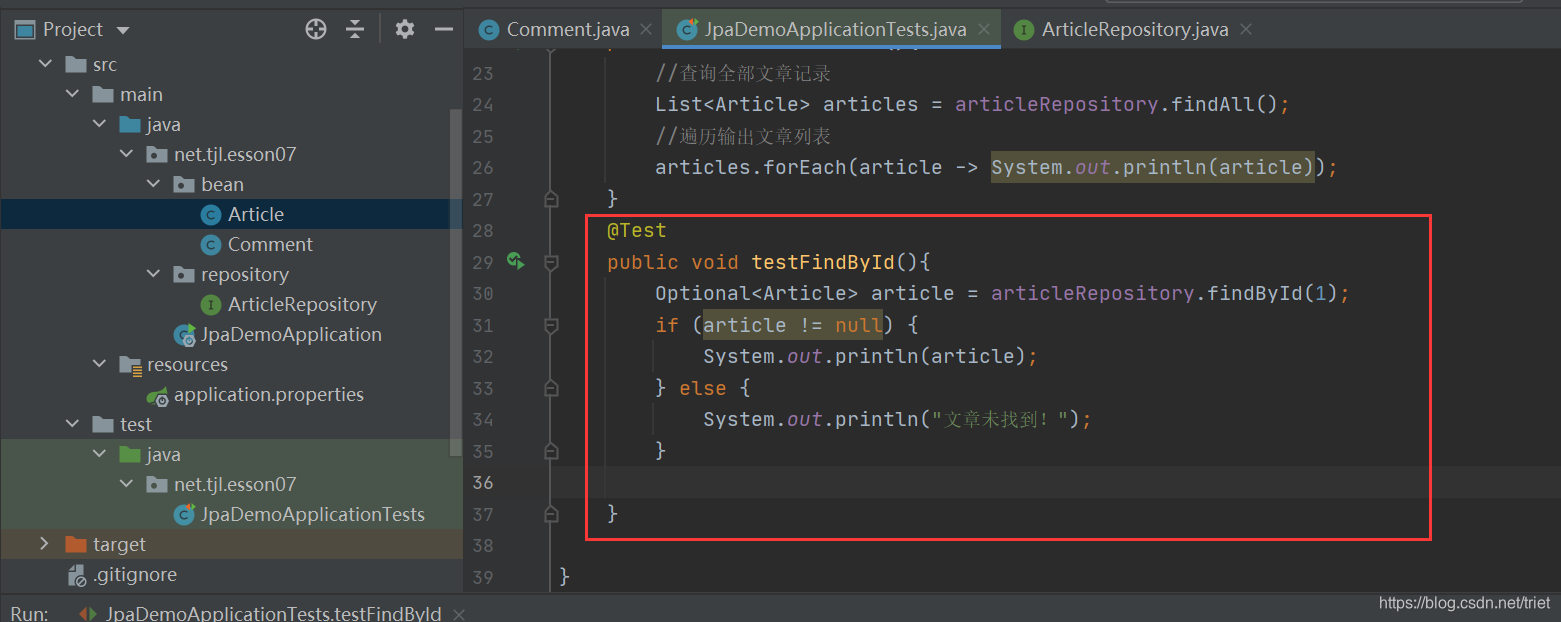
运行测试方法,查看结果

测试save()方法
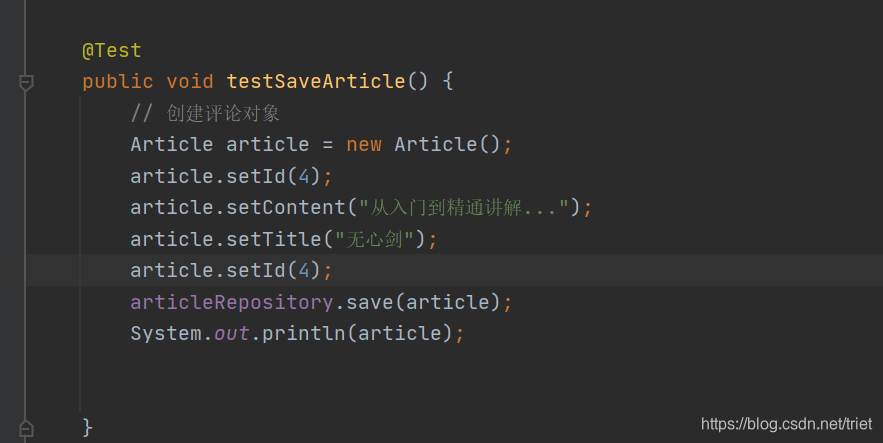
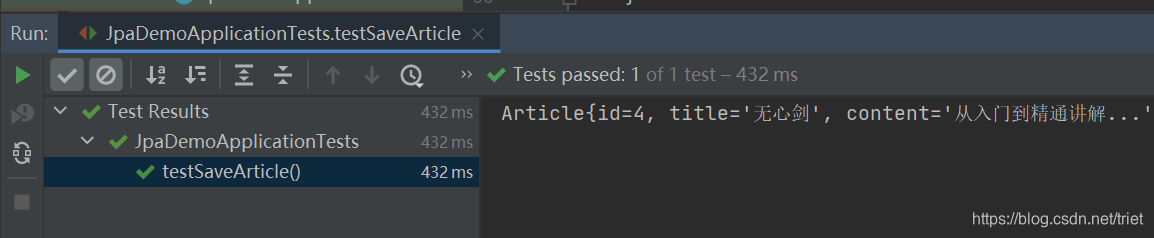
运行测试方法,查看结果
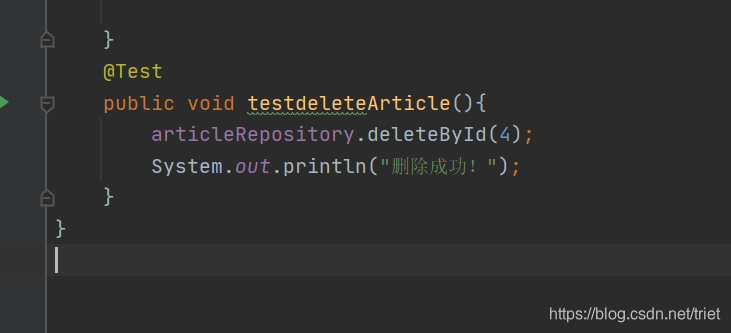
测试deleteById()方法
二、利用JPA实现个性化操作
(一)案例 - 根据文章编号分页查询评论
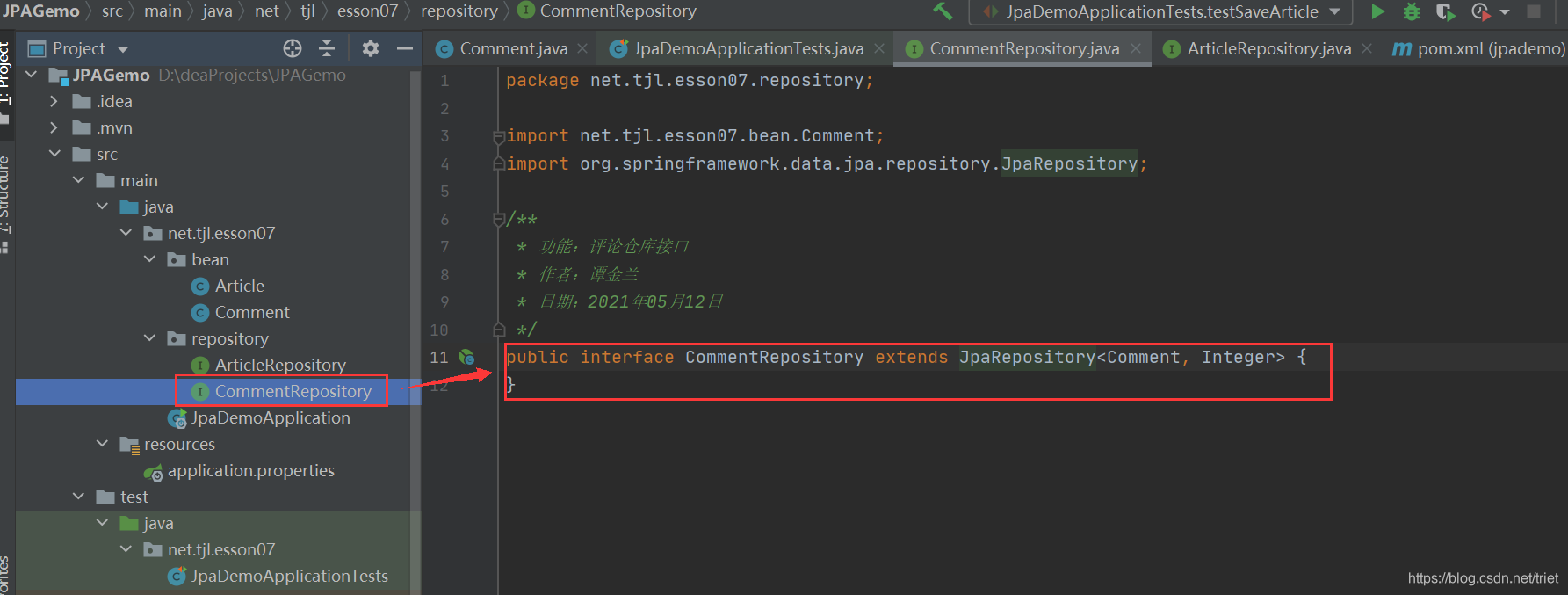
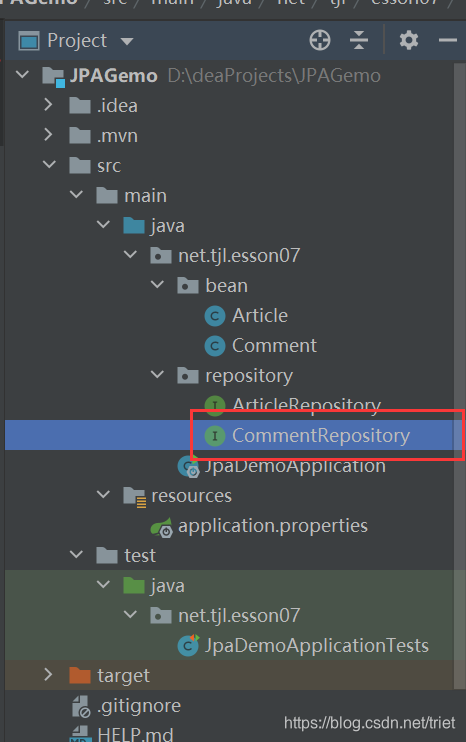
1、创建评论仓库接口CommentRepository
2、定义按文章编号分页查询评论的方法
package net.tjl.esson07.repository;

import net.tjl.esson07.bean.Comment;
import org.springframework.data.domain.Page;
import org.springframework.data.domain.Pageable;
import org.springframework.data.jpa.repository.JpaRepository;
import org.springframework.data.jpa.repository.Query;

/**
 * 功能:评论仓库接口
 * 作者:谭金兰
 * 日期:2021年05月12日
 */
public interface CommentRepository extends JpaRepository<Comment, Integer> {
    /**
     * 据文章ID进行分页查询评论
     * nativeQuery = true表示原生sql语句,否则使用的是实体对象
     * @param aId 查询条件字段
     * @param pageable 凡是要实现分页的查询,只需传递pageable参数即可
     * @return 返回page对象,包含page的相关信息及查询结果集
     */
    @Query(value = "select * t_comment where a_id = ?1",nativeQuery = true)
    Page<Comment> findCommentPagedByArticleId01(Integer aId, Pageable pageable);
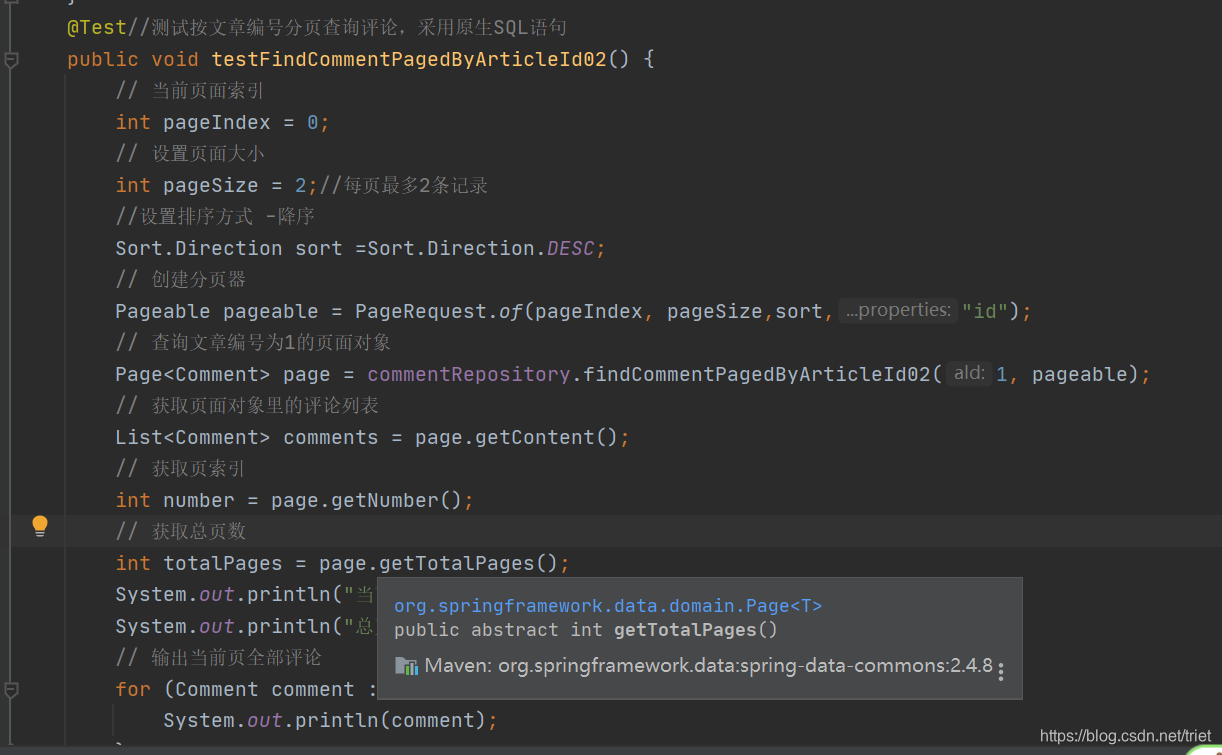
    @Query(value = "select c from t_comment c where c.aId = ?1")
    Page<Comment> findCommentPagedByArticleId02(Integer aId, Pageable pageable);
}
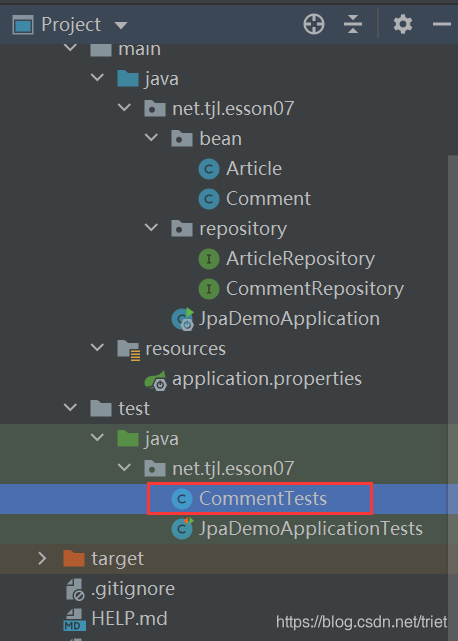
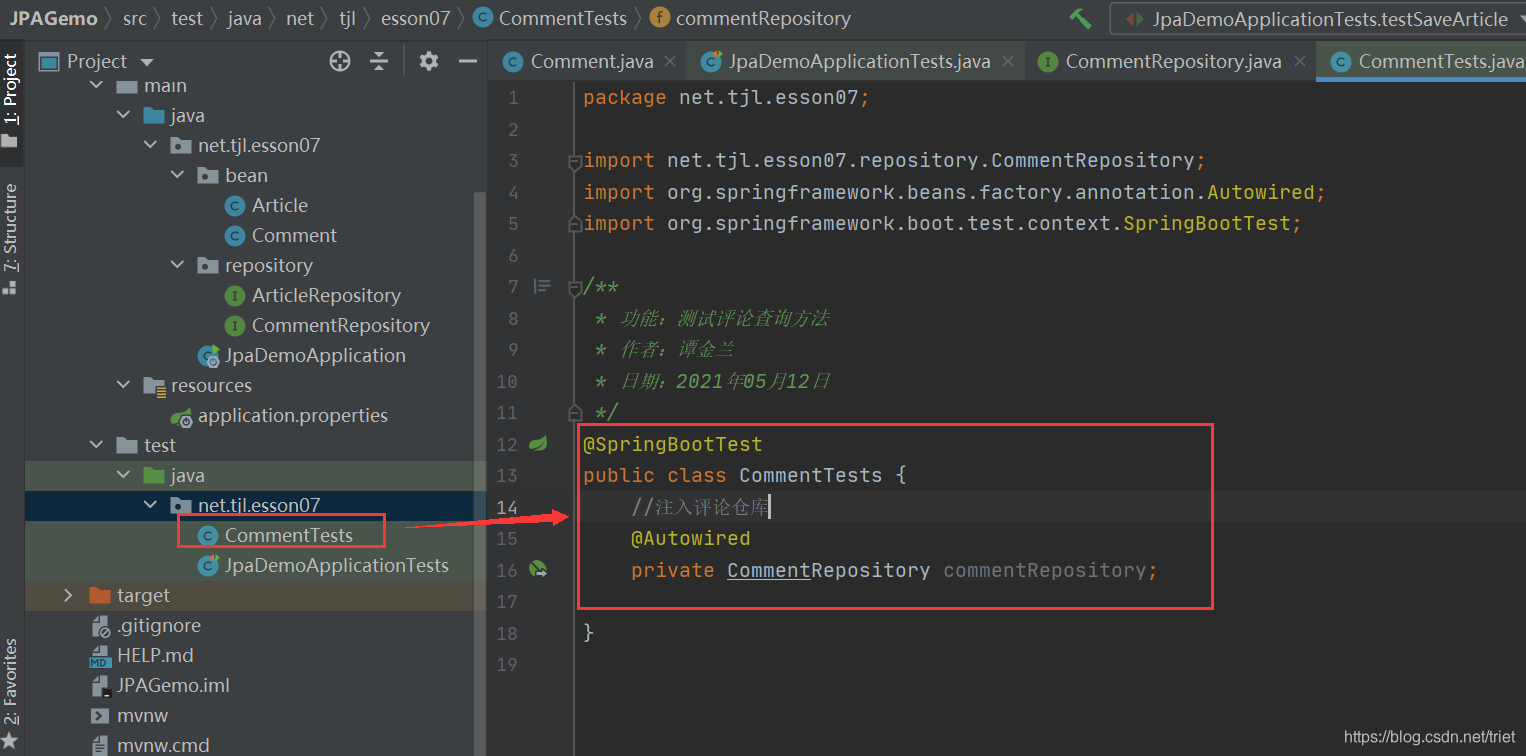
3、创建测试类CommentTests
4、在测试类里创建测试方法
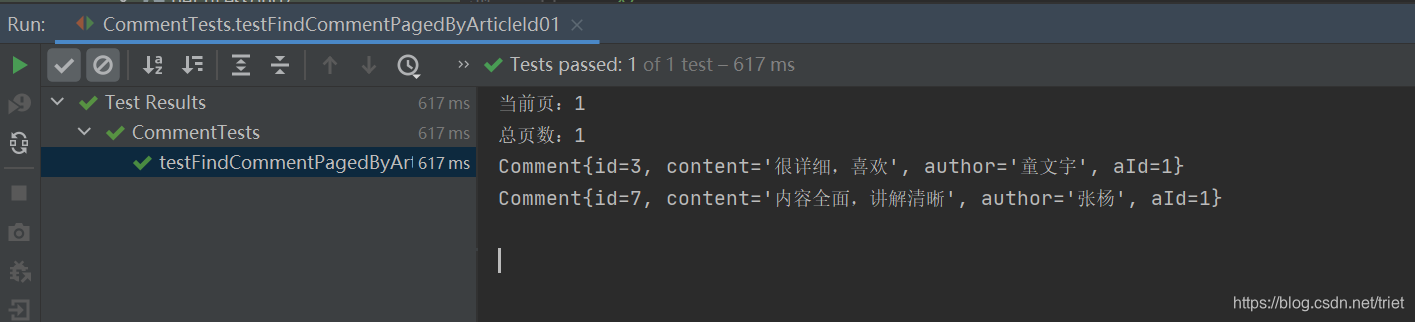
(1)创建测试方法testFindCommentPagedByArticleId01()
package net.tjl.esson07;

import net.tjl.esson07.bean.Comment;
import net.tjl.esson07.repository.CommentRepository;
import org.junit.jupiter.api.Test;
import org.springframework.beans.factory.annotation.Autowired;
import org.springframework.boot.test.context.SpringBootTest;
import org.springframework.data.domain.Page;
import org.springframework.data.domain.PageRequest;
import org.springframework.data.domain.Pageable;
import java.util.List;

/**
 * 功能:测试评论查询方法
 * 作者:谭金兰
 * 日期:2021年05月12日
 */
@SpringBootTest
public class CommentTests {
    //注入评论仓库
    @Autowired
    private CommentRepository commentRepository;

    @Test//测试按文章编号分页查询评论,采用原生SQL语句
    public void testFindCommentPagedByArticleId01() {
        // 当前页面索引
        int pageIndex = 0;
        // 设置页面大小
        int pageSize = 2;//每页最多2条记录
        // 创建分页器
        Pageable pageable = PageRequest.of(pageIndex, pageSize);
        // 查询文章编号为1的页面对象
        Page<Comment> page = commentRepository.findCommentPagedByArticleId01(1, pageable);
        // 获取页面对象里的评论列表
        List<Comment> comments = page.getContent();
        // 获取页索引
        int number = page.getNumber();
        // 获取总页数
        int totalPages = page.getTotalPages();
        System.out.println("当前页:" + (number + 1)); // 页索引加1才是页码
        System.out.println("总页数:" + totalPages);
        // 输出当前页全部评论
        for (Comment comment : comments) {
            System.out.println(comment);
        }
    }


}
运行测试方法,查看结果
(2)创建测试方法testFindCommentPagedByArticleId02()
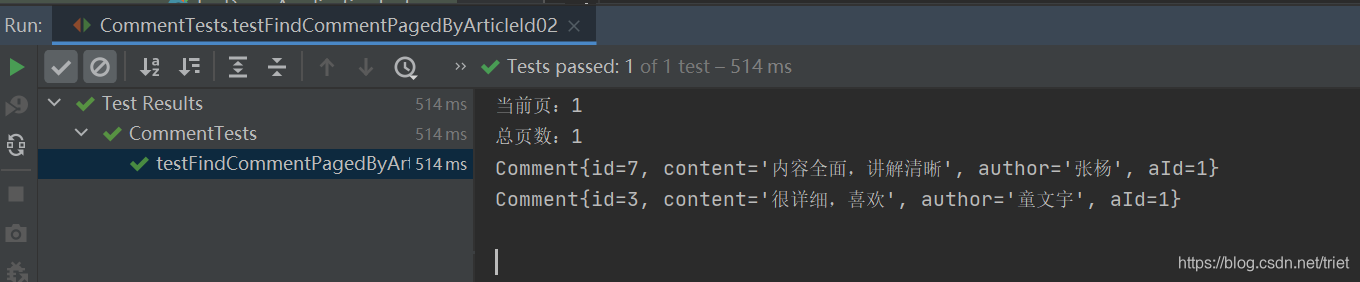
运行测试方法,查看结果





 扫一扫
扫一扫


 936
936



 到【灌水乐园】发言



