


 超级会员免费看
【使用场景】
在银河麒麟桌面操作系统V10SP1-2303版本中使用脚本一键修改NTP服务器地址为自定义地址。
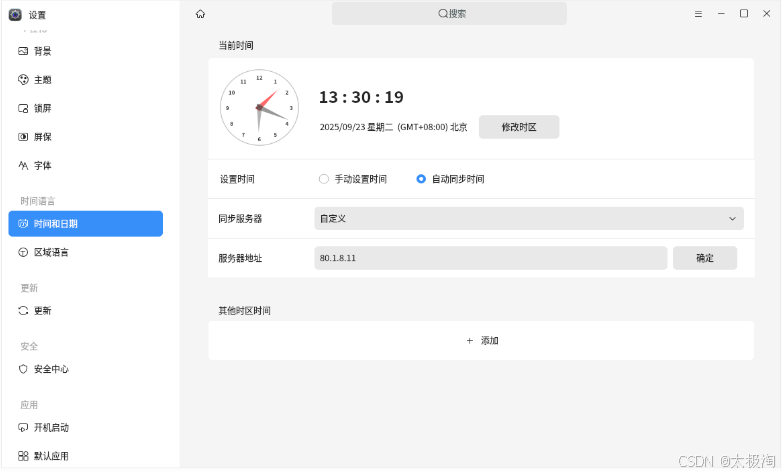
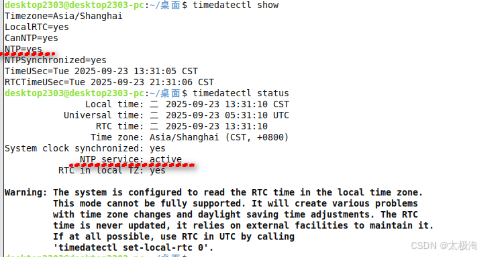
此时的状态,可以执行timedatectl status && timedatectl show 查看,NTP的状态是yes,NTP service的状态是active。
如果在图形化里修改成“手动设置时间”
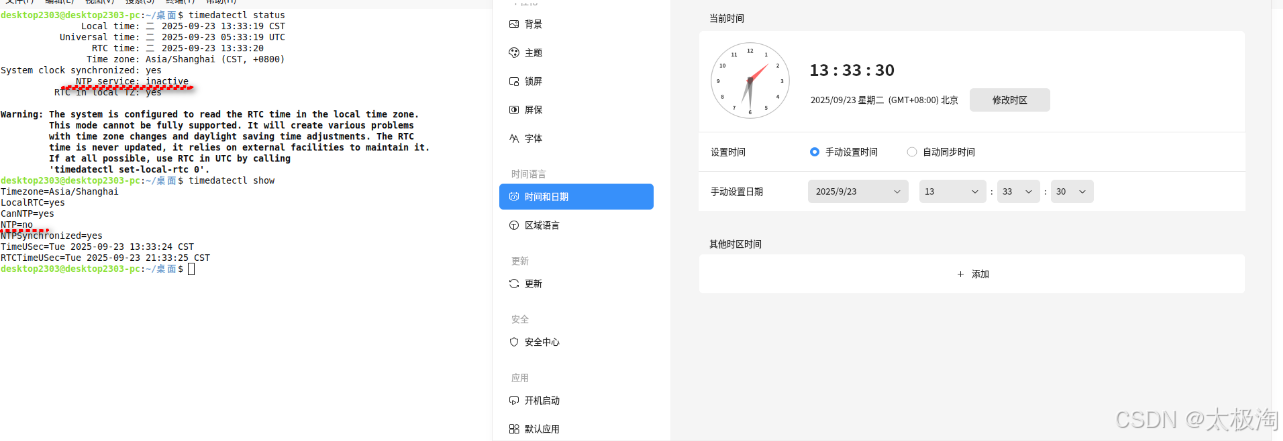
执行timedatectl status && timedatectl show 查看,NTP的状态是no,NTP service的状态是inactive。
【操作步骤】
步骤1. 编写shell脚本
```bash
desktop2303@desktop2303-pc:~$ vim setntptimeserver.sh
#!/bin/bash

function modifykylinconf() {
# 检查是否已存在目标配置
if egrep -q "^NTP\s*=\s$new_ntp" /etc/systemd/time
 订阅专栏 解锁全文






 扫一扫
扫一扫


 2万+
2万+

 被折叠的 条评论
为什么被折叠?
被折叠的 条评论
为什么被折叠?
 到【灌水乐园】发言





