


文章目录
gitlab cicd流水线模型
gitlab cicd模型介绍
gitlab cicd流水线是基于gitops,即所有对流水线的配置都是代码的形式,且保存在当前代码仓的根目录。
文件名也是固定的,为 .gitlab-ci.yml 。
实际项目中,针对流水线会定义多个步骤:编译、构建、部署、测试、发布、上线等。
gitlab 流水线实践
配置gitlab runner
将当前已注册的gitlab runner,添加一个标签,便于后期采用标签调用。
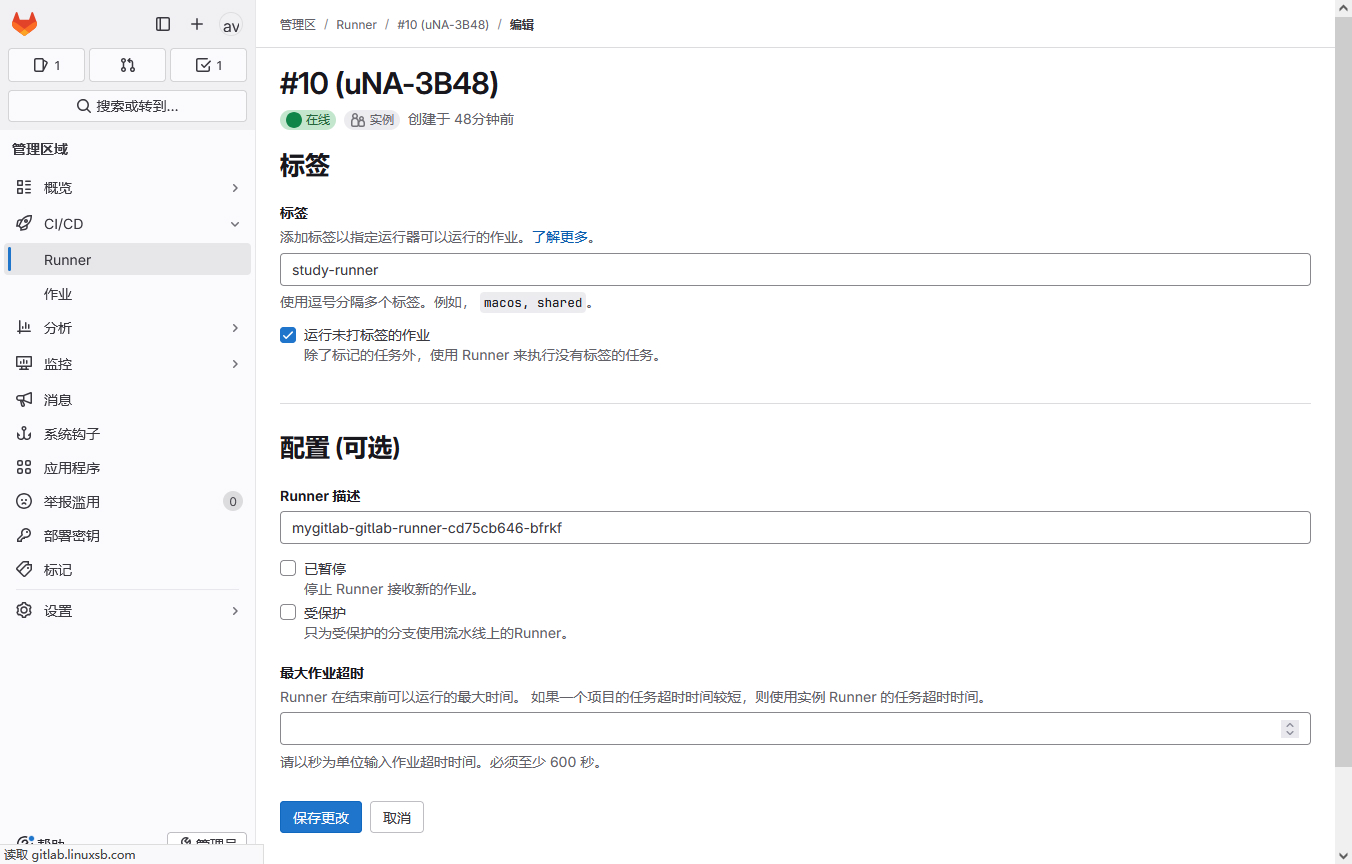
简单流水线
- 编写流水线
[root@gitclient myapp]# vim .gitlab-ci.yml
stages:
  - test

test_01:
  stage: test
  script:
    - echo "hello world!"
    - hostname
  tags:
    - study-runner
示例释义:
stages:固定语法,定义流水线的步骤,如上定义了test步骤,所定义的名称是可自定义的。
test_01:任务的名称,在gitlab cicd中也叫job。
test_01.stage:在 test_01 的job中,stage是关键字,用于指定当前job属于stages中所定义步骤中的哪个步骤。
script:关键字,用于在runner上执行的命令。
tags:关键字,用来指定在哪个runner上执行,即具体匹配哪个标签的runner。
提示:若指定的runner不存在与当前环境,则流水线会一直处于等待中。
- 提交流水线
将编写好的流水线提交至仓库。
[root@gitclient myapp]# git add .

[root@gitclient myapp]# git status
On branch main
Your branch is up to date with 'origin/main'.

Changes to be committed:
  (use "git restore --staged <file>..." to unstage)
        new file:   .gitlab-ci.yml

[root@gitclient myapp]# git commit -m "Add git cicd file"
[main 73e8dd7] Add git cicd file
 1 file changed, 10 insertions(+)
 create mode 100644 .gitlab-ci.yml

[root@gitclient myapp]# git push origin main
Enumerating objects: 4, done.
Counting objects: 100% (4/4), done.
Delta compression using up to 2 threads
Compressing objects: 100% (3/3), done.
Writing objects: 100% (3/3), 417 bytes | 417.00 KiB/s, done.
Total 3 (delta 0), reused 0 (delta 0), pack-reused 0
To ssh://gitlab.linuxsb.com:32222/mygroup/myapp.git
   284a2d9..73e8dd7  main -> main
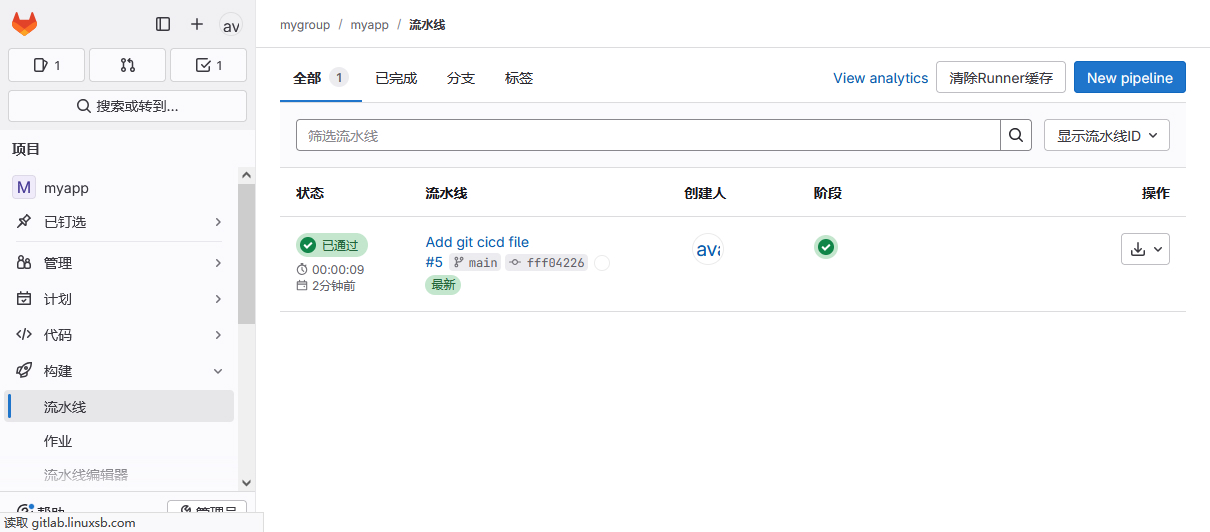
提交后能在图形界面查看此流水线。
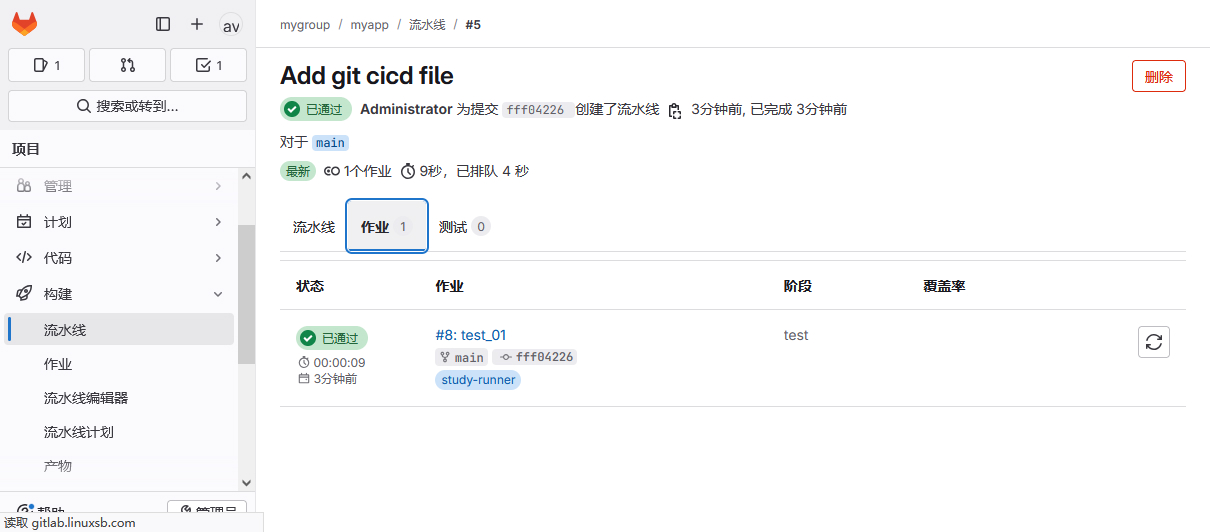
查看作业。
查看详细任务执行。
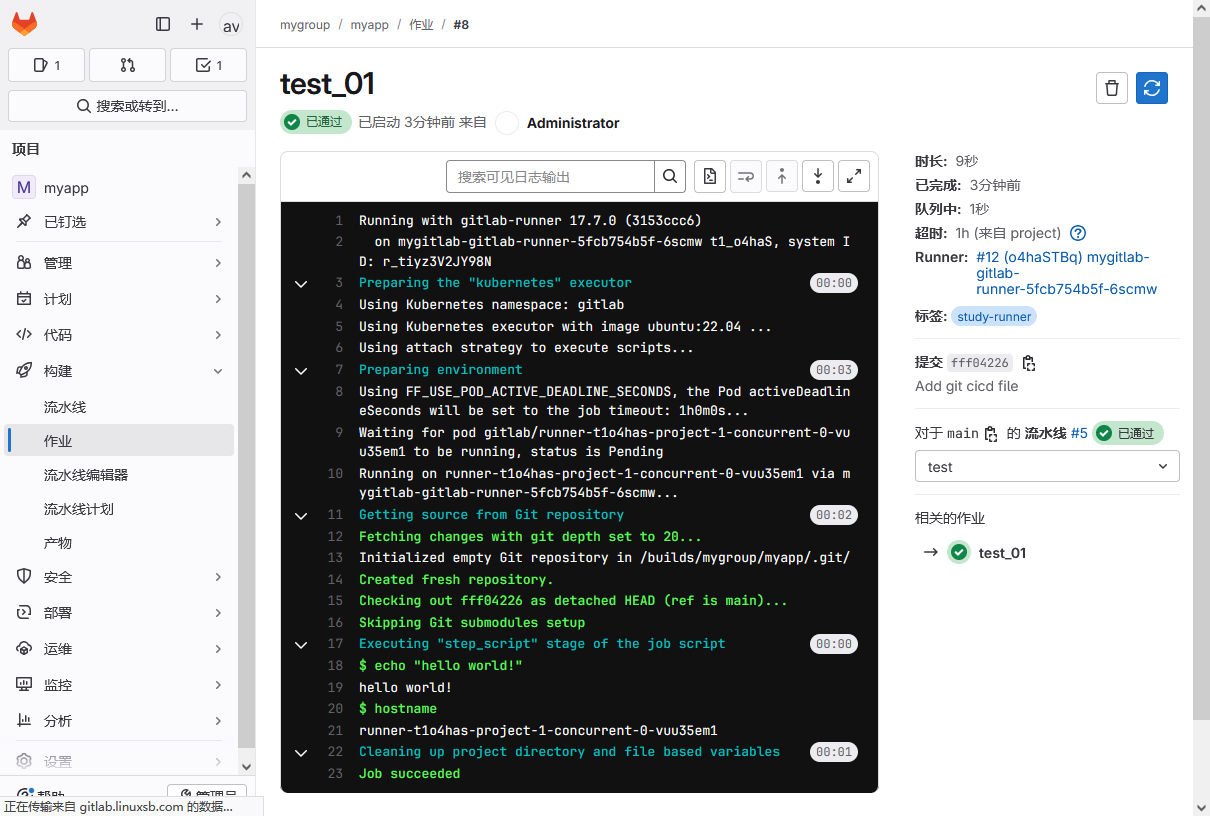
CICD流水线本质就是自动将代码下载到runner上进行执行。
实际中,流水线涉及多个步骤,每个步骤涉及多个job。
基本类型流水线
多步骤基本流水线示例一
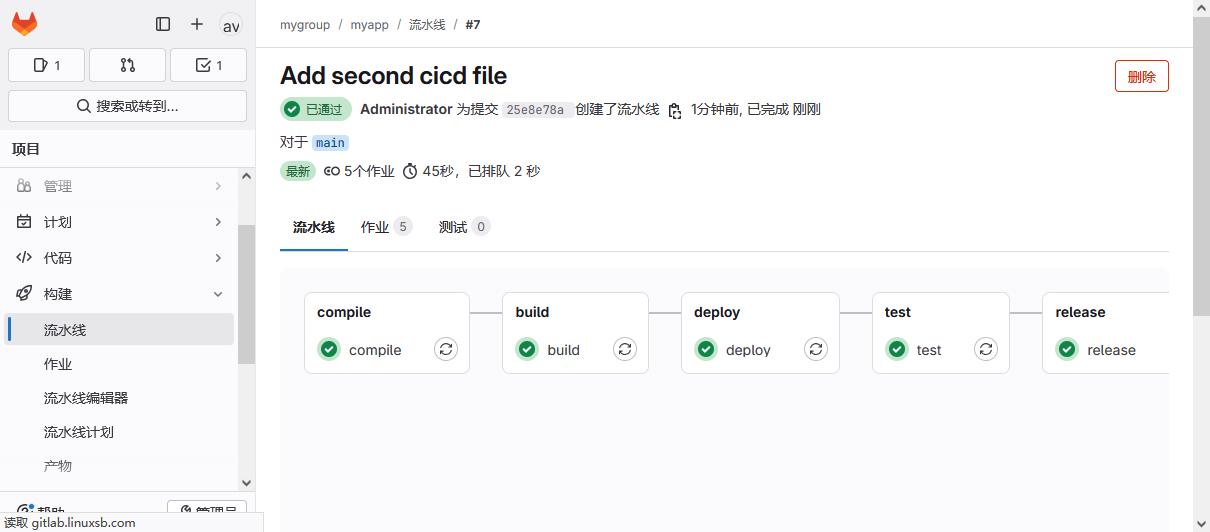
重新定义一个流水线,增加多个不同阶段和步骤,每个步骤增加一个job。
- 编写流水线
[root@gitclient myapp]# git rm .gitlab-ci.yml                   #删除旧流水线

[root@gitclient myapp]# vim .gitlab-ci.yml
stages:
  - compile
  - build
  - deploy
  - test
  - release

compile:
  stage: compile
  script:
    - echo -e "\nbegin to compile\n"
  tags:
    - study-runner

build:
  stage: build
  script:
    - echo -e "\nbegin to build\n"
  tags:
    - study-runner

deploy:
  stage: deploy
  script:
    - echo -e "\nbegin to deploy\n"
  tags:
    - study-runner

test:
  stage: test
  script:
    - echo -e "\nbegin to test\n"
  tags:
    - study-runner

release:
  stage: release
  script:
    - echo -e "\nbegin to release\n"
  tags:
    - study-runner
- 提交流水线
[root@gitclient myapp]# git add .gitlab-ci.yml
[root@gitclient myapp]# git commit -m "Add second cicd file"
[root@gitclient myapp]# git push origin main
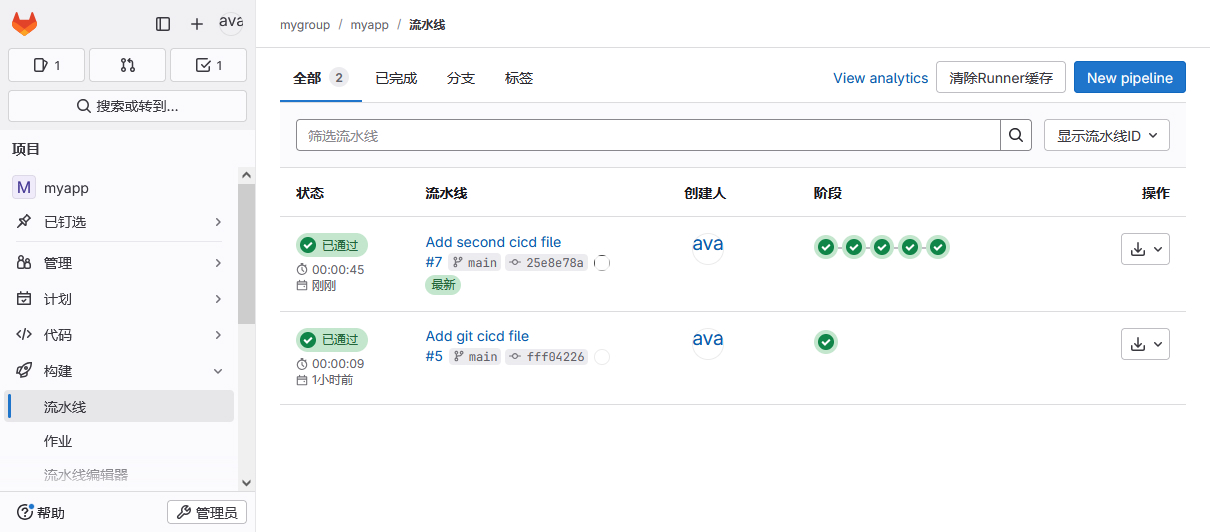
查看流水线。
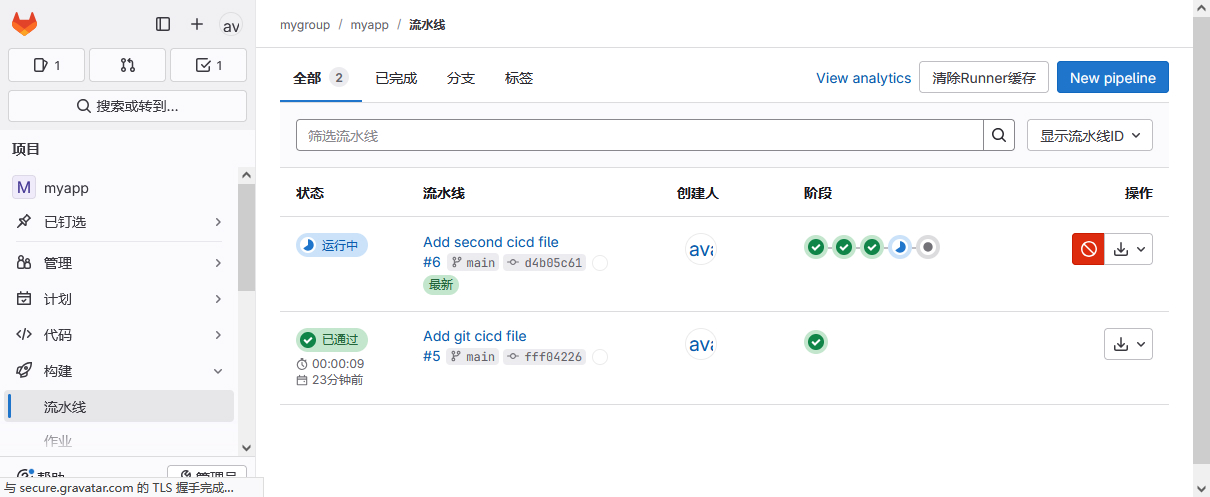
查看流水线详情。
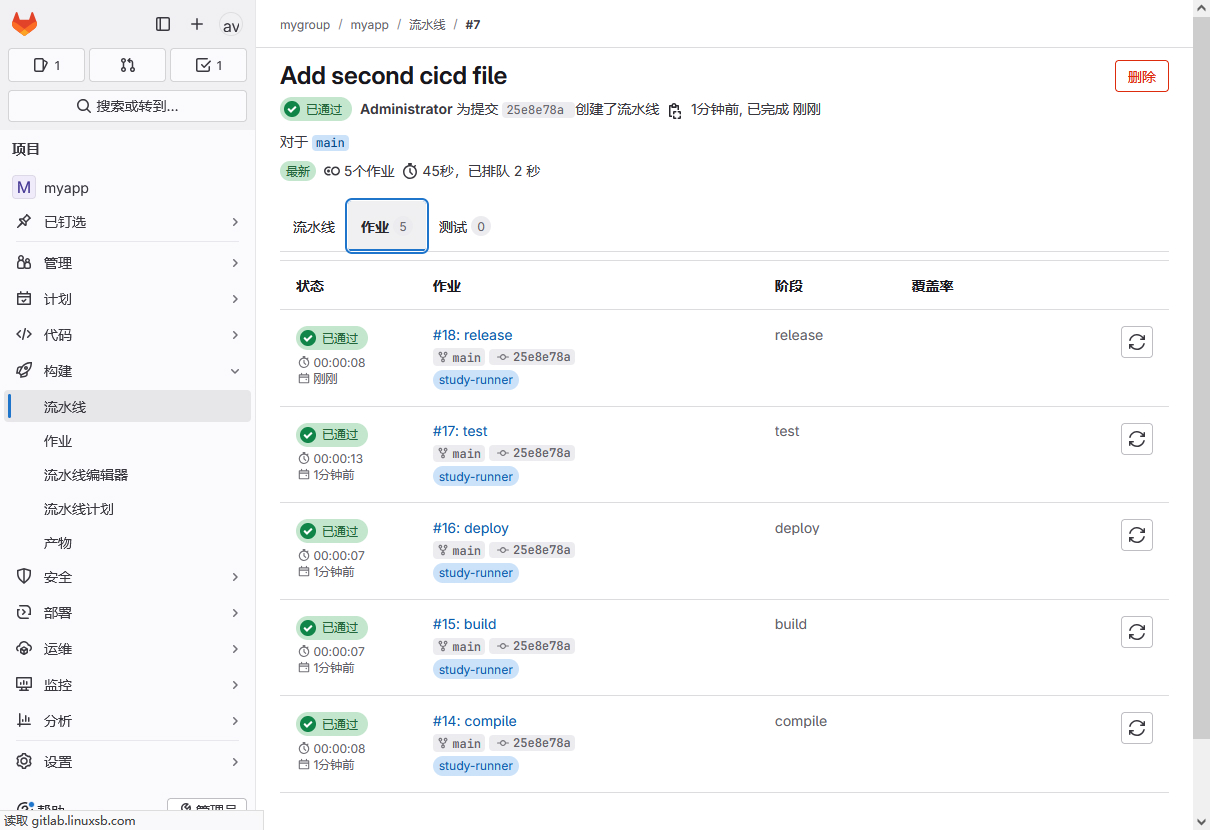
查看作业任务。
多步骤基本流水线示例二
在基本类型的流水线中,每个阶段可以设置多个任务,比较编译阶段,通常可能涉及多个编译工作,多个开发语言。
则编译、构建和发布都需要分别操作。
[root@gitclient myapp]# git rm .gitlab-ci.yml
[root@gitclient myapp]# vim .gitlab-ci.yml
stages:
- compile
- build
- deploy
- test
- release
compile_java:
stage: compile
script:
- echo -e "\nbegin to compile java\n"
tags:
- study-runner
compile_c:
stage: compile
script:
- echo -e "\nbegin to compile c\n"
- sleep 5
tags:
- study-runner
compile_node:
stage: compile
script:
- echo -e "\nbegin to compile node\n"
tags:
- study-runner
build_java:
stage: build
script:
- echo -e "\nbegin to build java\n"
tags:
- study-runner
build_c:
stage: bui 最低0.47元/天 解锁文章






 扫一扫
扫一扫


 332
332

 被折叠的 条评论
为什么被折叠?
被折叠的 条评论
为什么被折叠?
 到【灌水乐园】发言





