



 本文介绍如何通过修改Apache NiFi的配置文件来隐藏其Jetty服务器版本信息,防止敏感信息泄露,提高系统安全性。
Apache NiFi Jetty服务Sever信息泄露,主要是404页面返回Jetty版本信息,以及Response头中返回Sever版本信息。
解决办法研究很久之后,发现其实很简单:
找到conf/nifi.properties配置文件,找到这部分,
nifi.web.https.network.interface.default=
nifi.web.jetty.working.directory=./work/jetty
nifi.web.jetty.threads=200
nifi.web.max.header.size=16 KB
nifi.web.proxy.context.path=
nifi.web.proxy.host=
nifi.web.max.content.size=
nifi.web.max.requests.per.second=30000
nifi.web.request.timeout=60 secs
nifi.web.request.ip.whitelist=
nifi.web.should.send.server.version=true
修改
nifi.web.should.send.server.version=true
改为:
nifi.web.should.send.server.version=false
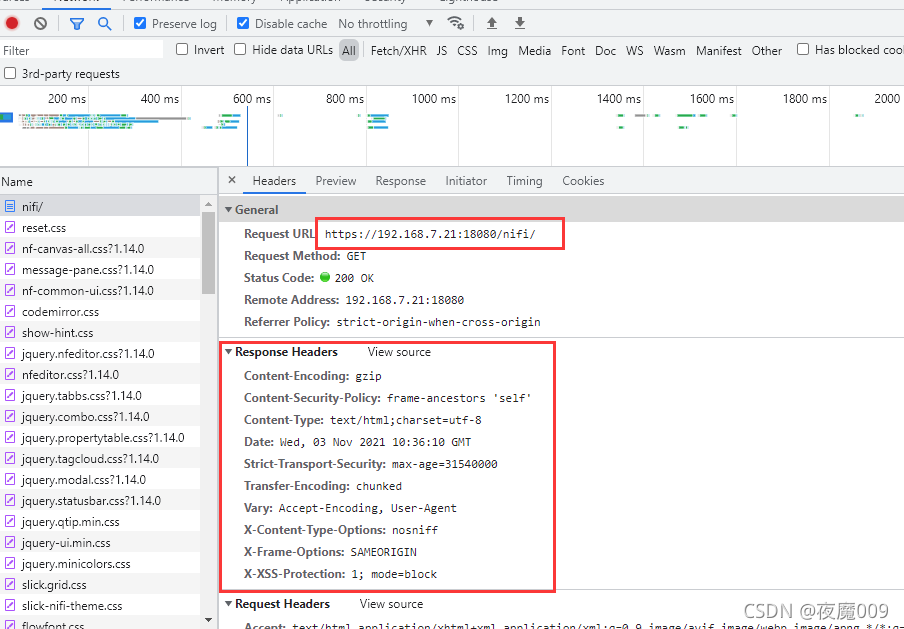
重启服务。然后再看response头,已经没有Server版本信息:
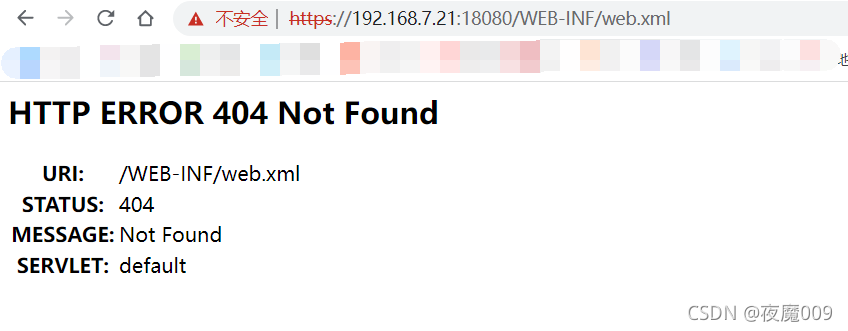
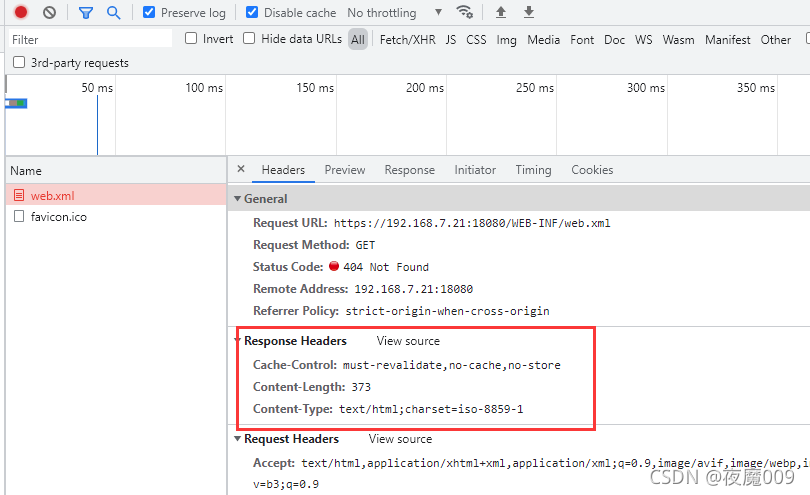
再看看其它404等页面返回信息,同样没有了Sever的版本信息:
大功告成!






 扫一扫
扫一扫


 1226
1226

 被折叠的 条评论
为什么被折叠?
被折叠的 条评论
为什么被折叠?
 到【灌水乐园】发言





