


一、软件介绍
文末提供程序和源码下载
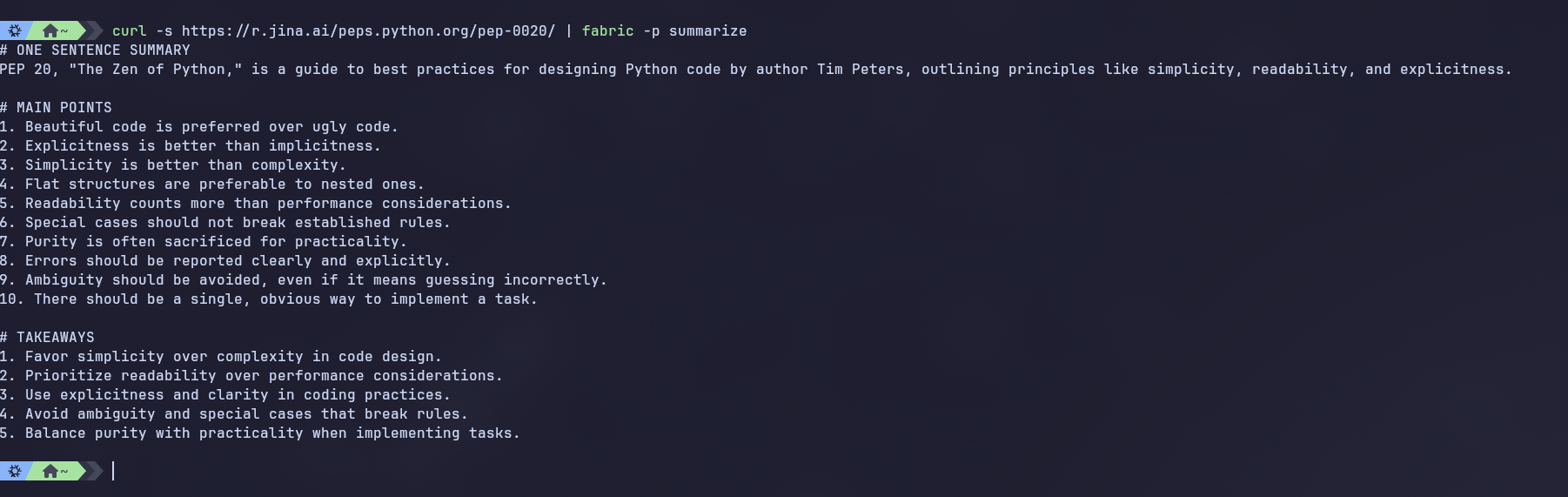
fabric 是一个开源框架,用于使用 AI 增强人类能力。它提供了一个模块化框架,用于使用一组可在任何地方使用的众包人工智能提示来解决特定问题。
二、What and why 什么和为什么
自 2023 年初和 GenAI 以来,我们已经看到了大量用于完成任务的 AI 应用程序。它很强大,但要将此功能集成到我们的生活中并不容易。
In other words, AI doesn't have a capabilities problem—it has an integration problem.
换句话说,AI 没有能力问题,它有集成问题。
Fabric was created to address this by enabling everyone to granularly apply AI to everyday challenges.
Fabric 的创建是为了解决这个问题,让每个人都能精细地将 AI 应用于日常挑战。
三、Breaking problems into components将问题分解为组件
Our approach is to break problems into individual pieces (see below) and then apply AI to them one at a time. See below for some examples.
我们的方法是将问题分解成单独的部分(见下文),然后一次将 AI 应用于一个部分。有关一些示例,请参见下文。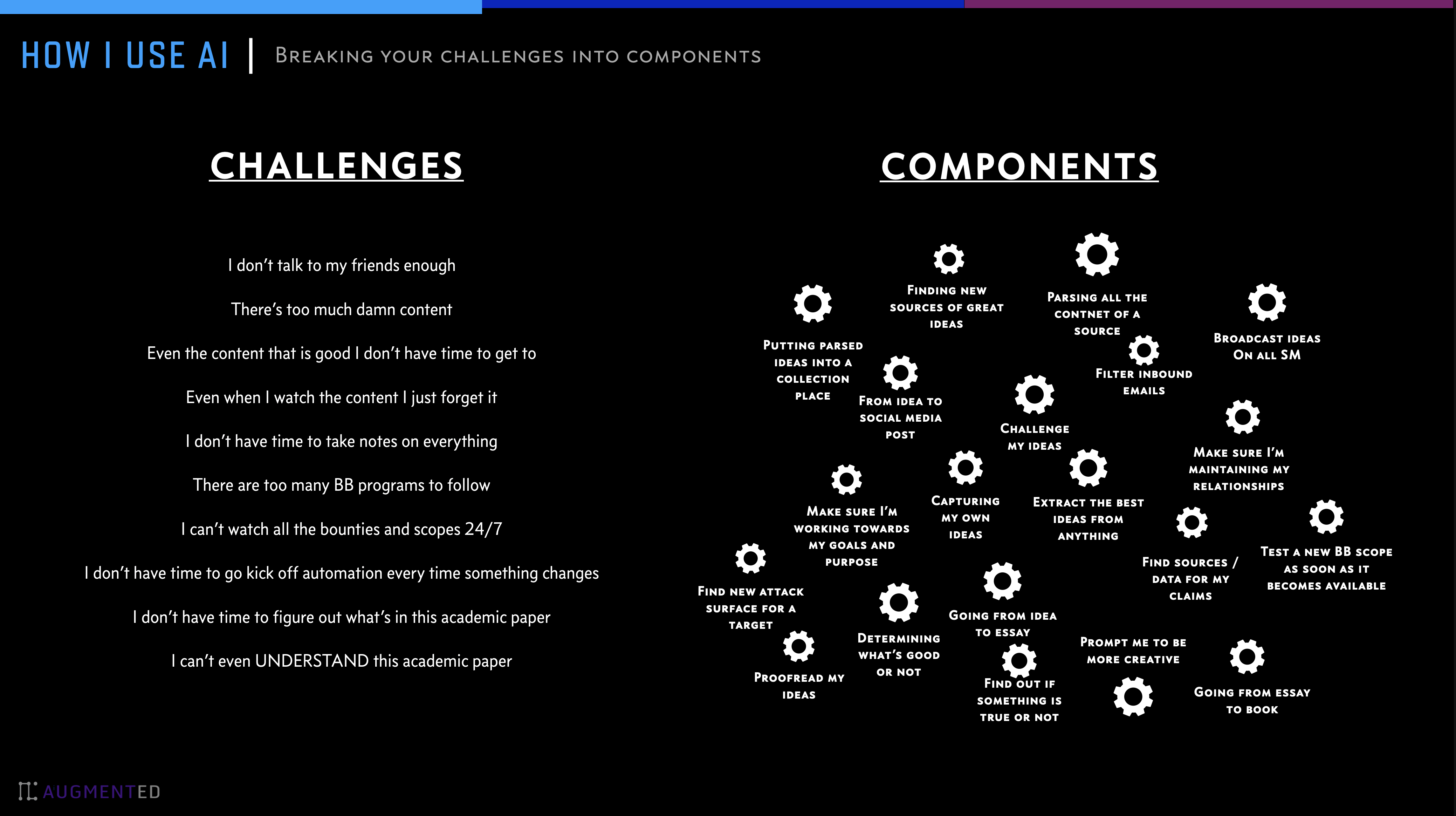
四、Too many prompts 提示太多
Prompts are good for this, but the biggest challenge I faced in 2023——which still exists today—is the sheer number of AI prompts out there. We all have prompts that are useful, but it's hard to discover new ones, know if they are good or not, and manage different versions of the ones we like.
提示对此有好处,但我在 2023 年面临的最大挑战(今天仍然存在)是 AI 提示的绝对数量。我们都有有用的提示,但很难发现新的提示,知道它们是否好,并管理我们喜欢的不同版本。
One of fabric's primary features is helping people collect and integrate prompts, which we call Patterns, into various parts of their lives.
fabric 的主要功能之一是帮助人们收集和整合提示,我们称之为 Patterns,融入他们生活的各个方面。
Fabric has Patterns for all sorts of life and work activities, including:
Fabric 具有适用于各种生活和工作活动的 Patterns,包括:
- Extracting the most interesting parts of YouTube videos and podcasts
提取 YouTube 视频和播客中最有趣的部分 - Writing an essay in your own voice with just an idea as an input
用你自己的声音写一篇文章,只用一个想法作为输入 - Summarizing opaque academic papers
总结不透明的学术论文 - Creating perfectly matched AI art prompts for a piece of writing
为一篇文章创建完美匹配的 AI 艺术提示 - Rating the quality of content to see if you want to read/watch the whole thing
对内容质量进行评级,看看您是否想阅读/观看整个内容 - Getting summaries of long, boring content
获取冗长、无聊的内容摘要 - Explaining code to you
向您解释代码 - Turning bad documentation into usable documentation
将不良文档转化为可用的文档 - Creating social media posts from any content input
从任何内容输入创建社交媒体帖子 - And a million more…
还有一百万个...
五、Installation 安装
文末提供各系统版本下载
Using package managers 使用包管理器
NOTE: using Homebrew or the Arch Linux package managers makes fabric available as fabric-ai, so add the following alias to your shell startup files to account for this:
注意:使用 Homebrew 或 Arch Linux 包管理器可以 fabric 作为 fabric-ai 提供,因此请将以下别名添加到您的 shell 启动文件中以说明这一点:
alias fabric='fabric-ai'
macOS (Homebrew) macOS(自制软件)
brew install fabric-ai
Arch Linux (AUR) Arch Linux (AUR)
yay -S fabric-ai
From Source 从源
To install Fabric, make sure Go is installed, and then run the following command.
要安装 Fabric,请确保已安装 Go,然后运行以下命令。
# Install Fabric directly from the repo
go install github.com/danielmiessler/fabric@latest
Environment Variables 环境变量
You may need to set some environment variables in your ~/.bashrc on linux or ~/.zshrc file on mac to be able to run the fabric command. Here is an example of what you can add:
您可能需要在 linux ~/.bashrc 上设置一些环境变量,或者在 ~/.zshrc mac 上设置一些文件才能运行该 fabric 命令。以下是您可以添加的内容的示例:
For Intel based macs or linux
适用于基于 Intel 的 mac 或 linux
# Golang environment variables
export GOROOT=/usr/local/go
export GOPATH=$HOME/go

# Update PATH to include GOPATH and GOROOT binaries
export PATH=$GOPATH/bin:$GOROOT/bin:$HOME/.local/bin:$PATH
for Apple Silicon based macs
适用于基于 Apple Silicon 的 mac
# Golang environment variables
export GOROOT=$(brew --prefix go)/libexec
export GOPATH=$HOME/go
export PATH=$GOPATH/bin:$GOROOT/bin:$HOME/.local/bin:$PATH
Setup 设置
Now run the following command
现在运行以下命令
# Run the setup to set up your directories and keys
fabric --setup
If everything works you are good to go.
如果一切正常,您就可以开始了。
Add aliases for all patterns
为所有模式添加别名
In order to add aliases for all your patterns and use them directly as commands ie. summarize instead of fabric --pattern summarize You can add the following to your .zshrc or .bashrc file.
为了为您的所有模式添加别名并将它们直接用作命令,即。 summarize 而不是 fabric --pattern summarize 您可以将以下内容添加到您的 .zshrc OR .bashrc 文件中。
# Loop through all files in the ~/.config/fabric/patterns directory
for pattern_file in $HOME/.config/fabric/patterns/*; do
    # Get the base name of the file (i.e., remove the directory path)
    pattern_name=$(basename "$pattern_file")

    # Create an alias in the form: alias pattern_name="fabric --pattern pattern_name"
    alias_command="alias $pattern_name='fabric --pattern $pattern_name'"

    # Evaluate the alias command to add it to the current shell
    eval "$alias_command"
done

yt() {
    if [ "$#" -eq 0 ] || [ "$#
 最低0.47元/天 解锁文章






 扫一扫
扫一扫


 233
233

 被折叠的 条评论
为什么被折叠?
被折叠的 条评论
为什么被折叠?
 到【灌水乐园】发言





