


报错 cant find compiler executable in your configured search paths for GNU GCC Compiler
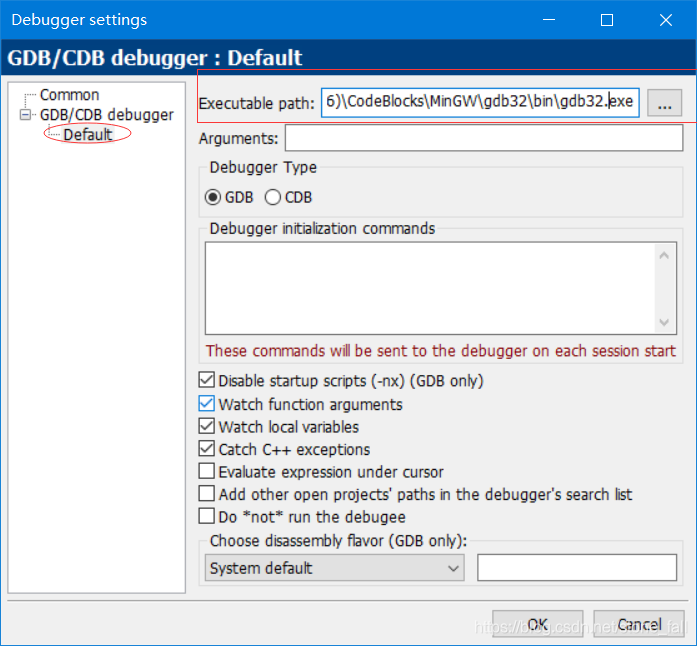
在Settings中选择Debuggers,找到自己电脑中的gdb32.exe,将下述标红路径填写好
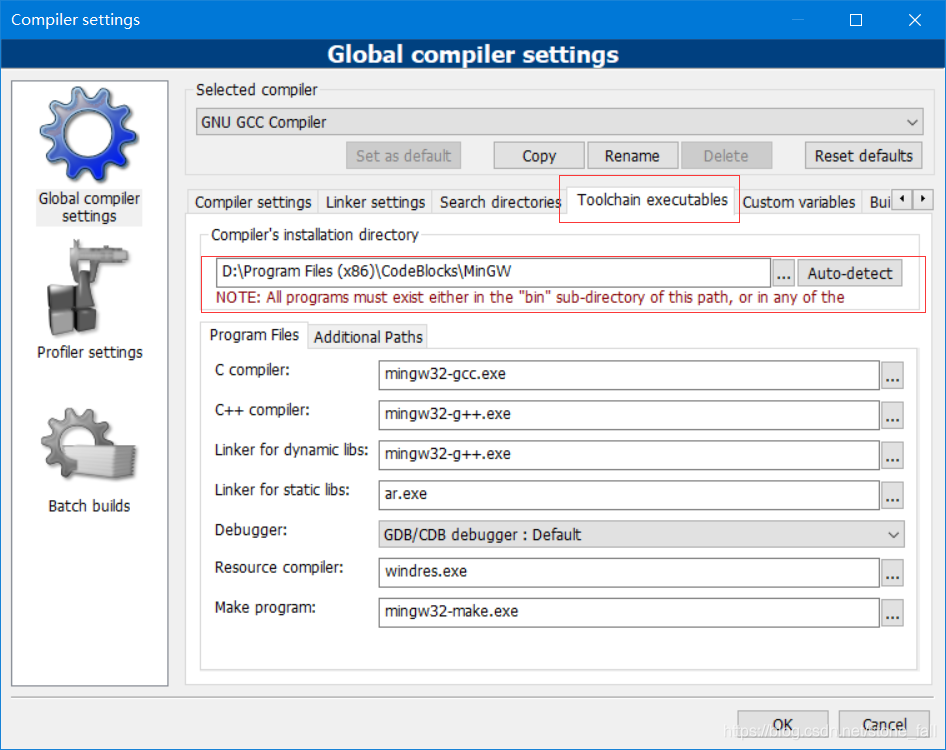
若找不到此路径,可以在Settings中Compilers中找到,如下述
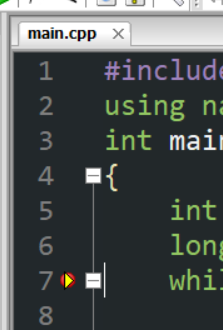
点击调试后,出现下述三角即成功~
其他问题
项目路径需要全英文路径!!!!
watches/选择目标右键-添加watch 可以监视目标变量!!!

报错 cant find compiler executable in your configured search paths for GNU GCC Compiler
在Settings中选择Debuggers,找到自己电脑中的gdb32.exe,将下述标红路径填写好
若找不到此路径,可以在Settings中Compilers中找到,如下述
点击调试后,出现下述三角即成功~
其他问题
项目路径需要全英文路径!!!!
watches/选择目标右键-添加watch 可以监视目标变量!!!

 被折叠的 条评论
为什么被折叠?
被折叠的 条评论
为什么被折叠?
 到【灌水乐园】发言








 扫一扫
扫一扫


 7738
7738


