



- 右键点击工程选择Properties,
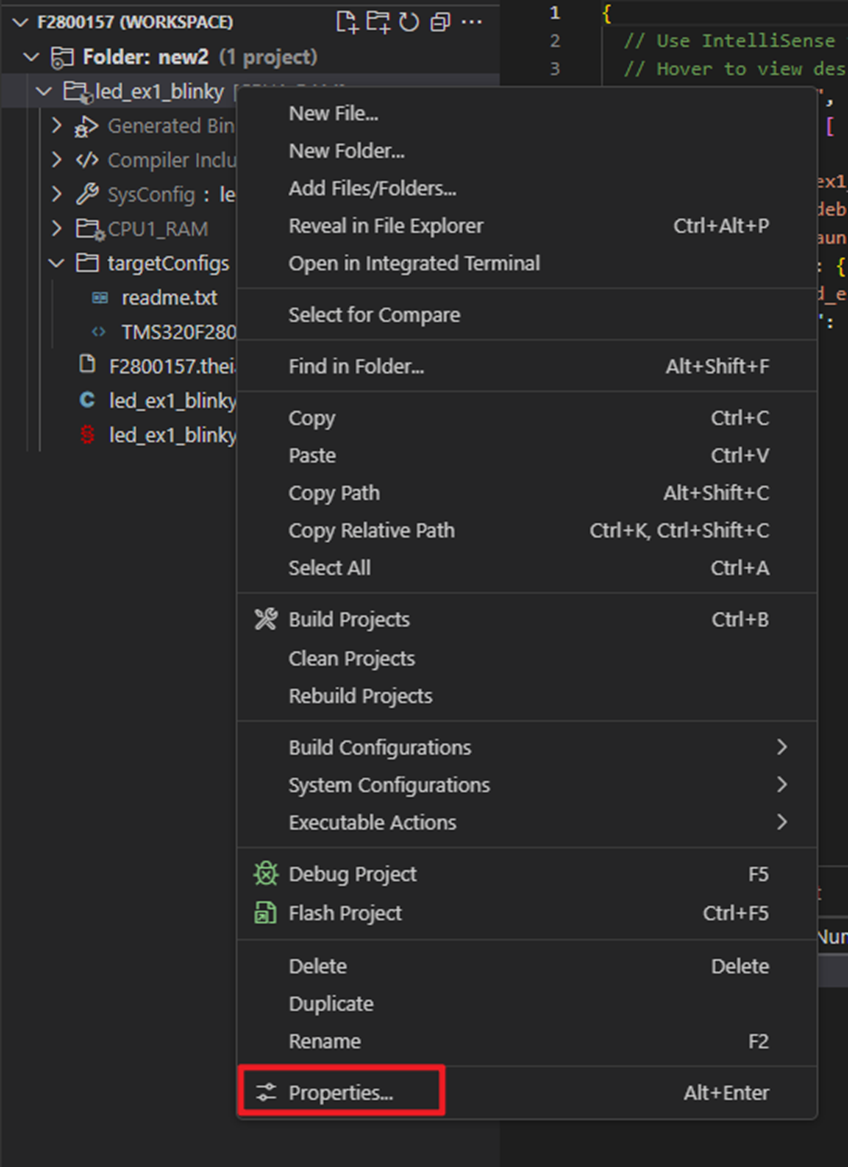
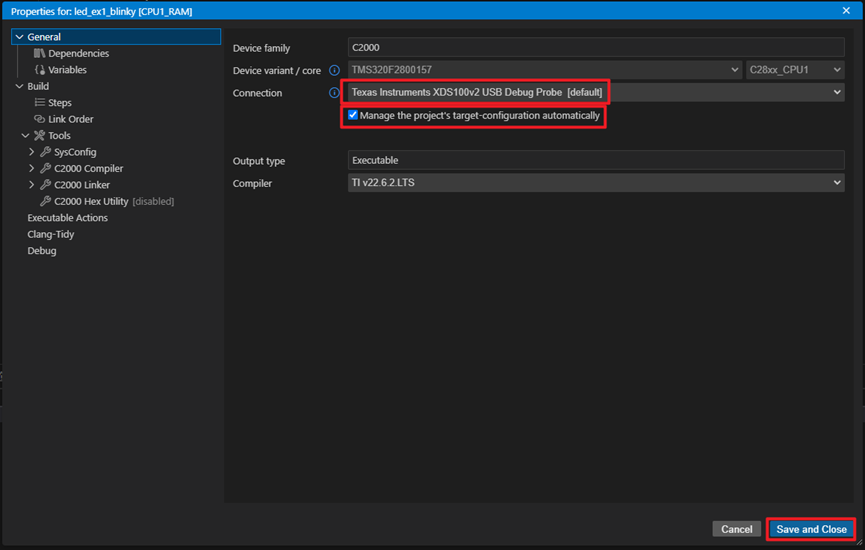
- 勾选Manage the projects’ target-configuration automatically
选择调试探针 Texas Instruments XDS100v2 USB Debug Probe.
点击右下角Save and Close.
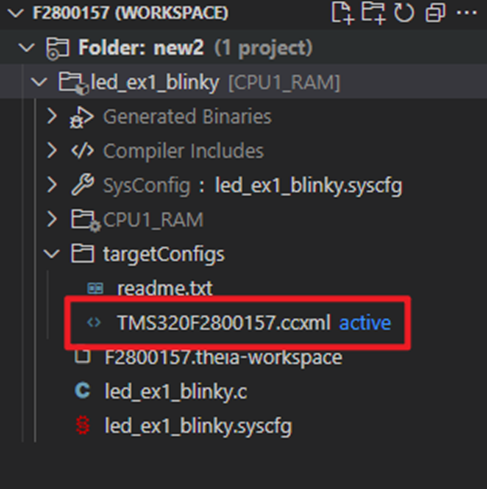
- 可以看到工程里面多了一个ccxml文件,并且是激活状态。
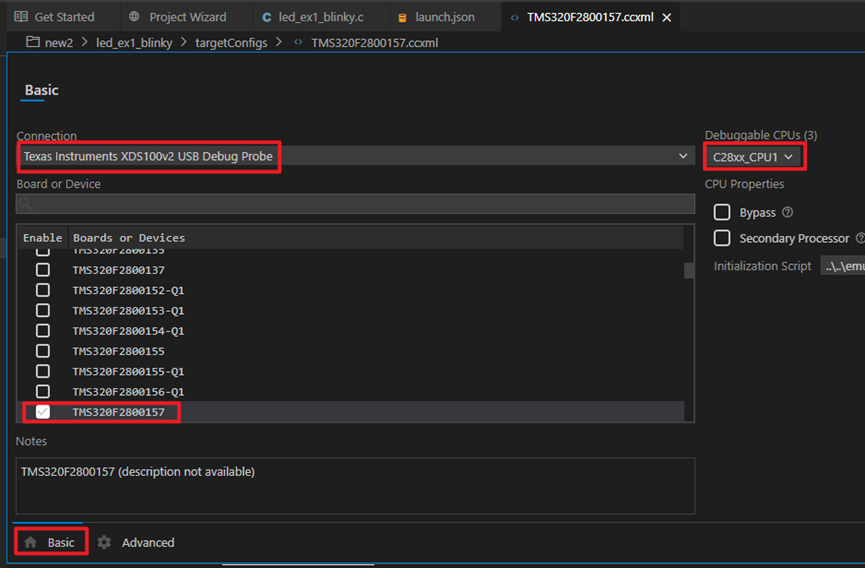
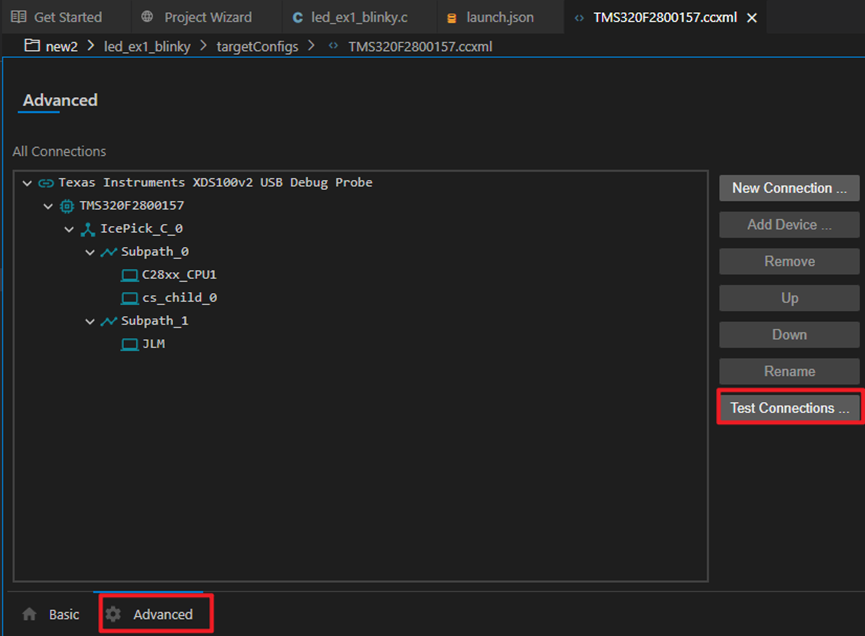
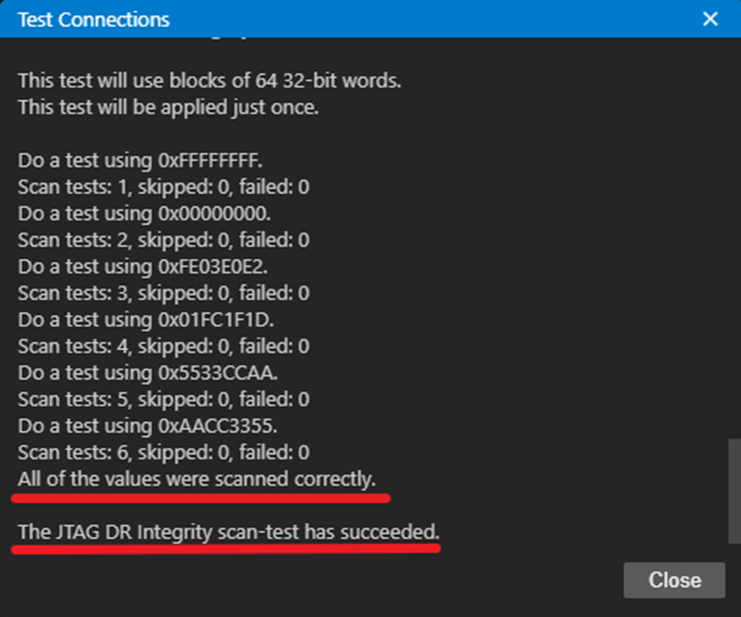
- 左键双击打开ccxml文件,在Basic页检查配置是否正确。在Advanced点击Test Connections。 如果USB是连接着的,可以看到测试成功的结果。
小红书 搜索 小名鼎鼎的小铺子





 扫一扫
扫一扫


 1万+
1万+

 被折叠的 条评论
为什么被折叠?
被折叠的 条评论
为什么被折叠?
 到【灌水乐园】发言





