



 本文提供了一系列方法来优化Android Studio的内存使用,包括减少构建过程堆大小到512MB,降低DEX编译器的最大堆大小到400MB,并通过禁用VCS和限制Gradle使用的JVM大小进一步节省内存资源。这些调整虽可能轻微增加构建和部署时间,但能显著减少Android Studio占用的RAM。
Reduce Build Process Heap Size in Android Studio
Go to File->Other Settings->Default Settings->Build, Execution, Deployment->Compiler
Change the Build Process Heap Size to a smaller amount like 512 MB from the default size of 700 MB.
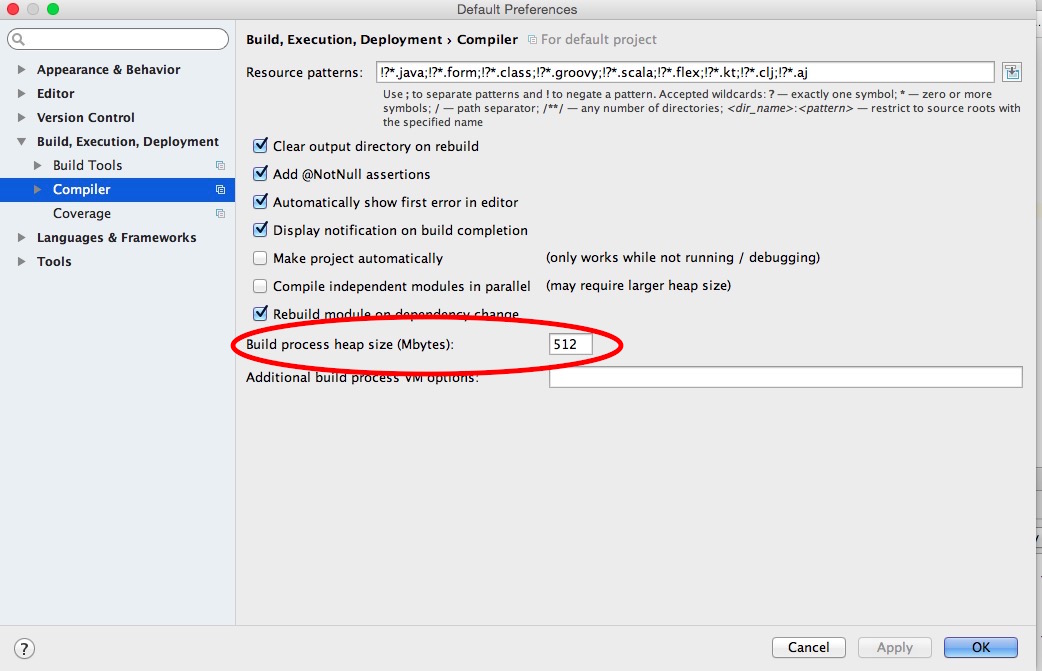
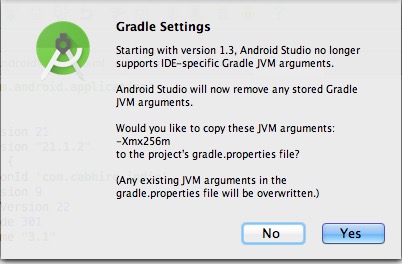
Edit: From 1.3 onwards, this needs to be set on a per project basis (don’t know why they did this):
Reduce DEX Compiler Heap Size
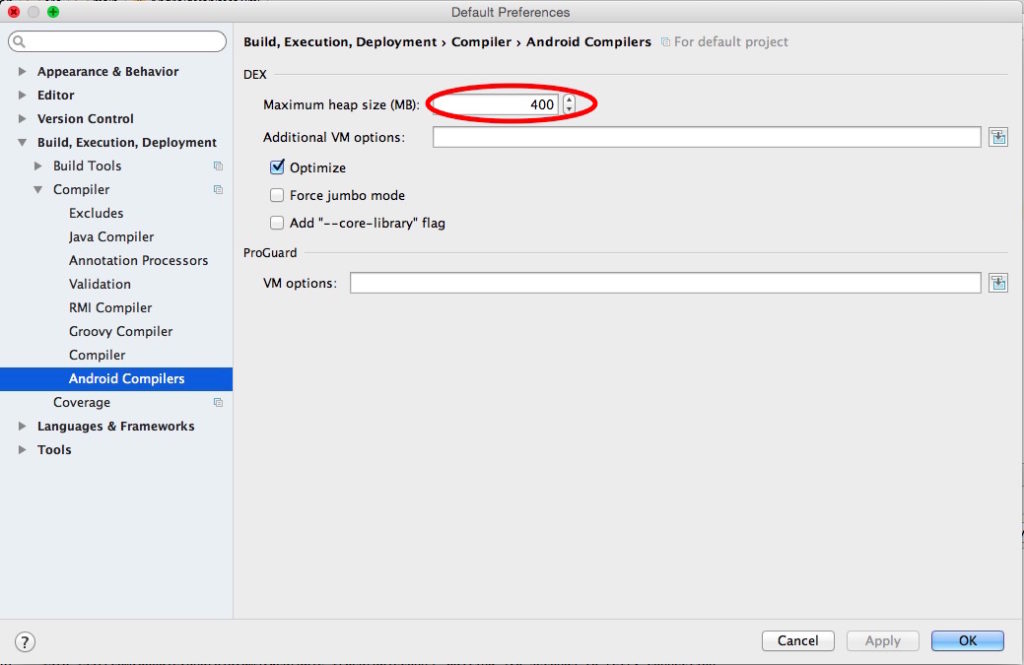
File->Other Settings->Default Settings->Build, Execution, Deployment->Compiler->Android Compiler
You can again reducteAndroid Studio Memory Usage by reducing the DEX Compiler’s Maximum heap size by changing the default value of 700 MB to a lower value like 400 MB. Again this will marginally slow build and deploy time but will reduce Android Studio’s RAM memory consumption.
Disable VCS in Android Studio
Disabling VCS in android studio and using an external program to handle VCS helped some users a lot. You can disable VCS by going to File->Settings->Plugins and disable the following:
- CVS Integration
- Git Integration
- GitHub
- Google Cloud Tools for Android Studio
- Subversion Integration
Limit JVM Size Used by Gradle
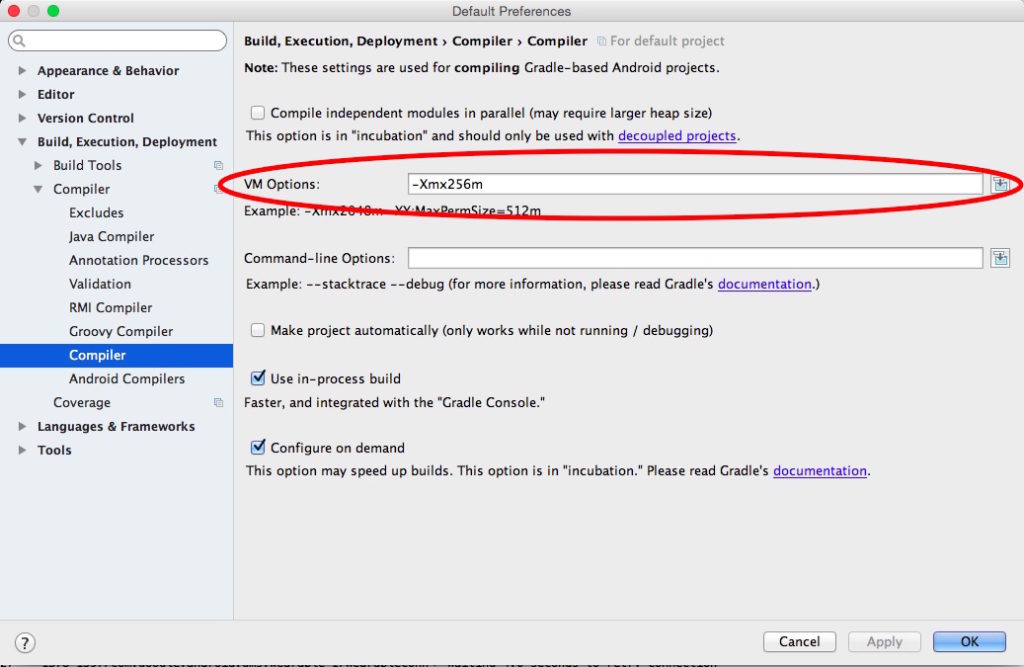
File->Other Settings->Default Settings->Build, Execution, Deployment->Compiler->Compiler
Limit the size of the Java Virtual Machine used by Gradle. You can do this by entering “-Xmx256m” in the VM Options field. This will slow down the compilation process but save immense memory. The increase in compilation time for a small project was negligible (~10 seconds).





 扫一扫
扫一扫


 1789
1789

 被折叠的 条评论
为什么被折叠?
被折叠的 条评论
为什么被折叠?
 到【灌水乐园】发言





