


由于现在还有大量项目使用的jdk版本是1.8,所以今天记录下IDEA创建JDK1.8版本SpringBoot项目的记录。
1 点new Project,新建项目

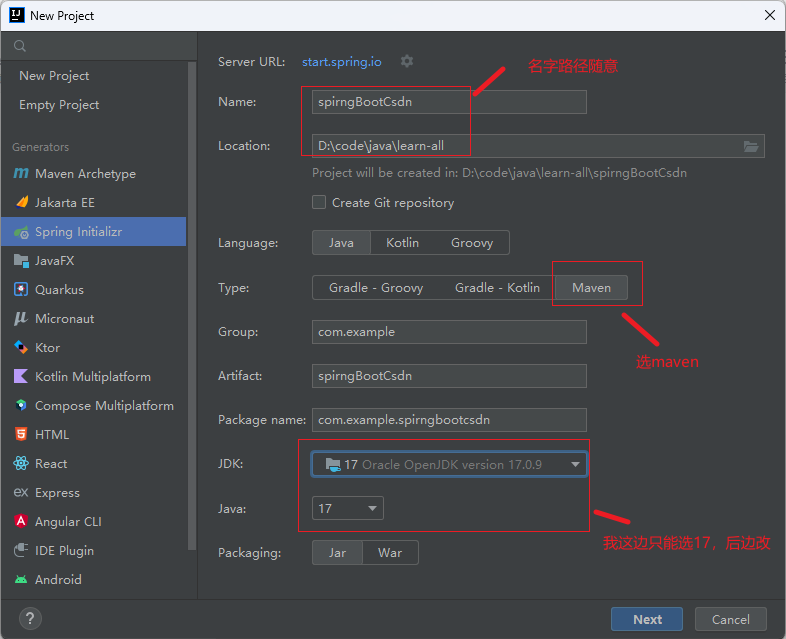
2 左边选择SpringInitalizr,右边名字路径随意,类型选maven,jdk我这只能选17,后边改
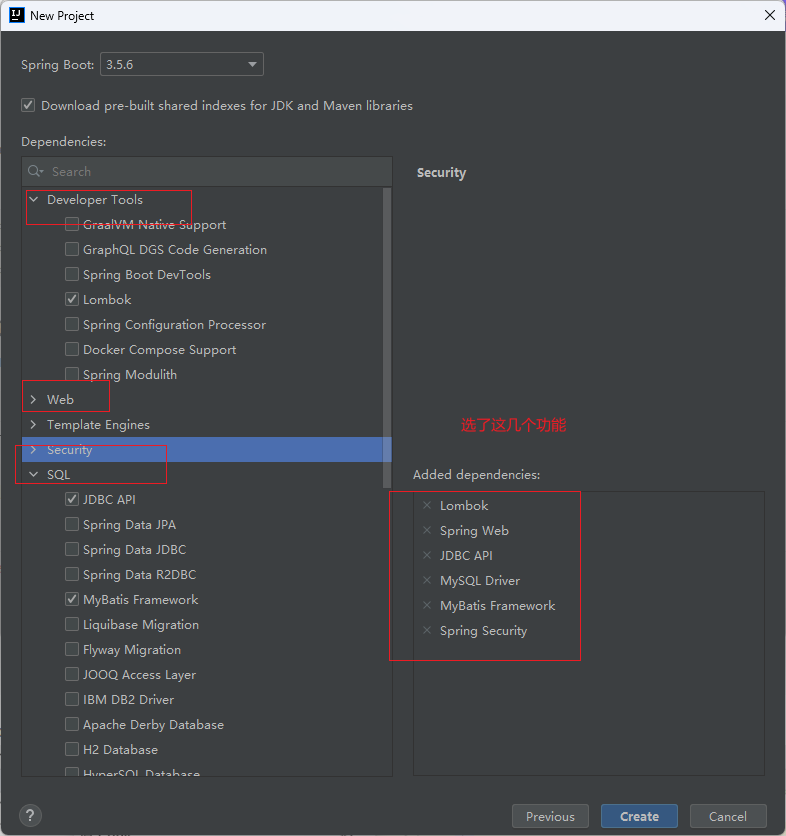
3 我先选择了这几个功能,日志用lombok,还有web,数据库里边的jdbc,mysql,mybatis。登录鉴权相关的SpringSecurity。
4 如果此时你不需要改jdk版本,点击create等待项目自动加载,就算完成了。
5 下面开始改jdk版本,把根目录下pom.xml 文件换成我这个版本
<?xml version="1.0" encoding="UTF-8"?>
<project xmlns="http://maven.apache.org/POM/4.0.0" xmlns:xsi="http://www.w3.org/2001/XMLSchema-instance"
xsi:schemaLocation="http://maven.apache.org/POM/4.0.0 https://maven.apache.org/xsd/maven-4.0.0.xsd">
<modelVersion>4.0.0</modelVersion>
<parent>
<groupId>org.springframework.boot</groupId>
<artifactId>spring-boot-starter-parent</artifactId>
<version>2.7.10</version> <!-- ✅ 支持 Java 8 的最后稳定版 -->
<relativePath/>
</parent>
<groupId>com.example</groupId>
<artifactId>springDemo</artifactId>
<version>0.0.1-SNAPSHOT</version>
<name>springDemo</name>
<description>springDemo</description>
<url/>
<licenses>
<license/>
</licenses>
<developers>
<developer/>
</developers>
<scm>
<connection/>
<developerConnection/>
<tag/>
<url/>
</scm>
<properties>
<java.version>8</java.version>
</properties>
<dependencies>
<!-- 替换 MyBatis Starter -->
<dependency>
<groupId>org.mybatis.spring.boot</groupId>
<artifactId>mybatis-spring-boot-starter</artifactId>
<version>2.2.0</version> <!-- ✅ 支持 Java 8 -->
</dependency>
<dependency>
<groupId>org.mybatis.spring.boot</groupId>
<artifactId>mybatis-spring-boot-starter-test</artifactId>
<version>2.2.0</version>
<scope>test</scope>
</dependency>
<!-- 替换测试框架为 JUnit 4 -->
<dependency>
<groupId>junit</groupId>
<artifactId>junit</artifactId>
<scope>test</scope>
<version>4.13.2</version>
</dependency>
<!-- JUnit Jupiter Engine(实现层) -->
<dependency>
<groupId>org.junit.jupiter</groupId>
<artifactId>junit-jupiter-engine</artifactId>
<scope>test</scope>
</dependency>
<dependency>
<groupId>org.springframework.boot</groupId>
<artifactId>spring-boot-starter-data-jpa</artifactId>
</dependency>
<dependency>
<groupId>org.springframework.boot</groupId>
<artifactId>spring-boot-starter-jdbc</artifactId>
</dependency>
<dependency>
<groupId>org.springframework.boot</groupId>
<artifactId>spring-boot-starter-security</artifactId>
</dependency>
<dependency>
<groupId>org.springframework.security</groupId>
<artifactId>spring-security-test</artifactId>
<scope>test</scope>
</dependency>
<dependency>
<groupId>org.springframework.boot</groupId>
<artifactId>spring-boot-starter-web</artifactId>
</dependency>
<dependency>
<groupId>com.mysql</groupId>
<artifactId>mysql-connector-j</artifactId>
<scope>runtime</scope>
</dependency>
<dependency>
<groupId>org.projectlombok</groupId>
<artifactId>lombok</artifactId>
<optional>true</optional>
</dependency>
<dependency>
<groupId>org.springframework.boot</groupId>
<artifactId>spring-boot-starter-test</artifactId>
<scope>test</scope>
</dependency>
</dependencies>
<build>
<plugins>
<plugin>
<groupId>org.apache.maven.plugins</groupId>
<artifactId>maven-compiler-plugin</artifactId>
<configuration>
<source>${java.version}</source> <!-- 使用 properties 中定义的版本 -->
<target>${java.version}</target>
<fork>true</fork> <!-- 确保独立进程编译避免干扰 -->
</configuration>
</plugin>
<plugin>
<groupId>org.apache.maven.plugins</groupId>
<artifactId>maven-compiler-plugin</artifactId>
<configuration>
<annotationProcessorPaths>
<path>
<groupId>org.projectlombok</groupId>
<artifactId>lombok</artifactId>
<version>1.18.26</version>
</path>
</annotationProcessorPaths>
</configuration>
</plugin>
<plugin>
<groupId>org.springframework.boot</groupId>
<artifactId>spring-boot-maven-plugin</artifactId>
<configuration>
</configuration>
</plugin>
</plugins>
</build>
</project>
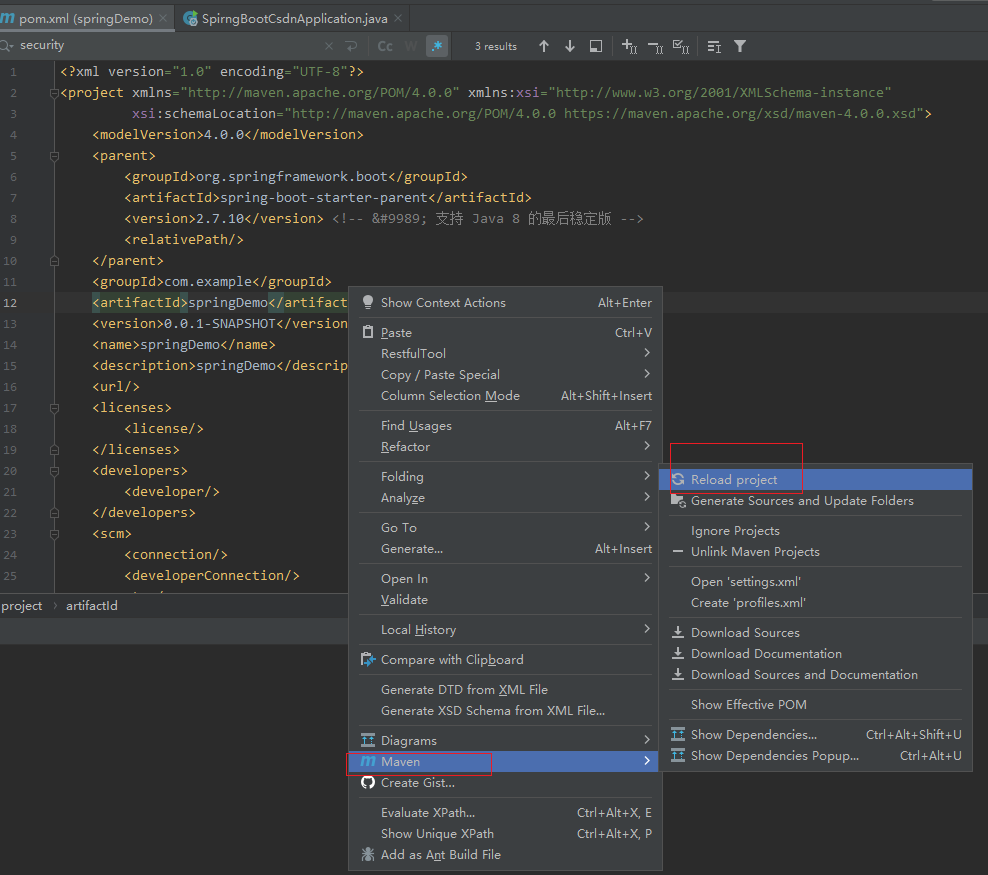
记得maven reload一下
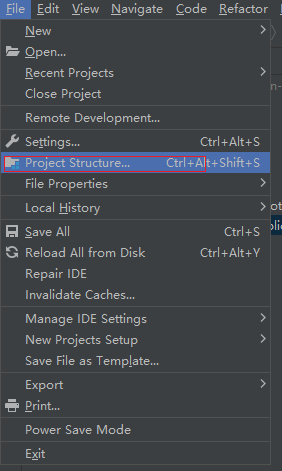
6 进入项目设置.把能换成1.8的都换
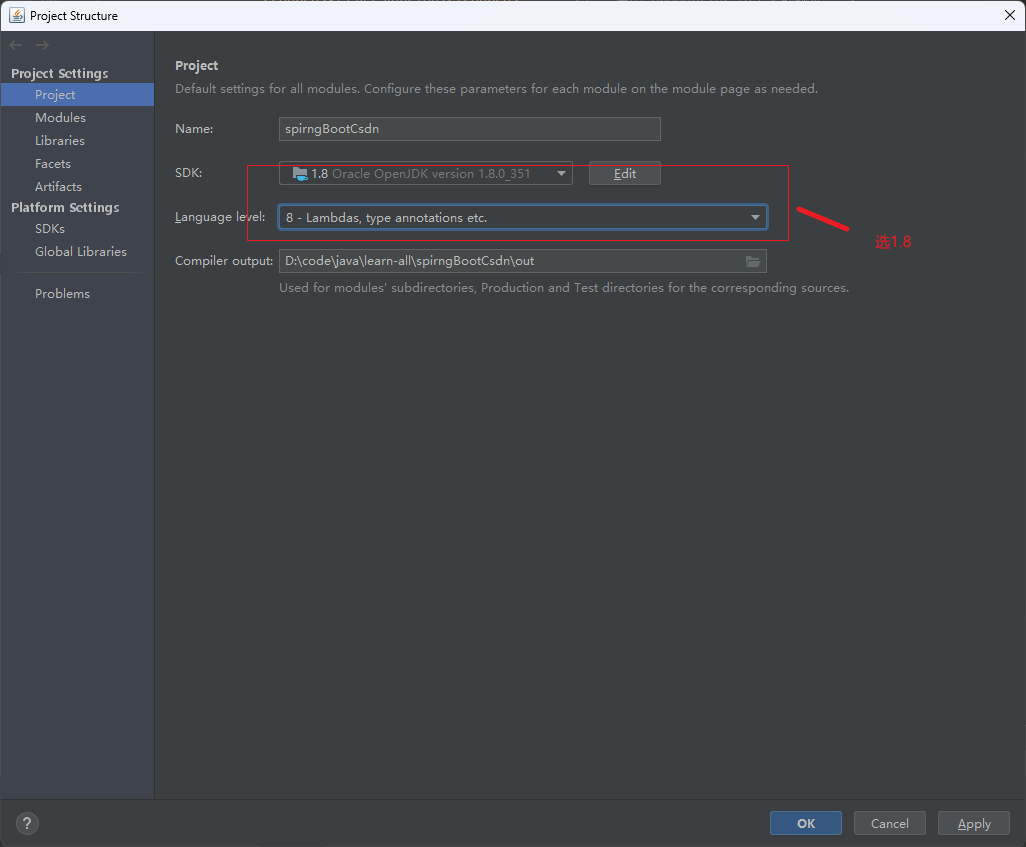
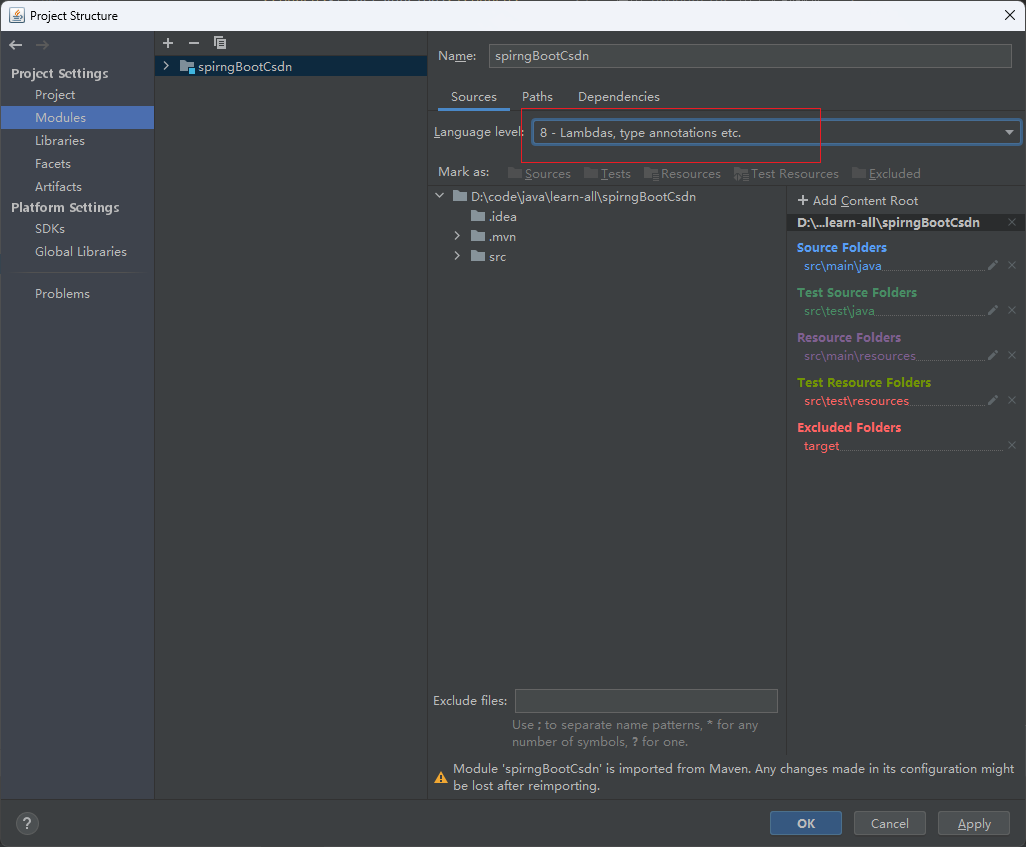
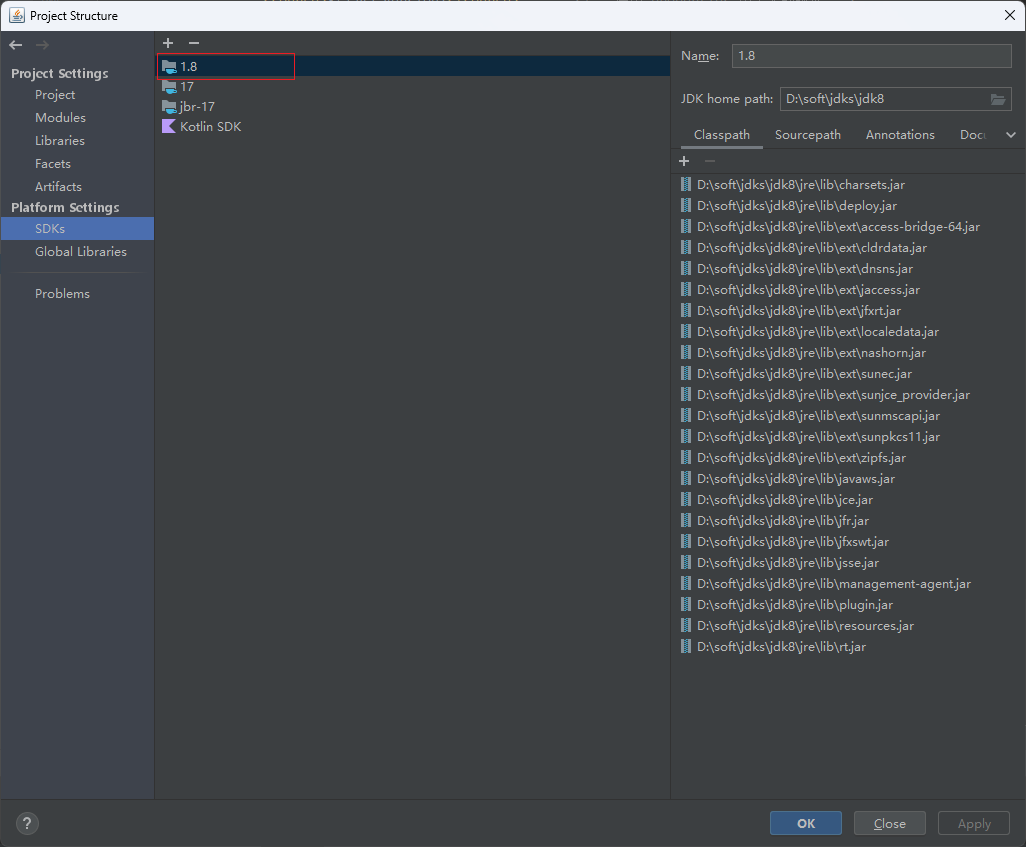
7 修改jdbc配置,得准备个数据库,本地或远程能访问的。在resource下增加application.yml 配置文件。
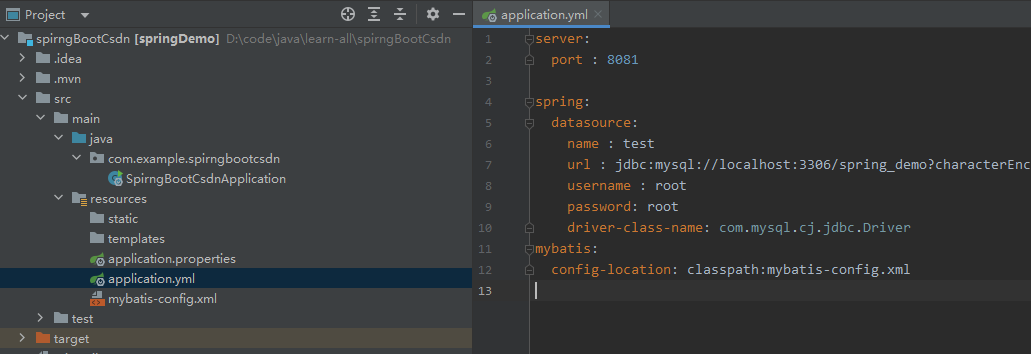
文件内容如下,我是本地mysql,本地安装mysql,可以搜索相关安装步骤。有时间我也出一期。
server:
  port : 8081

spring:
  datasource:
    name : test
    url : jdbc:mysql://localhost:3306/spring_demo?characterEncoding=utf8&allowPublicKeyRetrieval=true&useSSL=false&serverTimezone=UTC&rewriteBatchedStatements=true
    username : root
    password: root
    driver-class-name: com.mysql.cj.jdbc.Driver
mybatis:
  config-location: classpath:mybatis-config.xml
8 在下面再增加mybatis-config.xml 文件
<?xml version="1.0" encoding="UTF-8"?>
<!DOCTYPE configuration
        PUBLIC "-//mybatis.org//DTD Config 3.0//EN"
        "http://mybatis.org/dtd/mybatis-3-config.dtd">
<configuration>
    <settings>
        <!-- Globally enables or disables any caches configured in any mapper under this configuration -->
        <setting name="cacheEnabled" value="true"/>
        <!-- Sets the number of seconds the driver will wait for a response from the database -->
        <setting name="defaultStatementTimeout" value="3000"/>
        <!-- Enables automatic mapping from classic database column names A_COLUMN to camel case classic Java property names aColumn -->
        <setting name="mapUnderscoreToCamelCase" value="true"/>
        <!-- Allows JDBC support for generated keys. A compatible driver is required.
        This setting forces generated keys to be used if set to true,
         as some drivers deny compatibility but still work -->
        <setting name="useGeneratedKeys" value="true"/>
    </settings>
    <!-- Continue going here -->
</configuration>
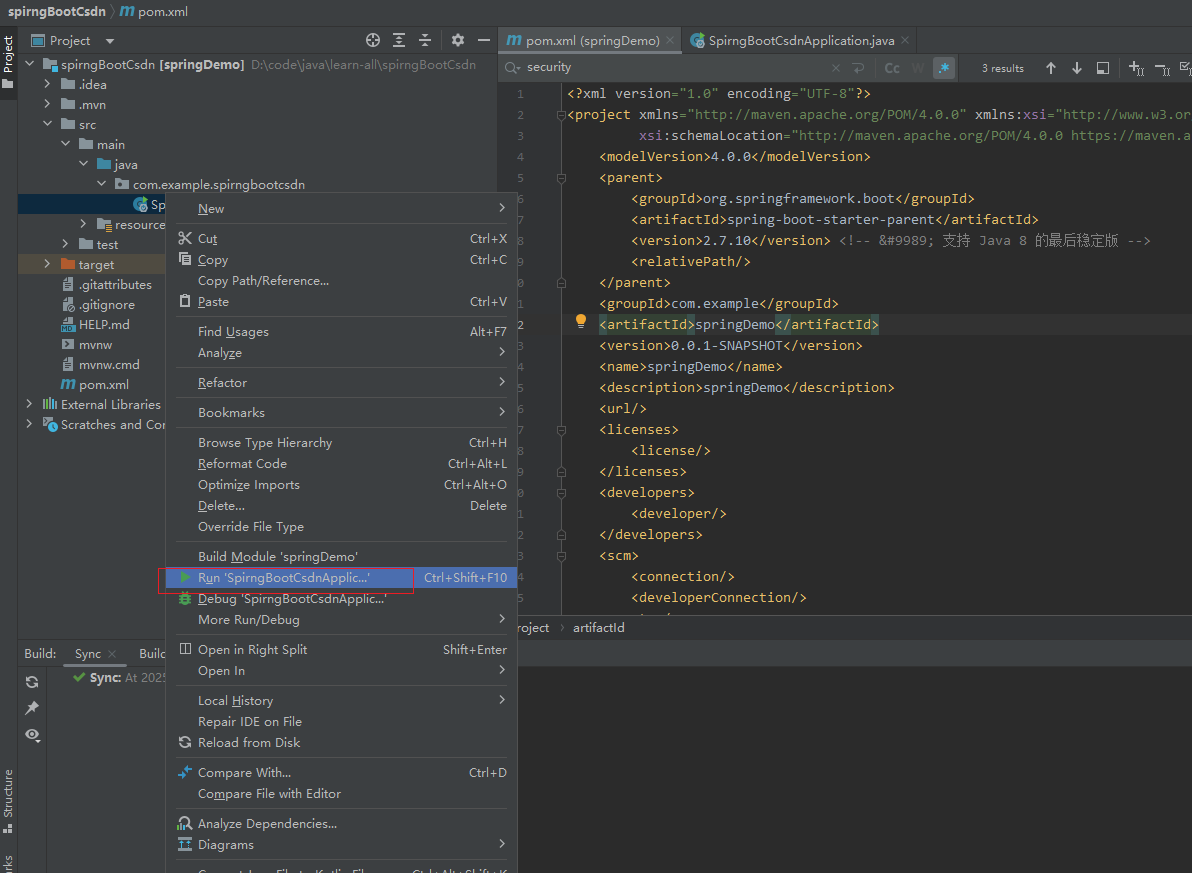
9 运行项目看能否启动起来
当显示这一行,就证明启动成功了






 扫一扫
扫一扫


 1098
1098

 被折叠的 条评论
为什么被折叠?
被折叠的 条评论
为什么被折叠?
 到【灌水乐园】发言





