



这几天在b上看了bennyhuo大佬的gradle镜像的视频,我试了一下下载速度非常快,以此笔记
下载gradle-bin 如图:
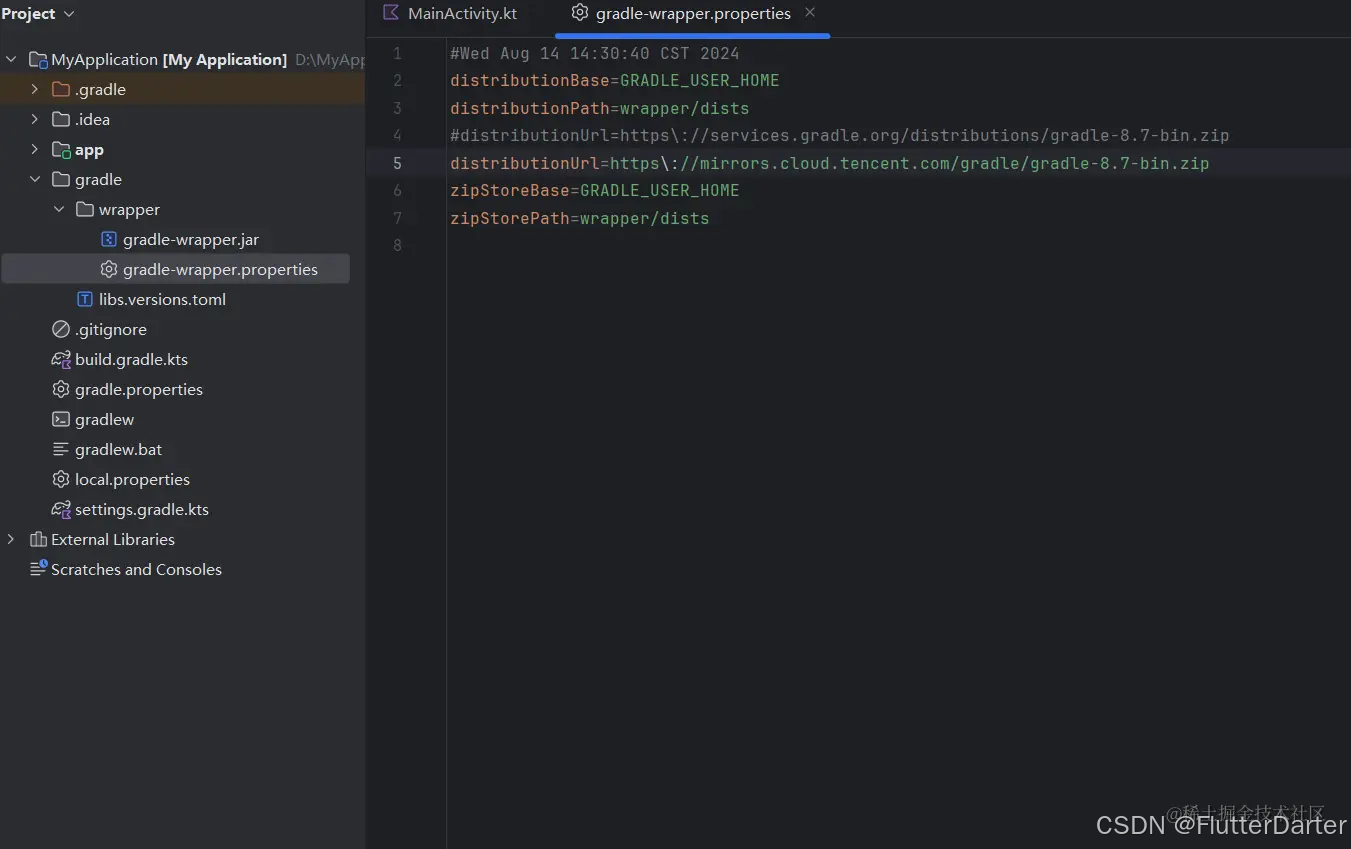
腾讯镜像网址 distributionUrl=https\://mirrors.cloud.tencent.com/gradle/gradle/gradle-8.7-bin.zip
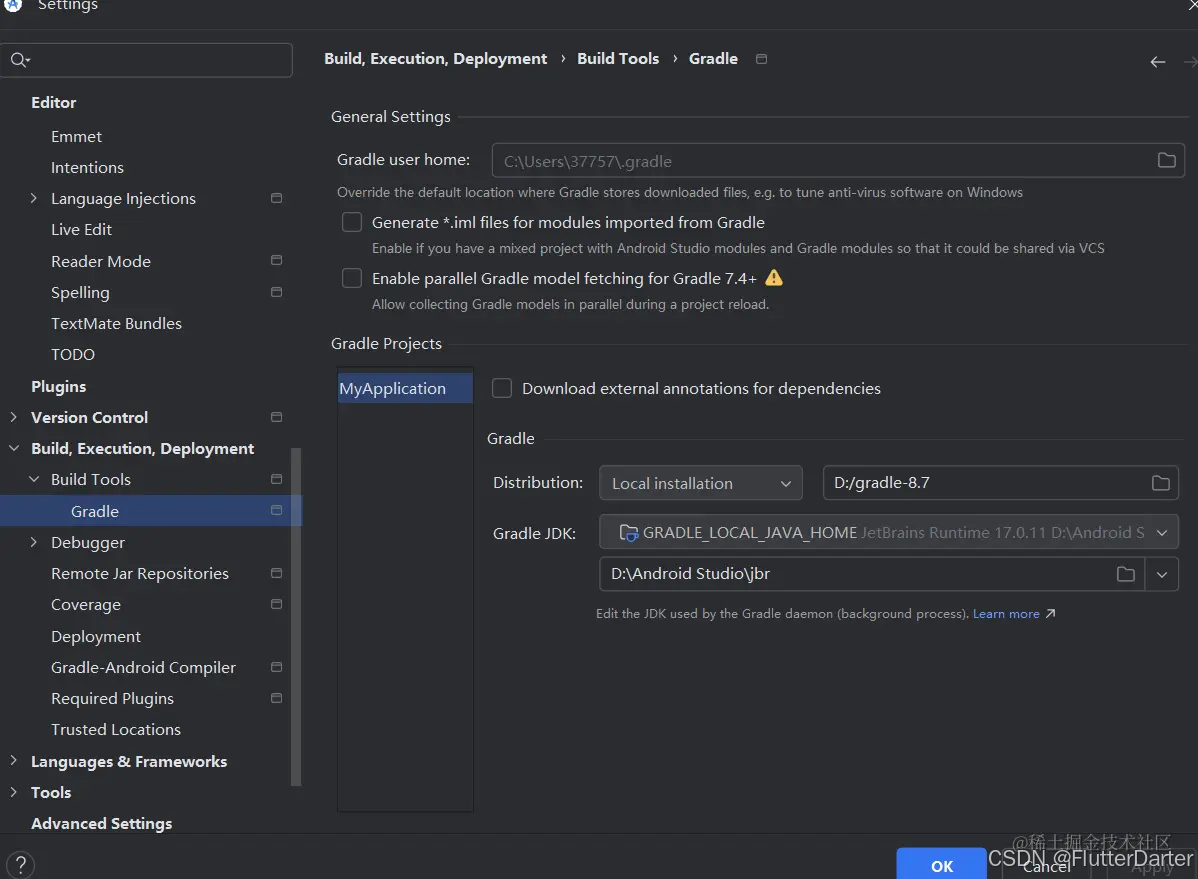
然后打开设置 如图找到gradle projects下的distribution将目录更改为自己下载的gradle(在腾讯镜像里面找到gradle8.7-all.zip)
最后也是重要的一步,打开gradle-bin的根目录,里面创建init.gradle.kts如图
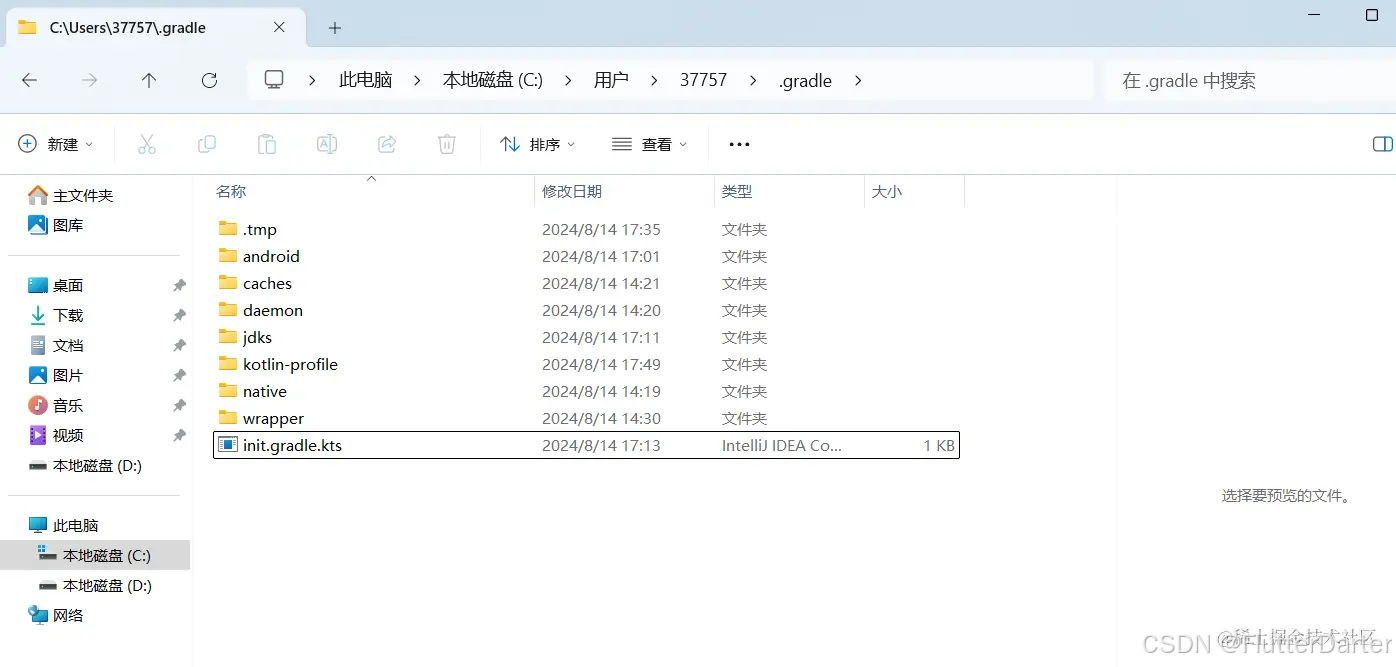
里面输入以下代码
fun RepositoryHandler.enableMirror(){ all{ if(this is MavenArtifactRepository){ val originalUrl =this.url.toString().removeSuffix("/") urlMappings[originalUrl]?.let{it:String-> logger.lifecycle("Repository[$url] is mirrored to $it") this.setUrl(it) } } } } val urlMappings = mapOf( "https://repo.maven.apache.org/maven2" to "https://mirrors.tencent.com/nexus/repository/maven-public/", "https://d.google.com/dl/android/maven2" to "https://mirrors.tencent.com/nexus/repository/maven-public/", "https://plugins.gradle.org/m2" to "https://mirrors.tencent.com/nexus/repository/gradle-plugins/" ) gradle.allprojects{ buildscript { repositories.enableMirror() } repositories.enableMirror() } gradle.beforeSettings { pluginManagement.repositories.enableMirror() dependencyResolutionManagement.repositories.enableMirror() }
然后重新asnyc就ok





 扫一扫
扫一扫


 579
579

 被折叠的 条评论
为什么被折叠?
被折叠的 条评论
为什么被折叠?
 到【灌水乐园】发言





