


AndrioStudio中文件过大出现警告,解决步骤如下:
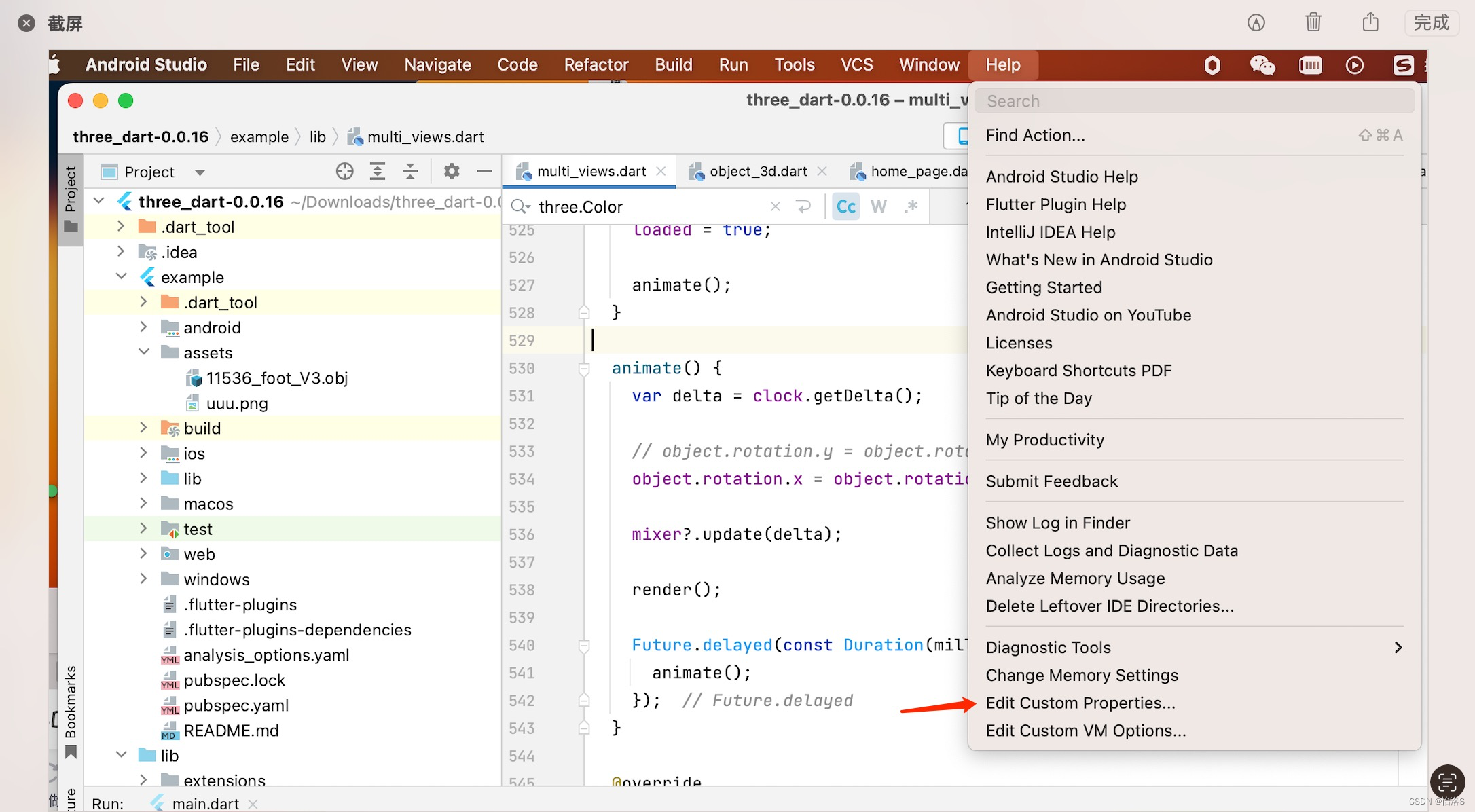
1.点击Help的Edit Custom Properties
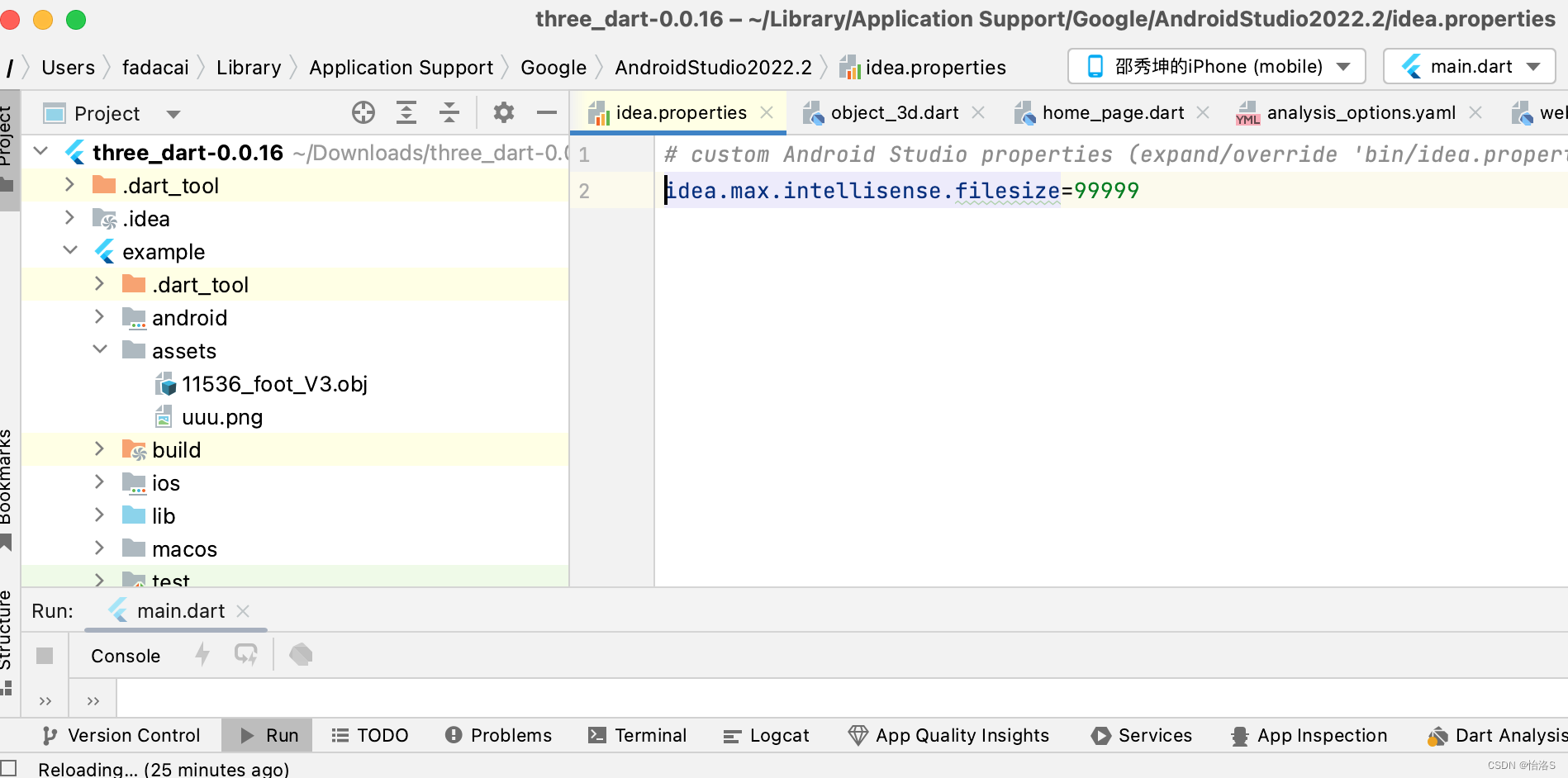
2.在 该idea.properties文件中重新设置文件大小上限,即加上:idea.max.intellisense.filesize=99999(或者其它你觉得适合的大小)
3.重启 AndrioStudio
AndrioStudio中文件过大出现警告,解决步骤如下:
1.点击Help的Edit Custom Properties
2.在 该idea.properties文件中重新设置文件大小上限,即加上:idea.max.intellisense.filesize=99999(或者其它你觉得适合的大小)
3.重启 AndrioStudio
 1万+
5065
1万+
5065

 被折叠的 条评论
为什么被折叠?
被折叠的 条评论
为什么被折叠?
 到【灌水乐园】发言








 扫一扫
扫一扫


