


 这篇博客介绍了如何使用SVG进行图形绘制,包括使用线条创建简单形状和应用渐变填充多个多边形。通过示例代码展示了SVG的基本语法和特性,如设置宽度、高度、线条样式以及渐变填充。
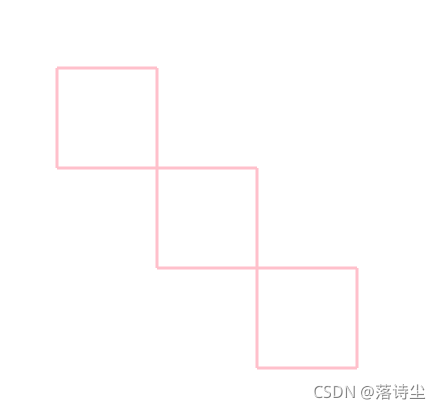
尝试了一下SVG画图
1.
<?xml version="1.0" standalone="no"?>
<!DOCTYPE svg PUBLIC "-//W3C//DTD SVG 1.1//EN"
"http://www.w3.org/Graphics/SVG/1.1/DTD/svg11.dtd">
<svg width="100%" height="100%" version="1.1"
xmlns="http://www.w3.org/2000/svg">
<line x1="100" y1="100" x2="100" y2="200" style="stroke:pink;stroke-width:3" />
<line x1="100" y1="200" x2="200" y2="200" style="stroke:pink;stroke-width:3" />
<line x1="200" y1="200" x2="200" y2="100" style="stroke:pink;stroke-width:3" />
<line x1="200" y1="100" x2="100" y2="100" style="stroke:pink;stroke-width:3" />
<line x1="200" y1="200" x2="200" y2="300" style="stroke:pink;stroke-width:3" />
<line x1="200" y1="300" x2="300" y2="300" style="stroke:pink;stroke-width:3" />
<line x1="300" y1="300" x2="300" y2="200" style="stroke:pink;stroke-width:3" />
<line x1="300" y1="200" x2="200" y2="200" style="stroke:pink;stroke-width:3" />
<line x1="300" y1="300" x2="300" y2="400" style="stroke:pink;stroke-width:3" />
<line x1="300" y1="400" x2="400" y2="400" style="stroke:pink;stroke-width:3" />
<line x1="400" y1="400" x2="400" y2="300" style="stroke:pink;stroke-width:3" />
<line x1="400" y1="300" x2="300" y2="300" style="stroke:pink;stroke-width:3;" />
</svg>
2.
<?xml version="1.0" standalone="no"?>
<!DOCTYPE svg PUBLIC "-//W3C//DTD SVG 1.1//EN"
"http://www.w3.org/Graphics/SVG/1.1/DTD/svg11.dtd">
<svg width="100%" height="100%" version="1.1"
xmlns="http://www.w3.org/2000/svg">
<defs>
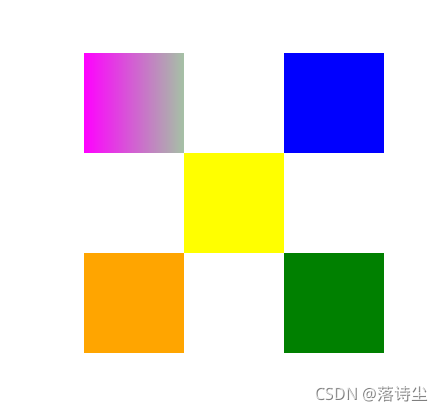
<linearGradient id="MyGrad" gradientUnits="userSpaceOnUse" x1="100" y1="0" x2="500" y2="0">
<stop offset="0" style="stop-color:#ff00ff"/>
<stop offset=".33" style="stop-color:#88ff88"/>
<stop offset=".67" style="stop-color:#2020ff"/>
<stop offset="1" style="stop-color:#d00000"/>
</linearGradient>
</defs>
<polygon points="100,100 100,200 200,200 200,100 100,100" style="fill:url(#MyGrad);stroke:red;stroke-width:0"/>
<polygon points="200,200 200,300 300,300 300,200 200,200" style="fill:yellow;stroke:yellow;stroke-width:0"/>
<polygon points="300,300 300,400 400,400 400,300 300,300" style="fill:green;stroke:green;stroke-width:0"/>
<polygon points="300,200 400,200 400,100 300,100 300,200" style="fill:blue;stroke:blue;stroke-width:0"/>
<polygon points="300,200 400,200 400,100 300,100 300,200" style="fill:blue;stroke:blue;stroke-width:0"/>
<polygon points="200,300 200,400 100,400 100,300 200,300" style="fill:orange;stroke:orange;stroke-width:0"/>
</svg>





 扫一扫
扫一扫


 4369
4369

 被折叠的 条评论
为什么被折叠?
被折叠的 条评论
为什么被折叠?
 到【灌水乐园】发言





