


 该代码实现了一个将BMP格式的RGB图像转换为YUV格式的功能,适用于视频处理。首先,从命令行参数读取输入和输出文件名,然后读取BMP文件并进行RGB到YUV的转换。转换过程中使用了预计算的查找表以提高效率。转换后的YUV数据被写入到输出文件中,同时进行了UV分量的下采样。程序还包含了错误处理和内存管理。
代码分析
main函数
#include <stdio.h>
#include <stdlib.h>
#include <malloc.h>
#include "rgb2yuv.h"
#include <windows.h>
#pragma warning(disable:4996)

#define u_int8_t	unsigned __int8
#define u_int		unsigned __int32
#define u_int32_t	unsigned __int32
#define FALSE		false
#define TRUE		true

/*
 * rgb2yuv
 * required arg1 should be the input RAW RGB24 file
 * required arg2 should be the output RAW YUV12 file
 */
int  BMP2RGB(int frameWidth, int frameHeight, void* bmpBuf, void* rgbBuf) {
	long i;
	unsigned char* rgb;
	unsigned char* bmp;
	long size = frameHeight * frameWidth * 3;
	rgb = (unsigned char*)rgbBuf;
	bmp = (unsigned char*)bmpBuf;
	for (i = 0; i < size; i++)
	{
		*(rgb + i) = *(bmp + i);
	}
	return 0;
}

int main(int argc, char** argv)
{
	/* variables controlable from command line */
	u_int frameWidth = 352;			/* --width=<uint> */
	u_int frameHeight = 240;		/* --height=<uint> */
	u_int numbers = 0;
	bool flip = TRUE;				/* --flip */
	unsigned int i;
	unsigned int j;
	/* internal variables */
	char* bmpFileName = NULL;
	FILE* bmpFile = NULL;
	FILE* yuvFile = NULL;
	u_int8_t* rgbBuf = NULL;
	u_int8_t* yBuf = NULL;
	u_int8_t* uBuf = NULL;
	u_int8_t* vBuf = NULL;
	u_int8_t* bmpBuf = NULL;
	u_int8_t* p = NULL;
	u_int32_t videoFramesWritten = 0;
	BITMAPFILEHEADER File_header;
	BITMAPINFOHEADER Info_header;
	int framenumber;

	/* begin process command line */
	/* point to the specified file names */
	char yuvFileName[50] = "ziheOKOK.yuv";
	/* open the RAW file */
	fopen_s(&yuvFile, yuvFileName, "wb");
	if (yuvFile == NULL)
	{
		printf("错1\n");
		exit(0);
	}
	else
	{
		printf(" %s\n", yuvFileName);
	}

	for (i = 0; i < 6; i++) {
		framenumber = atoi(argv[i + 1]);
		bmpFileName = argv[i + 7];
		/* open the RGB file */
		bmpFile=fopen(bmpFileName, "rb");
		if (!bmpFile)
		{
			printf("错2 %s:\n", bmpFileName);
			exit(0);
		}
		else
		{
			printf("\n", bmpFileName);
		}
		if (!framenumber)
		{
			printf("\n写入帧数是0\n");
			continue;
		}

		//read file&info header
		else {
			if (fread(&File_header, sizeof(BITMAPFILEHEADER), 1, bmpFile) != 1) {
				printf("错3");
				exit(0);
			}
			if (File_header.bfType != 0x4D42) {
				printf("错4");
				exit(0);
			}
			else {
				printf("This is a bmp file!");
			}
			if (fread(&Info_header, sizeof(BITMAPINFOHEADER), 1, bmpFile) != 1) {
				printf("错5");
				exit(0);
			}
			//end read header
			frameHeight = Info_header.biHeight;
			frameWidth = Info_header.biWidth;
			//end read height and width
			/* get an input buffer for a frame */
			bmpBuf = (u_int8_t*)malloc(frameWidth * frameHeight * 3);


			/* get an input buffer for a frame */
			rgbBuf = (u_int8_t*)malloc(frameWidth * frameHeight * 3);
			p = (u_int8_t*)malloc(frameWidth * frameHeight);

			/* get the output buffers for a frame */
			yBuf = (u_int8_t*)malloc(frameWidth * frameHeight);

			uBuf = (u_int8_t*)malloc((frameWidth * frameHeight) / 4);
			vBuf = (u_int8_t*)malloc((frameWidth * frameHeight) / 4);

			if (rgbBuf == NULL || yBuf == NULL || uBuf == NULL || vBuf == NULL || bmpFile == NULL)
			{
				printf("错6");
				exit(1);
			}
			while (framenumber) {
				fread(bmpBuf, 1, frameWidth * frameHeight * 3, bmpFile);
				if (BMP2RGB(frameWidth, frameHeight, bmpBuf, rgbBuf))
				{
					printf("错7");
					return 0;
				}

				if (RGB2YUV(frameWidth, frameHeight, rgbBuf, yBuf, uBuf, vBuf, 0))
				{

					printf("错8");
					return 0;
				}

				p = yBuf;
				for (j = 0; j < (frameHeight * frameWidth-1); j++) {

					*p = int(*p/framenumber);
					p=p+1;
				}

				fwrite(yBuf, 1, frameWidth * frameHeight, yuvFile);
				fwrite(uBuf, 1, (frameWidth * frameHeight) / 4, yuvFile);
				fwrite(vBuf, 1, (frameWidth * frameHeight) / 4, yuvFile);

				framenumber--;
			}
			printf("%d", i);
			/* cleanup */
		}
	}
	fclose(yuvFile);
	fclose(bmpFile);
	free(yBuf);
	free(uBuf);
	free(vBuf);
	free(rgbBuf);
	free(bmpBuf);
	return 0;
}
之后使用的rgb2yuv的代码与上次实验一致
/**************************************************************************
 *                                                                        *
 * This code is developed by Adam Li.  This software is an                *
 * implementation of a part of one or more MPEG-4 Video tools as          *
 * specified in ISO/IEC 14496-2 standard.  Those intending to use this    *
 * software module in hardware or software products are advised that its  *
 * use may infringe existing patents or copyrights, and any such use      *
 * would be at such party's own risk.  The original developer of this     *
 * software module and his/her company, and subsequent editors and their  *
 * companies (including Project Mayo), will have no liability for use of  *
 * this software or modifications or derivatives thereof.                 *
 *                                                                        *
 * Project Mayo gives users of the Codec a license to this software       *
 * module or modifications thereof for use in hardware or software        *
 * products claiming conformance to the MPEG-4 Video Standard as          *
 * described in the Open DivX license.                                    *
 *                                                                        *
 * The complete Open DivX license can be found at                         *
 * http://www.projectmayo.com/opendivx/license.php .                      *
 *                                                                        *
 **************************************************************************/

 /**************************************************************************
  *
  *  rgb2yuv.c, 24-bit RGB bitmap to YUV converter
  *
  *  Copyright (C) 2001  Project Mayo
  *
  *  Adam Li
  *
  *  DivX Advance Research Center <darc@projectmayo.com>
  *
  **************************************************************************/

  /* This file contains RGB to YUV transformation functions.                */

#include "stdlib.h"
#include "rgb2yuv.h"

static float RGBYUV02990[256], RGBYUV05870[256], RGBYUV01140[256];
static float RGBYUV01684[256], RGBYUV03316[256];
static float RGBYUV04187[256], RGBYUV00813[256];


/************************************************************************
 *
 *  int RGB2YUV (int x_dim, int y_dim, void *bmp, YUV *yuv)
 *
 *	Purpose :	It takes a 24-bit RGB bitmap and convert it into
 *				YUV (4:2:0) format
 *
 *  Input :		x_dim	the x dimension of the bitmap
 *				y_dim	the y dimension of the bitmap
 *				bmp		pointer to the buffer of the bitmap
 *				yuv		pointer to the YUV structure
 *
 *  Output :	0		OK
 *				1		wrong dimension
 *				2		memory allocation error
 *
 *	Side Effect :
 *				None
 *
 *	Date :		09/28/2000
 *
 *  Contacts:
 *
 *  Adam Li
 *
 *  DivX Advance Research Center <darc@projectmayo.com>
 *
 ************************************************************************/

int RGB2YUV(int x_dim, int y_dim, void* bmp, void* y_out, void* u_out, void* v_out, int flip)
{
	static int init_done = 0;

	long i, j, size;
	unsigned char* r, * g, * b;
	unsigned char* y, * u, * v;
	unsigned char* pu1, * pu2, * pv1, * pv2, * psu, * psv;
	unsigned char* y_buffer, * u_buffer, * v_buffer;
	unsigned char* sub_u_buf, * sub_v_buf;

	if (init_done == 0)
	{
		InitLookupTable();
		init_done = 1;
	}

	// check to see if x_dim and y_dim are divisible by 2
	if ((x_dim % 2) || (y_dim % 2)) return 1;
	size = x_dim * y_dim;

	// allocate memory
	y_buffer = (unsigned char*)y_out;
	sub_u_buf = (unsigned char*)u_out;
	sub_v_buf = (unsigned char*)v_out;
	u_buffer = (unsigned char*)malloc(size * sizeof(unsigned char));
	v_buffer = (unsigned char*)malloc(size * sizeof(unsigned char));
	if (!(u_buffer && v_buffer))
	{
		if (u_buffer) free(u_buffer);
		if (v_buffer) free(v_buffer);
		return 2;
	}

	b = (unsigned char*)bmp;
	y = y_buffer;
	u = u_buffer;
	v = v_buffer;

	// convert RGB to YUV
	if (!flip) {
		for (j = 0; j < y_dim; j++)
		{
			y = y_buffer + (y_dim - j - 1) * x_dim;
			u = u_buffer + (y_dim - j - 1) * x_dim;
			v = v_buffer + (y_dim - j - 1) * x_dim;

			for (i = 0; i < x_dim; i++) {
				g = b + 1;
				r = b + 2;
				*y = (unsigned char)(RGBYUV02990[*r] + RGBYUV05870[*g] + RGBYUV01140[*b]);
				*u = (unsigned char)(-RGBYUV01684[*r] - RGBYUV03316[*g] + (*b) / 2 + 128);
				*v = (unsigned char)((*r) / 2 - RGBYUV04187[*g] - RGBYUV00813[*b] + 128);
				b += 3;
				y++;
				u++;
				v++;
			}
		}
	}
	else {
		for (i = 0; i < size; i++)
		{
			g = b + 1;
			r = b + 2;
			*y = (unsigned char)(RGBYUV02990[*r] + RGBYUV05870[*g] + RGBYUV01140[*b]);
			*u = (unsigned char)(-RGBYUV01684[*r] - RGBYUV03316[*g] + (*b) / 2 + 128);
			*v = (unsigned char)((*r) / 2 - RGBYUV04187[*g] - RGBYUV00813[*b] + 128);
			b += 3;
			y++;
			u++;
			v++;
		}
	}

	// subsample UV
	for (j = 0; j < y_dim / 2; j++)
	{
		psu = sub_u_buf + j * x_dim / 2;
		psv = sub_v_buf + j * x_dim / 2;
		pu1 = u_buffer + 2 * j * x_dim;
		pu2 = u_buffer + (2 * j + 1) * x_dim;
		pv1 = v_buffer + 2 * j * x_dim;
		pv2 = v_buffer + (2 * j + 1) * x_dim;
		for (i = 0; i < x_dim / 2; i++)
		{
			*psu = (*pu1 + *(pu1 + 1) + *pu2 + *(pu2 + 1)) / 4;
			*psv = (*pv1 + *(pv1 + 1) + *pv2 + *(pv2 + 1)) / 4;
			psu++;
			psv++;
			pu1 += 2;
			pu2 += 2;
			pv1 += 2;
			pv2 += 2;
		}
	}

	free(u_buffer);
	free(v_buffer);

	return 0;
}


void InitLookupTable()
{
	int i;

	for (i = 0; i < 256; i++) RGBYUV02990[i] = (float)0.2990 * i;
	for (i = 0; i < 256; i++) RGBYUV05870[i] = (float)0.5870 * i;
	for (i = 0; i < 256; i++) RGBYUV01140[i] = (float)0.1140 * i;
	for (i = 0; i < 256; i++) RGBYUV01684[i] = (float)0.1684 * i;
	for (i = 0; i < 256; i++) RGBYUV03316[i] = (float)0.3316 * i;
	for (i = 0; i < 256; i++) RGBYUV04187[i] = (float)0.4187 * i;
	for (i = 0; i < 256; i++) RGBYUV00813[i] = (float)0.0813 * i;
}
头文件代码:
#pragma once
int RGB2YUV(int x_dim, int y_dim, void* bmp, void* y_out, void* u_out, void* v_out, int flip);


void InitLookupTable();
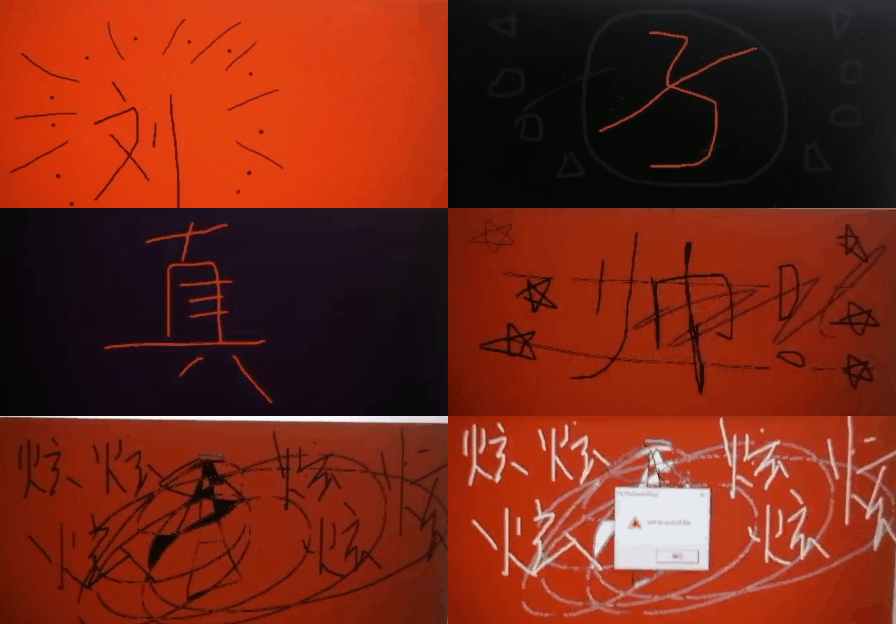
结果即效果展示






 扫一扫
扫一扫


 676
676

 被折叠的 条评论
为什么被折叠?
被折叠的 条评论
为什么被折叠?
 到【灌水乐园】发言





