


记录下在开发时遇到的场景,要在查看页面显示一个列表,展示之前选中的数据,并且不能够编辑。
最原始的页面代码是这样的:
<template>
    <div class="grid-content2">角色权限:
        <el-table
                v-loading="listLoading"
                :data="functionTableData"
                ref="listPowerSupplyTab"
                style="width: 100%;margin-bottom: 20px;"
                row-key="id"
                border
                default-expand-all
                :tree-props="{children: 'children', hasChildren: 'hasChildren'}">
            <el-table-column
                    prop="is_enable"
                    type="selection"
                    :selectable="selectable"
                    width="39">
            </el-table-column>
            <el-table-column
                    prop="function_name"
                    label="功能">
                <template slot-scope="scope">
                    <a>{{scope.row.function_name}}</a>
                </template>
            </el-table-column>
            <el-table-column
                    prop="icons"
                    label="按钮权限">
                <template slot-scope="scope">
                    <el-button v-for="(item,index) in scope.row.icons"
                               :key="item.icon_id"
                               disabled
                               readonly
                               :class="{ show: item.is_enable === true }">
                        {{item.icon_name}}
                    </el-button>
                </template>
            </el-table-column>
        </el-table>
    </div>
</template>

<script>
    export default {
        name: "Test",
        data() {
            return {
                functionTableData: [
                    {
                        "id": "975797684063850496",
                        "function_name": "一级测试目录1",
                        "is_directory": true,
                        "is_enable": false,
                        "children": [
                            {
                                "id": "975798136914464768",
                                "function_name": "二级测试目录1-1",
                                "icons": [
                                    {
                                        "icon_id": 18177,
                                        "icon_name": "查看",
                                        "is_enable": true
                                    },
                                    {
                                        "icon_id": 18178,
                                        "icon_name": "修改",
                                        "is_enable": true
                                    },
                                    {
                                        "icon_id": 18179,
                                        "icon_name": "删除",
                                        "is_enable": false
                                    },
                                    {
                                        "icon_id": 18180,
                                        "icon_name": "导出",
                                        "is_enable": true
                                    }
                                ],
                                "is_directory": false,
                                "is_enable": true,
                                "children": []
                            }
                        ]
                    },
                    {
                        "id": "975797791102488576",
                        "function_name": "一级测试目录2",
                        "is_directory": true,
                        "is_enable": false,
                        "children": []
                    },
                    {
                        "id": "975797867824697344",
                        "function_name": "一级测试目录3",
                        "is_directory": true,
                        "is_enable": false,
                        "children": []
                    },
                    {
                        "id": "609467006248341504",
                        "function_name": "测试菜单",
                        "icons": [
                            {
                                "icon_id": 10958,
                                "icon_name": "添加",
                                "is_enable": true
                            }
                        ],
                        "is_directory": false,
                        "is_enable": true,
                        "children": []
                    }
                ],
                listLoading: false,
            }
        },
        methods: {
            /**
             * 根据条件禁用行复选框
             * 函数返回值为false则禁用选择(反之亦然)
             * @param {Object} row - 行数据
             * @param {String} index - 索引值
             * @return Boolean
             */
            selectable: function (row, index) {
                return false;
            },
            dfsForSelection(tableDataInNow) {
                if (tableDataInNow.is_enable === true) {
                    this.$refs.listPowerSupplyTab.toggleRowSelection(tableDataInNow, true)
                }
                let children = tableDataInNow.children
                if (children === undefined || children.length === 0) {
                    return;
                }
                for (let i = 0; i < children.length; i++) {
                    let childrenChildren = children[i];
                    this.dfsForSelection(childrenChildren)
                }
            },
        },
        mounted() {
            //填充多选框
            this.$nextTick(() => {
                for (let i = 0; i < this.functionTableData.length; i++) {
                    let tableDataInNow = this.functionTableData[i];
                    this.dfsForSelection(tableDataInNow);
                }
            });
        }
    }
</script>

<style lang="less" scoped>
    .show {
        background-color: #f62e50;
        color: #fff;
    }
</style>
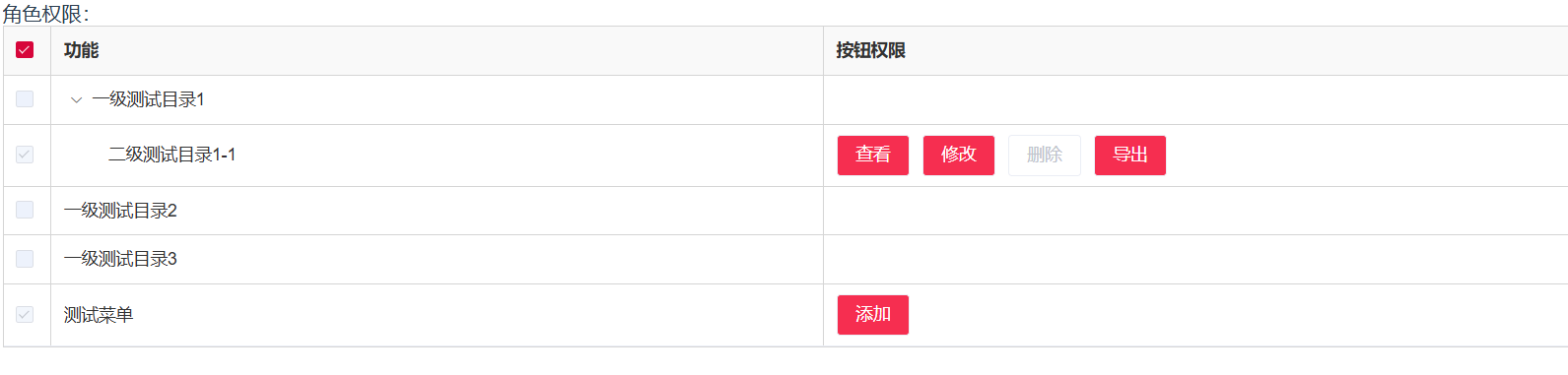
效果如下图:
现在需要改进下:
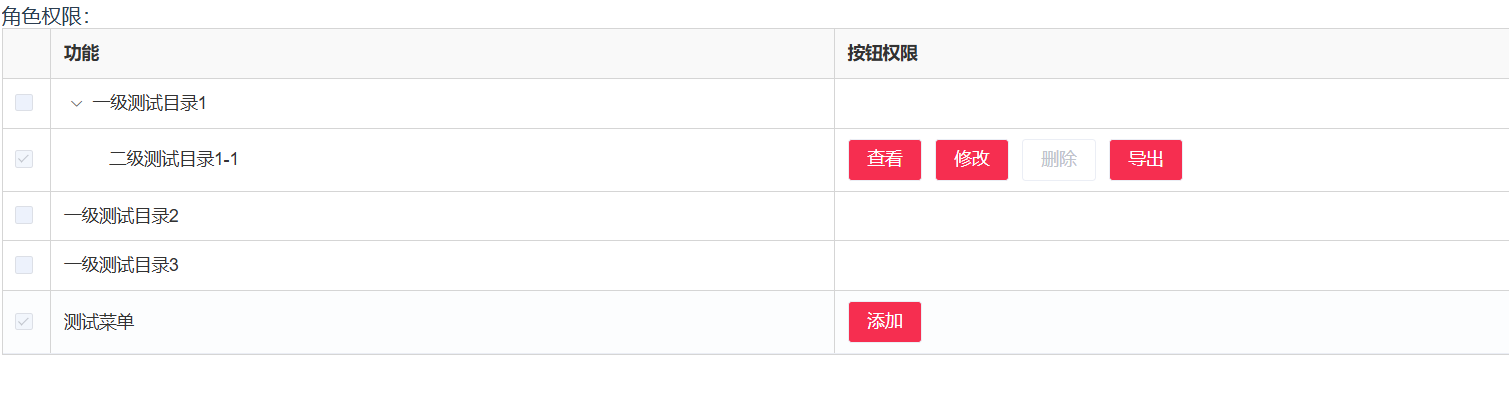
1.选择列的selectable已经设置返回false,但是这个属性没有办法禁用表头的选择框,要让表头的选择框隐藏掉,不让用户点击
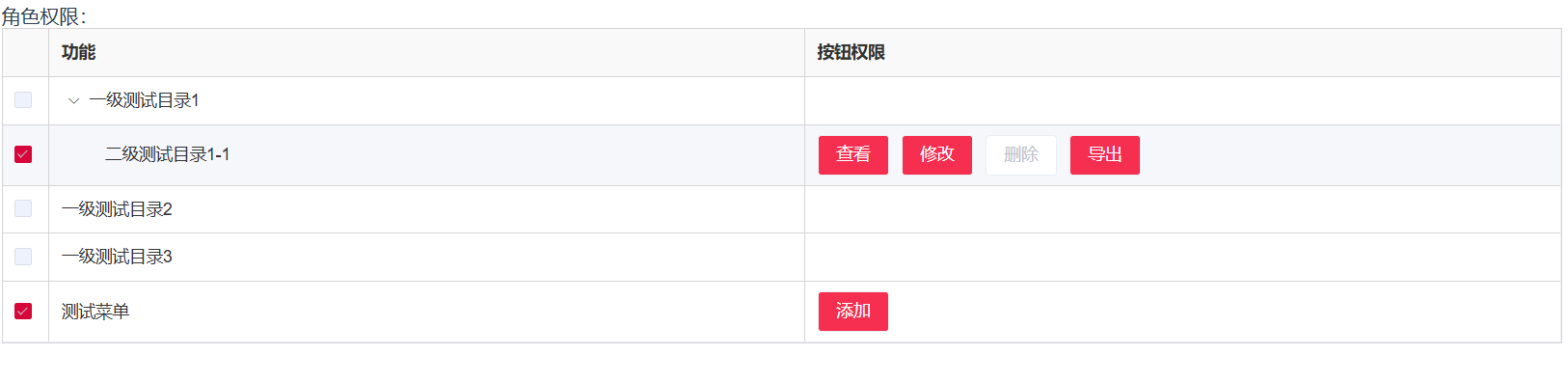
2.element-ui原生的checkBox在禁用之后颜色非常淡,界面效果很不好,需要重新设置一下选中行的checkBox样式
改进方法如下:
1.<style>内添加如下样式
/deep/ .el-table__header-wrapper {
        .el-checkbox__inner {
            display: none !important;
        }
    }
改动后效果:
2.<style>内添加如下样式
/deep/ .el-checkbox.is-disabled.is-checked .el-checkbox__inner {
        border-color: #D7063B !important; /* 修改边框颜色 */
        background-color: #D7063B !important; /* 修改背景颜色 */
    }
改动后效果:





 扫一扫
扫一扫


 被折叠的 条评论
为什么被折叠?
被折叠的 条评论
为什么被折叠?
 到【灌水乐园】发言





