



使用MySQL的delete操作时,出现错误:
Error Code: 1175. You are using safe update mode and you tried to update a table without a WHERE
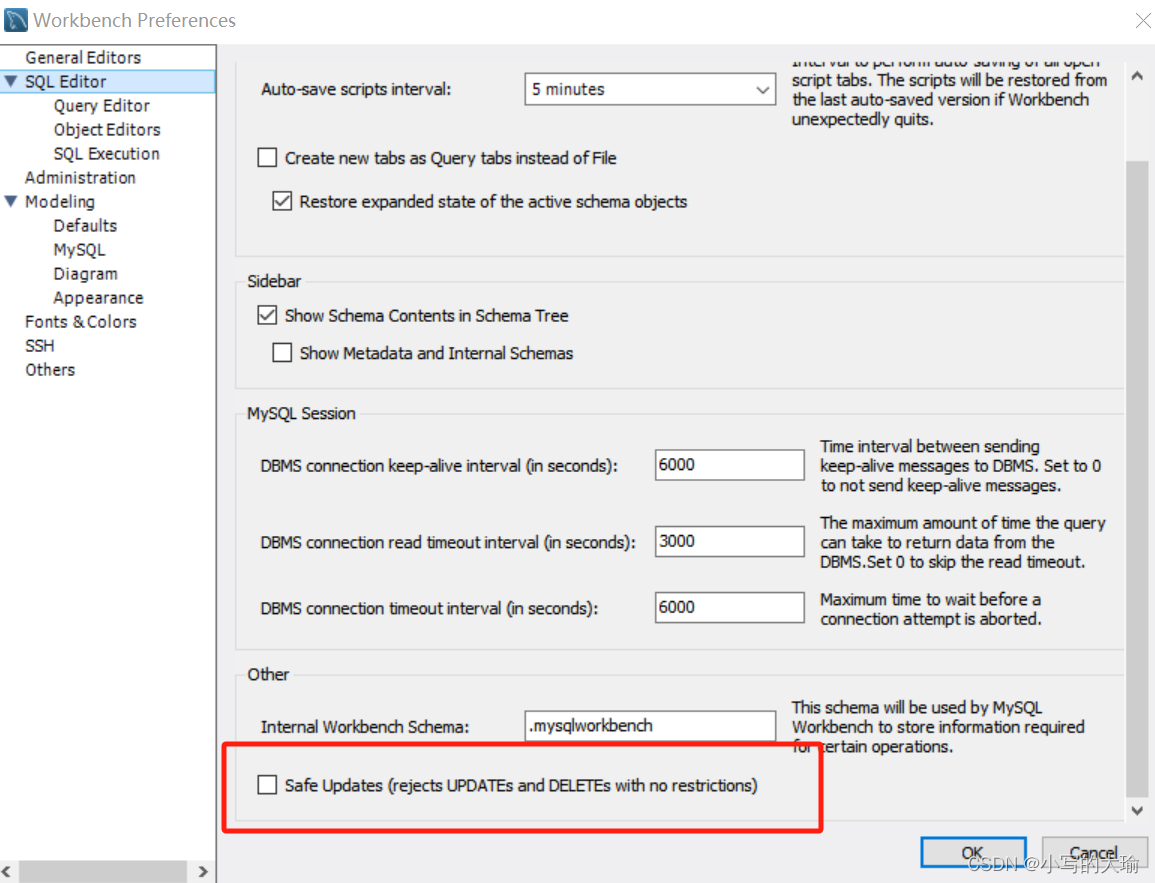
可以直接打开Edit->Preference->SQL Editor,关闭底下的safe updates。
 MySQL删除操作中的安全模式错误1175解决方法
 文章讨论了在使用MySQL的delete操作时遇到的错误1175,原因是开启了安全更新模式。解决办法是通过编辑设置,关闭SQLEditor的safeupdates选项,确保带有WHERE子句的更新操作得以执行。
使用MySQL的delete操作时,出现错误:
Error Code: 1175. You are using safe update mode and you tried to update a table without a WHERE
可以直接打开Edit->Preference->SQL Editor,关闭底下的safe updates。
 498
1672
1万+
1568
1万+
9446
536
498
1672
1万+
1568
1万+
9446
536

 被折叠的 条评论
为什么被折叠?
被折叠的 条评论
为什么被折叠?
 到【灌水乐园】发言








 扫一扫
扫一扫


