






 本文详细介绍了如何利用Docker快速安装并配置Caffe环境,包括安装基本要求、获取并运行Caffe镜像、安装Vim编辑器、下载MNIST数据集、创建数据库、训练模型等步骤。
Hi, every one, here will be a series for record my learning process of caffe with docker. The reason why using docker, not with a bare metal like linux or windows, is just cuz the installation is too hard for me, a noob.
1. basic requirements
- linux with docker, if you don’t know how to install docker on your linux, check my previous blog here.
- skilled in docker
- a little knowledges about shell
2. get and run caffe image
official installation weblink is http://caffe.berkeleyvision.org/installation.html, here is the shell command.
docker pull bvlc/caffe:cpu
docker run -it -d bvlc/caffe:cpu /bin/bash
then we can go into the container
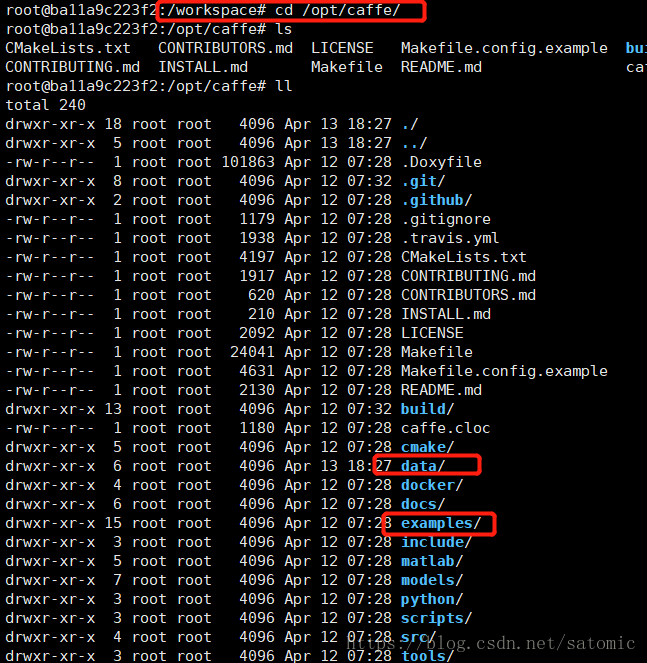
docker exec -it ba1 /bin/bashthe default WORKDIR is /workspace, we should cd /opt/caffe, the rectangled zone is important in the next.
3. install vim in docker
we need to edit the files in it, so we need to install vim with apt-get install vim, and then edit the file ~/.vimrc, add one line syntax on in it is enough.
4. download the mnist dataset
./data/mnist/get_mnist.sh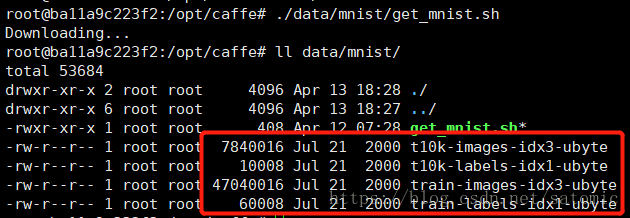
5. create database
./examples/mnist/create_mnist.sh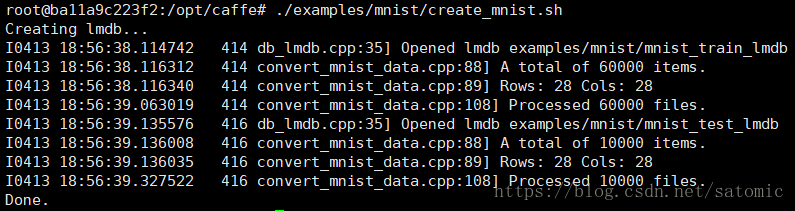
6. train it
./examples/mnist/train_lenet.shsaddly, we got en error, cuz we didn’t change the mode.
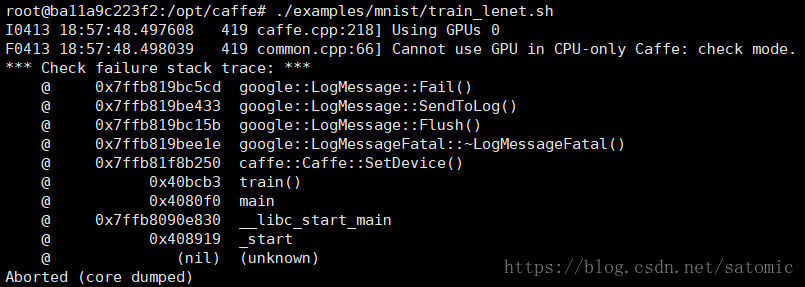
change the mode in file vi examples/mnist/lenet_solver.prototxt
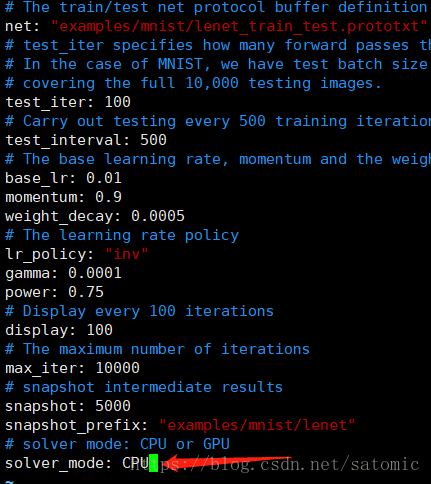
then we rerun the command ./examples/mnist/train_lenet.sh, we can see, the training is started! and the process will be printed every 100 loops.
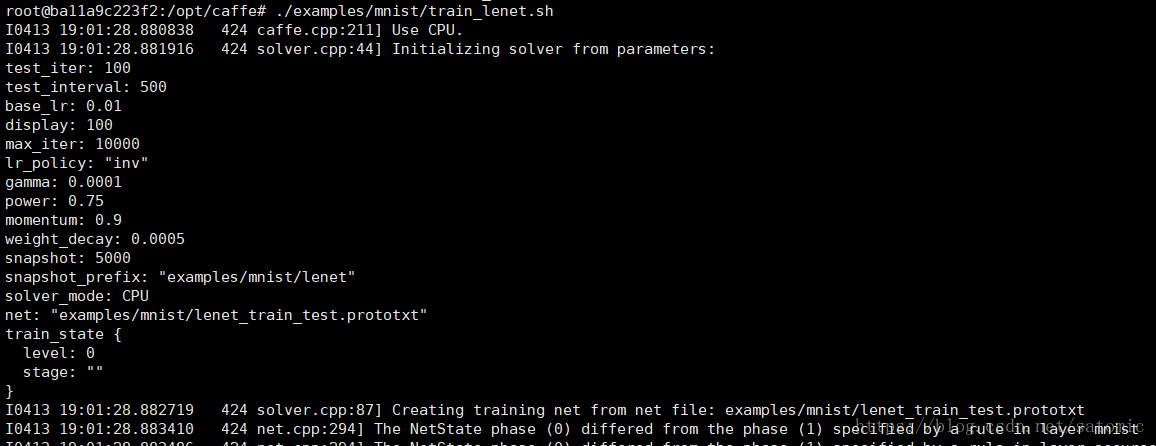
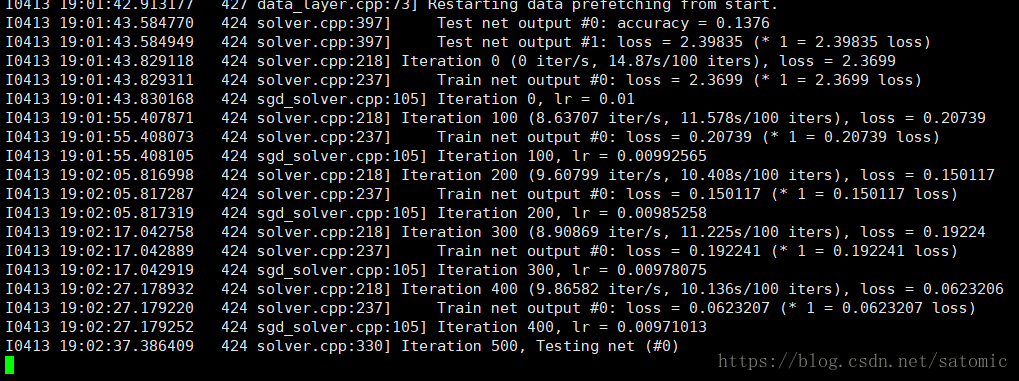
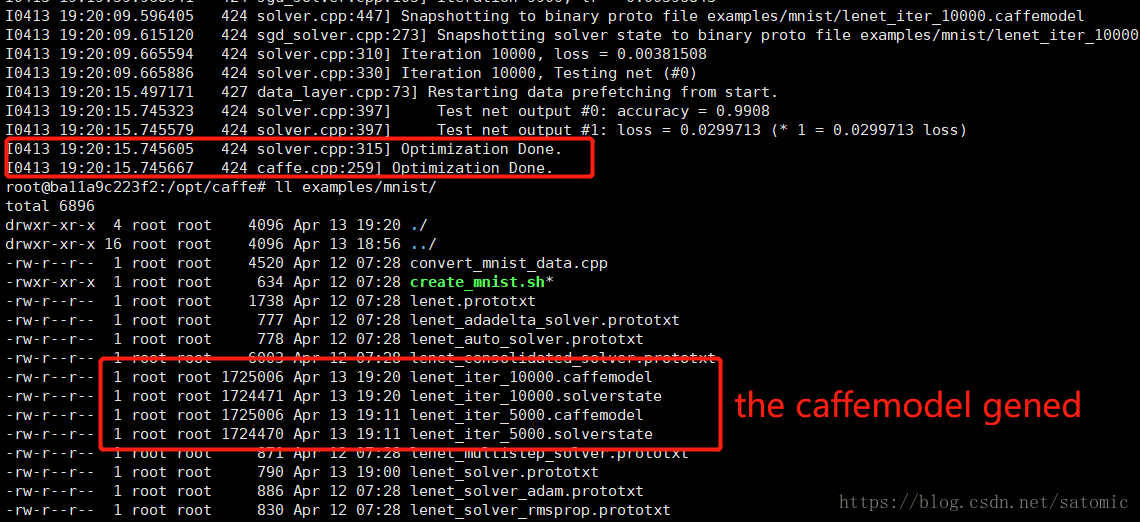
over, here we just need to wait for it, and then a caffemodel will be generated. we’ll learn how to use the model in next article.
after go out for about half an hour running, the training ended. some models generated.





 扫一扫
扫一扫


 4975
4975

 被折叠的 条评论
为什么被折叠?
被折叠的 条评论
为什么被折叠?
 到【灌水乐园】发言





