


 本文详细介绍了Nginx的基础配置,包括主配置文件的全局、I/O事件、http配置等内容,并展示了如何重启服务和验证配置。此外,还讲解了如何设置访问状态统计、基于授权的访问控制以及基于客户端IP的访问控制。最后,通过实例阐述了如何搭建基于域名、IP和端口的Nginx虚拟主机。
Nginx基础配置及构建web虚拟主机
一、认识Nginx服务的主配置文件 nginx.conf
vim /usr/local/nginx/conf/nginx.conf
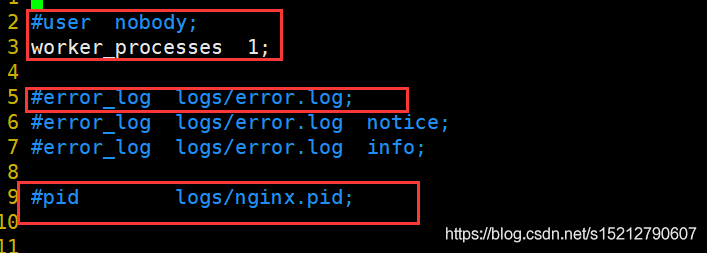
1、全局配置
#user nobody; 					#运行用户,若编译时未指定则默认为 nobody
worker_processes 1; 			#工作进程数量,可配置成服务器内核数 * 2
#error_log logs/error.log; 		#错误日志文件的位置
#pid logs/nginx.pid; 			#PID 文件的位置
2、I/O 事件配置
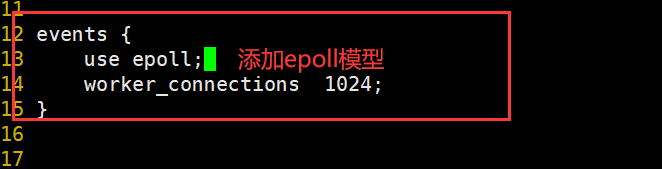
events {
    use epoll; 					#使用 epoll 模型,2.6及以上版本的系统内核,建议使用epoll模型以提高性能
    worker_connections 4096; 	#每个进程处理 4096 个连接
}

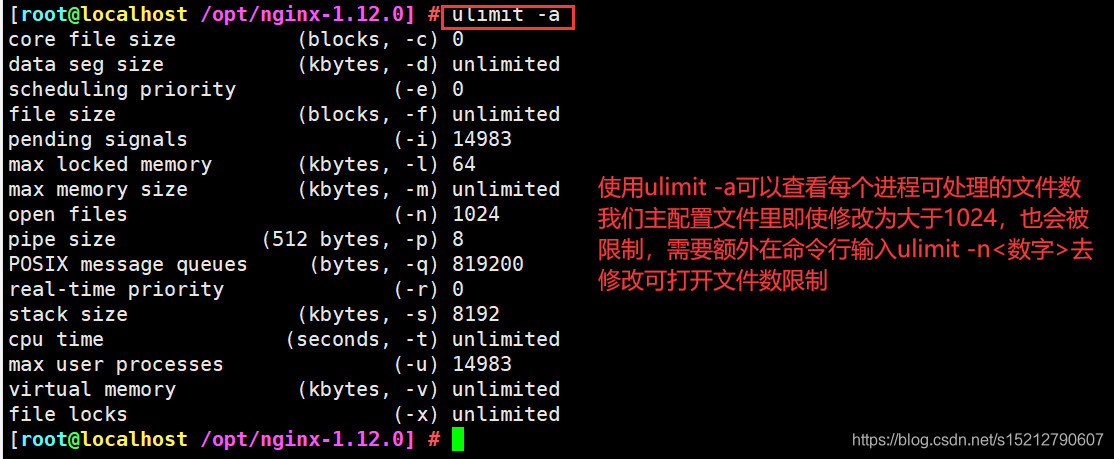
ulimit -a
#如提高每个进程的连接数还需执行“ulimit -n 65535”命令临时修改本地每个进程可以同时打开的最大文件数。
#在Linux平台上,在进行高并发TCP连接处理时,最高的并发数量都要受到系统对用户单一进程同时可打开文件数量的限制(这是因为系统为每个TCP连接都要创建一个socket句柄,每个socket句柄同时也是一个文件句柄)。
#可使用ulimit -a命令查看系统允许当前用户进程打开的文件数限制.
3、http配置
vim /usr/local/nginx/conf/nginx.conf
http {
	##文件扩展名与文件类型映射表
    include       mime.types;

	##默认文件类型
    default_type  application/octet-stream;

	##日志格式设定
    #log_format  main  '$remote_addr - $remote_user [$time_local] "$request" '
    #                  '$status $body_bytes_sent "$http_referer" '
    #                  '"$http_user_agent" "$http_x_forwarded_for"';

	##访问日志位置
    #access_log  logs/access.log  main;

	##支持文件发送(下载)
    sendfile        on;
 	##此选项允许或禁止使用socke的TCP_CORK的选项(发送数据包前先缓存数据),此选项仅在使用sendfile的时候使用
    #tcp_nopush     on;

	##连接保持超时时间,单位是秒
    #keepalive_timeout  0;
    keepalive_timeout  65;

	##gzip模块设置,设置是否开启gzip压缩输出
    #gzip  on;

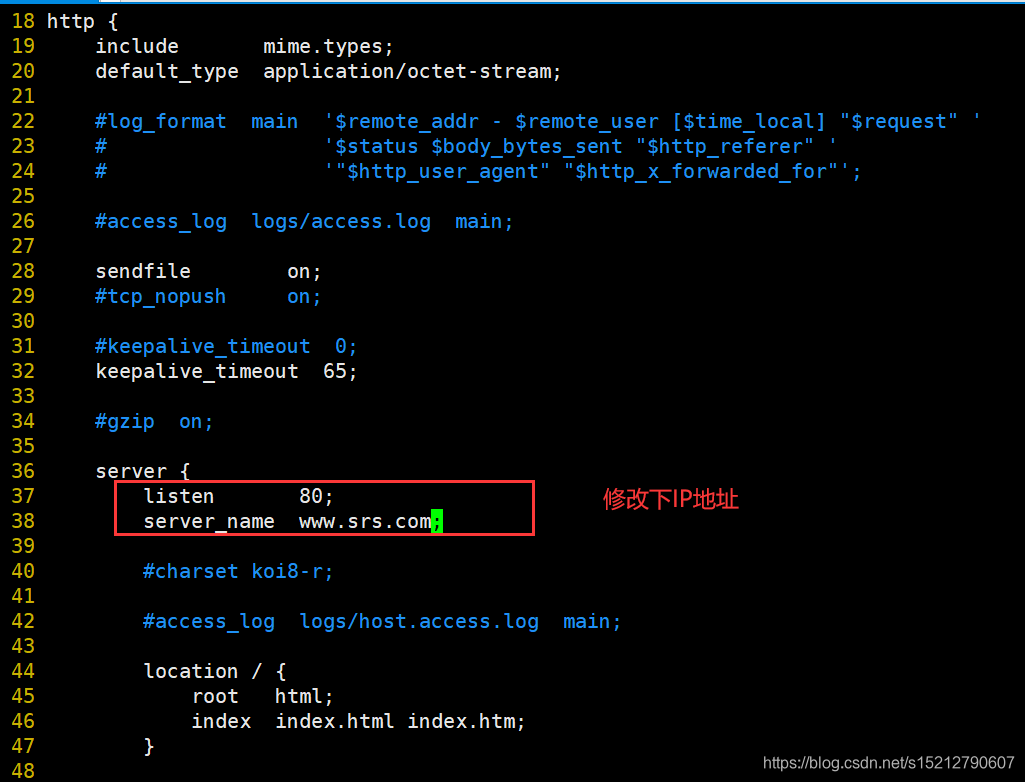
##Web 服务的监听配置
server {
	##监听地址及端口
	listen 80;
	##站点域名,可以有多个,用空格隔开
	server_name www.srs.com;

	##网页的默认字符集
	charset utf-8;

	##根目录配置
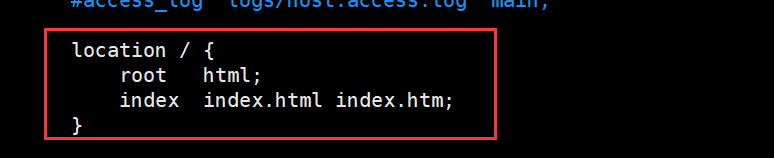
	location / {

		##网站根目录的位置/usr/local/nginx/html
		root html;

		##默认首页文件名
		index index.html index.htm;
	}

	##内部错误的反馈页面
	error_page 500 502 503 504 /50x.html;
	##错误页面配置
	location = /50x.html {
		root html;
	}
}
}
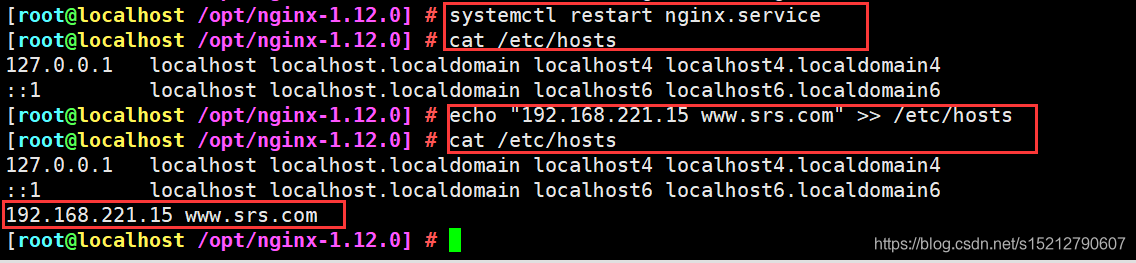
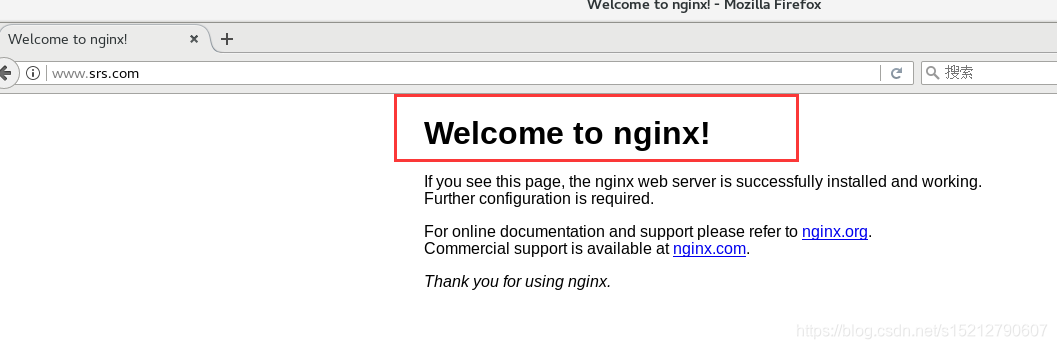
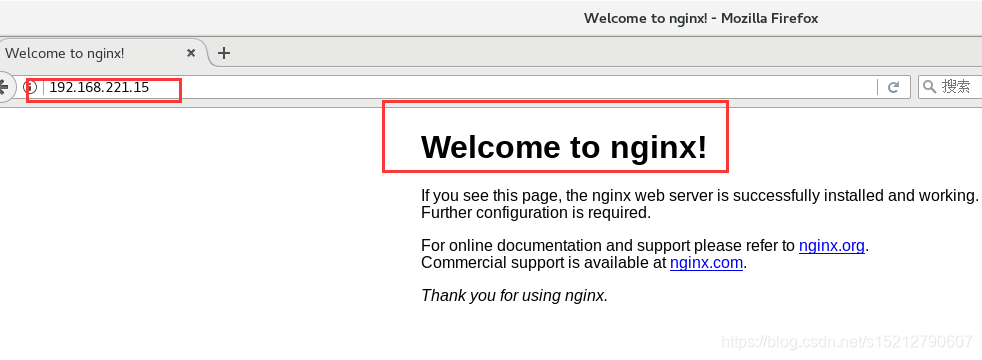
4、重启服务,验证
systemctl restart nginx.service
cat /etc/hosts
echo "192.168.221.15 www.srs.com" >> /etc/hosts
5、日志格式设定
vim /usr/local/nginx/conf/nginx.conf
$remote_addr与$http_x_forwarded_for用以记录客户端的ip地址;
$remote_user:用来记录客户端用户名称;
$time_local: 用来记录访问时间与时区;
$request: 用来记录请求的url与http协议;
$status: 用来记录请求状态;成功是200,
$body_bytes_sent :记录发送给客户端文件主体内容大小;
$http_referer:用来记录从那个页面链接访问过来的;
$http_user_agent:记录客户浏览器的相关信息;

通常web服务器放在反向代理的后面,这样就不能获取到客户的IP地址了,通过$remote_add拿到的IP地址是反向代理服务器的iP地址。反向代理服务器在转发请求的http头信息中,可以增加x_forwarded_for信息,用以记录原有客户端的IP地址和原来客户端的请求的服务器地址。

location常见配置指令,root、alias、proxy_pass
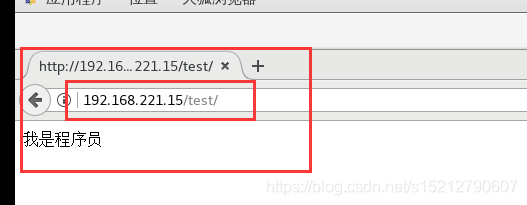
root(根路径配置):请求www.lic.com/test,会返回文件/usr/local/nginx/html/test/index.html
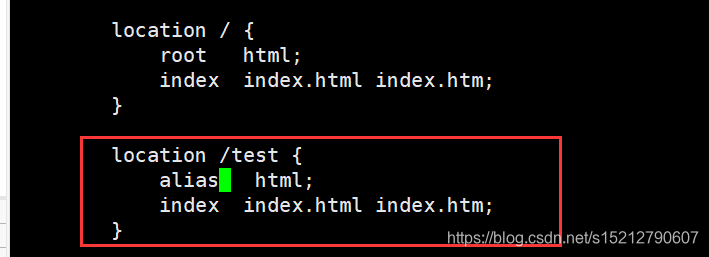
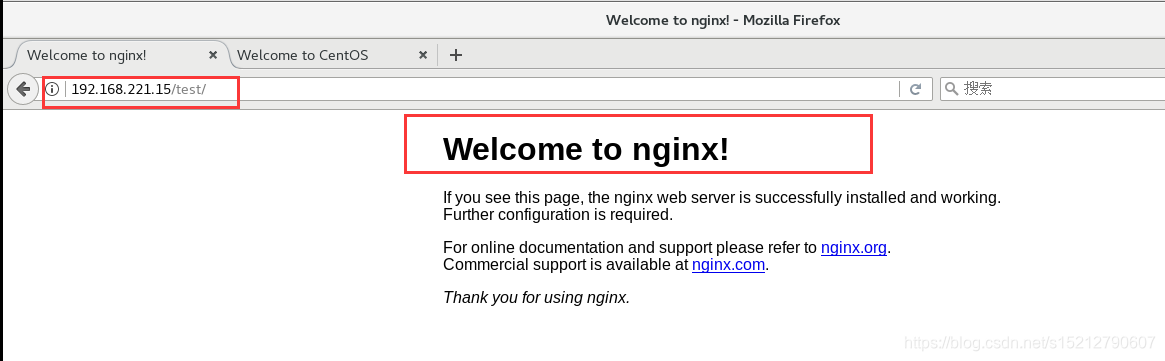
alias(别名配置):请求www.lic.com/test,会返回文件/usr/local/nginx/html/index.html

cd /usr/local/nginx/html/
ls
50x.html  index.html
mkdir test
vim test/index.html
systemctl restart nginx.service
http://192.168.221.15/test/

二、访问状态统计配置
1、先使用命令/usr/local/nginx/sbin/nginx -V 查看已安装的 Nginx 是否包含 HTTP_STUB_STATUS 模块

2、修改 nginx.conf 配置文件,指定访问位置并添加 stub_status 配置
cd /usr/local/nginx/conf
cp nginx.conf nginx.conf.bak
vim /usr/local/nginx/conf/nginx.conf
......
http {
......
	server {
		listen 80;
		server_name www.srs.com;
		charset utf-8;
		location / {
			root html;
			index index.html index.php;
		}
		##添加 stub_status 配置##
		location /status { 					#访问位置为/status
			stub_status on; 				#打开状态统计功能
			access_log off; 				#关闭此位置的日志记录
		}
	}
}

3、重启服务,访问测试
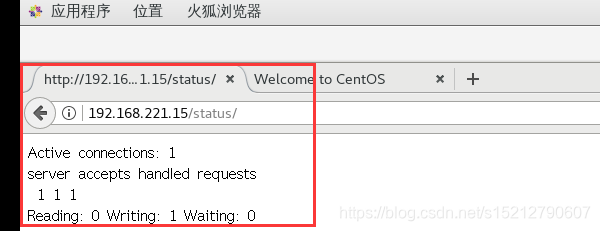
浏览器访问 http://192.168.184.30/status
Active connections :表示当前的活动连接数;
server accepts handled requests :表示已经处理的连接信息,三个数字依次表示已处理的连接数、成功的TCP握手次数、 已处理的请求数。
systemctl restart nginx

三、基于授权的访问控制
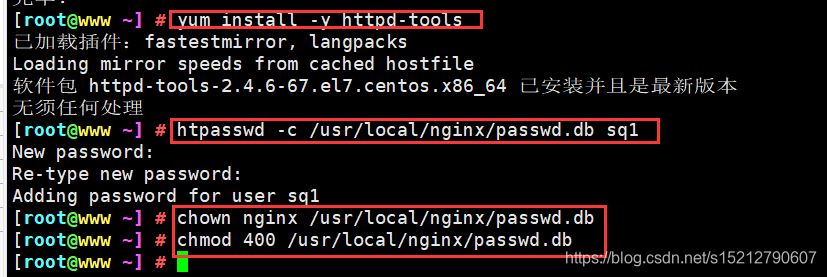
1、生成用户密码认证文件
yum install -y httpd-tools
htpasswd -c /usr/local/nginx/passwd.db sq1
chown nginx /usr/local/nginx/passwd.db
chmod 400 /usr/local/nginx/passwd.db
2、修改主配置文件相对应目录,添加认证配置项
vim /usr/local/nginx/conf/nginx.conf
......
	server {
		location / {
			......
			##添加认证配置##
			auth_basic "secret";
			auth_basic_user_file /usr/local/nginx/passwd.db;
		}
	}

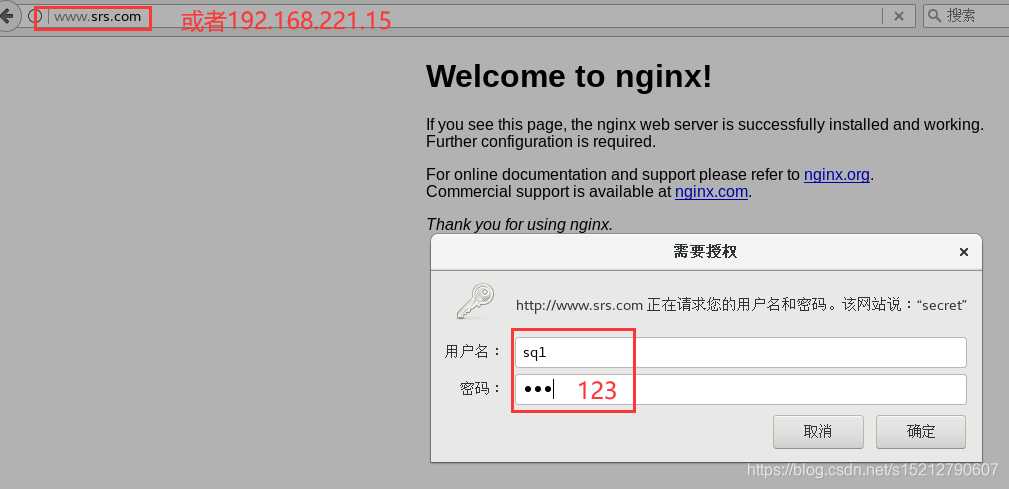
3、重启服务,访问测试
nginx -t
systemctl restart nginx

浏览器访问 http://192.168.221.15或www.srs.com

四、基于客户端的访问控制

vim /usr/local/nginx/conf/nginx.conf
......
	server {
		location / {
			......
			##添加控制规则##
			deny 192.168.221.15; 					#拒绝访问的客户端 IP
			allow all;								#允许其它IP客户端访问
		}
	}

systemctl restart nginx

五、基于3种Nginx虚拟主机
一、基于域名
①、提供域名解析
echo "192.168.221.15 www.sq.com " >> /etc/hosts

②、准备网页文档
mkdir -p /var/www/html/srs
mkdir -p /var/www/html/sq
echo "<h1>www.srs.com</h1>" > /var/www/html/srs/index.html
echo "<h1>www.sq.com</h1>" > /var/www/html/sq/index.html

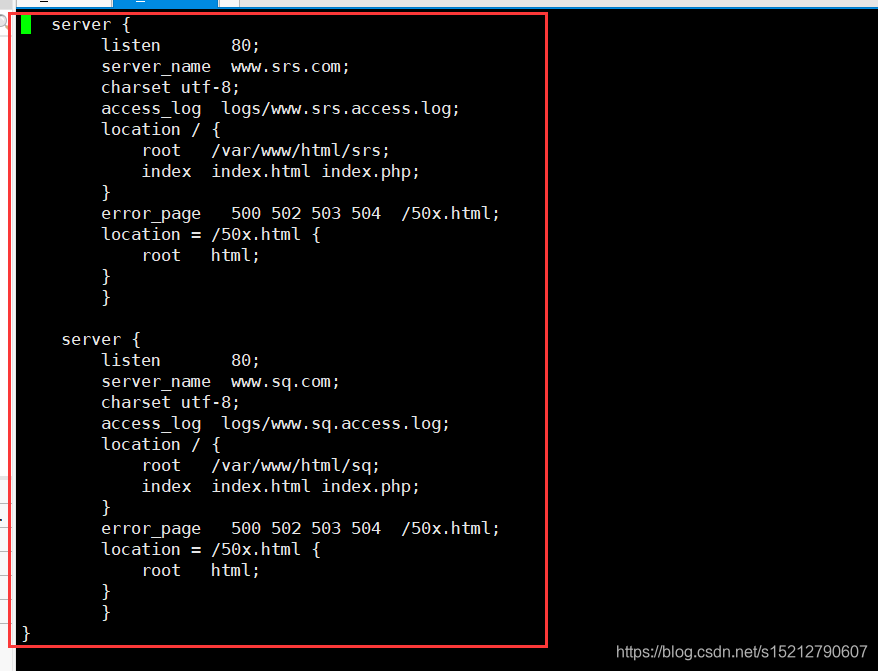
③、修改Nginx配置文件
http {
 ......
   server {
        listen       80;
        server_name  www.srs.com;
        charset utf-8;
        access_log  logs/www.srs.access.log;
        location / {
            root   /var/www/html/srs;
            index  index.html index.php;
        }
        error_page   500 502 503 504  /50x.html;
        location = /50x.html {
            root   html;
        }
        }

    server {
        listen       80;
        server_name  www.sq.com;
        charset utf-8;
        access_log  logs/www.sq.access.log;
        location / {
            root   /var/www/html/sq;
            index  index.html index.php;
        }
        error_page   500 502 503 504  /50x.html;
        location = /50x.html {
            root   html;
        }
        }
}
systemctl restart nginx.service
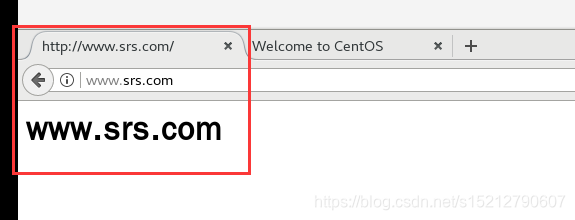
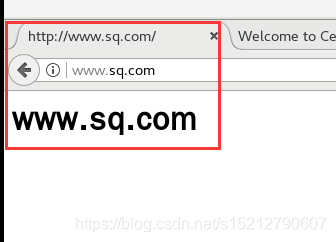
④、验证
http://www.srs.com
http://www.sq.com
二、基于IP
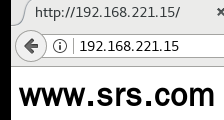
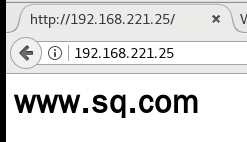
ifconfig ens33:0 192.168.221.25 netmask 255.255.255.0
vim /usr/local/nginx/conf/nginx.conf
listen 192.168.221.15:80;
listen 192.168.221.25:80;
systemctl restart nginx


三、基于端口
vim /usr/local/nginx/conf/nginx.conf
listen 192.168.221.15:80;
listen 192.168.221.15:8080;
systemctl restart nginx







 扫一扫
扫一扫


 6592
6592



 到【灌水乐园】发言



