





1.查看当前证书时间
# kubeadm alpha certs renew kubelet
Kubeadm experimental sub-commands
kubeadm是一个用于引导Kubernetes集群的工具,它提供了许多命令和子命令来管理集群的一生周期。过去,某些功能被标记为实验性的,并通过kubeadm alpha子命令进行访问。然而,从Kubernetes 1.15版本开始,kubeadm将这些功能从alpha子命令迁移到了稳定的命令中。在新版本中,使用kubeadm certs renew kubelet即可
检查
# kubeadm certs check-expiration
[check-expiration] Reading configuration from the cluster...
[check-expiration] FYI: You can look at this config file with 'kubectl -n kube-system get cm kubeadm-config -o yaml'

CERTIFICATE                EXPIRES                  RESIDUAL TIME   CERTIFICATE AUTHORITY   EXTERNALLY MANAGED
admin.conf                 Mar 26, 2025 08:52 UTC   286d            ca                      no
apiserver                  Mar 26, 2025 08:52 UTC   286d            ca                      no
apiserver-etcd-client      Mar 26, 2025 08:52 UTC   286d            etcd-ca                 no
apiserver-kubelet-client   Mar 26, 2025 08:52 UTC   286d            ca                      no
controller-manager.conf    Mar 26, 2025 08:52 UTC   286d            ca                      no
etcd-healthcheck-client    Mar 26, 2025 08:52 UTC   286d            etcd-ca                 no
etcd-peer                  Mar 26, 2025 08:52 UTC   286d            etcd-ca                 no
etcd-server                Mar 26, 2025 08:52 UTC   286d            etcd-ca                 no
front-proxy-client         Mar 26, 2025 08:52 UTC   286d            front-proxy-ca          no
scheduler.conf             Mar 26, 2025 08:52 UTC   286d            ca                      no

CERTIFICATE AUTHORITY   EXPIRES                  RESIDUAL TIME   EXTERNALLY MANAGED
ca                      Mar 24, 2034 08:52 UTC   9y              no
etcd-ca                 Mar 24, 2034 08:52 UTC   9y              no
front-proxy-ca          Mar 24, 2034 08:52 UTC   9y              no
kubelet证书时间只有1年有效期。
# openssl x509 -in kubelet.crt -noout -text | grep "Not"
            Not Before: Mar 26 07:52:16 2024 GMT
            Not After : Mar 26 07:52:16 2025 GMT
备份原证书
# mkdir backup_certs
# cd backup_certs/

# cp /usr/bin/kube* .
# ll
total 211260
-rwxr-x--- 1 root root  45210392 Jun 13 15:15 kubeadm
-rwxr-x--- 1 root root  46592216 Jun 13 15:15 kubectl
-rwxr-x--- 1 root root 124521288 Jun 13 15:15 kubelet

# cp -r /etc/kubernetes/pki .
]# ll
total 211264
-rwxr-x--- 1 root root  45210392 Jun 13 15:15 kubeadm
-rwxr-x--- 1 root root  46592216 Jun 13 15:15 kubectl
-rwxr-x--- 1 root root 124521288 Jun 13 15:15 kubelet
drwxr-x--- 3 root root      4096 Jun 13 15:18 pki
删除旧证书
# rm -rf /etc/kubernetes/pki/*
生成新证书
# kubeadm certs renew -h
This command is not meant to be run on its own. See list of available subcommands.

Usage:
  kubeadm certs renew [flags]
  kubeadm certs renew [command]

Available Commands:
  admin.conf               Renew the certificate embedded in the kubeconfig file for the admin to use and for kubeadm itself
  all                      Renew all available certificates
  apiserver                Renew the certificate for serving the Kubernetes API
  apiserver-etcd-client    Renew the certificate the apiserver uses to access etcd
  apiserver-kubelet-client Renew the certificate for the API server to connect to kubelet
  controller-manager.conf  Renew the certificate embedded in the kubeconfig file for the controller manager to use
  etcd-healthcheck-client  Renew the certificate for liveness probes to healthcheck etcd
  etcd-peer                Renew the certificate for etcd nodes to communicate with each other
  etcd-server              Renew the certificate for serving etcd
  front-proxy-client       Renew the certificate for the front proxy client
  scheduler.conf           Renew the certificate embedded in the kubeconfig file for the scheduler manager to use

Flags:
  -h, --help   help for renew

Global Flags:
      --add-dir-header           If true, adds the file directory to the header of the log messages
      --log-file string          If non-empty, use this log file
      --log-file-max-size uint   Defines the maximum size a log file can grow to. Unit is megabytes. If the value is 0, the maximum file size is unlimited. (default 1800)
      --one-output               If true, only write logs to their native severity level (vs also writing to each lower severity level)
      --rootfs string            [EXPERIMENTAL] The path to the 'real' host root filesystem.
      --skip-headers             If true, avoid header prefixes in the log messages
      --skip-log-headers         If true, avoid headers when opening log files
  -v, --v Level                  number for the log level verbosity

Use "kubeadm certs renew [command] --help" for more information about a command.
生成某个证书
升级哪个证书,就生成哪个组件的证书,保险,就生成所有证书
# kubeadm certs renew apiserver-kubelet-client
[renew] Reading configuration from the cluster...
[renew] FYI: You can look at this config file with 'kubectl -n kube-system get cm kubeadm-config -o yaml'

certificate for the API server to connect to kubelet renewed
生成所有证书
# kubeadm certs renew all
[renew] Reading configuration from the cluster...
[renew] FYI: You can look at this config file with 'kubectl -n kube-system get cm kubeadm-config -o yaml'

certificate embedded in the kubeconfig file for the admin to use and for kubeadm itself renewed
certificate for serving the Kubernetes API renewed
certificate the apiserver uses to access etcd renewed
certificate for the API server to connect to kubelet renewed
certificate embedded in the kubeconfig file for the controller manager to use renewed
certificate for liveness probes to healthcheck etcd renewed
certificate for etcd nodes to communicate with each other renewed
certificate for serving etcd renewed
certificate for the front proxy client renewed
certificate embedded in the kubeconfig file for the scheduler manager to use renewed

Done renewing certificates. You must restart the kube-apiserver, kube-controller-manager, kube-scheduler and etcd, so that they can use the new certificates.
查看配置已经更新
# ll /etc/kubernetes/
total 32
-rwxrwxrwx 1 root root 5640 Jun 13 15:26 admin.conf
-rw------- 1 root root 5668 Jun 13 15:26 controller-manager.conf
-rw------- 1 root root 2004 Mar 26 16:52 kubelet.conf
drwxr-xr-x 2 root root  113 May 29 17:12 manifests
drwxr-x--- 3 root root 4096 Mar 26 16:52 pki
-rw------- 1 root root 5620 Jun 13 15:26 scheduler.conf
生成新配置
查看帮助
# kubeadm init phase kubeconfig -h
This command is not meant to be run on its own. See list of available subcommands.

Usage:
  kubeadm init phase kubeconfig [flags]
  kubeadm init phase kubeconfig [command]

Available Commands:
  admin              Generate a kubeconfig file for the admin to use and for kubeadm itself
  all                Generate all kubeconfig files
  controller-manager Generate a kubeconfig file for the controller manager to use
  kubelet            Generate a kubeconfig file for the kubelet to use *only* for cluster bootstrapping purposes
  scheduler          Generate a kubeconfig file for the scheduler to use

Flags:
  -h, --help   help for kubeconfig

Global Flags:
      --add-dir-header           If true, adds the file directory to the header of the log messages
      --log-file string          If non-empty, use this log file
      --log-file-max-size uint   Defines the maximum size a log file can grow to. Unit is megabytes. If the value is 0, the maximum file size is unlimited. (default 1800)
      --one-output               If true, only write logs to their native severity level (vs also writing to each lower severity level)
      --rootfs string            [EXPERIMENTAL] The path to the 'real' host root filesystem.
      --skip-headers             If true, avoid header prefixes in the log messages
      --skip-log-headers         If true, avoid headers when opening log files
  -v, --v Level                  number for the log level verbosity

Use "kubeadm init phase kubeconfig [command] --help" for more information about a command.
生成某个配置
失败是正常,版本垮裤较大,而且也只更新证书有效期
# kubeadm init phase kubeconfig admin
I0613 15:31:07.518079   30859 version.go:255] remote version is much newer: v1.30.2; falling back to: stable-1.23
W0613 15:31:17.521449   30859 version.go:103] could not fetch a Kubernetes version from the internet: unable to get URL "https://dl.k8s.io/release/stable-1.23.txt": Get "https://cdn.dl.k8s.io/release/stable-1.23.txt": context deadline exceeded (Client.Timeout exceeded while awaiting headers)
W0613 15:31:17.521573   30859 version.go:104] falling back to the local client version: v1.23.4
生成所有配置
# kubeadm init phase kubeconfig all
W0613 15:45:39.731181    7842 version.go:103] could not fetch a Kubernetes version from the internet: unable to get URL "https://dl.k8s.io/release/stable-1.txt": Get "https://cdn.dl.k8s.io/release/stable-1.txt": context deadline exceeded (Client.Timeout exceeded while awaiting headers)
W0613 15:45:39.731479    7842 version.go:104] falling back to the local client version: v1.23.4
[kubeconfig] Using kubeconfig folder "/etc/kubernetes"
[kubeconfig] Using existing kubeconfig file: "/etc/kubernetes/admin.conf"
[kubeconfig] Using existing kubeconfig file: "/etc/kubernetes/kubelet.conf"
[kubeconfig] Using existing kubeconfig file: "/etc/kubernetes/controller-manager.conf"
[kubeconfig] Using existing kubeconfig file: "/etc/kubernetes/scheduler.conf"
重启kubelet
# systemctl status kubelet.service  | grep Active
   Active: active (running) since Tue 2024-03-26 16:52:52 CST; 2 months 18 days ago

# systemctl restart kubelet.service

# systemctl status kubelet.service  | grep Active
   Active: active (running) since Thu 2024-06-13 15:47:19 CST; 3s ago
更新admin.conf文件
# cp /etc/kubernetes/admin.conf  ~/.kube/config
cp: overwrite ‘/root/.kube/config’? y
2.检查证书有效期
# kubeadm certs check-expiration
[check-expiration] Reading configuration from the cluster...
[check-expiration] FYI: You can look at this config file with 'kubectl -n kube-system get cm kubeadm-config -o yaml'

CERTIFICATE                EXPIRES                  RESIDUAL TIME   CERTIFICATE AUTHORITY   EXTERNALLY MANAGED
admin.conf                 Jun 13, 2025 07:26 UTC   364d            ca                      no
apiserver                  Jun 13, 2025 07:26 UTC   364d            ca                      no
apiserver-etcd-client      Jun 13, 2025 07:26 UTC   364d            etcd-ca                 no
apiserver-kubelet-client   Jun 13, 2025 07:26 UTC   364d            ca                      no
controller-manager.conf    Jun 13, 2025 07:26 UTC   364d            ca                      no
etcd-healthcheck-client    Jun 13, 2025 07:26 UTC   364d            etcd-ca                 no
etcd-peer                  Jun 13, 2025 07:26 UTC   364d            etcd-ca                 no
etcd-server                Jun 13, 2025 07:26 UTC   364d            etcd-ca                 no
front-proxy-client         Jun 13, 2025 07:26 UTC   364d            front-proxy-ca          no
scheduler.conf             Jun 13, 2025 07:26 UTC   364d            ca                      no

CERTIFICATE AUTHORITY   EXPIRES                  RESIDUAL TIME   EXTERNALLY MANAGED
ca                      Mar 24, 2034 08:52 UTC   9y              no
etcd-ca                 Mar 24, 2034 08:52 UTC   9y              no
front-proxy-ca          Mar 24, 2034 08:52 UTC   9y              no
查看各证书时间
# openssl x509 -in /etc/kubernetes/pki/apiserver.crt -noout -text
            Not Before: Mar 26 08:52:10 2024 GMT
            Not After : Jun 13 07:26:54 2025 GMT
# openssl x509 -in /etc/kubernetes/pki/apiserver-etcd-client.crt -noout -text
            Not Before: Mar 26 08:52:11 2024 GMT
            Not After : Jun 13 07:26:55 2025 GMT
# openssl x509 -in /etc/kubernetes/pki/apiserver-kubelet-client.crt -noout -text
            Not Before: Mar 26 08:52:10 2024 GMT
            Not After : Jun 13 07:26:55 2025 GMT
# openssl x509 -in /etc/kubernetes/pki/ca.crt -noout -text
            Not Before: Mar 26 08:52:10 2024 GMT
            Not After : Mar 24 08:52:10 2034 GMT
# openssl x509 -in /etc/kubernetes/pki/front-proxy-ca.crt -noout -text
            Not Before: Mar 26 08:52:10 2024 GMT
            Not After : Mar 24 08:52:10 2034 GMT
# openssl x509 -in /etc/kubernetes/pki/front-proxy-client.crt -noout -text
            Not Before: Mar 26 08:52:10 2024 GMT
            Not After : Jun 13 07:26:57 2025 GMT
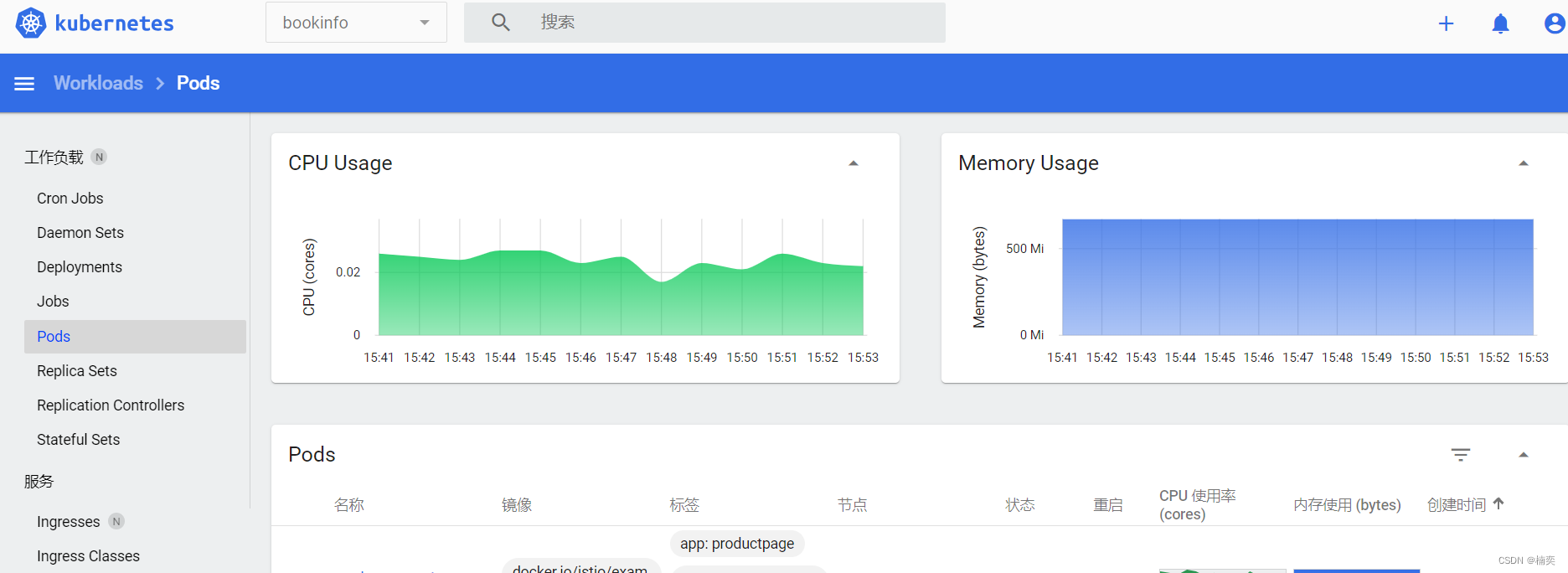
查看k8s环境






 扫一扫
扫一扫


 1992
1992

 被折叠的 条评论
为什么被折叠?
被折叠的 条评论
为什么被折叠?
 到【灌水乐园】发言





