wsl: 检测到 localhost 代理配置,但未镜像到 WSL。NAT 模式下的 WSL 不支持 localhost 代理。
(base) os01@DESKTOP-F3AFPI2:~$ sudo apt update && sudo apt upgrade -y
sudo apt install -y build-essential git wget curl vim tmux htop
-bash: syntax error near unexpected token `;&'
[sudo] password for os01:
Reading package lists... Done
Building dependency tree... Done
Reading state information... Done
build-essential is already the newest version (12.10ubuntu1).
wget is already the newest version (1.21.4-1ubuntu4.1).
wget set to manually installed.
curl is already the newest version (8.5.0-2ubuntu10.6).
curl set to manually installed.
tmux is already the newest version (3.4-1ubuntu0.1).
tmux set to manually installed.
The following packages were automatically installed and are no longer required:
libdrm-nouveau2 libdrm-radeon1 libgl1-amber-dri libglapi-mesa libxcb-dri2-0
Use 'sudo apt autoremove' to remove them.
The following additional packages will be installed:
git-man libnl-genl-3-200 vim-common vim-runtime vim-tiny xxd
Suggested packages:
git-daemon-run | git-daemon-sysvinit git-doc git-email git-gui gitk gitweb git-cvs git-mediawiki git-svn lm-sensors
strace ctags vim-doc vim-scripts indent
The following NEW packages will be installed:
htop libnl-genl-3-200
The following packages will be upgraded:
git git-man vim vim-common vim-runtime vim-tiny xxd
7 upgraded, 2 newly installed, 0 to remove and 168 not upgraded.
Need to get 15.2 MB/15.4 MB of archives.
After this operation, 496 kB of additional disk space will be used.
Get:1 http://archive.ubuntu.com/ubuntu noble-updates/main amd64 vim amd64 2:9.1.0016-1ubuntu7.9 [1881 kB]
Get:2 http://archive.ubuntu.com/ubuntu noble-updates/main amd64 vim-common all 2:9.1.0016-1ubuntu7.9 [386 kB]
Get:3 http://archive.ubuntu.com/ubuntu noble-updates/main amd64 vim-tiny amd64 2:9.1.0016-1ubuntu7.9 [803 kB]
Get:4 http://archive.ubuntu.com/ubuntu noble-updates/main amd64 vim-runtime all 2:9.1.0016-1ubuntu7.9 [7281 kB]
Get:5 http://archive.ubuntu.com/ubuntu noble-updates/main amd64 xxd amd64 2:9.1.0016-1ubuntu7.9 [63.8 kB]
Get:6 http://archive.ubuntu.com/ubuntu noble-updates/main amd64 git-man all 1:2.43.0-1ubuntu7.3 [1100 kB]
Get:7 http://archive.ubuntu.com/ubuntu noble-updates/main amd64 git amd64 1:2.43.0-1ubuntu7.3 [3680 kB]
Get:8 http://archive.ubuntu.com/ubuntu noble-updates/main amd64 libnl-genl-3-200 amd64 3.7.0-0.3build1.1 [12.2 kB]
Fetched 15.2 MB in 7s (2121 kB/s)
(Reading database ... 55810 files and directories currently installed.)
Preparing to unpack .../0-vim_2%3a9.1.0016-1ubuntu7.9_amd64.deb ...
Unpacking vim (2:9.1.0016-1ubuntu7.9) over (2:9.1.0016-1ubuntu7.5) ...
Preparing to unpack .../1-vim-common_2%3a9.1.0016-1ubuntu7.9_all.deb ...
Unpacking vim-common (2:9.1.0016-1ubuntu7.9) over (2:9.1.0016-1ubuntu7.5) ...
Preparing to unpack .../2-vim-tiny_2%3a9.1.0016-1ubuntu7.9_amd64.deb ...
Unpacking vim-tiny (2:9.1.0016-1ubuntu7.9) over (2:9.1.0016-1ubuntu7.5) ...
Preparing to unpack .../3-vim-runtime_2%3a9.1.0016-1ubuntu7.9_all.deb ...
Unpacking vim-runtime (2:9.1.0016-1ubuntu7.9) over (2:9.1.0016-1ubuntu7.5) ...
Preparing to unpack .../4-xxd_2%3a9.1.0016-1ubuntu7.9_amd64.deb ...
Unpacking xxd (2:9.1.0016-1ubuntu7.9) over (2:9.1.0016-1ubuntu7.5) ...
Preparing to unpack .../5-git-man_1%3a2.43.0-1ubuntu7.3_all.deb ...
Unpacking git-man (1:2.43.0-1ubuntu7.3) over (1:2.43.0-1ubuntu7.1) ...
Preparing to unpack .../6-git_1%3a2.43.0-1ubuntu7.3_amd64.deb ...
Unpacking git (1:2.43.0-1ubuntu7.3) over (1:2.43.0-1ubuntu7.1) ...
Selecting previously unselected package libnl-genl-3-200:amd64.
Preparing to unpack .../7-libnl-genl-3-200_3.7.0-0.3build1.1_amd64.deb ...
Unpacking libnl-genl-3-200:amd64 (3.7.0-0.3build1.1) ...
Selecting previously unselected package htop.
Preparing to unpack .../8-htop_3.3.0-4build1_amd64.deb ...
Unpacking htop (3.3.0-4build1) ...
Setting up xxd (2:9.1.0016-1ubuntu7.9) ...
Setting up vim-common (2:9.1.0016-1ubuntu7.9) ...
Setting up libnl-genl-3-200:amd64 (3.7.0-0.3build1.1) ...
Setting up git-man (1:2.43.0-1ubuntu7.3) ...
Setting up vim-runtime (2:9.1.0016-1ubuntu7.9) ...
Setting up vim (2:9.1.0016-1ubuntu7.9) ...
Setting up htop (3.3.0-4build1) ...
Setting up vim-tiny (2:9.1.0016-1ubuntu7.9) ...
Setting up git (1:2.43.0-1ubuntu7.3) ...
Processing triggers for libc-bin (2.39-0ubuntu8.6) ...
Processing triggers for man-db (2.12.0-4build2) ...
Processing triggers for hicolor-icon-theme (0.17-2) ...
(base) os01@DESKTOP-F3AFPI2:~$ # 安装NVIDIA容器工具包
distribution=$(. /etc/os-release;echo $ID$VERSION_ID)
curl -s -L https://nvidia.github.io/nvidia-docker/gpgkey | sudo apt-key add -
curl -s -L https://nvidia.github.io/nvidia-docker/$distribution/nvidia-docker.list | sudo tee /etc/apt/sources.list.d/nvidia-docker.list
sudo apt update && sudo apt install -y nvidia-docker2
# 验证CUDA可用性
nvidia-smi # 应显示与Windows主机相同的GPU信息
Warning: apt-key is deprecated. Manage keyring files in trusted.gpg.d instead (see apt-key(8)).
gpg: no valid OpenPGP data found.
# Unsupported distribution!
# Check https://nvidia.github.io/nvidia-docker
-bash: syntax error near unexpected token `;&'
Sat Oct 11 15:45:43 2025
+-----------------------------------------------------------------------------------------+
| NVIDIA-SMI 580.82.10 Driver Version: 581.29 CUDA Version: 13.0 |
+-----------------------------------------+------------------------+----------------------+
| GPU Name Persistence-M | Bus-Id Disp.A | Volatile Uncorr. ECC |
| Fan Temp Perf Pwr:Usage/Cap | Memory-Usage | GPU-Util Compute M. |
| | | MIG M. |
|=========================================+========================+======================|
| 0 NVIDIA GeForce RTX 5090 On | 00000000:01:00.0 On | N/A |
| 0% 43C P0 73W / 600W | 1244MiB / 32607MiB | 2% Default |
| | | N/A |
+-----------------------------------------+------------------------+----------------------+
+-----------------------------------------------------------------------------------------+
| Processes: |
| GPU GI CI PID Type Process name GPU Memory |
| ID ID Usage |
|=========================================================================================|
| No running processes found |
+-----------------------------------------------------------------------------------------+
(base) os01@DESKTOP-F3AFPI2:~$ git clone https://gitcode.com/GitHub_Trending/op/Open-Sora-Plan.git
cd Open-Sora-Plan
git checkout mindspeed_mmdit # 切换到最新NPU支持分支
fatal: destination path 'Open-Sora-Plan' already exists and is not an empty directory.
Already on 'mindspeed_mmdit'
Your branch is up to date with 'origin/mindspeed_mmdit'.
(base) os01@DESKTOP-F3AFPI2:~/Open-Sora-Plan$ # 使用conda管理环境(推荐)
wget https://mirrors.tuna.tsinghua.edu.cn/anaconda/miniconda/Miniconda3-py38_23.11.0-2-Linux-x86_64.sh
bash Miniconda3-py38_23.11.0-2-Linux-x86_64.sh -b -p $HOME/miniconda3
source $HOME/miniconda3/bin/activate
conda env create -f environment.yml
conda activate open-sora
# 验证Python版本和CUDA支持
python -c "import torch; print('CUDA可用:', torch.cuda.is_available())" # 应返回True
--2025-10-11 15:46:07-- https://mirrors.tuna.tsinghua.edu.cn/anaconda/miniconda/Miniconda3-py38_23.11.0-2-Linux-x86_64.sh
Resolving mirrors.tuna.tsinghua.edu.cn (mirrors.tuna.tsinghua.edu.cn)... 101.6.15.130, 2402:f000:1:400::2
Connecting to mirrors.tuna.tsinghua.edu.cn (mirrors.tuna.tsinghua.edu.cn)|101.6.15.130|:443... connected.
HTTP request sent, awaiting response... 200 OK
Length: 131844786 (126M) [application/octet-stream]
Saving to: ‘Miniconda3-py38_23.11.0-2-Linux-x86_64.sh.1’
Miniconda3-py38_23.11.0-2-Lin 100%[=================================================>] 125.74M 39.6MB/s in 3.3s
2025-10-11 15:46:11 (37.8 MB/s) - ‘Miniconda3-py38_23.11.0-2-Linux-x86_64.sh.1’ saved [131844786/131844786]
ERROR: File or directory already exists: '/home/os01/miniconda3'
If you want to update an existing installation, use the -u option.
EnvironmentFileNotFound: '/home/os01/Open-Sora-Plan/environment.yml' file not found
EnvironmentNameNotFound: Could not find conda environment: open-sora
You can list all discoverable environments with `conda info --envs`.
CUDA可用: True
(base) os01@DESKTOP-F3AFPI2:~/Open-Sora-Plan$ # 配置pip国内源
pip config set global.index-url https://pypi.tuna.tsinghua.edu.cn/simple
# 手动安装特定版本依赖
pip install torch==2.1.0+cu118 torchvision==0.16.0+cu118 --extra-index-url https://download.pytorch.org/whl/cu118
pip install xformers==0.0.22.post7 accelerate==0.34.0 deepspeed==0.12.6
Writing to /home/os01/.config/pip/pip.conf
Looking in indexes: https://pypi.tuna.tsinghua.edu.cn/simple, https://download.pytorch.org/whl/cu118
Requirement already satisfied: torch==2.1.0+cu118 in /home/os01/miniconda3/lib/python3.8/site-packages (2.1.0+cu118)
Requirement already satisfied: torchvision==0.16.0+cu118 in /home/os01/miniconda3/lib/python3.8/site-packages (0.16.0+cu118)
Requirement already satisfied: filelock in /home/os01/miniconda3/lib/python3.8/site-packages (from torch==2.1.0+cu118) (3.16.1)
Requirement already satisfied: typing-extensions in /home/os01/miniconda3/lib/python3.8/site-packages (from torch==2.1.0+cu118) (4.13.2)
Requirement already satisfied: sympy in /home/os01/miniconda3/lib/python3.8/site-packages (from torch==2.1.0+cu118) (1.13.3)
Requirement already satisfied: networkx in /home/os01/miniconda3/lib/python3.8/site-packages (from torch==2.1.0+cu118) (3.1)
Requirement already satisfied: jinja2 in /home/os01/miniconda3/lib/python3.8/site-packages (from torch==2.1.0+cu118) (3.1.6)
Requirement already satisfied: fsspec in /home/os01/miniconda3/lib/python3.8/site-packages (from torch==2.1.0+cu118) (2025.3.0)
Requirement already satisfied: triton==2.1.0 in /home/os01/miniconda3/lib/python3.8/site-packages (from torch==2.1.0+cu118) (2.1.0)
Requirement already satisfied: numpy in /home/os01/miniconda3/lib/python3.8/site-packages (from torchvision==0.16.0+cu118) (1.24.4)
Requirement already satisfied: requests in /home/os01/miniconda3/lib/python3.8/site-packages (from torchvision==0.16.0+cu118) (2.31.0)
Requirement already satisfied: pillow!=8.3.*,>=5.3.0 in /home/os01/miniconda3/lib/python3.8/site-packages (from torchvision==0.16.0+cu118) (10.4.0)
Requirement already satisfied: MarkupSafe>=2.0 in /home/os01/miniconda3/lib/python3.8/site-packages (from jinja2->torch==2.1.0+cu118) (2.1.5)
Requirement already satisfied: charset-normalizer<4,>=2 in /home/os01/miniconda3/lib/python3.8/site-packages (from requests->torchvision==0.16.0+cu118) (2.0.4)
Requirement already satisfied: idna<4,>=2.5 in /home/os01/miniconda3/lib/python3.8/site-packages (from requests->torchvision==0.16.0+cu118) (3.4)
Requirement already satisfied: urllib3<3,>=1.21.1 in /home/os01/miniconda3/lib/python3.8/site-packages (from requests->torchvision==0.16.0+cu118) (1.26.18)
Requirement already satisfied: certifi>=2017.4.17 in /home/os01/miniconda3/lib/python3.8/site-packages (from requests->torchvision==0.16.0+cu118) (2023.11.17)
Requirement already satisfied: mpmath<1.4,>=1.1.0 in /home/os01/miniconda3/lib/python3.8/site-packages (from sympy->torch==2.1.0+cu118) (1.3.0)
Looking in indexes: https://pypi.tuna.tsinghua.edu.cn/simple
Collecting xformers==0.0.22.post7
Using cached https://pypi.tuna.tsinghua.edu.cn/packages/56/5f/20481c8ccfbd2ac0f936908c9b0ff3e31380d8d186d7dabf34a941b3127f/xformers-0.0.22.post7-cp38-cp38-manylinux2014_x86_64.whl (211.8 MB)
Collecting accelerate==0.34.0
Using cached https://pypi.tuna.tsinghua.edu.cn/packages/02/0e/626f2dd4325f4545fbaaf9c590390d2d4ab8e7551579346fe1e319bd93af/accelerate-0.34.0-py3-none-any.whl (324 kB)
Collecting deepspeed==0.12.6
Using cached https://pypi.tuna.tsinghua.edu.cn/packages/f1/ff/0fba0fec90e7de1c7148b0527e8ac9cdf2280d274ed135bcb2187f7497a7/deepspeed-0.12.6.tar.gz (1.2 MB)
Preparing metadata (setup.py) ... error
error: subprocess-exited-with-error
× python setup.py egg_info did not run successfully.
│ exit code: 1
╰─> [16 lines of output]
Traceback (most recent call last):
File "<string>", line 2, in <module>
File "<pip-setuptools-caller>", line 34, in <module>
File "/tmp/pip-install-3za_tc1r/deepspeed_40a9c88a17284f49b38ee0bcb816fee1/setup.py", line 100, in <module>
cuda_major_ver, cuda_minor_ver = installed_cuda_version()
File "/tmp/pip-install-3za_tc1r/deepspeed_40a9c88a17284f49b38ee0bcb816fee1/op_builder/builder.py", line 52, in installed_cuda_version
output = subprocess.check_output([cuda_home + "/bin/nvcc", "-V"], universal_newlines=True)
File "/home/os01/miniconda3/lib/python3.8/subprocess.py", line 415, in check_output
return run(*popenargs, stdout=PIPE, timeout=timeout, check=True,
File "/home/os01/miniconda3/lib/python3.8/subprocess.py", line 493, in run
with Popen(*popenargs, **kwargs) as process:
File "/home/os01/miniconda3/lib/python3.8/subprocess.py", line 858, in __init__
self._execute_child(args, executable, preexec_fn, close_fds,
File "/home/os01/miniconda3/lib/python3.8/subprocess.py", line 1720, in _execute_child
raise child_exception_type(errno_num, err_msg, err_filename)
FileNotFoundError: [Errno 2] No such file or directory: '/usr/local/cuda/bin/nvcc'
[end of output]
note: This error originates from a subprocess, and is likely not a problem with pip.
error: metadata-generation-failed
× Encountered error while generating package metadata.
╰─> See above for output.
note: This is an issue with the package mentioned above, not pip.
hint: See above for details.
(base) os01@DESKTOP-F3AFPI2:~/Open-Sora-Plan$ ls /usr/local/cuda*/bin/nvcc # 检查常见路径
ls: cannot access '/usr/local/cuda*/bin/nvcc': No such file or directory
(base) os01@DESKTOP-F3AFPI2:~/Open-Sora-Plan$ # 查看已安装驱动
nvidia-smi # 确认最高支持的CUDA版本
# 从官网下载对应版本安装
wget https://developer.download.nvidia.com/compute/cuda/12.2.2/local_installers/cuda_12.2.2_535.104.05_linux.run
sudo sh cuda_12.2.2_535.104.05_linux.run
Sat Oct 11 15:47:57 2025
+-----------------------------------------------------------------------------------------+
| NVIDIA-SMI 580.82.10 Driver Version: 581.29 CUDA Version: 13.0 |
+-----------------------------------------+------------------------+----------------------+
| GPU Name Persistence-M | Bus-Id Disp.A | Volatile Uncorr. ECC |
| Fan Temp Perf Pwr:Usage/Cap | Memory-Usage | GPU-Util Compute M. |
| | | MIG M. |
|=========================================+========================+======================|
| 0 NVIDIA GeForce RTX 5090 On | 00000000:01:00.0 On | N/A |
| 0% 42C P5 33W / 600W | 1290MiB / 32607MiB | 1% Default |
| | | N/A |
+-----------------------------------------+------------------------+----------------------+
+-----------------------------------------------------------------------------------------+
| Processes: |
| GPU GI CI PID Type Process name GPU Memory |
| ID ID Usage |
|=========================================================================================|
| No running processes found |
+-----------------------------------------------------------------------------------------+
--2025-10-11 15:47:57-- https://developer.download.nvidia.com/compute/cuda/12.2.2/local_installers/cuda_12.2.2_535.104.05_linux.run
Resolving developer.download.nvidia.com (developer.download.nvidia.com)... 23.200.143.149, 23.200.143.133
Connecting to developer.download.nvidia.com (developer.download.nvidia.com)|23.200.143.149|:443... connected.
HTTP request sent, awaiting response... 301 Moved Permanently
Location: https://developer.download.nvidia.cn/compute/cuda/12.2.2/local_installers/cuda_12.2.2_535.104.05_linux.run [following]
--2025-10-11 15:47:57-- https://developer.download.nvidia.cn/compute/cuda/12.2.2/local_installers/cuda_12.2.2_535.104.05_linux.run
Resolving developer.download.nvidia.cn (developer.download.nvidia.cn)... 39.173.184.184, 39.173.184.185, 39.173.184.186, ...
Connecting to developer.download.nvidia.cn (developer.download.nvidia.cn)|39.173.184.184|:443... connected.
HTTP request sent, awaiting response... 200 OK
Length: 4344134690 (4.0G) [application/octet-stream]
Saving to: ‘cuda_12.2.2_535.104.05_linux.run’
cuda_12.2.2_535.104.05_linux. 100%[=================================================>] 4.04G 43.0MB/s in 97s
2025-10-11 15:49:35 (42.5 MB/s) - ‘cuda_12.2.2_535.104.05_linux.run’ saved [4344134690/4344134690]
sh: 1: dkms: not found
Installation failed. See log at /var/log/cuda-installer.log for details.
(base) os01@DESKTOP-F3AFPI2:~/Open-Sora-Plan$ nano ~/.bashrc
(base) os01@DESKTOP-F3AFPI2:~/Open-Sora-Plan$ source ~/.bashrc
(base) os01@DESKTOP-F3AFPI2:~/Open-Sora-Plan$ echo $CUDA_HOME # 应显示正确路径
nvcc --version # 应显示版本信息
/usr/local/cuda-11.8
nvcc: NVIDIA (R) Cuda compiler driver
Copyright (c) 2005-2023 NVIDIA Corporation
Built on Fri_Jan__6_16:45:21_PST_2023
Cuda compilation tools, release 12.0, V12.0.140
Build cuda_12.0.r12.0/compiler.32267302_0
(base) os01@DESKTOP-F3AFPI2:~/Open-Sora-Plan$ CUDA_HOME=/usr/local/cuda-11.8 pip install deepspeed==0.12.6
Looking in indexes: https://pypi.tuna.tsinghua.edu.cn/simple
Collecting deepspeed==0.12.6
Using cached https://pypi.tuna.tsinghua.edu.cn/packages/f1/ff/0fba0fec90e7de1c7148b0527e8ac9cdf2280d274ed135bcb2187f7497a7/deepspeed-0.12.6.tar.gz (1.2 MB)
Preparing metadata (setup.py) ... error
error: subprocess-exited-with-error
× python setup.py egg_info did not run successfully.
│ exit code: 1
╰─> [16 lines of output]
Traceback (most recent call last):
File "<string>", line 2, in <module>
File "<pip-setuptools-caller>", line 34, in <module>
File "/tmp/pip-install-lu7o1st4/deepspeed_fb52507ecf3c4a568c73c1bf64c6c15a/setup.py", line 100, in <module>
cuda_major_ver, cuda_minor_ver = installed_cuda_version()
File "/tmp/pip-install-lu7o1st4/deepspeed_fb52507ecf3c4a568c73c1bf64c6c15a/op_builder/builder.py", line 52, in installed_cuda_version
output = subprocess.check_output([cuda_home + "/bin/nvcc", "-V"], universal_newlines=True)
File "/home/os01/miniconda3/lib/python3.8/subprocess.py", line 415, in check_output
return run(*popenargs, stdout=PIPE, timeout=timeout, check=True,
File "/home/os01/miniconda3/lib/python3.8/subprocess.py", line 493, in run
with Popen(*popenargs, **kwargs) as process:
File "/home/os01/miniconda3/lib/python3.8/subprocess.py", line 858, in __init__
self._execute_child(args, executable, preexec_fn, close_fds,
File "/home/os01/miniconda3/lib/python3.8/subprocess.py", line 1720, in _execute_child
raise child_exception_type(errno_num, err_msg, err_filename)
FileNotFoundError: [Errno 2] No such file or directory: '/usr/local/cuda-11.8/bin/nvcc'
[end of output]
note: This error originates from a subprocess, and is likely not a problem with pip.
error: metadata-generation-failed
× Encountered error while generating package metadata.
╰─> See above for output.
note: This is an issue with the package mentioned above, not pip.
hint: See above for details.
(base) os01@DESKTOP-F3AFPI2:~/Open-Sora-Plan$ sudo ln -s /usr/local/cuda-11.8 /usr/local/cuda
(base) os01@DESKTOP-F3AFPI2:~/Open-Sora-Plan$ CUDA_HOME=/usr/local/cuda-11.8 pip install deepspeed==0.12.6
Looking in indexes: https://pypi.tuna.tsinghua.edu.cn/simple
Collecting deepspeed==0.12.6
Using cached https://pypi.tuna.tsinghua.edu.cn/packages/f1/ff/0fba0fec90e7de1c7148b0527e8ac9cdf2280d274ed135bcb2187f7497a7/deepspeed-0.12.6.tar.gz (1.2 MB)
Preparing metadata (setup.py) ... error
error: subprocess-exited-with-error
× python setup.py egg_info did not run successfully.
│ exit code: 1
╰─> [16 lines of output]
Traceback (most recent call last):
File "<string>", line 2, in <module>
File "<pip-setuptools-caller>", line 34, in <module>
File "/tmp/pip-install-2g8bc64o/deepspeed_72185470bf214f78966e52dbacfb643d/setup.py", line 100, in <module>
cuda_major_ver, cuda_minor_ver = installed_cuda_version()
File "/tmp/pip-install-2g8bc64o/deepspeed_72185470bf214f78966e52dbacfb643d/op_builder/builder.py", line 52, in installed_cuda_version
output = subprocess.check_output([cuda_home + "/bin/nvcc", "-V"], universal_newlines=True)
File "/home/os01/miniconda3/lib/python3.8/subprocess.py", line 415, in check_output
return run(*popenargs, stdout=PIPE, timeout=timeout, check=True,
File "/home/os01/miniconda3/lib/python3.8/subprocess.py", line 493, in run
with Popen(*popenargs, **kwargs) as process:
File "/home/os01/miniconda3/lib/python3.8/subprocess.py", line 858, in __init__
self._execute_child(args, executable, preexec_fn, close_fds,
File "/home/os01/miniconda3/lib/python3.8/subprocess.py", line 1720, in _execute_child
raise child_exception_type(errno_num, err_msg, err_filename)
FileNotFoundError: [Errno 2] No such file or directory: '/usr/local/cuda-11.8/bin/nvcc'
[end of output]
note: This error originates from a subprocess, and is likely not a problem with pip.
error: metadata-generation-failed
× Encountered error while generating package metadata.
╰─> See above for output.
note: This is an issue with the package mentioned above, not pip.
hint: See above for details.
(base) os01@DESKTOP-F3AFPI2:~/Open-Sora-Plan$ sudo chmod -R 755 /usr/local/cuda-11.8/bin
chmod: cannot access '/usr/local/cuda-11.8/bin': No such file or directory
(base) os01@DESKTOP-F3AFPI2:~/Open-Sora-Plan$ python -c "import deepspeed; print(deepspeed.__version__)"
# 应输出 0.12.6
Traceback (most recent call last):
File "<string>", line 1, in <module>
ModuleNotFoundError: No module named 'deepspeed'
(base) os01@DESKTOP-F3AFPI2:~/Open-Sora-Plan$ sudo apt install build-essential # 确保编译工具链完整
Reading package lists... Done
Building dependency tree... Done
Reading state information... Done
build-essential is already the newest version (12.10ubuntu1).
The following packages were automatically installed and are no longer required:
libdrm-nouveau2 libdrm-radeon1 libgl1-amber-dri libglapi-mesa libxcb-dri2-0
Use 'sudo apt autoremove' to remove them.
0 upgraded, 0 newly installed, 0 to remove and 168 not upgraded.
(base) os01@DESKTOP-F3AFPI2:~/Open-Sora-Plan$ source ~/.bashrc
(base) os01@DESKTOP-F3AFPI2:~/Open-Sora-Plan$ echo $CUDA_HOME # 应显示正确路径
nvcc --version # 应显示版本信息
/usr/local/cuda-11.8
nvcc: NVIDIA (R) Cuda compiler driver
Copyright (c) 2005-2023 NVIDIA Corporation
Built on Fri_Jan__6_16:45:21_PST_2023
Cuda compilation tools, release 12.0, V12.0.140
Build cuda_12.0.r12.0/compiler.32267302_0
(base) os01@DESKTOP-F3AFPI2:~/Open-Sora-Plan$ sudo ln -s /usr/local/cuda-11.8 /usr/local/cuda
ln: failed to create symbolic link '/usr/local/cuda': File exists
(base) os01@DESKTOP-F3AFPI2:~/Open-Sora-Plan$ CUDA_HOME=/usr/local/cuda-11.8 pip install deepspeed==0.12.6
Looking in indexes: https://pypi.tuna.tsinghua.edu.cn/simple
Collecting deepspeed==0.12.6
Using cached https://pypi.tuna.tsinghua.edu.cn/packages/f1/ff/0fba0fec90e7de1c7148b0527e8ac9cdf2280d274ed135bcb2187f7497a7/deepspeed-0.12.6.tar.gz (1.2 MB)
Preparing metadata (setup.py) ... error
error: subprocess-exited-with-error
× python setup.py egg_info did not run successfully.
│ exit code: 1
╰─> [16 lines of output]
Traceback (most recent call last):
File "<string>", line 2, in <module>
File "<pip-setuptools-caller>", line 34, in <module>
File "/tmp/pip-install-opz3tmcr/deepspeed_cadb668f897d483785a78637c4e1c468/setup.py", line 100, in <module>
cuda_major_ver, cuda_minor_ver = installed_cuda_version()
File "/tmp/pip-install-opz3tmcr/deepspeed_cadb668f897d483785a78637c4e1c468/op_builder/builder.py", line 52, in installed_cuda_version
output = subprocess.check_output([cuda_home + "/bin/nvcc", "-V"], universal_newlines=True)
File "/home/os01/miniconda3/lib/python3.8/subprocess.py", line 415, in check_output
return run(*popenargs, stdout=PIPE, timeout=timeout, check=True,
File "/home/os01/miniconda3/lib/python3.8/subprocess.py", line 493, in run
with Popen(*popenargs, **kwargs) as process:
File "/home/os01/miniconda3/lib/python3.8/subprocess.py", line 858, in __init__
self._execute_child(args, executable, preexec_fn, close_fds,
File "/home/os01/miniconda3/lib/python3.8/subprocess.py", line 1720, in _execute_child
raise child_exception_type(errno_num, err_msg, err_filename)
FileNotFoundError: [Errno 2] No such file or directory: '/usr/local/cuda-11.8/bin/nvcc'
[end of output]
note: This error originates from a subprocess, and is likely not a problem with pip.
error: metadata-generation-failed
× Encountered error while generating package metadata.
╰─> See above for output.
note: This is an issue with the package mentioned above, not pip.
hint: See above for details.
(base) os01@DESKTOP-F3AFPI2:~/Open-Sora-Plan$ ls -ld /usr/local/cuda
lrwxrwxrwx 1 root root 20 Oct 11 15:54 /usr/local/cuda -> /usr/local/cuda-11.8
(base) os01@DESKTOP-F3AFPI2:~/Open-Sora-Plan$ # 删除旧链接
sudo rm /usr/local/cuda
# 创建新链接(替换为你的实际路径)
sudo ln -s /usr/local/cuda-11.8 /usr/local/cuda
(base) os01@DESKTOP-F3AFPI2:~/Open-Sora-Plan$ # 删除旧链接
sudo rm /usr/local/cuda
# 创建新链接(替换为你的实际路径)
sudo ln -s /usr/local/cuda-11.8 /usr/local/cuda
(base) os01@DESKTOP-F3AFPI2:~/Open-Sora-Plan$ ls -l /usr/local | grep cuda
lrwxrwxrwx 1 root root 20 Oct 11 15:58 cuda -> /usr/local/cuda-11.8
drwxr-xr-x 6 root root 4096 Oct 11 15:51 cuda-12.2
(base) os01@DESKTOP-F3AFPI2:~/Open-Sora-Plan$ sudo ldconfig # 更新动态链接库缓存
source ~/.bashrc # 重新加载环境变量
(base) os01@DESKTOP-F3AFPI2:~/Open-Sora-Plan$ CUDA_HOME=/usr/local/cuda-11.8 pip install deepspeed==0.12.6
Looking in indexes: https://pypi.tuna.tsinghua.edu.cn/simple
Collecting deepspeed==0.12.6
Using cached https://pypi.tuna.tsinghua.edu.cn/packages/f1/ff/0fba0fec90e7de1c7148b0527e8ac9cdf2280d274ed135bcb2187f7497a7/deepspeed-0.12.6.tar.gz (1.2 MB)
Preparing metadata (setup.py) ... error
error: subprocess-exited-with-error
× python setup.py egg_info did not run successfully.
│ exit code: 1
╰─> [16 lines of output]
Traceback (most recent call last):
File "<string>", line 2, in <module>
File "<pip-setuptools-caller>", line 34, in <module>
File "/tmp/pip-install-d0r06ic8/deepspeed_c32c366c992d4568813fd9a585158b8c/setup.py", line 100, in <module>
cuda_major_ver, cuda_minor_ver = installed_cuda_version()
File "/tmp/pip-install-d0r06ic8/deepspeed_c32c366c992d4568813fd9a585158b8c/op_builder/builder.py", line 52, in installed_cuda_version
output = subprocess.check_output([cuda_home + "/bin/nvcc", "-V"], universal_newlines=True)
File "/home/os01/miniconda3/lib/python3.8/subprocess.py", line 415, in check_output
return run(*popenargs, stdout=PIPE, timeout=timeout, check=True,
File "/home/os01/miniconda3/lib/python3.8/subprocess.py", line 493, in run
with Popen(*popenargs, **kwargs) as process:
File "/home/os01/miniconda3/lib/python3.8/subprocess.py", line 858, in __init__
self._execute_child(args, executable, preexec_fn, close_fds,
File "/home/os01/miniconda3/lib/python3.8/subprocess.py", line 1720, in _execute_child
raise child_exception_type(errno_num, err_msg, err_filename)
FileNotFoundError: [Errno 2] No such file or directory: '/usr/local/cuda-11.8/bin/nvcc'
[end of output]
note: This error originates from a subprocess, and is likely not a problem with pip.
error: metadata-generation-failed
× Encountered error while generating package metadata.
╰─> See above for output.
note: This is an issue with the package mentioned above, not pip.
hint: See above for details.
(base) os01@DESKTOP-F3AFPI2:~/Open-Sora-Plan$ sudo chmod -R 755 /usr/local/cuda-11.8/bin
chmod: cannot access '/usr/local/cuda-11.8/bin': No such file or directory
(base) os01@DESKTOP-F3AFPI2:~/Open-Sora-Plan$



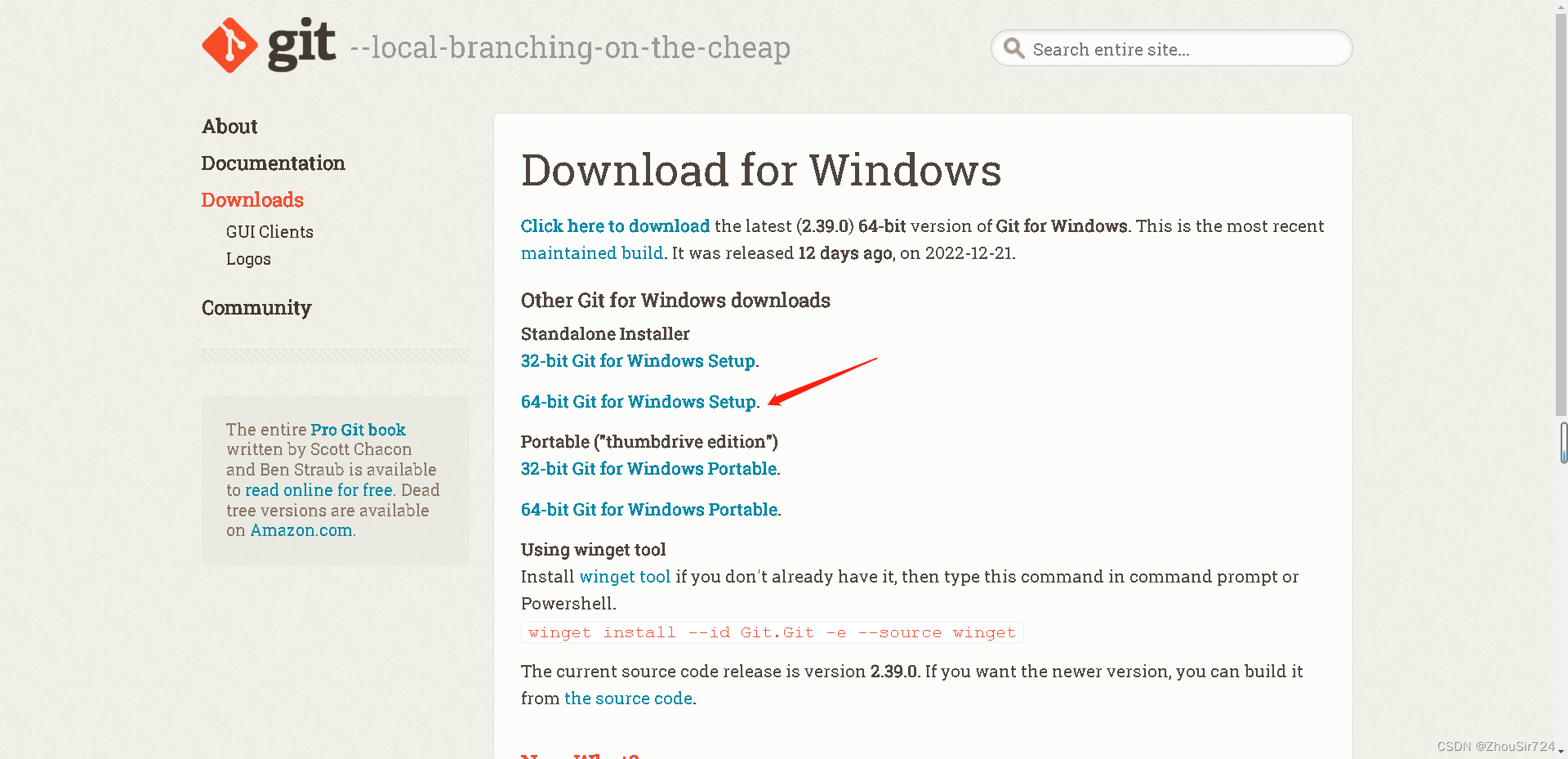
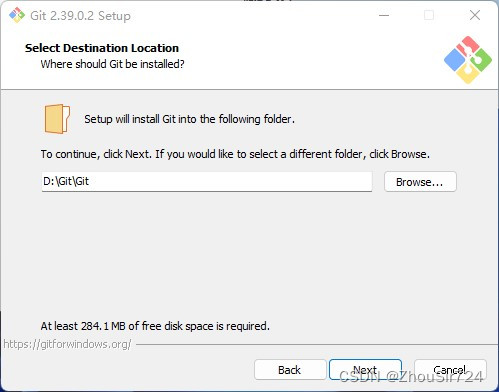
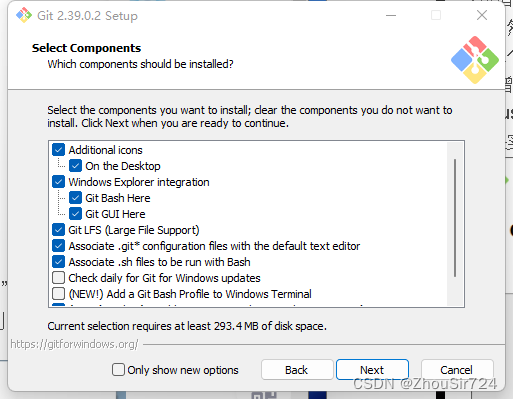
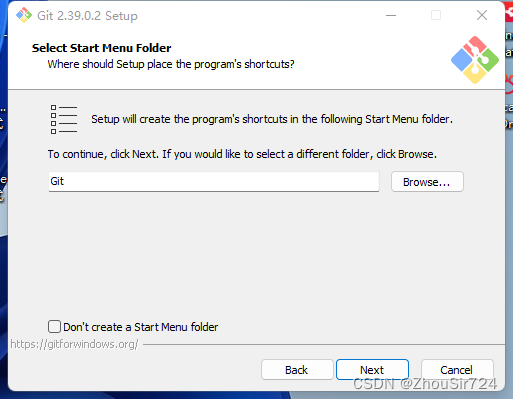
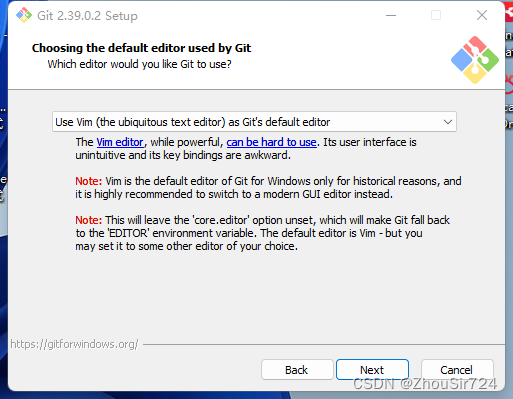
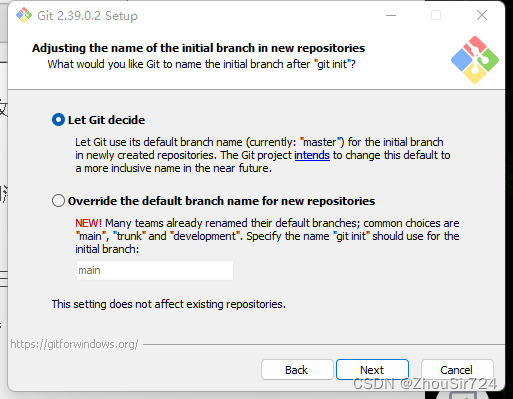
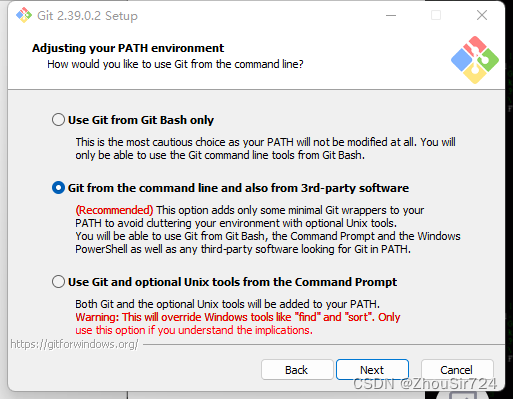
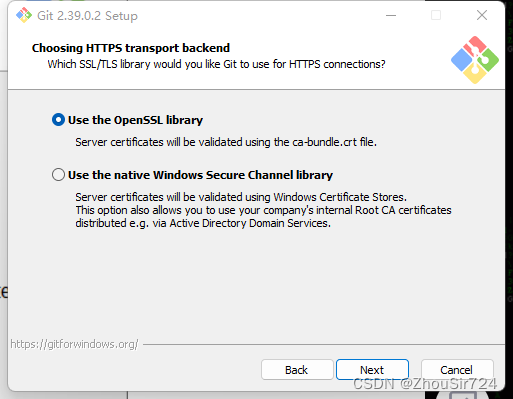
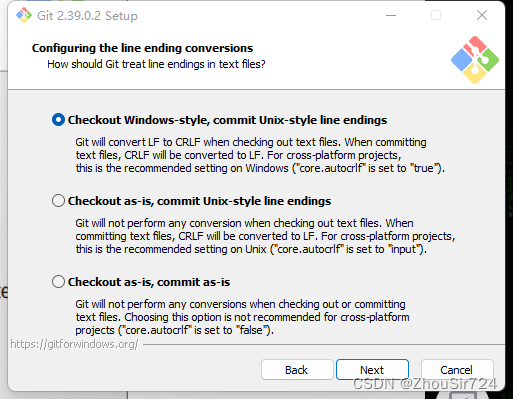
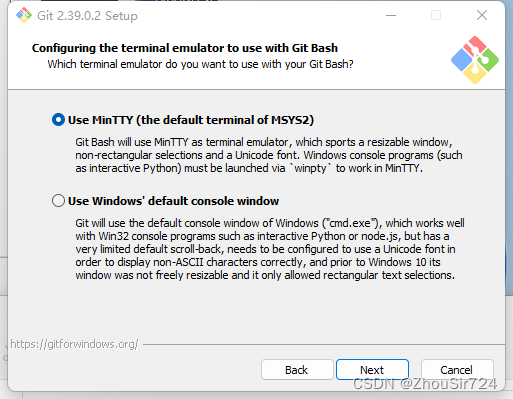
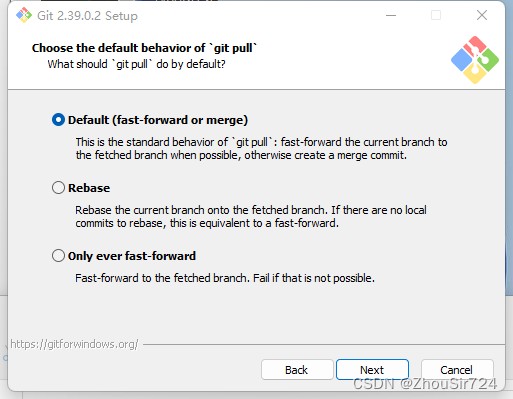
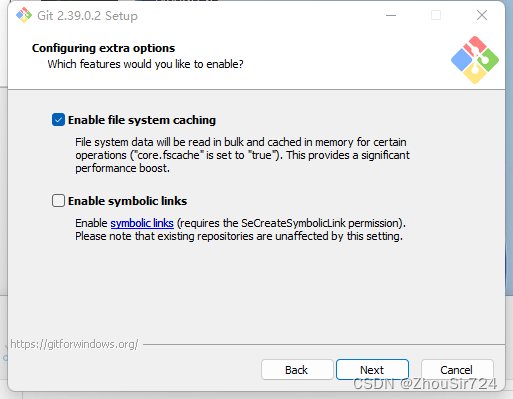
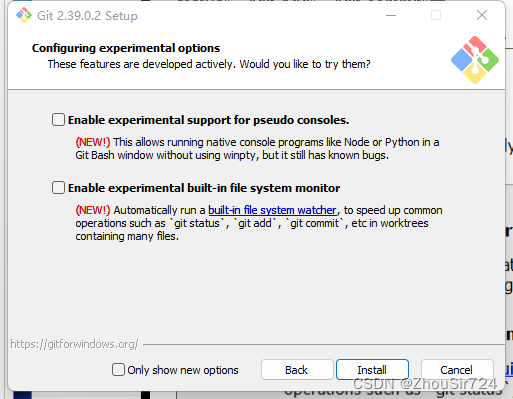
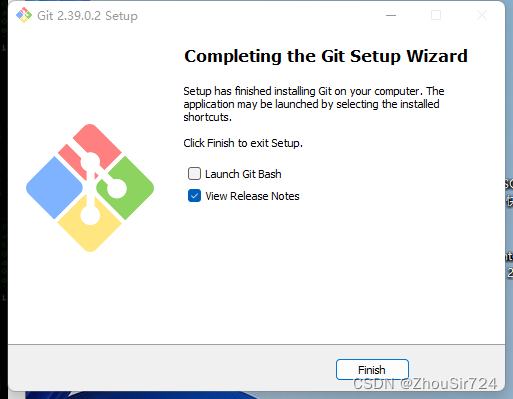
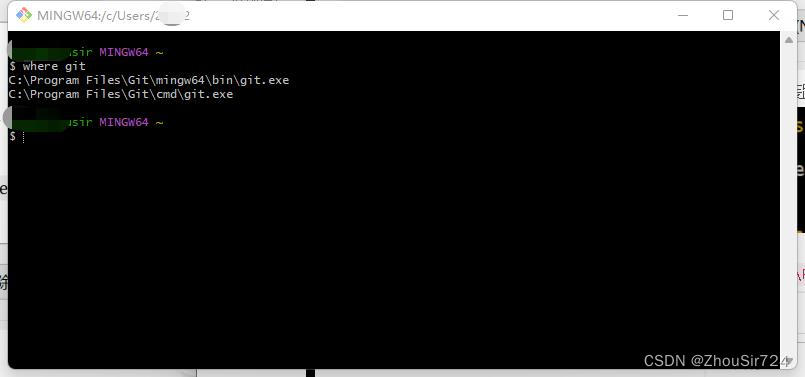
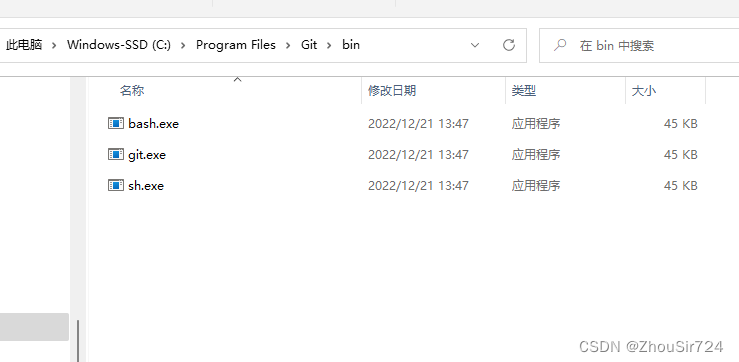
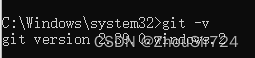
 本文详细介绍了如何在Windows上下载Git,包括从Git官网和镜像站点获取安装包,选择合适的版本(setup或portable),以及安装过程中的各个步骤,如安装路径选择、组件配置、编辑器设置、行尾转换选项等。最后,文章还提到了Git安装完成后本地环境的配置,包括添加Git到系统PATH环境变量中以确保能正常运行。
 https://git-scm.com/downloads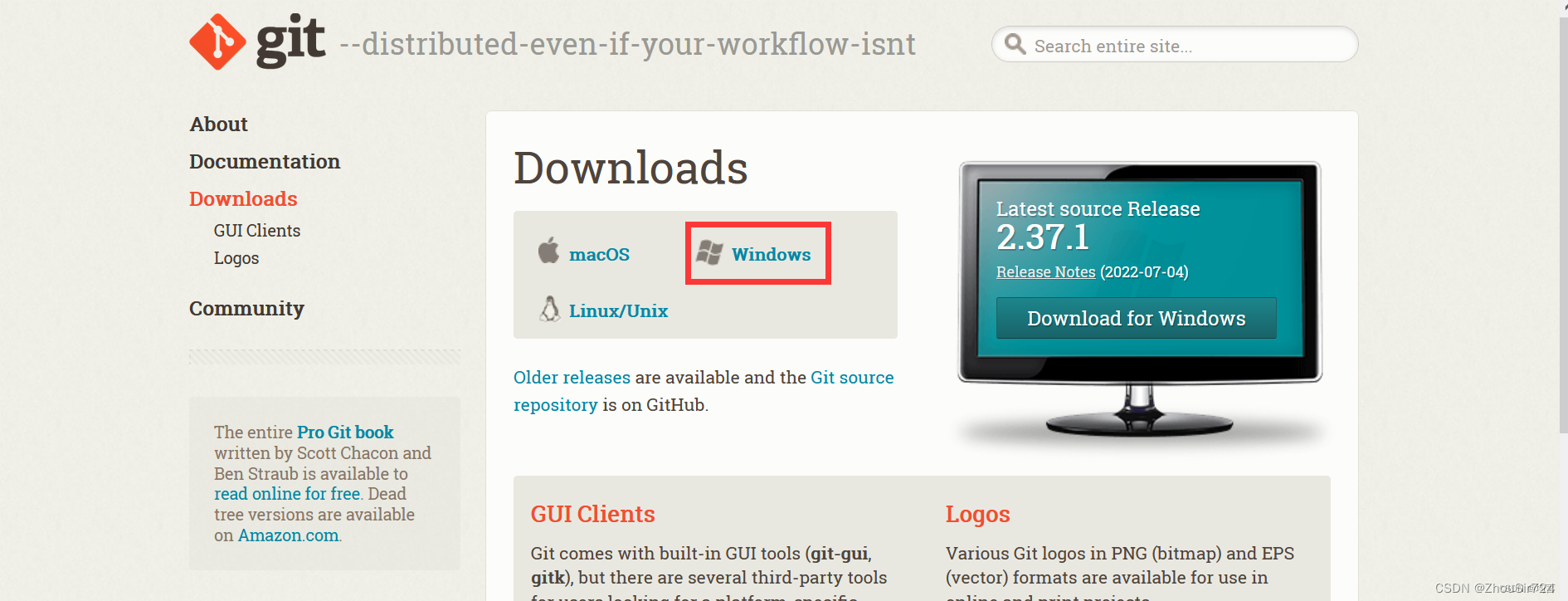










 扫一扫
扫一扫


 1830
1830


 到【灌水乐园】发言



