



1. 存储在外部 私有 存储空间
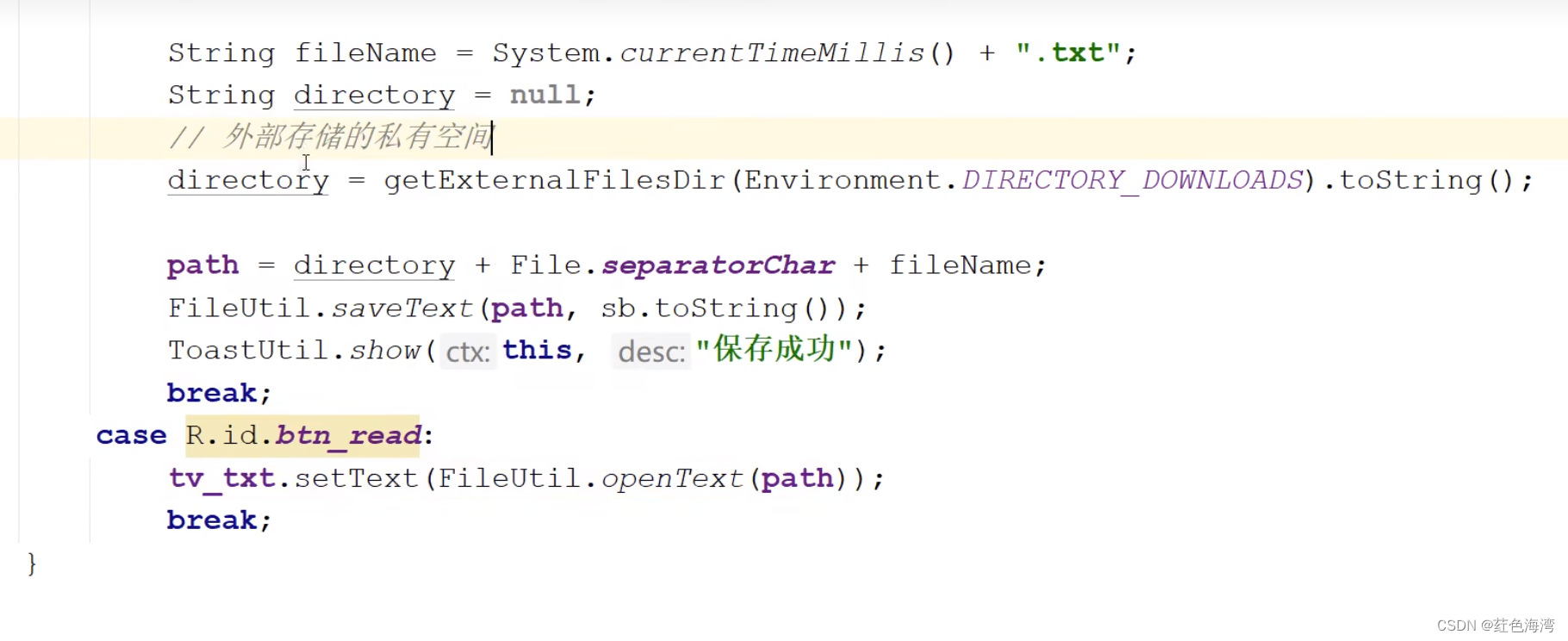

/storage/emulated/0/Android/data/com.tiger.chapter06/files/Download/1709636015824.txt
package com.tiger.chapter06;

import android.os.Bundle;
import android.os.Environment;
import android.util.Log;
import android.view.View;
import android.widget.CheckBox;
import android.widget.EditText;
import android.widget.TextView;

import androidx.appcompat.app.AppCompatActivity;


import com.tiger.chapter06.R;
import com.tiger.chapter06.utils.FileUtil;
import com.tiger.chapter06.utils.ToastUtlis;

import java.io.File;

public class  FileWriteActivity extends AppCompatActivity implements View.OnClickListener {

    private EditText et_name;
    private EditText et_age;
    private EditText et_height;
    private EditText et_weight;
    private CheckBox ck_married;
    private String path;
    private TextView tv_txt;

    @Override
    protected void onCreate(Bundle savedInstanceState) {
        super.onCreate(savedInstanceState);
        setContentView(R.layout.activity_file_write);
        et_name = findViewById(R.id.et_name);
        et_age = findViewById(R.id.et_age);
        et_height = findViewById(R.id.et_height);
        et_weight = findViewById(R.id.et_weight);
        ck_married = findViewById(R.id.ck_married);
        tv_txt = findViewById(R.id.tv_txt);

        findViewById(R.id.btn_save).setOnClickListener(this);
        findViewById(R.id.btn_read).setOnClickListener(this);
    }

    @Override
    public void onClick(View v) {
       if (v.getId()==R.id.btn_save) {
           String name = et_name.getText().toString();
           String age = et_age.getText().toString();
           String height = et_height.getText().toString();
           String weight = et_weight.getText().toString();

           StringBuilder sb = new StringBuilder();
           sb.append("姓名:").append(name);
           sb.append("\n年龄:").append(age);
           sb.append("\n身高:").append(height);
           sb.append("\n体重:").append(weight);
           sb.append("\n婚否:").append(ck_married.isChecked() ? "是" : "否");

           String fileName = System.currentTimeMillis() + ".txt";
           String directory = null;
           // 外部存储的私有空间
           directory = getExternalFilesDir(Environment.DIRECTORY_DOWNLOADS).toString();
           // 外部存储的公共空间
           //directory = Environment.getExternalStoragePublicDirectory(Environment.DIRECTORY_DOWNLOADS).toString();

           // 内部存储私有空间
//           directory = getFilesDir().toString();
           path = directory + File.separatorChar + fileName;
           Log.d("ning", path);
           FileUtil.saveText(path, sb.toString());
           ToastUtlis.show(this, "保存成功");
       }else {
           tv_txt.setText(FileUtil.openText(path));
       }


    }
}
<LinearLayout xmlns:android="http://schemas.android.com/apk/res/android"
    android:layout_width="match_parent"
    android:layout_height="match_parent"
    android:orientation="vertical"
    android:padding="5dp">

    <LinearLayout
        android:layout_width="match_parent"
        android:layout_height="40dp"
        android:orientation="horizontal">

        <TextView
            android:id="@+id/tv_name"
            android:layout_width="wrap_content"
            android:layout_height="match_parent"
            android:gravity="center"
            android:text="姓名:"
            android:textColor="@color/black"
            android:textSize="17sp" />

        <EditText
            android:id="@+id/et_name"
            android:layout_width="0dp"
            android:layout_height="match_parent"
            android:layout_marginTop="3dp"
            android:layout_marginBottom="3dp"
            android:layout_weight="1"
            android:background="@drawable/edit_select"
            android:hint="请输入姓名"
            android:inputType="text"
            android:maxLength="12"
            android:textColor="@color/black"
            android:textSize="17sp" />
    </LinearLayout>

    <LinearLayout
        android:layout_width="match_parent"
        android:layout_height="40dp"
        android:orientation="horizontal">

        <TextView
            android:id="@+id/tv_age"
            android:layout_width="wrap_content"
            android:layout_height="match_parent"
            android:gravity="center"
            android:text="年龄:"
            android:textColor="@color/black"
            android:textSize="17sp" />

        <EditText
            android:id="@+id/et_age"
            android:layout_width="0dp"
            android:layout_height="match_parent"
            android:layout_marginTop="3dp"
            android:layout_marginBottom="3dp"
            android:layout_weight="1"
            android:background="@drawable/edit_select"
            android:hint="请输入年龄"
            android:inputType="number"
            android:maxLength="2"
            android:textColor="@color/black"
            android:textSize="17sp" />
    </LinearLayout>

    <LinearLayout
        android:layout_width="match_parent"
        android:layout_height="40dp"
        android:orientation="horizontal">

        <TextView
            android:id="@+id/tv_height"
            android:layout_width="wrap_content"
            android:layout_height="match_parent"
            android:gravity="center"
            android:text="身高:"
            android:textColor="@color/black"
            android:textSize="17sp" />

        <EditText
            android:id="@+id/et_height"
            android:layout_width="0dp"
            android:layout_height="match_parent"
            android:layout_marginTop="3dp"
            android:layout_marginBottom="3dp"
            android:layout_weight="1"
            android:background="@drawable/edit_select"
            android:hint="请输入身高"
            android:inputType="number"
            android:maxLength="3"
            android:textColor="@color/black"
            android:textSize="17sp" />
    </LinearLayout>

    <LinearLayout
        android:layout_width="match_parent"
        android:layout_height="40dp"
        android:orientation="horizontal">

        <TextView
            android:id="@+id/tv_weight"
            android:layout_width="wrap_content"
            android:layout_height="match_parent"
            android:gravity="center"
            android:text="体重:"
            android:textColor="@color/black"
            android:textSize="17sp" />

        <EditText
            android:id="@+id/et_weight"
            android:layout_width="0dp"
            android:layout_height="match_parent"
            android:layout_marginTop="3dp"
            android:layout_marginBottom="3dp"
            android:layout_weight="1"
            android:background="@drawable/edit_select"
            android:hint="请输入体重"
            android:inputType="numberDecimal"
            android:maxLength="5"
            android:textColor="@color/black"
            android:textSize="17sp" />
    </LinearLayout>

    <CheckBox
        android:id="@+id/ck_married"
        android:layout_width="wrap_content"
        android:layout_height="wrap_content"
        android:checked="false"
        android:gravity="center"
        android:text="已婚"
        android:textColor="@color/black"
        android:textSize="17sp" />

    <Button
        android:id="@+id/btn_save"
        android:layout_width="match_parent"
        android:layout_height="wrap_content"
        android:text="保存"
        android:textColor="@color/black"
        android:textSize="17sp" />

    <Button
        android:id="@+id/btn_read"
        android:layout_width="match_parent"
        android:layout_height="wrap_content"
        android:text="读取"
        android:textColor="@color/black"
        android:textSize="17sp" />

    <TextView
        android:id="@+id/tv_txt"
        android:layout_width="match_parent"
        android:layout_height="wrap_content"
        android:textColor="@color/black"
        android:textSize="17sp" />

</LinearLayout>
2.外部存储公共空间
需要在清单文件加权限
<?xml version="1.0" encoding="utf-8"?>
<manifest xmlns:android="http://schemas.android.com/apk/res/android">

<!--添加外部存储权限-->
    <uses-permission android:name="android.permission.WRITE_EXTERNAL_STORAGE"/>
    <uses-permission android:name="android.permission.READ_EXTERNAL_STORAGE"/>


    <application
        android:allowBackup="true"
        android:icon="@mipmap/ic_launcher"
        android:label="@string/app_name"
        android:roundIcon="@mipmap/ic_launcher_round"
        android:supportsRtl="true"
        android:requestLegacyExternalStorage="true"
        android:theme="@style/Theme.MyApplication">


        <activity
            android:name=".FileWriteActivity"
            android:exported="true">
            <intent-filter>
                <action android:name="android.intent.action.MAIN" />
                <category android:name="android.intent.category.LAUNCHER" />
            </intent-filter>
        </activity>
    </application>

</manifest>
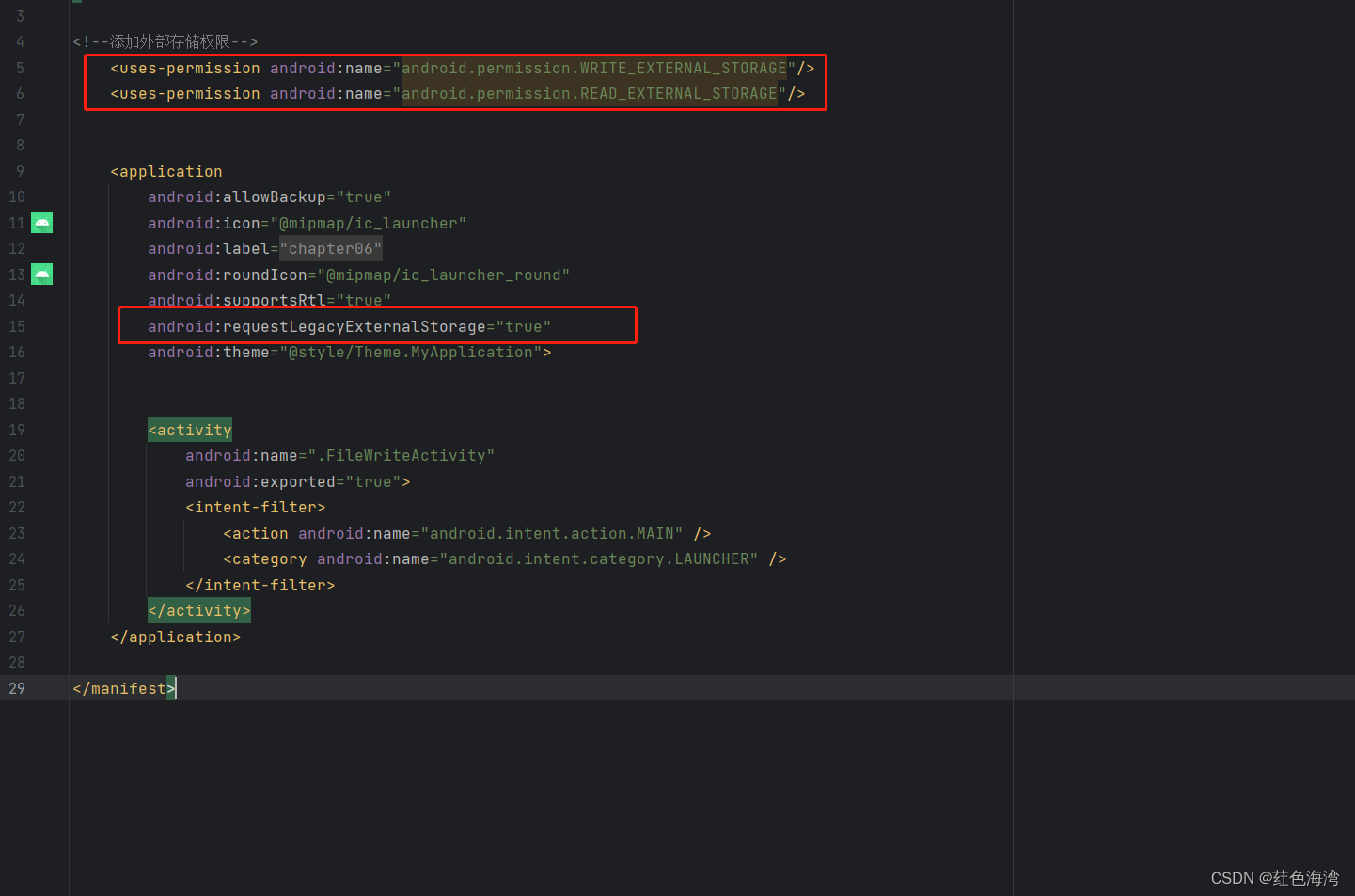
/storage/emulated/0/Download/1709636288561.txt
还需要手动开启 访问媒体权限 在手机上
下一章将会讲动态获取权限
3.内部存储私有空间
/data/user/0/com.tiger.chapter06/files/1709636611007.txt
4.文件工具类
package com.tiger.chapter06.utils;

import android.graphics.Bitmap;
import android.graphics.BitmapFactory;

import java.io.BufferedReader;
import java.io.BufferedWriter;
import java.io.File;
import java.io.FileInputStream;
import java.io.FileOutputStream;
import java.io.FileReader;
import java.io.FileWriter;
import java.io.IOException;

public class FileUtil {

    // 把字符串保存到指定路径的文本文件
    public static void saveText(String path, String txt) {
        BufferedWriter os = null;
        try {
            os = new BufferedWriter(new FileWriter(path));
            os.write(txt);
        } catch (Exception e) {
            e.printStackTrace();
        } finally {
            if (os != null) {
                try {
                    os.close();
                } catch (IOException e) {
                    e.printStackTrace();
                }
            }
        }
    }

    // 从指定路径的文本文件中读取内容字符串
    public static String openText(String path) {
        BufferedReader is = null;
        StringBuilder sb = new StringBuilder();
        try {
            is = new BufferedReader(new FileReader(path));
            String line = null;
            while ((line = is.readLine()) != null) {
                sb.append(line);
            }
        } catch (Exception e) {
            e.printStackTrace();
        } finally {
            if (is != null) {
                try {
                    is.close();
                } catch (IOException e) {
                    e.printStackTrace();
                }
            }
        }
        return sb.toString();
    }

    // 把位图数据保存到指定路径的图片文件
    public static void saveImage(String path, Bitmap bitmap) {
        FileOutputStream fos = null;
        try {
            fos = new FileOutputStream(path);
            // 把位图数据压缩到文件输出流中
            bitmap.compress(Bitmap.CompressFormat.JPEG, 100, fos);
        } catch (Exception e) {
            e.printStackTrace();
        } finally {
            if (fos != null) {
                try {
                    fos.close();
                } catch (IOException e) {
                    e.printStackTrace();
                }
            }
        }
    }

    // 从指定路径的图片文件中读取位图数据
    public static Bitmap openImage(String path) {
        Bitmap bitmap = null;
        FileInputStream fis = null;
        try {
            fis = new FileInputStream(path);
            bitmap = BitmapFactory.decodeStream(fis);
        } catch (Exception e) {
            e.printStackTrace();
        } finally {
            if (fis != null) {
                try {
                    fis.close();
                } catch (IOException e) {
                    e.printStackTrace();
                }
            }
        }
        return bitmap;
    }
}
5.存储卡上读写图片
package com.tiger.chapter06;

import androidx.appcompat.app.AppCompatActivity;

import android.graphics.Bitmap;
import android.graphics.BitmapFactory;
import android.net.Uri;
import android.os.Bundle;
import android.os.Environment;
import android.util.Log;
import android.view.View;
import android.widget.EditText;
import android.widget.ImageView;

import com.tiger.chapter06.utils.FileUtil;
import com.tiger.chapter06.utils.ToastUtlis;

import java.io.File;

public class ImageWriteActivity extends AppCompatActivity implements View.OnClickListener {
    private ImageView iv_content;
    private String path;

    @Override
    protected void onCreate(Bundle savedInstanceState) {
        super.onCreate(savedInstanceState);
        setContentView(R.layout.activity_image_write);
        iv_content = findViewById(R.id.iv_content);

        findViewById(R.id.btn_save).setOnClickListener(this);
        findViewById(R.id.btn_read).setOnClickListener(this);
    }


    @Override
    public void onClick(View v) {

        if (v.getId() == R.id.btn_save) {
            String fileName = System.currentTimeMillis() + ".png";
            //获取当前App的外部存储私有下载目录
            path = getExternalFilesDir(Environment.DIRECTORY_DOWNLOADS).toString() + "/" + fileName;

            Log.d("ning",path);

            //从指定的资源文件中获取位图对象
            Bitmap b1 = BitmapFactory.decodeResource(getResources(), R.drawable.apple);

            //把位图对象保存为图片文件
            FileUtil.saveImage(path,b1);

            ToastUtlis.show(this,"保存成功");

        } else {

//            Bitmap b2 = FileUtil.openImage(path);

//            Bitmap b2 = BitmapFactory.decodeFile(path);


            iv_content.setImageURI(Uri.parse(path));
//            iv_content.setImageBitmap(b2);

        }


    }
}





 扫一扫
扫一扫


 1816
1816

 被折叠的 条评论
为什么被折叠?
被折叠的 条评论
为什么被折叠?
 到【灌水乐园】发言





