



1.焦点变更监听器
<?xml version="1.0" encoding="utf-8"?>
<LinearLayout xmlns:android="http://schemas.android.com/apk/res/android"
    xmlns:app="http://schemas.android.com/apk/res-auto"
    xmlns:tools="http://schemas.android.com/tools"
    android:layout_width="match_parent"
    android:layout_height="match_parent"
    android:orientation="vertical"
    tools:context=".EditFocusActivity"
    android:padding="5dp">


    <EditText
        android:id="@+id/et_phone"
        android:layout_width="match_parent"
        android:layout_height="wrap_content"
        android:hint="请输入11位手机号码"
        android:inputType="text"
        android:maxLength="11"
        android:padding="6dp"
        android:layout_margin="5dp"
        android:background="@drawable/edit_select"/>

    <EditText
        android:id="@+id/et_password"
        android:layout_width="match_parent"
        android:layout_height="wrap_content"
        android:hint="请输入密码"
        android:padding="6dp"
        android:inputType="numberPassword"
        android:layout_margin="5dp"
        android:background="@drawable/edit_select"
        android:maxLength="11"/>


    <Button
        android:id="@+id/btn_login"
        android:layout_width="match_parent"
        android:layout_margin="5dp"
        android:layout_height="wrap_content"
        android:text="登录"/>


</LinearLayout>
package com.tiger.chapter05;

import androidx.appcompat.app.AppCompatActivity;

import android.os.Bundle;
import android.view.View;
import android.widget.EditText;
import android.widget.Toast;

public class EditFocusActivity extends AppCompatActivity implements View.OnFocusChangeListener {

    private EditText et_phone;
    private EditText et_password;

    @Override
    protected void onCreate(Bundle savedInstanceState) {
        super.onCreate(savedInstanceState);
        setContentView(R.layout.activity_edit_focus);

        et_phone = findViewById(R.id.et_phone);
        et_password = findViewById(R.id.et_password);

        et_password.setOnFocusChangeListener(this);
    }

    @Override
    public void onFocusChange(View v, boolean hasFocus) {
            if (hasFocus){
                String phone = et_phone.getText().toString();
                if (phone==null||phone.length()<11){
                    //手机号码编辑框请求焦点,也就是把光标移回手机号码编辑框
                    et_phone.requestFocus();
                    Toast.makeText(this,"请输入11位手机号码",Toast.LENGTH_SHORT).show();//short短时间小时

                }
            }
    }
}
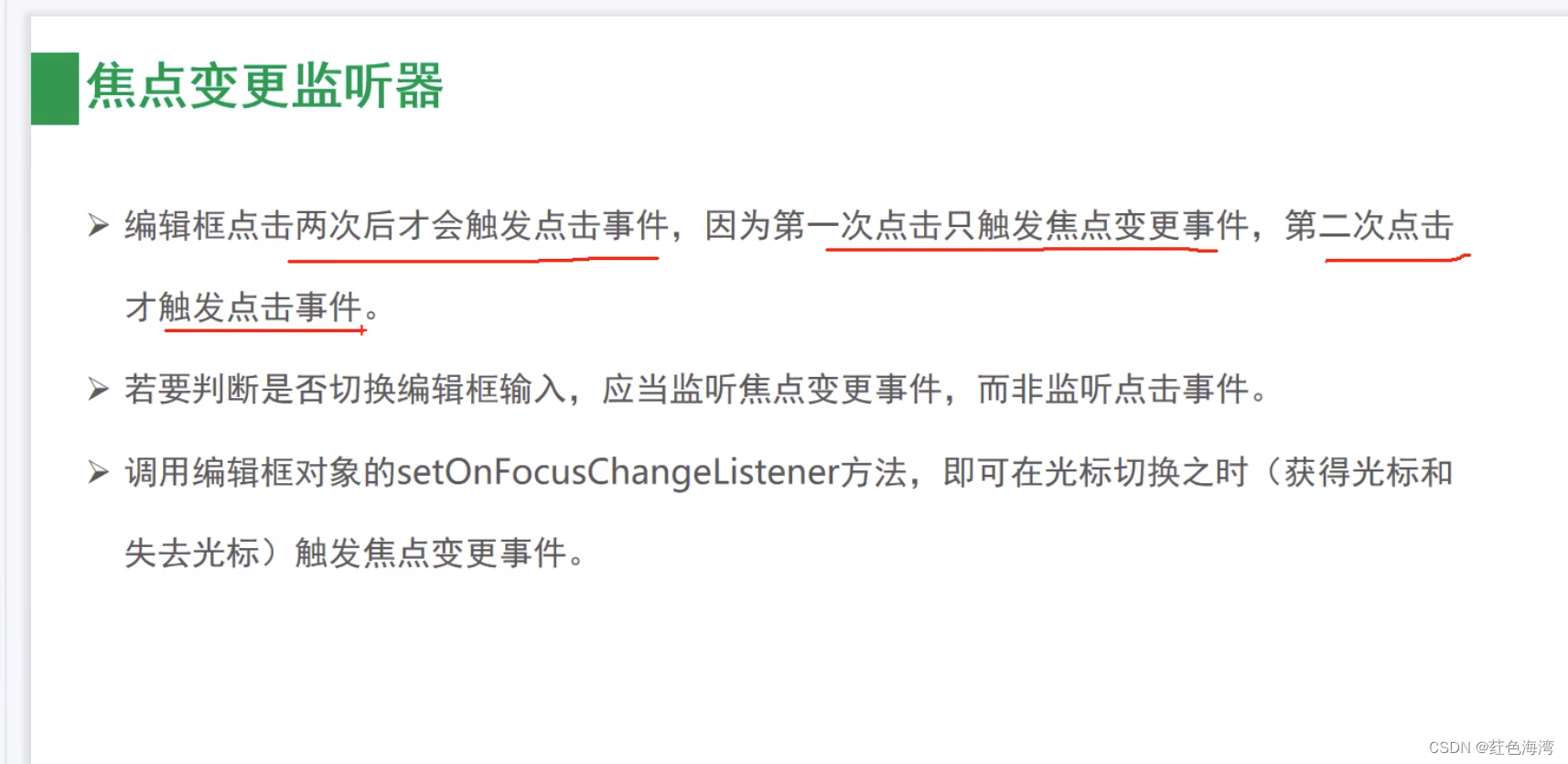
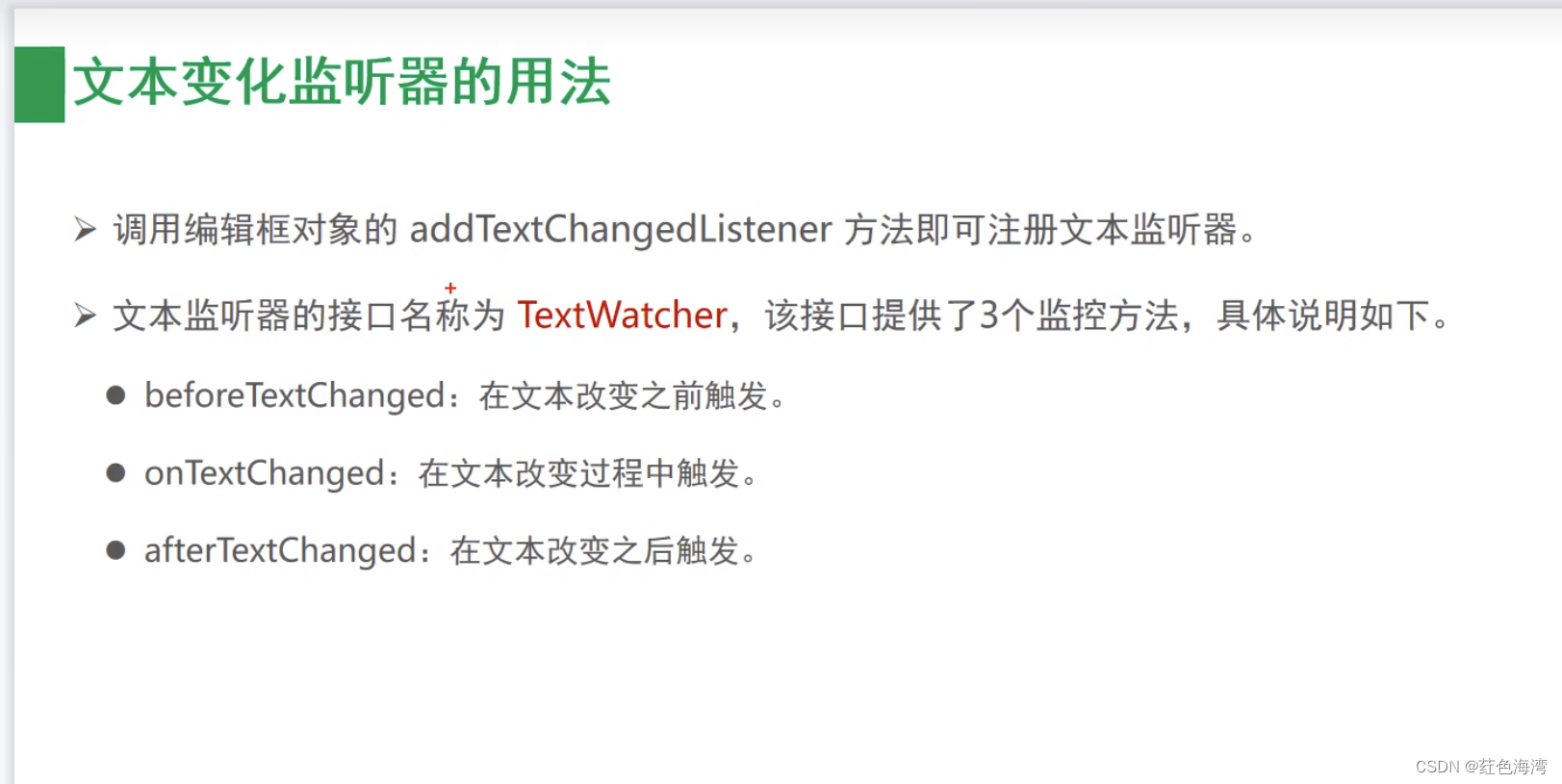
2.文本变化监听器
<?xml version="1.0" encoding="utf-8"?>
<LinearLayout xmlns:android="http://schemas.android.com/apk/res/android"
    xmlns:app="http://schemas.android.com/apk/res-auto"
    xmlns:tools="http://schemas.android.com/tools"
    android:layout_width="match_parent"
    android:layout_height="match_parent"
    android:orientation="vertical"
    android:padding="5dp"
    tools:context=".EditHideActivity">

    <EditText
        android:id="@+id/et_phone"
        android:layout_width="match_parent"
        android:layout_height="wrap_content"
        android:hint="输入11位时自动隐藏输入法"
        android:layout_margin="5dp"
        android:padding="5dp"
        android:background="@drawable/edit_select"
        android:inputType="text"
        android:maxLength="11"
        />

    <EditText
        android:id="@+id/et_password"
        android:layout_width="match_parent"
        android:layout_height="wrap_content"
        android:hint="输入6位自动隐藏输入法"
        android:layout_margin="5dp"
        android:padding="5dp"
        android:inputType="textPassword"
        android:background="@drawable/edit_select"
        android:maxLength="6"
        />


</LinearLayout>
package com.tiger.chapter05.util;

import android.app.Activity;
import android.content.Context;
import android.view.View;
import android.view.inputmethod.InputMethodManager;

public class ViewUtil {
    public static  void hideOneInputMethod(Activity act, View view){
        //从系统服务中获取输入法管理器
        InputMethodManager manager = (InputMethodManager) act.getSystemService(Context.INPUT_METHOD_SERVICE);
        //关闭屏幕上的输入法软键盘
        manager.hideSoftInputFromWindow(view.getWindowToken(), 0);

    }
}
package com.tiger.chapter05;

import androidx.appcompat.app.AppCompatActivity;

import android.os.Bundle;
import android.text.Editable;
import android.text.TextWatcher;
import android.view.View;
import android.widget.EditText;
import android.widget.ImageButton;

import com.tiger.chapter05.util.ViewUtil;

public class EditHideActivity extends AppCompatActivity {

    @Override
    protected void onCreate(Bundle savedInstanceState) {
        super.onCreate(savedInstanceState);
        setContentView(R.layout.activity_edit_hide);
        EditText et_phone = findViewById(R.id.et_phone);
        EditText et_password = findViewById(R.id.et_password);

        et_phone.addTextChangedListener(new HideTextWatcher(et_phone,11));
        et_password.addTextChangedListener(new HideTextWatcher(et_password,6));
    }

//内存泄漏
    private  class HideTextWatcher implements TextWatcher {
        private EditText mView;
        private Integer maxLength;

        public HideTextWatcher(EditText mView, Integer maxLength) {
            this.mView = mView;
            this.maxLength = maxLength;
        }

        @Override
        public void beforeTextChanged(CharSequence s, int start, int count, int after) {

        }

        @Override
        public void onTextChanged(CharSequence s, int start, int before, int count) {

        }

        @Override
        public void afterTextChanged(Editable s) {

            //获得已输入的文本字符串
            String str = s.toString();

            //输入文本达到11位 (如手机号码),或者达到6位 (如登录密码)时 关闭输入法

            if (str.length()== maxLength){
                ViewUtil.hideOneInputMethod(EditHideActivity.this,mView);
            }

        }
    }
}
3. 提醒对话框
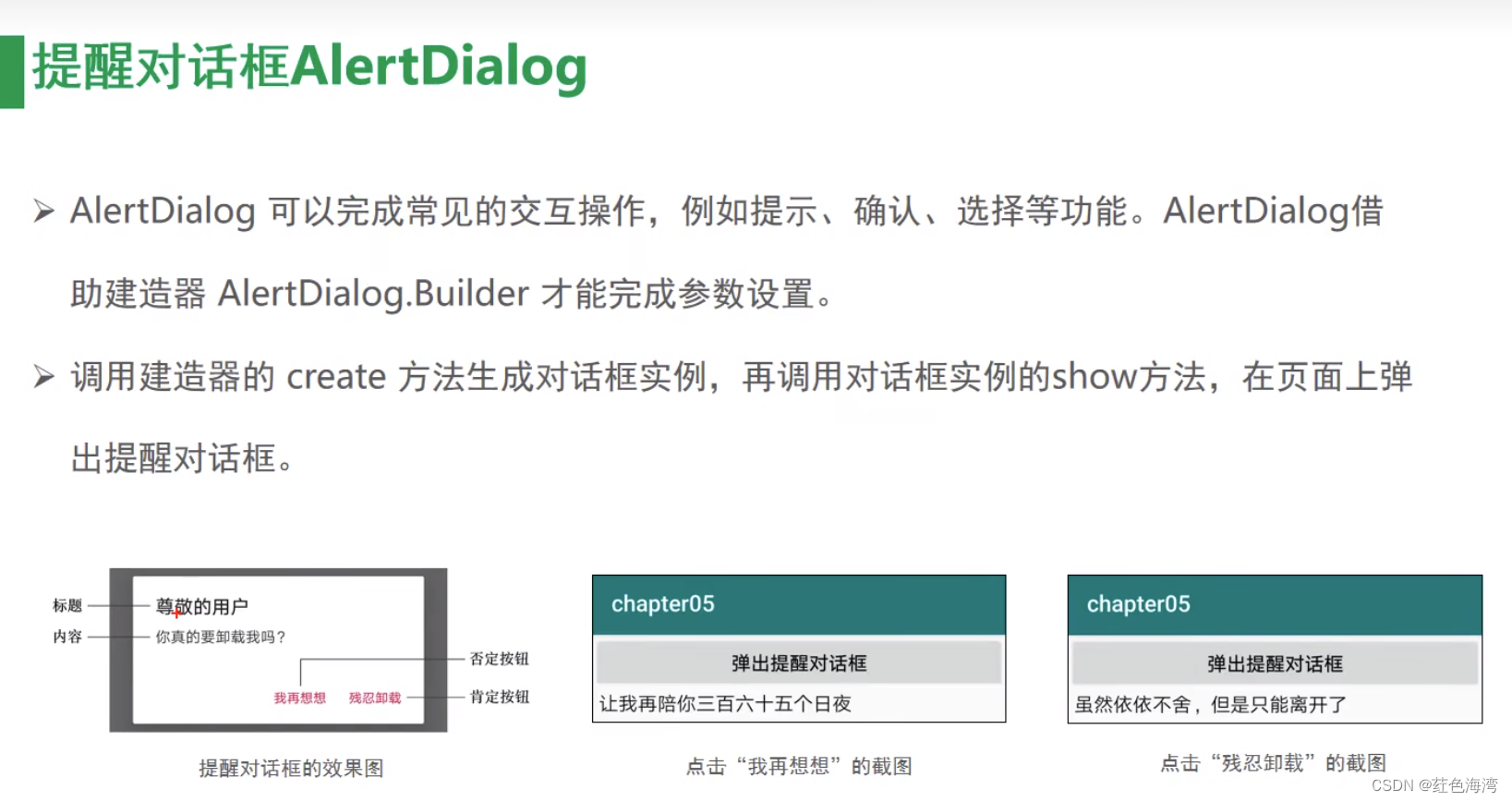
<?xml version="1.0" encoding="utf-8"?>
<LinearLayout xmlns:android="http://schemas.android.com/apk/res/android"
    xmlns:app="http://schemas.android.com/apk/res-auto"
    xmlns:tools="http://schemas.android.com/tools"
    android:layout_width="match_parent"
    android:layout_height="match_parent"
    android:orientation="vertical"
    android:padding="5dp"
    tools:context=".CheckBoxActivity">


    <Button
        android:id="@+id/btn_alert"
        android:layout_width="match_parent"
        android:layout_height="wrap_content"
        android:text="弹出提醒对话框" />

    <TextView
        android:id="@+id/tv_alert"
        android:layout_width="match_parent"
        android:layout_height="wrap_content"
        android:layout_marginTop="5dp" />


</LinearLayout>
package com.tiger.chapter05;

import androidx.appcompat.app.AlertDialog;
import androidx.appcompat.app.AppCompatActivity;

import android.content.DialogInterface;
import android.os.Bundle;
import android.view.View;
import android.widget.Button;
import android.widget.TextView;

public class AlertDialogActivity extends AppCompatActivity implements View.OnClickListener {

    private TextView tv_alert;

    @Override
    protected void onCreate(Bundle savedInstanceState) {
        super.onCreate(savedInstanceState);
        setContentView(R.layout.activity_alert_dialog);
        findViewById(R.id.btn_alert).setOnClickListener(this);
        tv_alert = findViewById(R.id.tv_alert);
    }

    @Override
    public void onClick(View v) {
        //创建提醒对话框的建造器
        //这个Builder是个静态内部类
        AlertDialog.Builder builder = new AlertDialog.Builder(this)//将上下文放进去
                .setTitle("尊敬的用户")//设置对话框的标题文本
                .setMessage("你真的要卸载我吗?")//设置对话框的内容文本
                .setPositiveButton("残忍卸载", new DialogInterface.OnClickListener() {
                    @Override
                    public void onClick(DialogInterface dialog, int which) {
                        tv_alert.setText("虽然依依不舍,但是只能离开了");
                    }
                })//设置对话框的肯定按钮文本及其点击监听器
                .setNegativeButton("我再想想", new DialogInterface.OnClickListener() {
                    @Override
                    public void onClick(DialogInterface dialog, int which) {
                        tv_alert.setText("让我再陪你三百六十五个日夜");
                    }
                });//设置对话框的否定按钮文本及其点击监听器

        //根据建造起创建提醒对话框对象
        AlertDialog alertDialog = builder.create();
        //显示提醒对话框
        alertDialog.show();


    }
}
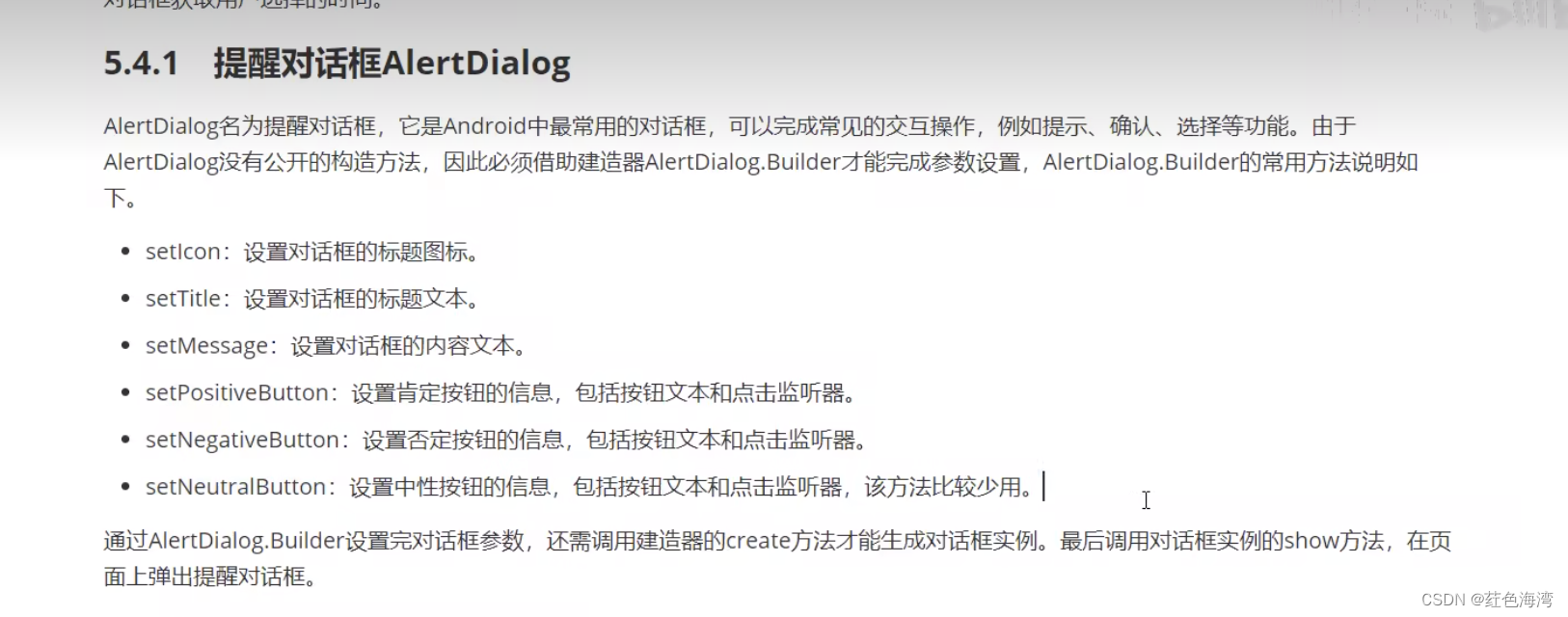
4.日期对话框
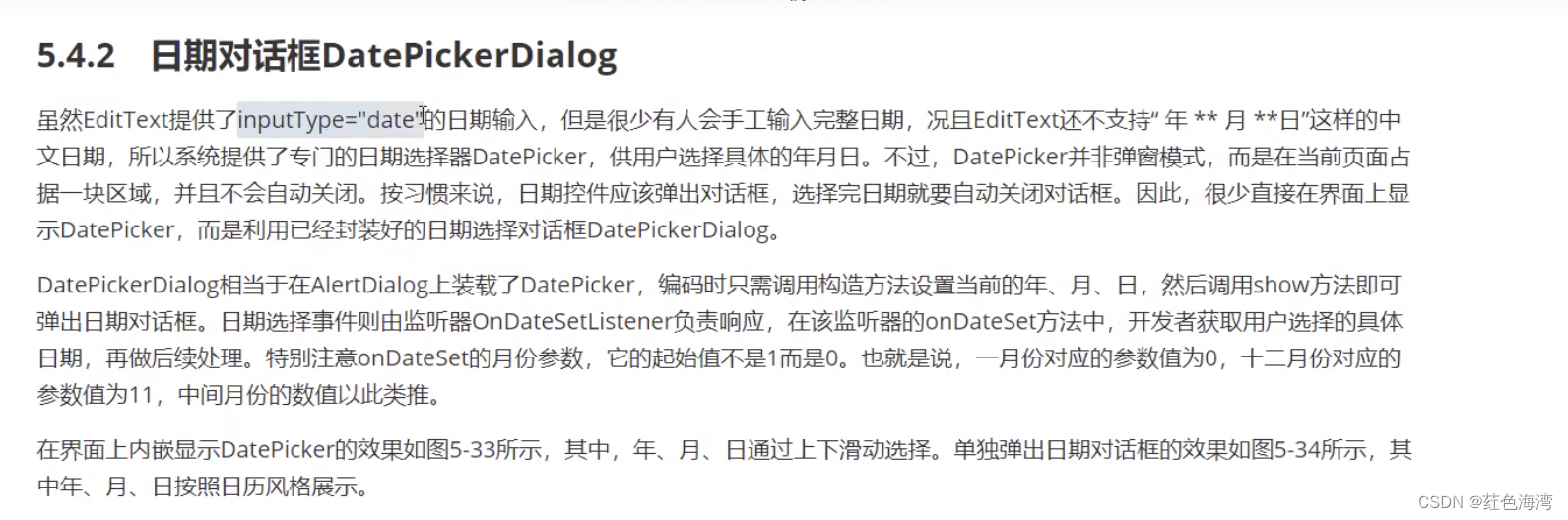
<?xml version="1.0" encoding="utf-8"?>
<LinearLayout xmlns:android="http://schemas.android.com/apk/res/android"
    xmlns:app="http://schemas.android.com/apk/res-auto"
    xmlns:tools="http://schemas.android.com/tools"
    android:layout_width="match_parent"
    android:layout_height="match_parent"
    android:orientation="vertical"
    android:padding="5dp"
    tools:context=".DatePickerActivity">

    <ScrollView
        android:layout_width="match_parent"
        android:layout_height="wrap_content">

        <LinearLayout
            android:layout_width="match_parent"
            android:layout_height="wrap_content"
            android:orientation="vertical">

            <DatePicker
                android:id="@+id/dp_date1"
                android:layout_width="match_parent"
                android:layout_height="wrap_content"
                android:datePickerMode="spinner"
                android:calendarViewShown="false"/>

            <LinearLayout
                android:layout_width="match_parent"
                android:layout_height="wrap_content"
                android:gravity="center">
                <DatePicker
                    android:id="@+id/dp_date2"
                    android:layout_width="wrap_content"
                    android:layout_height="wrap_content"
                    android:datePickerMode="calendar"
                    />
            </LinearLayout>

            <Button
                android:id="@+id/btn_ok"
                android:layout_width="match_parent"
                android:layout_height="wrap_content"
                android:text="确定" />


            <TextView
                android:id="@+id/tv_date"
                android:layout_width="match_parent"
                android:layout_height="wrap_content"/>


            <Button
                android:id="@+id/btn_date"
                android:layout_width="match_parent"
                android:layout_height="wrap_content"
                android:text="弹出日期对话框" />


        </LinearLayout>


    </ScrollView>


</LinearLayout>
package com.tiger.chapter05;

import androidx.appcompat.app.AppCompatActivity;

import android.os.Bundle;
import android.view.View;
import android.widget.Button;
import android.widget.DatePicker;
import android.widget.TextView;

public class DatePickerActivity extends AppCompatActivity implements View.OnClickListener {

    private DatePicker dp_date1;
    private DatePicker dp_date2;

    private TextView viewById;

    private Button button;

    @Override
    protected void onCreate(Bundle savedInstanceState) {
        super.onCreate(savedInstanceState);
        setContentView(R.layout.activity_date_picker);
        findViewById(R.id.btn_ok).setOnClickListener(this);
        dp_date1 = findViewById(R.id.dp_date1);
        dp_date2 = findViewById(R.id.dp_date2);
        viewById = findViewById(R.id.tv_date);
        button = findViewById(R.id.btn_date);


    }

    @Override
    public void onClick(View v) {
        if (v.getId() == R.id.btn_ok) {
            //月份 是0开始 所以加一
            String desc = String.format("您选择的日期是 %d年%d月%d日", dp_date1.getYear(), dp_date1.getMonth()+1, dp_date1.getDayOfMonth())+"\n";
            String desc2 = String.format("您选择的日期是 %d年%d月%d日", dp_date2.getYear(), dp_date2.getMonth()+1, dp_date2.getDayOfMonth());
        String result = desc+desc2;

        viewById.setText(result);


        }else {

        }


    }
}
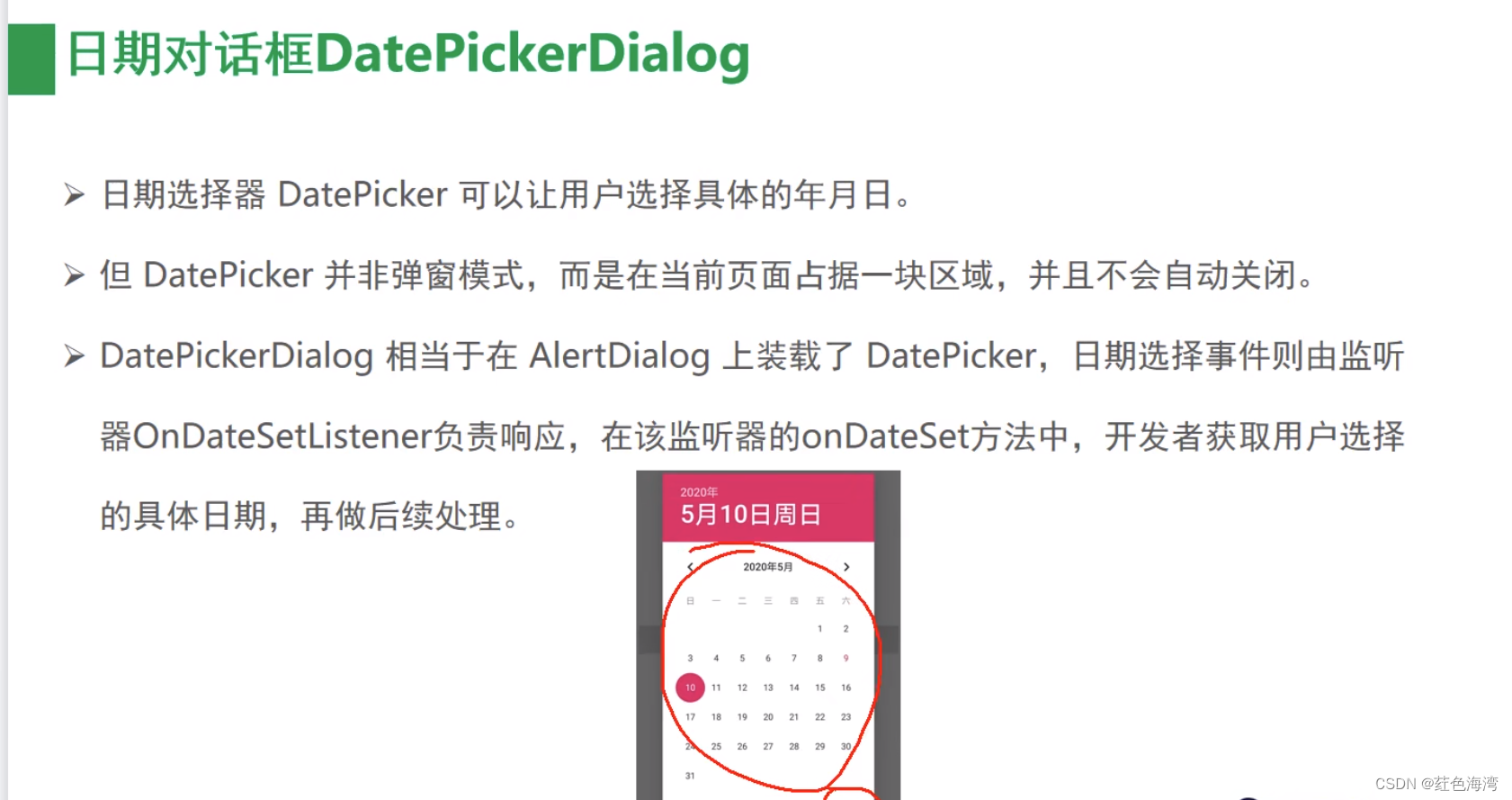
package com.tiger.chapter05;

import androidx.appcompat.app.AppCompatActivity;

import android.app.DatePickerDialog;
import android.os.Bundle;
import android.view.View;
import android.widget.Button;
import android.widget.DatePicker;
import android.widget.TextView;

import java.util.Calendar;

public class DatePickerActivity extends AppCompatActivity implements View.OnClickListener, DatePickerDialog.OnDateSetListener {

    private DatePicker dp_date1;
    private DatePicker dp_date2;

    private TextView viewById;

    private Button button;

    @Override
    protected void onCreate(Bundle savedInstanceState) {
        super.onCreate(savedInstanceState);
        setContentView(R.layout.activity_date_picker);
        findViewById(R.id.btn_ok).setOnClickListener(this);
        dp_date1 = findViewById(R.id.dp_date1);
        dp_date2 = findViewById(R.id.dp_date2);
        viewById = findViewById(R.id.tv_date);
        button = findViewById(R.id.btn_date);

        button.setOnClickListener(this);
    }

    @Override
    public void onClick(View v) {
        if (v.getId() == R.id.btn_ok) {
            //月份 是0开始 所以加一
            String desc = String.format("您选择的日期是 %d年%d月%d日", dp_date1.getYear(), dp_date1.getMonth() + 1, dp_date1.getDayOfMonth()) + "\n";
            String desc2 = String.format("您选择的日期是 %d年%d月%d日", dp_date2.getYear(), dp_date2.getMonth() + 1, dp_date2.getDayOfMonth());
            String result = desc + desc2;

            viewById.setText(result);


        } else {
            //获取日历的一个实例 ,里面包含了当前的年月日
            Calendar instance = Calendar.getInstance();
            int year = instance.get(Calendar.YEAR);
            int month = instance.get(Calendar.MONTH);
            int day = instance.get(Calendar.DATE);
            //不用减1
            DatePickerDialog datePickerDialog = new DatePickerDialog(this, this, year, month, day);
            //显示日期对话框
            datePickerDialog.show();

        }


    }

    @Override
    public void onDateSet(DatePicker view, int year, int month, int dayOfMonth) {
        String result = String.format("您选择的日期是 %d年%d月%d日", year, month + 1, dayOfMonth);
        viewById.setText(result);
    }
}
<?xml version="1.0" encoding="utf-8"?>
<LinearLayout xmlns:android="http://schemas.android.com/apk/res/android"
    xmlns:app="http://schemas.android.com/apk/res-auto"
    xmlns:tools="http://schemas.android.com/tools"
    android:layout_width="match_parent"
    android:layout_height="match_parent"
    android:orientation="vertical"
    android:padding="5dp"
    tools:context=".DatePickerActivity">

    <ScrollView
        android:layout_width="match_parent"
        android:layout_height="wrap_content">

        <LinearLayout
            android:layout_width="match_parent"
            android:layout_height="wrap_content"
            android:orientation="vertical">

            <DatePicker
                android:id="@+id/dp_date1"
                android:layout_width="match_parent"
                android:layout_height="wrap_content"
                android:calendarViewShown="false"
                android:datePickerMode="spinner" />

            <LinearLayout
                android:layout_width="match_parent"
                android:layout_height="wrap_content"
                android:gravity="center">

                <DatePicker
                    android:id="@+id/dp_date2"
                    android:layout_width="wrap_content"
                    android:layout_height="wrap_content"
                    android:datePickerMode="calendar" />
            </LinearLayout>

            <Button
                android:id="@+id/btn_ok"
                android:layout_width="match_parent"
                android:layout_height="wrap_content"
                android:text="确定" />


            <TextView
                android:id="@+id/tv_date"
                android:layout_width="match_parent"
                android:layout_height="wrap_content" />


            <Button
                android:id="@+id/btn_date"
                android:layout_width="match_parent"
                android:layout_height="wrap_content"
                android:text="弹出日期对话框" />


        </LinearLayout>


    </ScrollView>


</LinearLayout>
TimePicker&TimePickerDialog
TimePicker 有两种 clock spinner
<?xml version="1.0" encoding="utf-8"?>
<LinearLayout xmlns:android="http://schemas.android.com/apk/res/android"
    xmlns:app="http://schemas.android.com/apk/res-auto"
    xmlns:tools="http://schemas.android.com/tools"
    android:layout_width="match_parent"
    android:layout_height="match_parent"
    android:orientation="vertical"
    tools:context=".TimePickerActivity">


    <Button
        android:id="@+id/btn_time"
        android:layout_width="match_parent"
        android:layout_height="wrap_content"
        android:text="请选择时间" />

    <TimePicker
        android:id="@+id/tp_date"
        android:layout_width="match_parent"
        android:layout_height="wrap_content"
        android:timePickerMode="spinner" />


    <TextView
        android:id="@+id/tv_date"
        android:layout_width="match_parent"
        android:layout_height="wrap_content" />
    <Button
        android:id="@+id/btn_d"
        android:layout_width="match_parent"
        android:layout_height="wrap_content"
        android:text="时间对话框" />

</LinearLayout>
package com.tiger.chapter05;

import androidx.appcompat.app.AppCompatActivity;

import android.app.AlertDialog;
import android.app.TimePickerDialog;
import android.os.Bundle;
import android.view.View;
import android.widget.TextView;
import android.widget.TimePicker;

public class TimePickerActivity extends AppCompatActivity implements View.OnClickListener, TimePickerDialog.OnTimeSetListener {

    private TimePicker timePicker;
    private TextView textView;

    @Override
    protected void onCreate(Bundle savedInstanceState) {
        super.onCreate(savedInstanceState);
        setContentView(R.layout.activity_time_picker);

        findViewById(R.id.btn_time).setOnClickListener(this);
        findViewById(R.id.btn_d).setOnClickListener(this);
        timePicker = findViewById(R.id.tp_date);
        timePicker.setIs24HourView(true);
        textView = findViewById(R.id.tv_date);
    }


    @Override
    public void onClick(View v) {
            if (v.getId() ==R.id.btn_time ){
                String desc2 = String.format("您选择的时间是 %d:%d", timePicker.getHour(), timePicker.getMinute() );
                textView.setText(desc2);
            }else {
                //构建一个时间对话框,该对话框已经集成了时间选择器
                TimePickerDialog timePickerDialog = new TimePickerDialog(this, AlertDialog.THEME_HOLO_LIGHT,this, 21, 12, true);
                timePickerDialog.show();
            }
    }

    @Override
    public void onTimeSet(TimePicker view, int hourOfDay, int minute) {
        String desc2 = String.format("您选择的时间是 %d:%d", hourOfDay, minute );
        textView.setText(desc2);
    }
}





 扫一扫
扫一扫


 1004
1004

 被折叠的 条评论
为什么被折叠?
被折叠的 条评论
为什么被折叠?
 到【灌水乐园】发言





