



目录
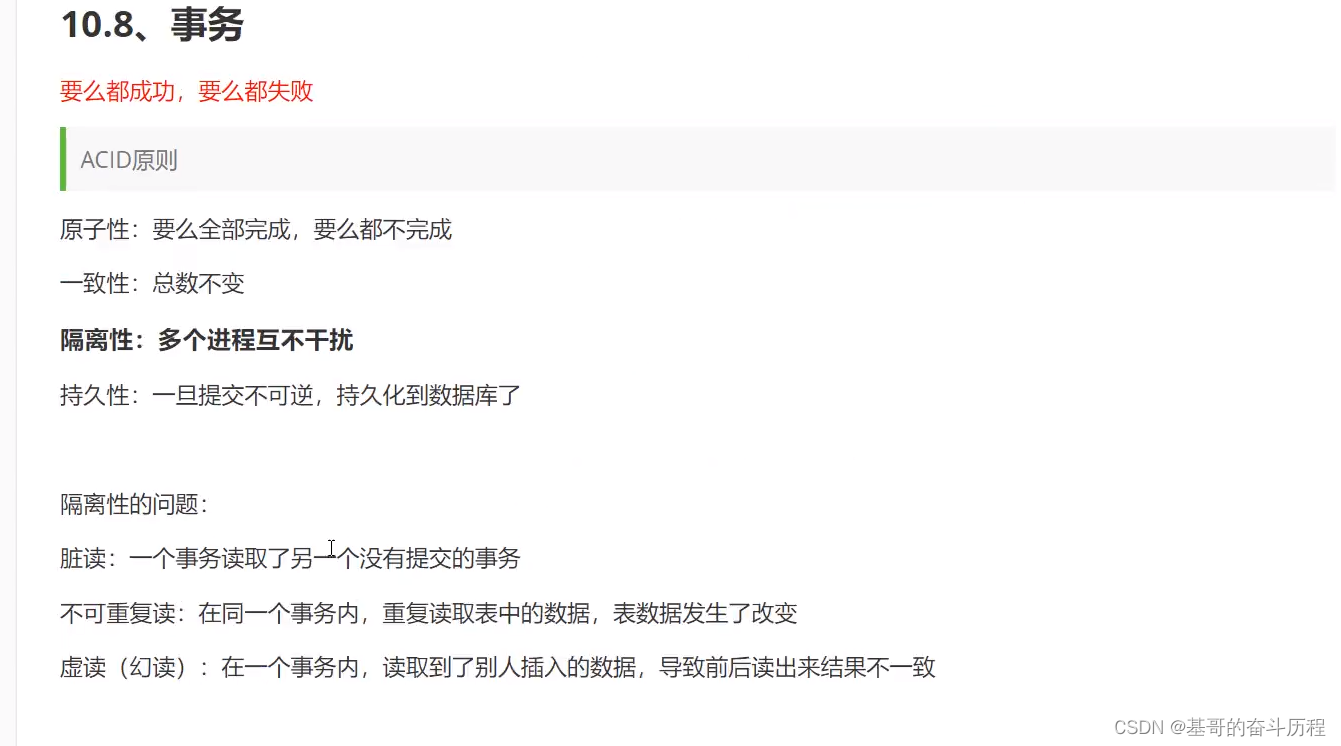
事务
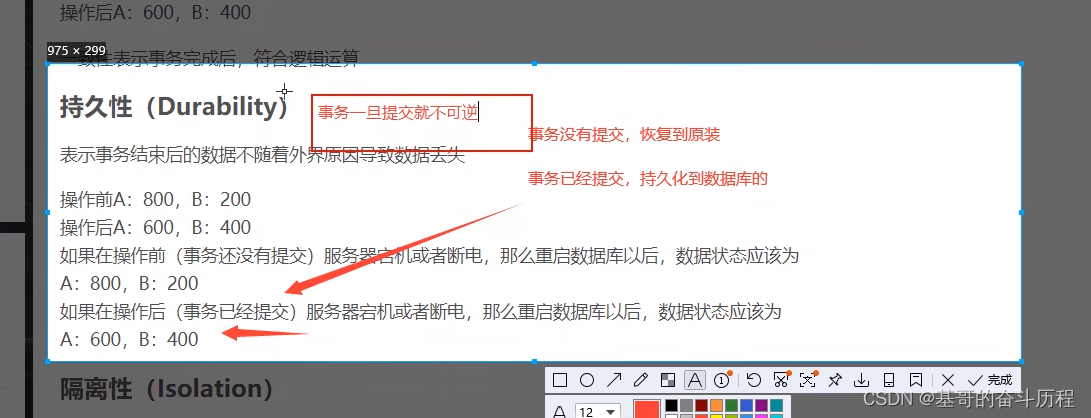
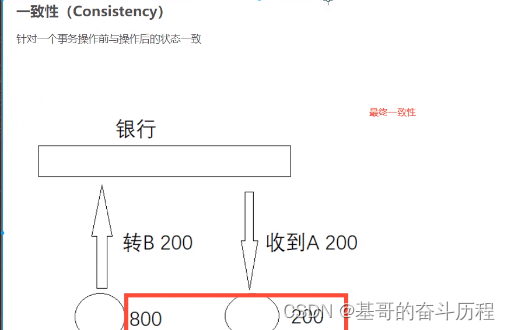
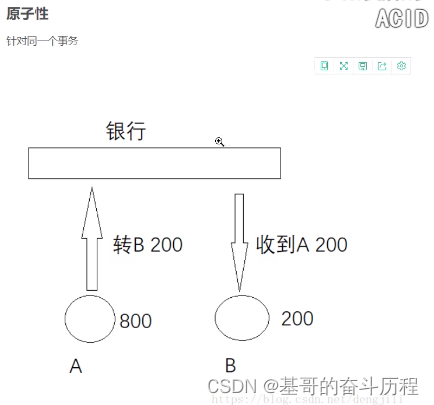
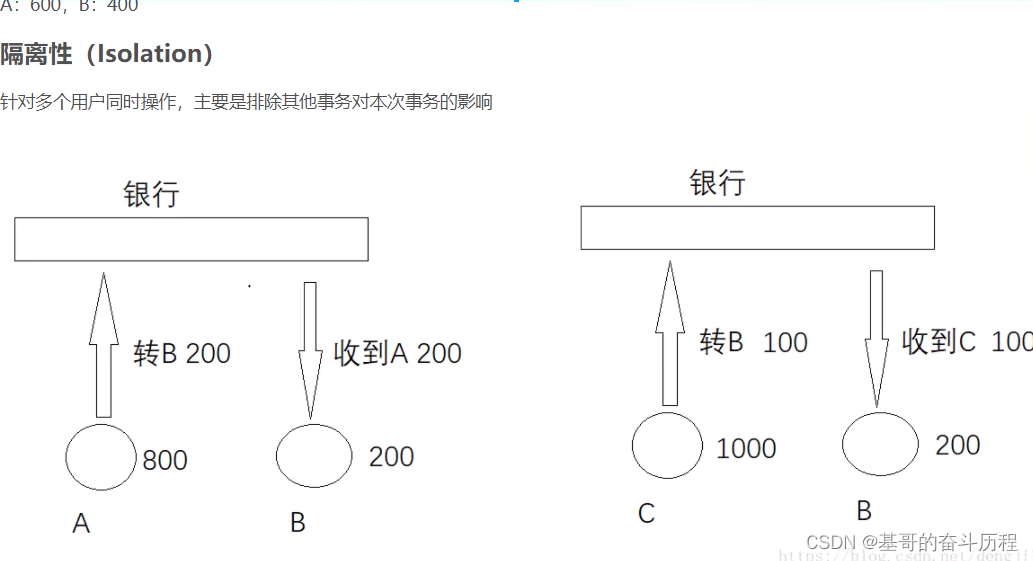
事务操作
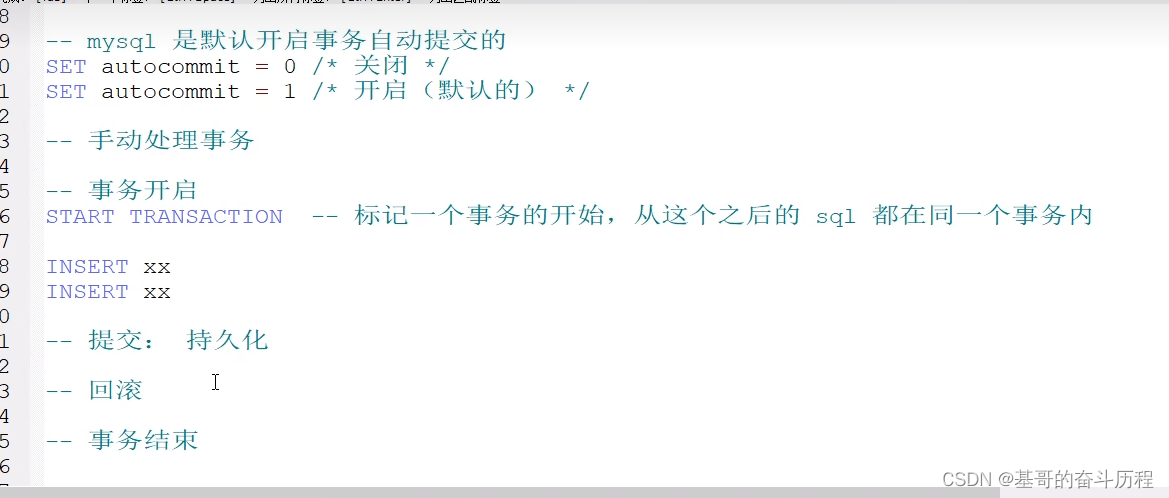
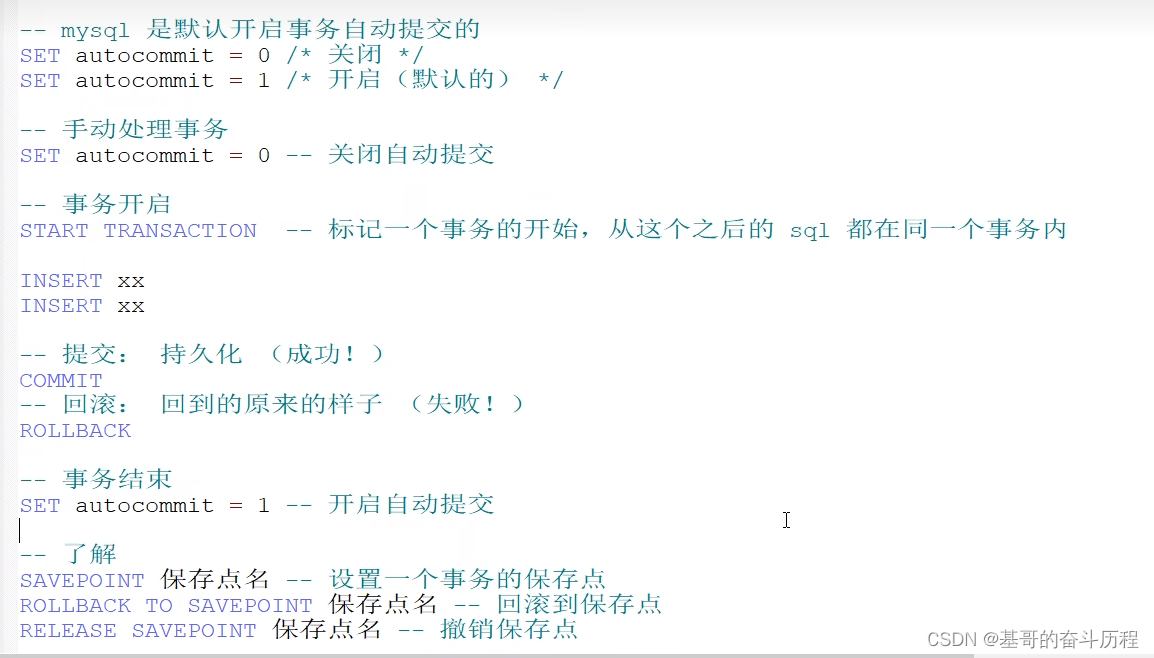
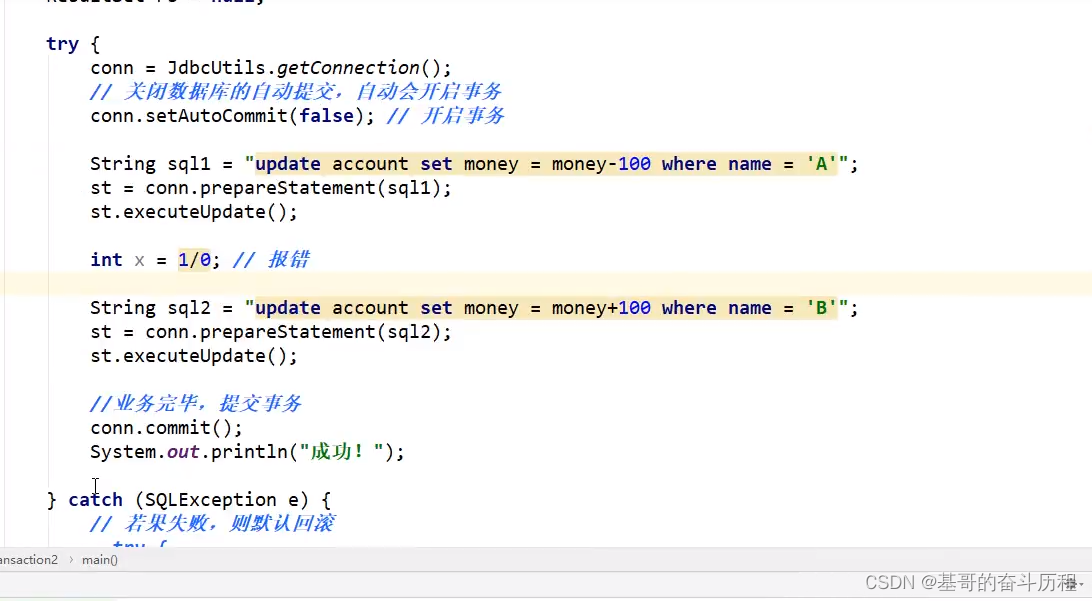
--模拟转账:事务
SET autocommit = 0;--关闭自动提交
START TRANSACTION --开启事务(一组事务)
UPDATE account SET money=money-100 WHERE `name`='A' --A少100
UPDATE account SET money=money+500 WHERE `name`='B' --B加500
COMMIT; --提交事务
ROLLBACK; --如果失败回滚
SET autocommit = 1;--开启自动提交
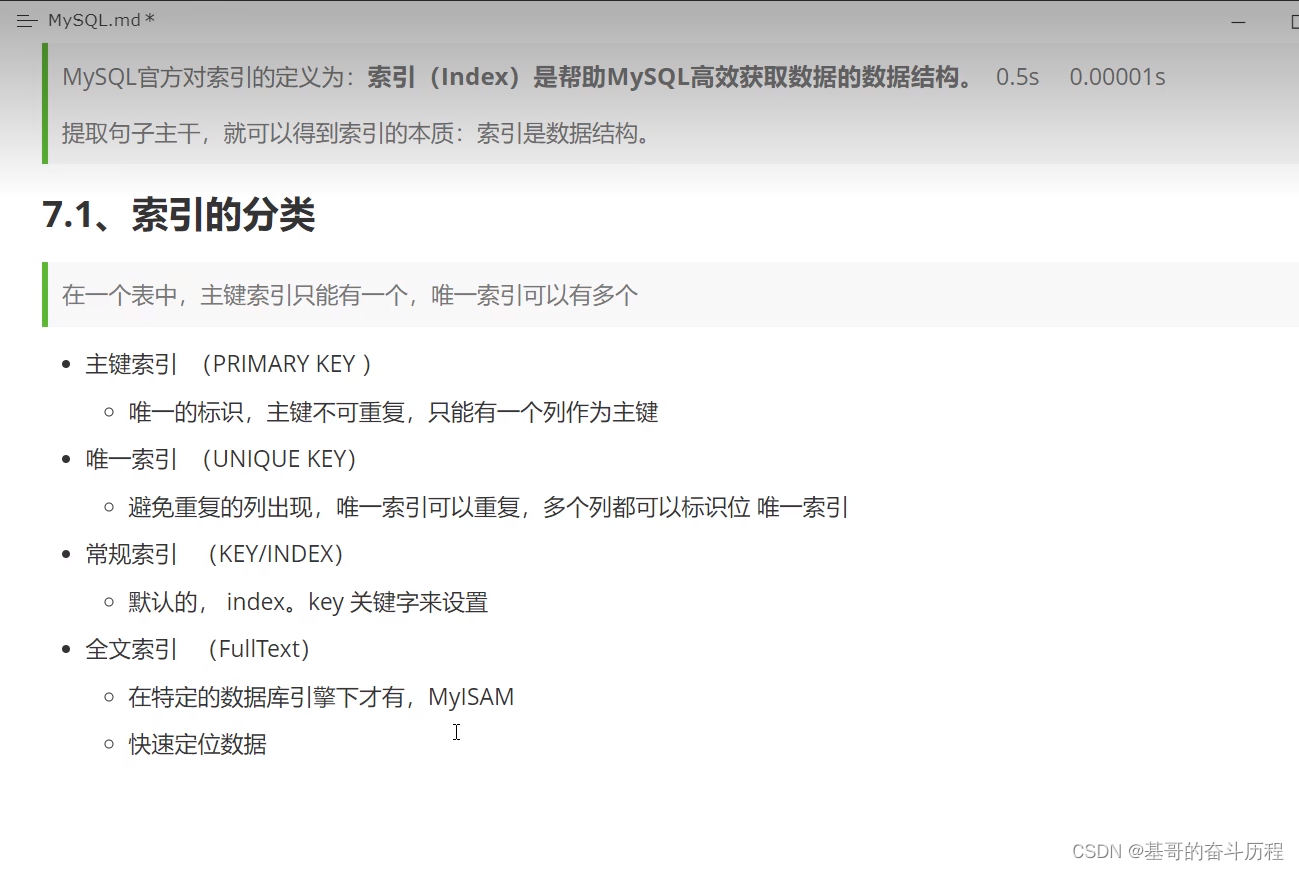
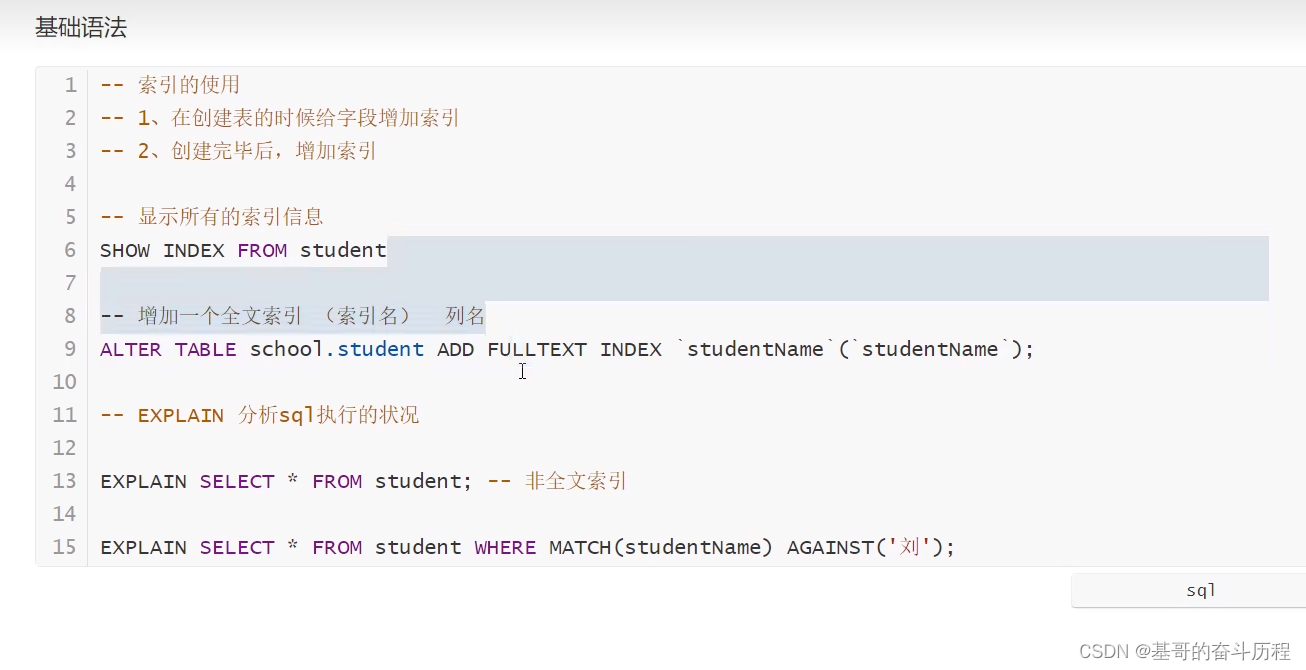
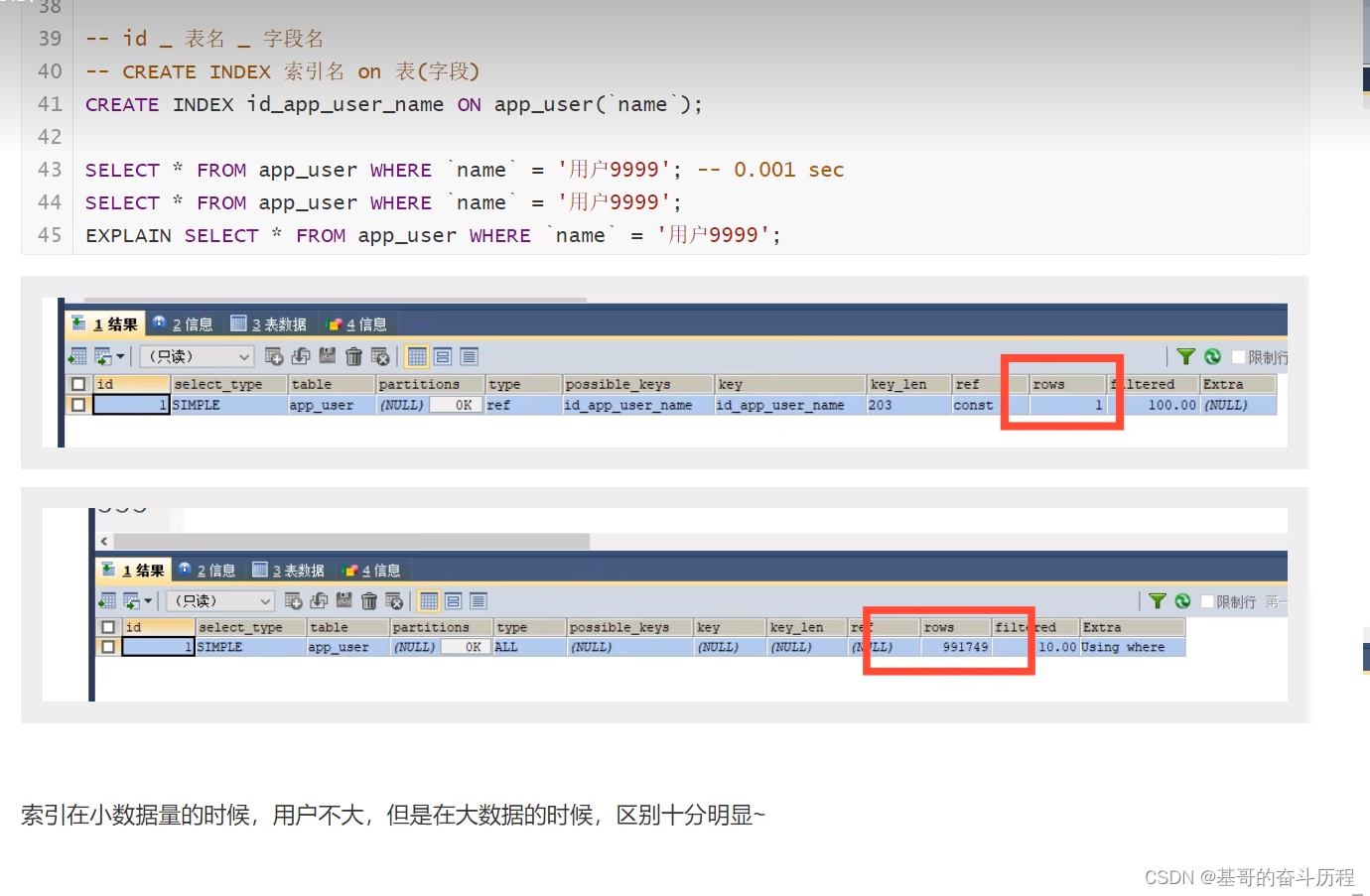
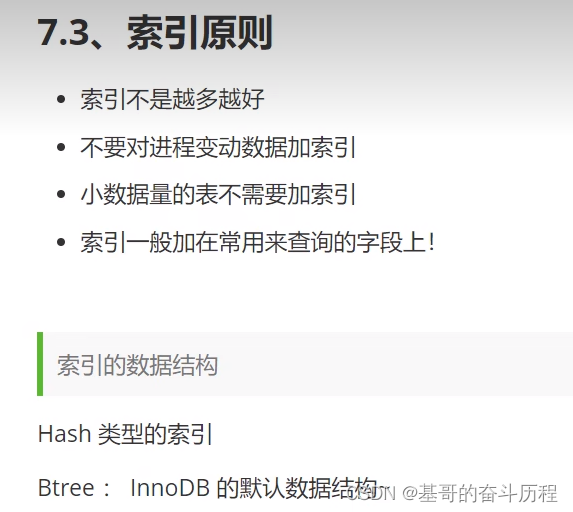
索引
如何创建一个好的数据库
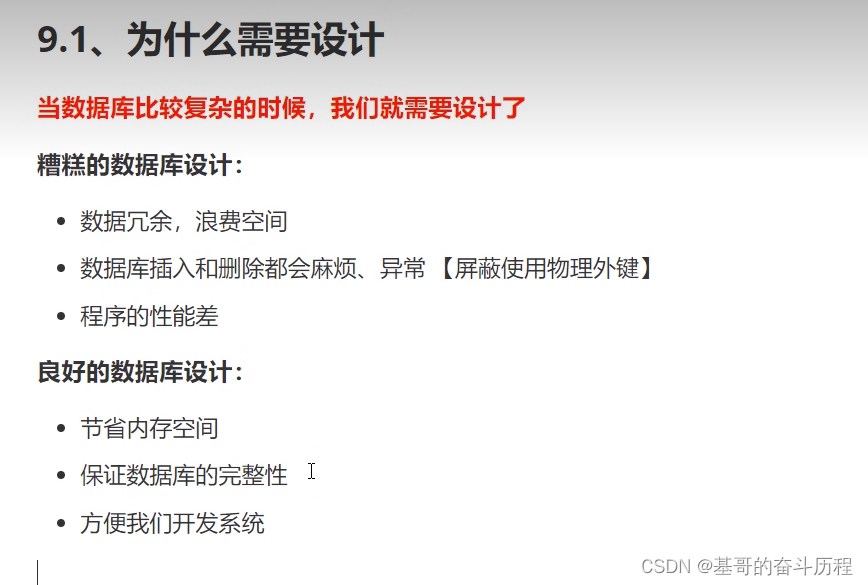
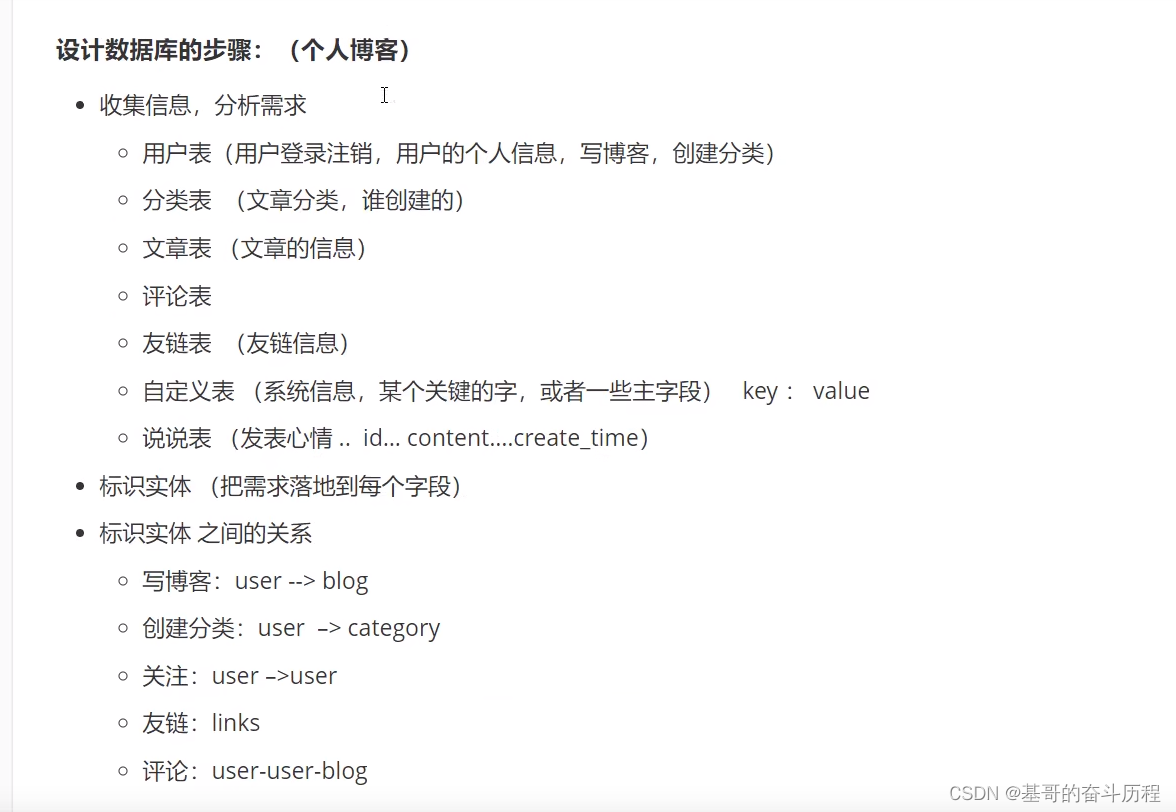
三大范式
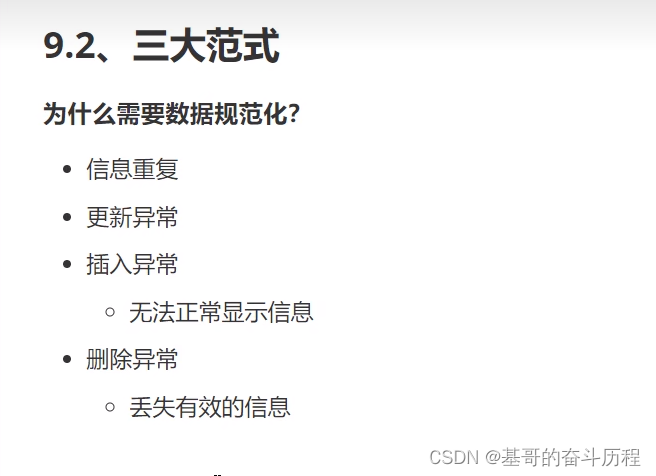
第一范式

第二范式
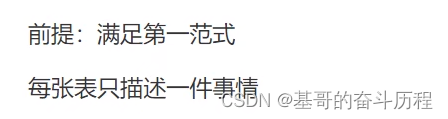
第三范式

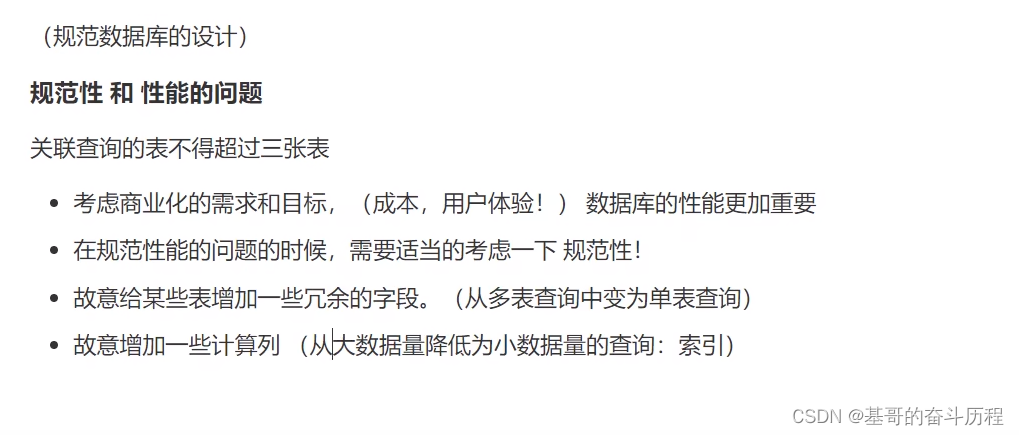
JDBC
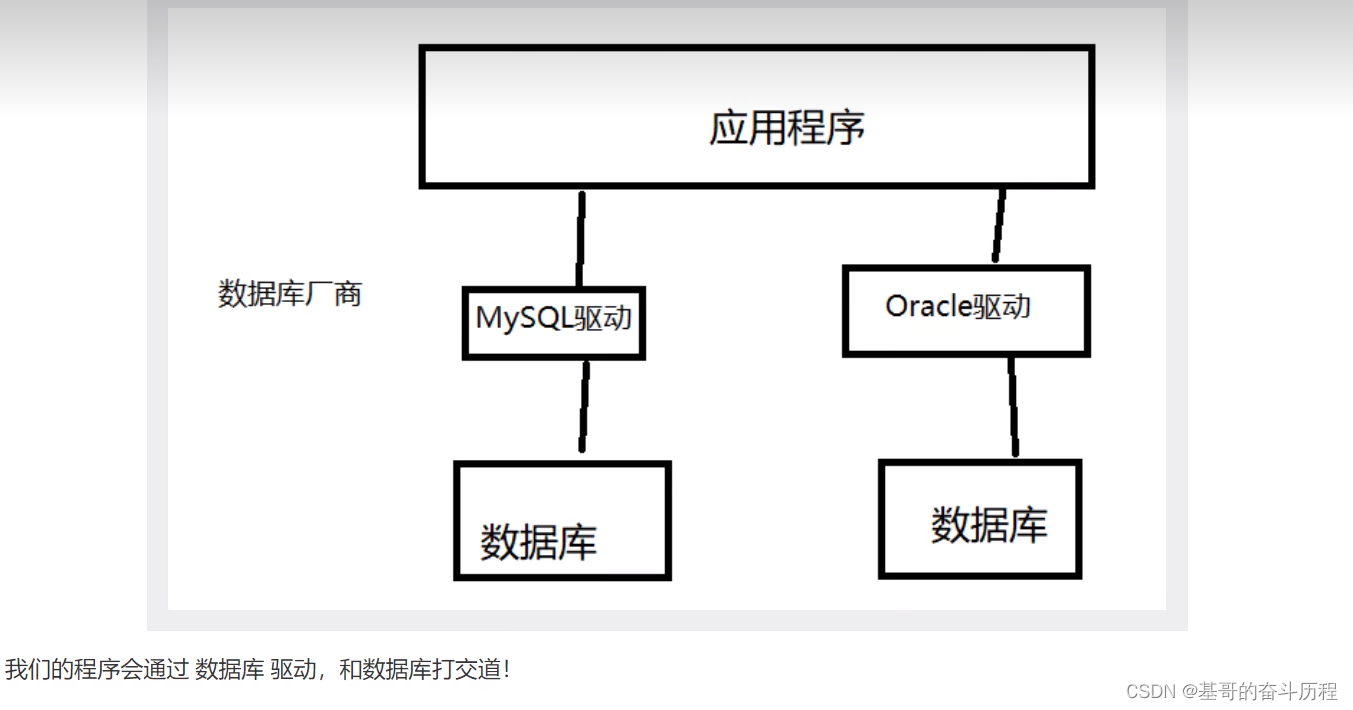
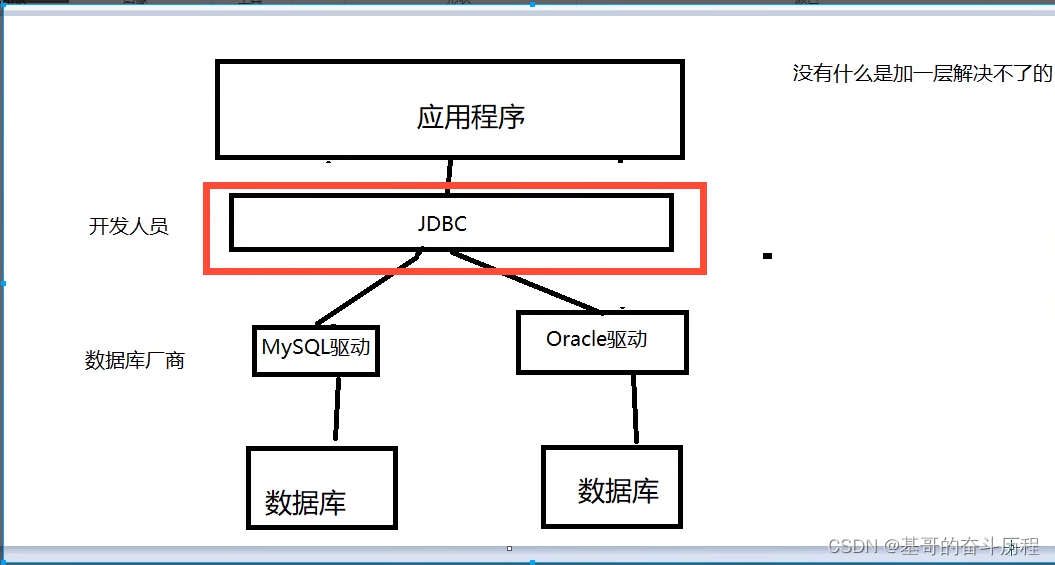
第一个JDBC程序
package com.kuangshen.lesson01;

import com.mysql.jdbc.Driver;

import java.sql.*;

//我的第一个JDBC程序
public class JdbcFirstDemo {
    public static void main(String[] args) throws ClassNotFoundException, SQLException {
        //1.加载驱动
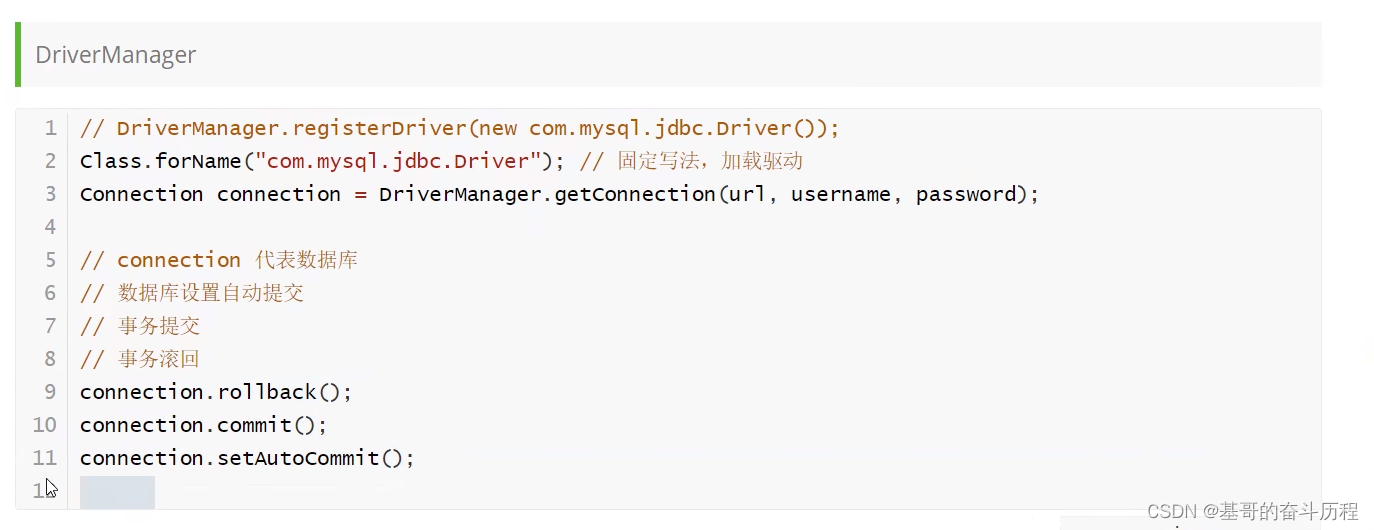
        Class.forName("com.mysql.jdbc.Driver");//固定写法,加载驱动
        //2.用户信息和url
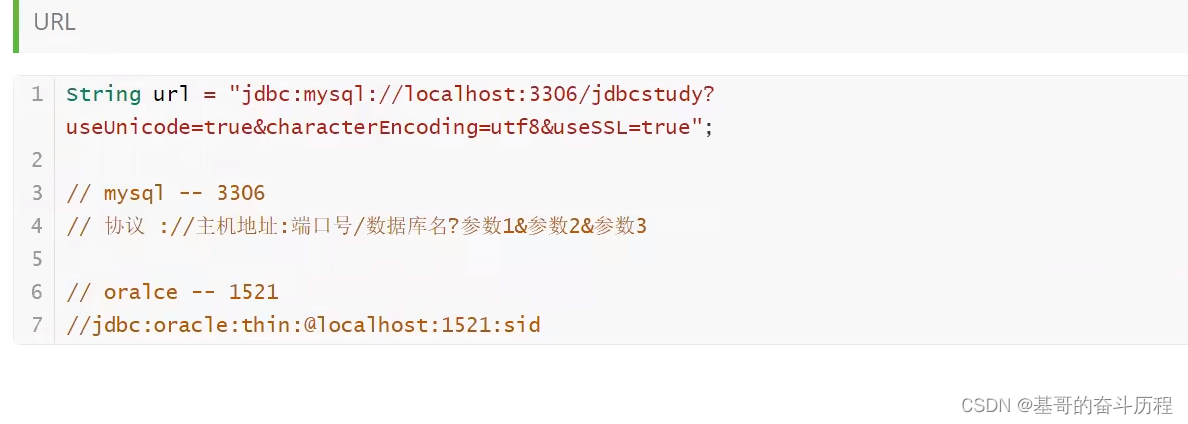
        //1.支持中文编码 2.设置字符集为utf-8 3.用安全的连接
        String url ="jdbc:mysql://localhost:3306/jdbcstudy?useUnicode=true&characterEncoding=utf8&useSSL=true";
        String usename = "root";
        String password = "2001";
        //3.连接成功。数据库对象
        Connection connection = DriverManager.getConnection(url, usename, password);

        //4.执行SQL对象   Statement执行SQL的对象
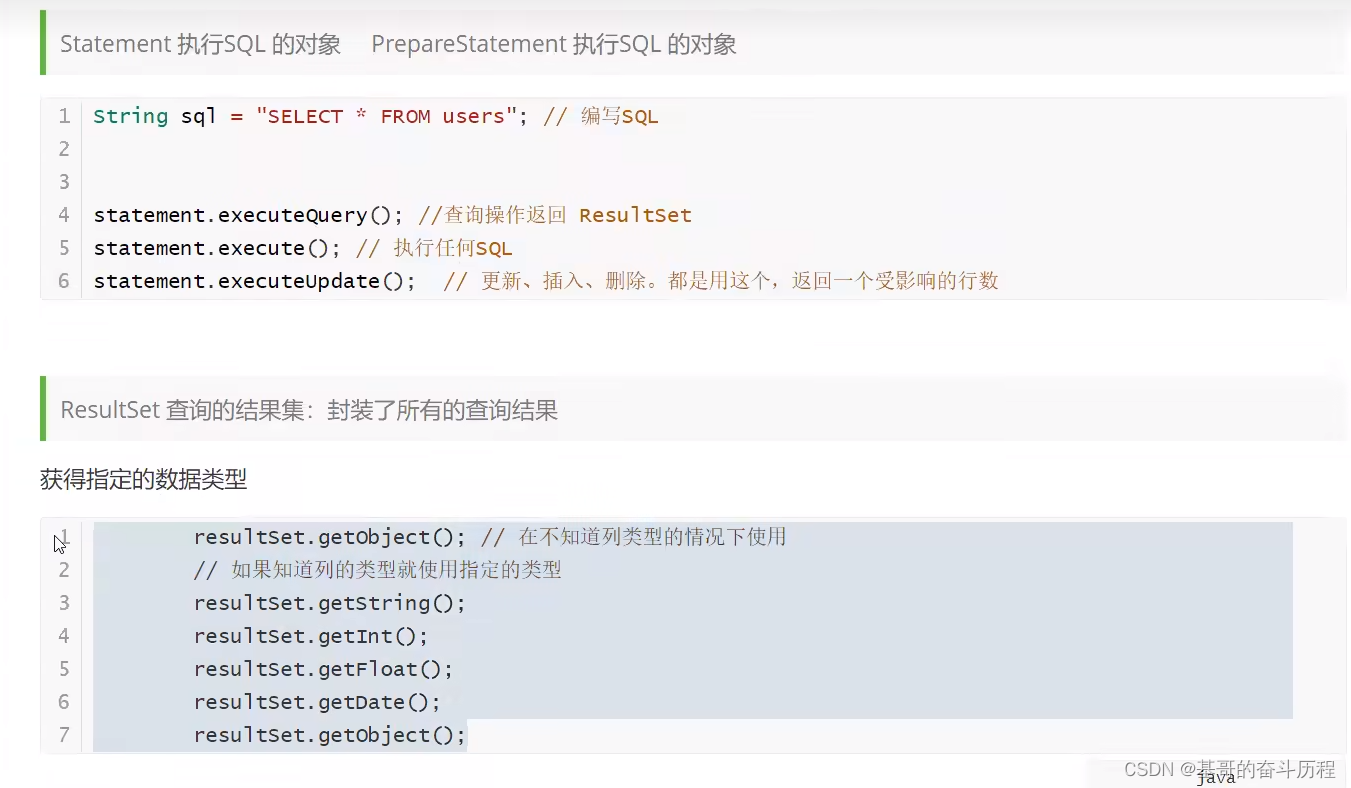
        Statement statement = connection.createStatement();

        //5.执行SQL对象,执行SQL

        String sql="SELECT * FROM `users`";
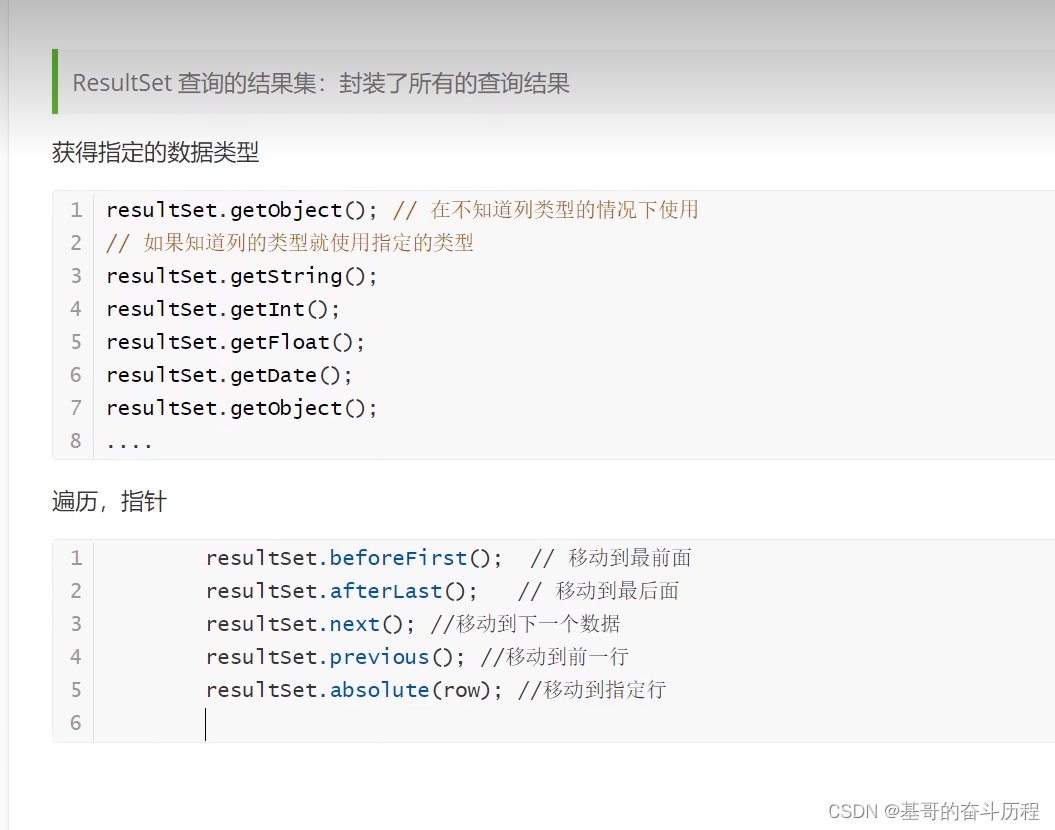
        ResultSet resultSet = statement.executeQuery(sql);//返回的结果集,结果集 中封装了我们全部的查询出来的结果

        while (resultSet.next()){
            System.out.print("id="+resultSet.getObject("id")+" ");
            System.out.print("name="+resultSet.getObject("NAME")+" ");
            System.out.print("pwd="+resultSet.getObject("PASSWORD")+" ");
            System.out.print("eml="+resultSet.getObject("email")+" ");
            System.out.println("birth="+resultSet.getObject("birthday"));
            System.out.println("=================");

        }


        //6.释放连接

        resultSet.close();
        statement.close();
        connection.close();
    }

}
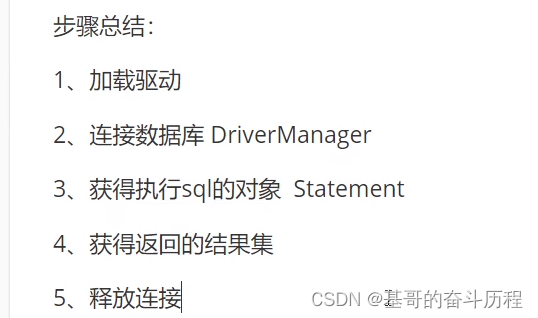
JDBC对象解释
关闭对象
这里是通过类获取反射对象,然后获取反射对象的类加载器,调用类加载器的获取资源的方法。一步一步来的
各位,这里是反射的类加载器+集合的map子接口Properties类的知识,别被前面的误导了
前面的,这哪里是IO流的properties类的知识啊?你这不乱引导人么?
我就说看这个Properties类很熟悉,但是IO流没学到过啊。
package com.kuangshen.lesson02.utils;

import com.mysql.jdbc.Driver;

import java.io.IOException;
import java.io.InputStream;
import java.sql.*;
import java.util.Properties;

public class JdbcUtils {

   private static String driver =null;
   private static String url =null;
   private static String username =null;
   private static String password =null;

    static {
        try {
            InputStream in = JdbcUtils.class.getClassLoader().getResourceAsStream("dp.properties");
            Properties properties = new Properties();
            properties.load(in);
            driver=  properties.getProperty("driver");
            url=  properties.getProperty("url");
            username=  properties.getProperty("username");
            password=  properties.getProperty("password");

            //1.驱动只用加载一次
            Class.forName(driver);


        } catch (Exception e) {
            e.printStackTrace();
        }
    }
    //获取连接
    public static Connection getConnection() throws SQLException {
       return DriverManager.getConnection(url, username, password);
    }

//释放连接资源
    public static void release(Connection con, Statement st, ResultSet rs){
        if (con!=null) {
            try {
                con.close();
            } catch (SQLException e) {
                e.printStackTrace();
            }

            if (st != null) {
                try {
                    st.close();
                } catch (SQLException e) {
                    e.printStackTrace();
                }


                if (rs != null) {
                    try {
                        rs.close();
                    } catch (SQLException e) {
                        e.printStackTrace();
                    }

                }


            }


        }}}
package com.kuangshen.lesson02;

import com.kuangshen.lesson02.utils.JdbcUtils;

import java.sql.Connection;
import java.sql.ResultSet;
import java.sql.SQLException;
import java.sql.Statement;

public class TestInsert {
    public static void main(String[] args) throws SQLException {

        Connection conn=null;
        Statement st =null;
        ResultSet rs=null;


        try {
            conn= JdbcUtils.getConnection();//获取数据库连接
            st=conn.createStatement();//获得SQL的执行对象
            String sql="INSERT INTO users(`id`,`NAME`,`PASSWORD`,`email`,`birthday`)" +
                    "VALUES('4','jiji','213123','123123@qq.com','20010301')";
            int i=st.executeUpdate(sql);
            if (i>0){
                System.out.println("插入成功");
            }

        } catch (SQLException e) {
            e.printStackTrace();
        }finally {
            JdbcUtils.release(conn,st,rs);
        }


    }
}
package com.kuangshen.lesson02;

import com.kuangshen.lesson02.utils.JdbcUtils;

import java.sql.Connection;
import java.sql.ResultSet;
import java.sql.SQLException;
import java.sql.Statement;

public class TestSelect {
    public static void main(String[] args) {
        Connection conn=null;
        Statement st=null;
        ResultSet RS=null;

       try {
           conn= JdbcUtils.getConnection();
           st =conn.createStatement();

           String sql ="SELECT * FROM users where id = 1";
             RS=st.executeQuery(sql);

             while (RS.next()){
                 System.out.println("name="+RS.getString("NAME"));
             }

       } catch (SQLException e) {
           e.printStackTrace();
       }finally {
          JdbcUtils.release(conn,st,RS);
       }


    }


}
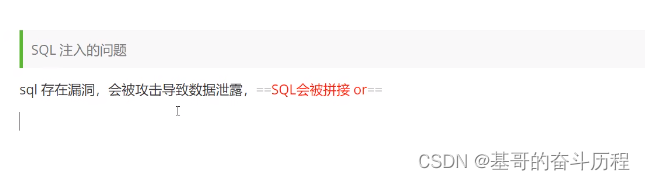
SQL注入问题

PreparedStatement对象
1.preparedStatement可以防止SQL注入,效率更高

1.新增
package com.kuangshen.lesson03;

import com.kuangshen.lesson02.utils.JdbcUtils;

import java.sql.Connection;
import java.util.Date;
import java.sql.PreparedStatement;
import java.sql.SQLException;

public class TestInsert {
    public static void main(String[] args) {
        Connection conn=null;
        PreparedStatement st=null;

       try {
           conn= JdbcUtils.getConnection();
           //区别
           //使用?占位符代替参数
           String sql= "INSERT INTO users(`id`,`NAME`,`PASSWORD`,`email`,`birthday`) VALUES(?,?,?,?,?)";
          st= conn.prepareStatement(sql);//预编译,先写SQL,不执行
          st.setInt(1,5);
          st.setString(2,"铭基");
          st.setString(3,"231");
          st.setString(4,"139z@qq,com");
          //注意点:util.Date  java
           //      sql.Date   数据库 new Date().getTime()获得时间戳     java.sql.Date()通过它转化为数据库的时间
          st.setDate(5,new java.sql.Date(new Date().getTime()));

          //执行
          int i= st.executeUpdate();
          if (i>0){
              System.out.println("插入成功");
          }else {
              System.out.println("插入失败");
          }


       } catch (SQLException e) {
           e.printStackTrace();
       }finally {
           JdbcUtils.release(conn,st,null);
       }


    }

}
2.删除
package com.kuangshen.lesson03;

import com.kuangshen.lesson02.utils.JdbcUtils;

import java.sql.Connection;
import java.sql.PreparedStatement;
import java.sql.SQLException;
import java.util.Date;

public class TestDelete {
    public static void main(String[] args) {
        Connection conn=null;
        PreparedStatement st=null;

        try {
            conn= JdbcUtils.getConnection();
            //区别
            //使用?占位符代替参数
            String sql= "DELETE FROM users where id =?";
            st= conn.prepareStatement(sql);//预编译,先写SQL,不执行
             st.setInt(1,4);
            //执行
            int i= st.executeUpdate();
            if (i>0){
                System.out.println("删除成功,共影响"+i+"行");
            }else {
                System.out.println("删除失败");
            }


        } catch (SQLException e) {
            e.printStackTrace();
        }finally {
            JdbcUtils.release(conn,st,null);
        }

    }
}
3.修改
package com.kuangshen.lesson03;

import com.kuangshen.lesson02.utils.JdbcUtils;

import java.sql.Connection;
import java.sql.PreparedStatement;
import java.sql.SQLException;

public class TestUpdate {
    public static void main(String[] args) {
        Connection conn=null;
        PreparedStatement st=null;

        try {
            conn= JdbcUtils.getConnection();
            //区别
            //使用?占位符代替参数
            String sql= "Update users set NAME =? where id=?";
            st= conn.prepareStatement(sql);//预编译,先写SQL,不执行
            st.setString(1,"基基");
            st.setInt(2,1);
            //执行
            int i= st.executeUpdate();
            if (i>0){
                System.out.println("修改成功,共影响"+i+"行");
            }else {
                System.out.println("修改失败");
            }


        } catch (SQLException e) {
            e.printStackTrace();
        }finally {
            JdbcUtils.release(conn,st,null);
        }


    }
}
4.查询
package com.kuangshen.lesson03;

import com.kuangshen.lesson02.utils.JdbcUtils;

import java.sql.Connection;
import java.sql.PreparedStatement;
import java.sql.ResultSet;
import java.sql.SQLException;
import java.util.Date;

public class TestSelect {
    public static void main(String[] args) {
        Connection conn=null;
        PreparedStatement st=null;
        ResultSet rs =null;

        try {
            conn= JdbcUtils.getConnection();
            //区别
            //使用?占位符代替参数
            String sql= "SELECT `NAME` from users where id =?";
            st= conn.prepareStatement(sql);//预编译,先写SQL,不执行
            st.setInt(1,1);


            //执行
          rs= st.executeQuery();
          while (rs.next()){
              System.out.println(rs.getString("NAME"));
          }


        } catch (SQLException e) {
            e.printStackTrace();
        }finally {
            JdbcUtils.release(conn,st,null);
        }


    }
}
防止SQL注入
preparedStatement
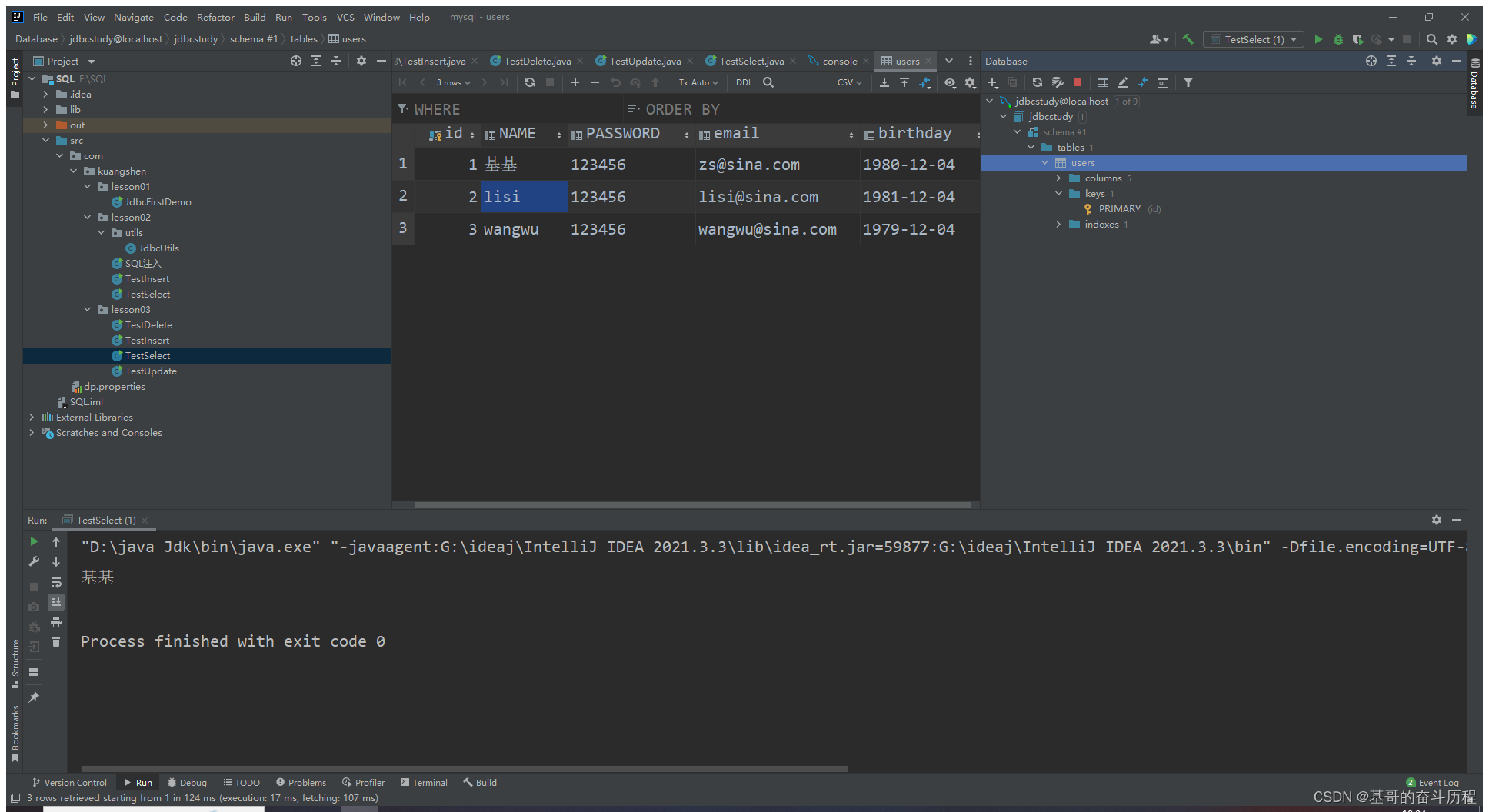
使用IDEA连接数据库
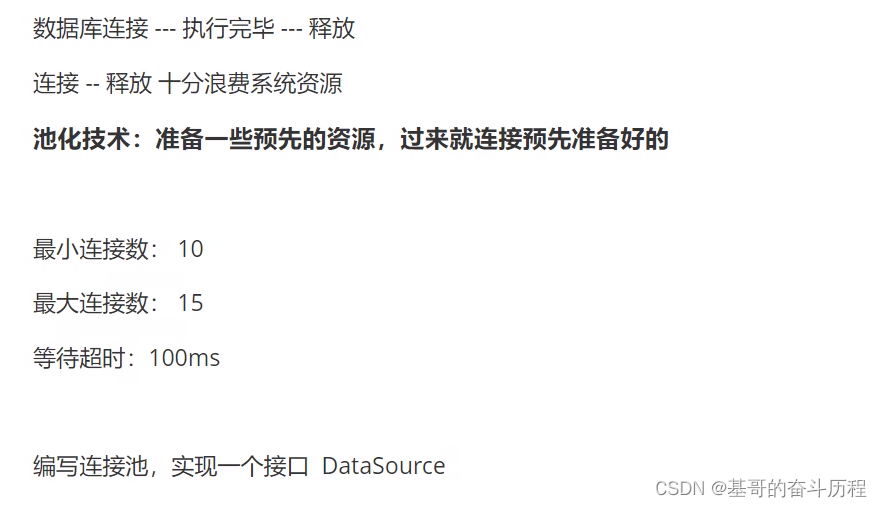
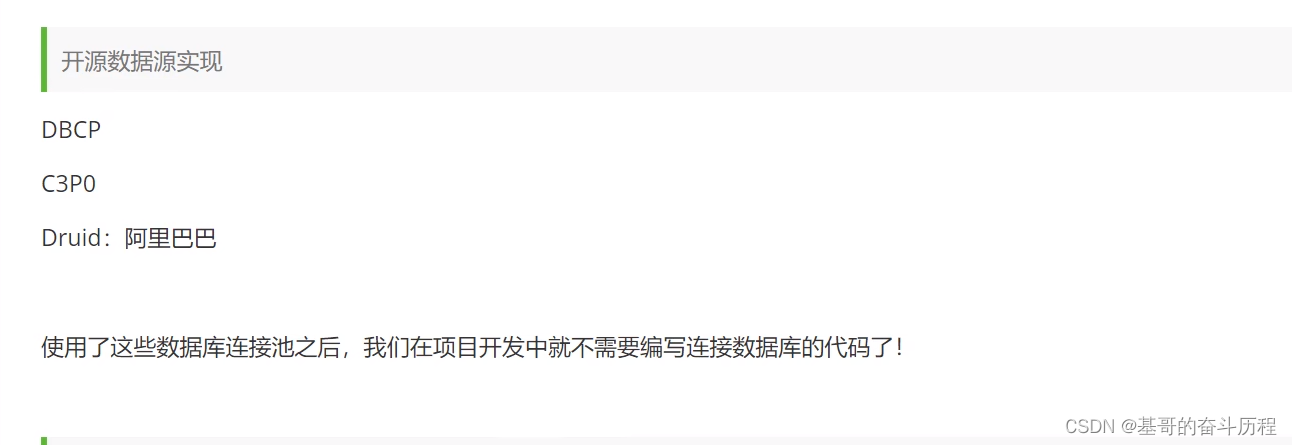
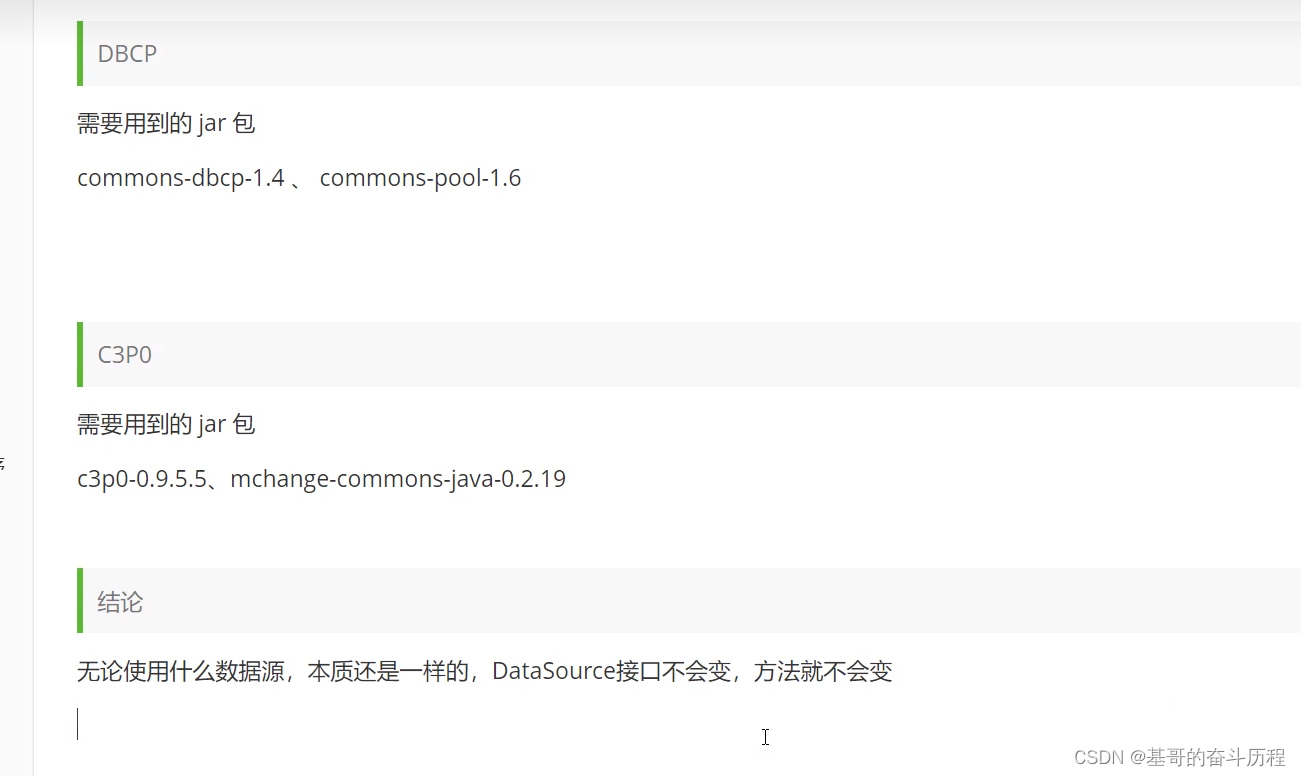
数据库连接池





 扫一扫
扫一扫


 被折叠的 条评论
为什么被折叠?
被折叠的 条评论
为什么被折叠?
 到【灌水乐园】发言





