


 本文介绍如何在Spring Boot项目中进行单元测试。首先通过引入spring-boot-starter-test依赖开始,接着展示了如何使用@RunWith和@SpringBootTest注解来配置测试类。此外还提到了在测试方法上使用@Test注解的方法,并分享了一个关于方法更新的小技巧。
首先导入依赖
<dependency>
	<groupId>org.springframework.boot</groupId>
	<artifactId>spring-boot-starter-test</artifactId>
</dependency>
使用:
测试类上添加注解
@RunWith(SpringRunner.class)
@SpringBootTest
方法上添加注解
@Test
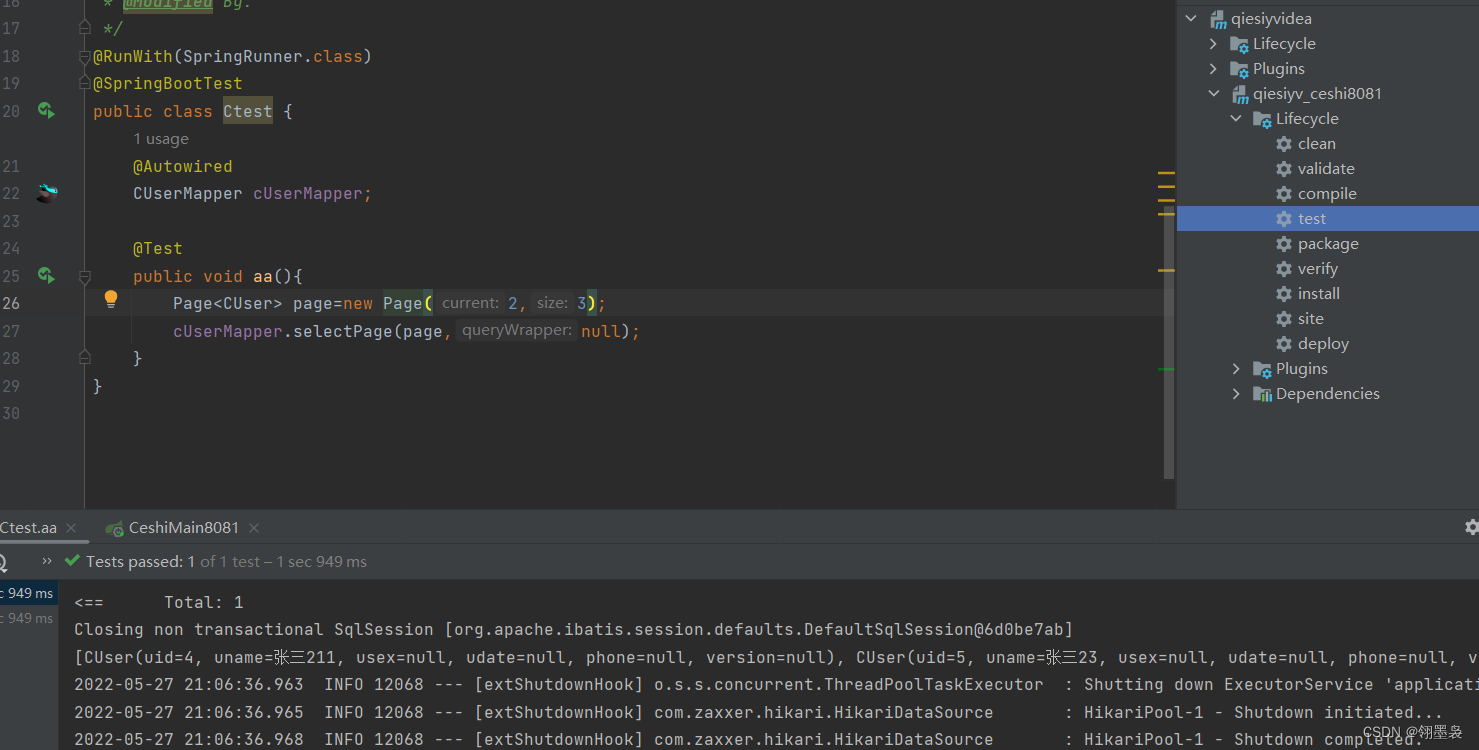
使用时点左边按钮就行了。
使用期间遇到一坑:更改方法后需要点击右侧maven里的test后才更新方法
解决方法:删除项目内.idea文件并重新导入





 扫一扫
扫一扫


 1824
1824

 被折叠的 条评论
为什么被折叠?
被折叠的 条评论
为什么被折叠?
 到【灌水乐园】发言





