


Vue2+openLayers】实现测量(长度、面积)
版权声明:文为博主原创文章,未经博主允许不得转载。原创不易,希望大家尊重原创!
Copyright © 2024 DarLing丶张皇 保留所有权利
一、引言
在 Web GIS 应用中,测量工具是不可或缺的功能之一。它允许用户在地图上测量两点之间的距离或绘制多边形来计算面积。通过在 OpenLayers 中实现这些工具,开发者可以提高地图的交互性和实用性。本文将详细介绍如何在 Vue 单页面应用中使用 OpenLayers 实现距离和面积测量功能。
1、效果展示
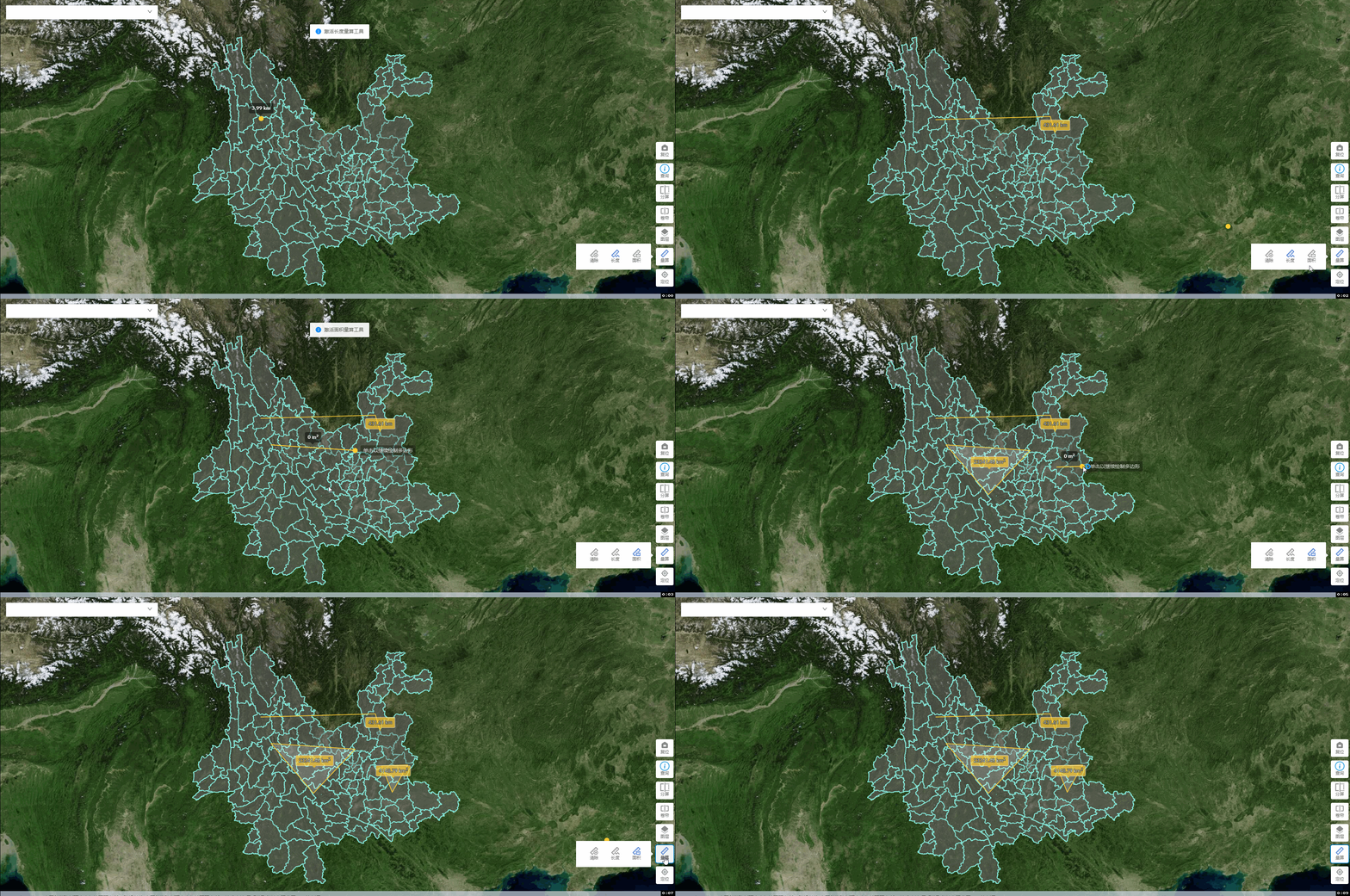
2、OpenLayers 测量工具实现方法
在 OpenLayers 中,测量工具主要通过 ol/interaction/Draw 交互来实现,配合ol/sphere模块可以计算几何图形的长度和面积。开发者可以在 Vue 组件中封装这些功能,使应用更具交互性和可扩展性。
3、参考资源
官网Measure链接: link.
二、具体实现
1、安装OpenLayers
npm install ol
2、创建MeasureTool.js的工具类
/**
* @fileName: openlayers地图 测量工具 MeasureTool.js
* @copyright: DarLing丶张皇
* @date: 2024-12-13 10:24:11
*/
import 'ol/ol.css';
import {
Map } from 'ol/Map.js';
import {
View } from 'ol/View.js';
// import { Draw, Modify, Snap } from 'ol/interaction';
import Draw from 'ol/interaction/Draw';
import VectorLayer from "ol/layer/Vector";
import VectorSource from 'ol/source/Vector';
import Overlay from 'ol/Overlay.js';
import {
LineString, Polygon, Point } from 'ol/geom';
import {
getArea, getLength } from 'ol/sphere';
import {
Circle as CircleStyle, Fill, Stroke, Style } from 'ol/style';
import {
unByKey } from 'ol/Observable.js';
/**
* 测量工具类
*/
class MeasurementTool {
map;//地图对象
sketch = null;//当前要素
helpTooltipElement = null;//帮助提示框元素
helpTooltip = null;
measureTooltipElement = null;// 测量提示元素
measureTooltip = null;//测量值
continuePolygonMsg = '单击以继续绘制多边形';//绘制面提示文字
continueLineMsg = '单击以继续绘制线条';//绘制线提示文字
constructor(map) {
this.map = map;
this.source = new VectorSource();
this.vectorLayer = new VectorLayer({
source: this.source,
style: new Style({
fill: new Fill({
color: 'rgba(255, 255, 255, 0.2)',
}),
stroke: new Stroke({
color: '#ffcc33',
width: 2,
}),
image: new CircleStyle({
radius: 7,
fill: new Fill({
color: '#ffcc33',
}),
}),
}),
zIndex: 99,// 层级
});
this.map.addLayer(this.vectorLayer);
// 监听鼠标移动
this.map.on('pointermove', this.pointerMoveHandler.bind(this));
this.map.getViewport().addEventListener('mouseout', () => {
this.helpTooltipElement.classList.add('hidden');
});
}
pointerMoveHandler(evt) {
if (evt.dragging) {
return;
}
let helpMsg = '点击开始绘图';
if  最低0.47元/天 解锁文章






 扫一扫
扫一扫


 303
303

 被折叠的 条评论
为什么被折叠?
被折叠的 条评论
为什么被折叠?
 到【灌水乐园】发言





