



 本文深入探讨Java中控制台的输入输出技术,包括System.out.println()与System.out.print()的区别,System.out.printf()的格式化输出,NumberFormat类的应用,以及如何使用Scanner类进行控制台输入。此外,还介绍了自定义分隔符、空字符串的概念,以及如何通过Scanner读取文件内容。
Chaper 2 Console input and output
2.1 Screen Output
2.1.1 System.out println():打印语句话后 有个回车符
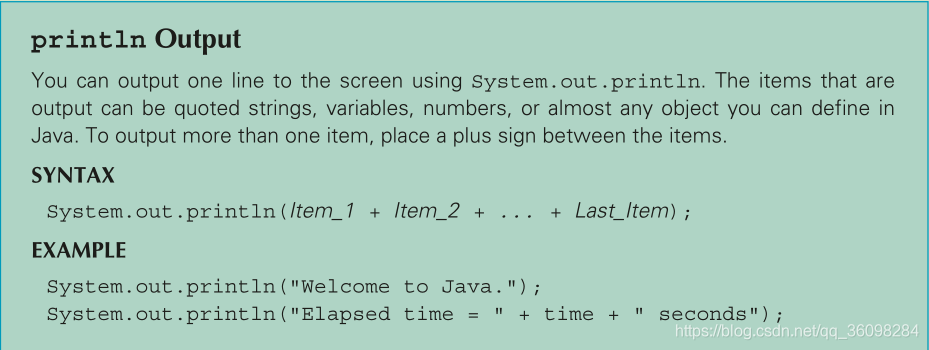
2.1.2 System.out.print(); 打印末尾不回车
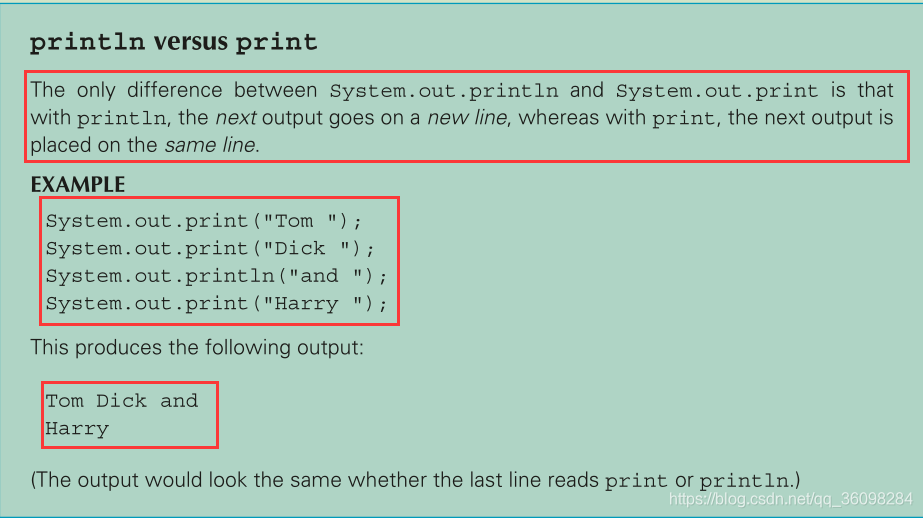
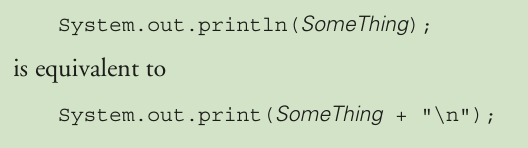
二者的区别也可以等效成:
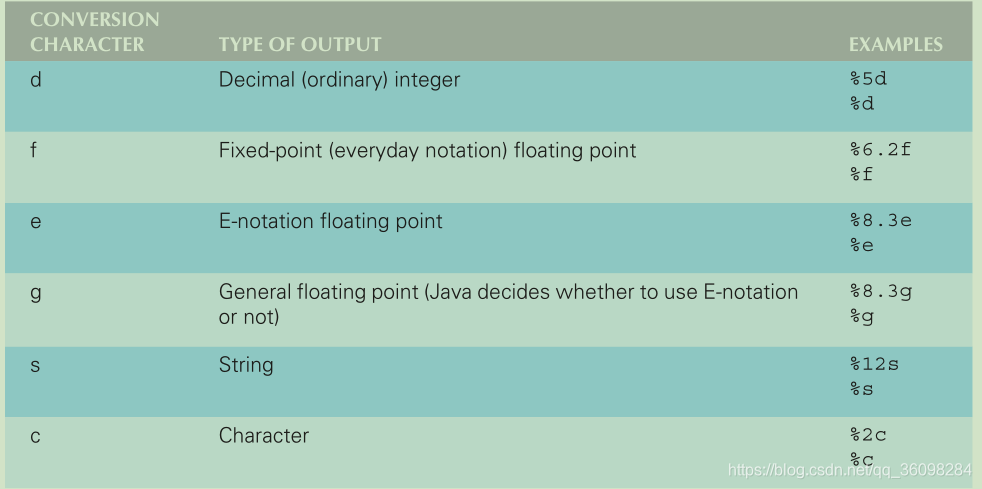
2.1.3 System.out.printf();主要用于打印浮点数的时候应用
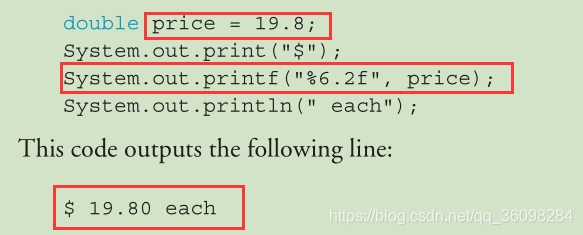
解释:%6.2f 会被price代替,但是在表示浮点数的时候,需要限制他的位数,此时是6;(.2)表示,小数点后有2位,然后f表示的是floating-point number
The format specifier %6.2f says to output a floating-point number in a field (number of spaces) of width 6 (room for six characters) and to show exactly two digits after the decimal point.
由于规定了6位有效数字长度, 因此少的位数需要用空格占位。
Because "19.80" has only five characters, a blank character is added to obtain the six- character string " 19.80"
例子:
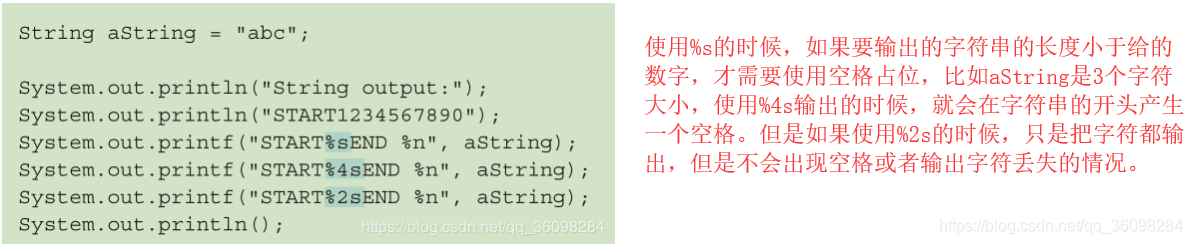

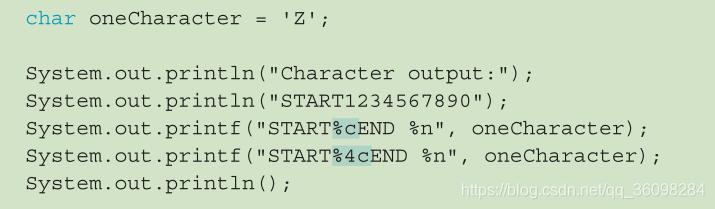
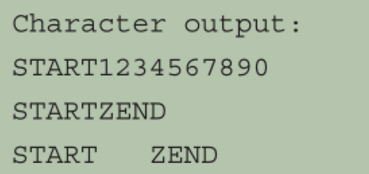
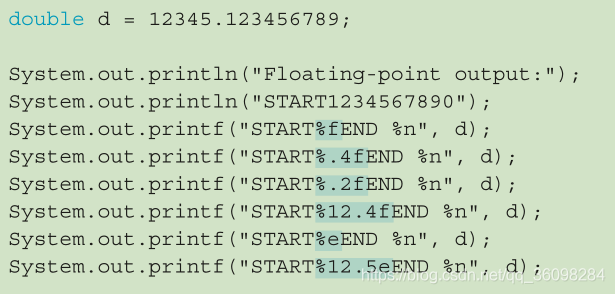
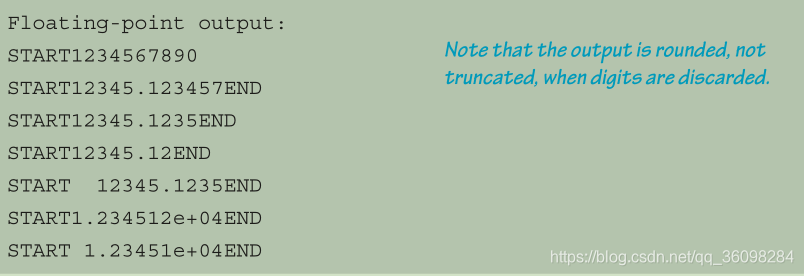
2.1.4 NumberFormat类
导入:import java.text.NumberFormat; 才可以使用

该类的对象可以 使用其中的一个方法format。用来获得一个浮点数,并且返回一个string值的数字, 使用默认或者自定义的货币货币种类;This object moneyFormatter has a method named format that takes a floating-point number as an argument and returns a String value representing that number in the local currency (the default currency) 例如:
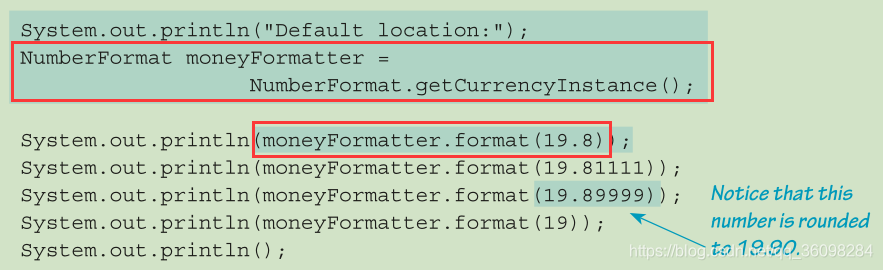
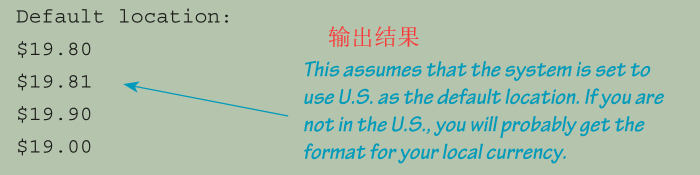
2.1.5 import class and package
packages(包)is liararies; 包中包含很多类,只要引用后可以直接使用其中的类和封装的方法。
java包含一些默认的包,会自动的进行引入。不需要import特殊的进行说明
---------------------------------------------------------------------------------------------------------------------------
2.2 console input using the scanner class
2.2.1 scanner class
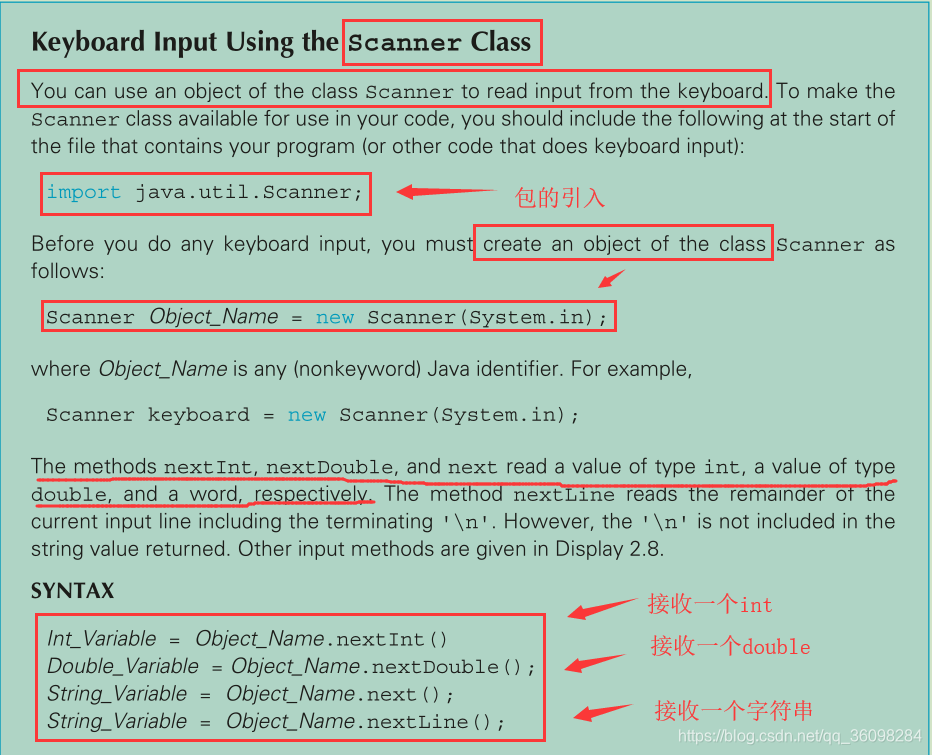
.next()和.nextLine()函数都接收字符串,区别如下:


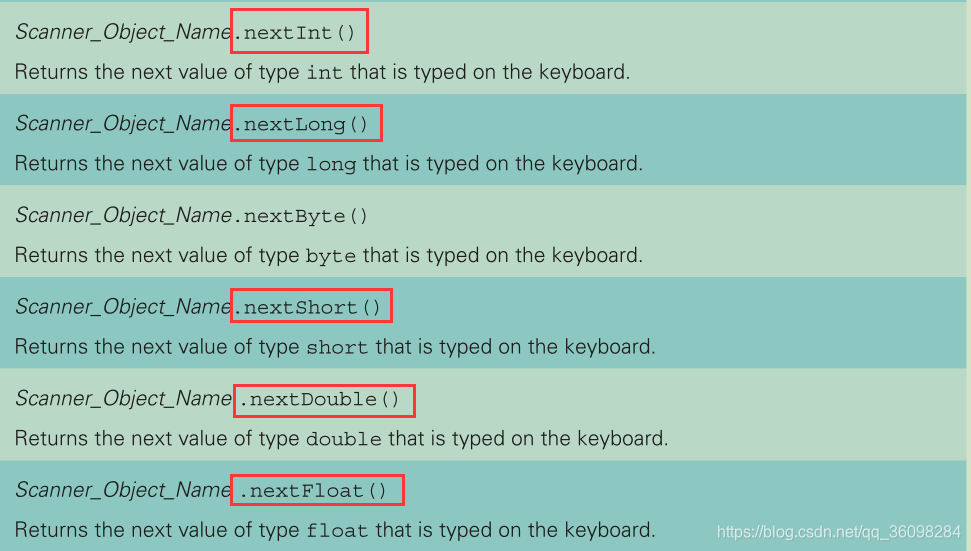
其他一些常见的函数:
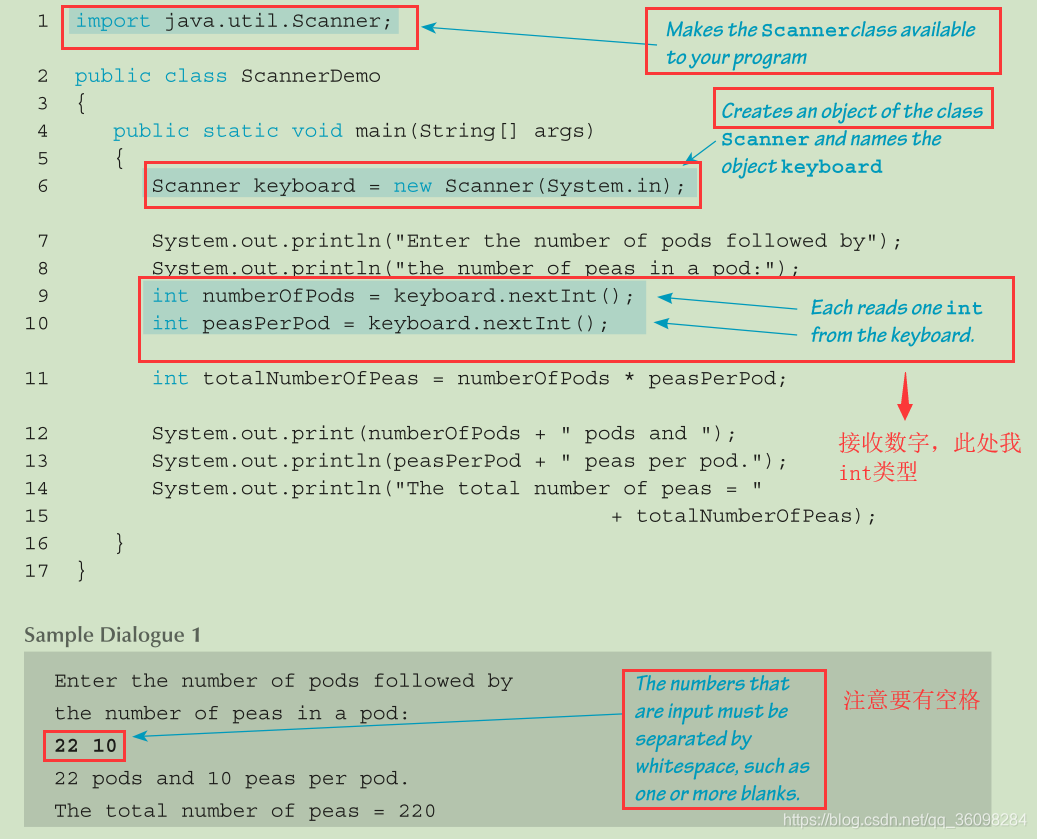
例子:
---------------------------------------------------------------------------------------------------------------------------
空字符串 (empty String)
"Hello" 包含5个字符,空字符串表示的是含有0个字符。
String s1 = ""; 表示的是空字符串
String s2 = " "; 表示的是一个字符,字符是空格
---------------------------------------------------------------------------------------------------------------------------
自定义--delimiter(分隔符)
Scanner keyboard2 = new Scanner(System.in);
keyboard2.useDelimiter("##"); (表示接收到##时,才完成一个字符串接收,一般next默认的是空格,nextLine 默认的是回车)
After this invocation of the useDelimiter method, "##" will be the only input delimiter for the input object keyboard2 . Note that whitespace will no longer be a delimiter for keyboard input done with keyboard2 .
用户输入:one two##three##
word1 = keyboard2.next(); word1 = one two
word2 = keyboard2.next(); word2 = three
---------------------------------------------------------------------------------------------------------------------------
2.3 file input
使用scanner读取指定文件的内容
首先引入两个包:
import java.io.FileInputStream; (目的:连接java program 和文件所在的 disk --- 磁盘)
import java.io.FileNotFoundException; (目的: 如果打开的文件不存在时,需要用到该类)
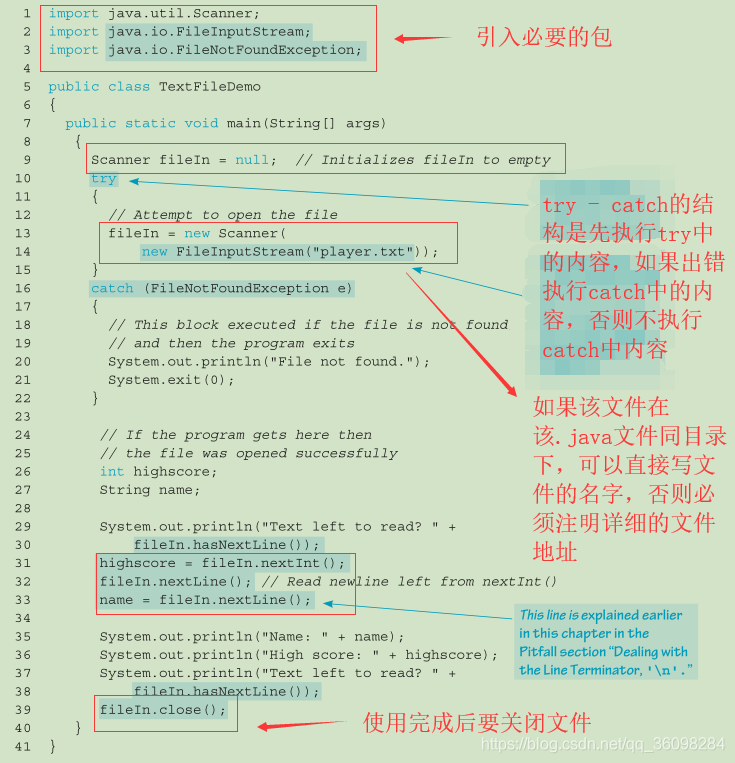
读取完全部内容后,需要关闭文件。如果判断已经全部读取完毕呢?使用函数:fileIn,hasNextLine(), 该函数会返回一个boolean值,用来反馈是否还有文件内容可以被读取。同时关闭文件后,分配的资源会得到释放。
Unlike reading from the console, we might want to know if we have reached the end of the file. We can use fileIn.hasNextLine() to determine if there is data to read. When we are done with the file, we can close it with fileIn.close(), which will release any resources that have been allocated by Java in association with the file
---------------------------------------------------------------------------------------------------------------------------





 扫一扫
扫一扫


 3365
3365

 被折叠的 条评论
为什么被折叠?
被折叠的 条评论
为什么被折叠?
 到【灌水乐园】发言





