





 该博客介绍了如何利用Sklearn库进行人脸图像的补全操作。首先,导入必要的类库,接着获取数据集,然后将人脸图片划分为上下两部分。随后,创建并训练模型,最后展示模型在测试数据上的效果。
1 导入需要的类库
import matplotlib.pyplot as plt

from sklearn.linear_model import LinearRegression,Ridge,Lasso
from sklearn.tree import DecisionTreeRegressor
from sklearn.neighbors import KNeighborsRegressor
from sklearn import datasets
from sklearn.model_selection import train_test_split
from sklearn.ensemble import RandomForestRegressor
import numpy as np
2拉取数据集
faces=datasets.fetch_olivetti_faces()
images=faces.images
display(images.shape)

index=np.random.randint(0,400,size=1)[0]

img=images[index]
plt.figure(figsize=(3,3))
plt.imshow(img,cmap=plt.cm.gray)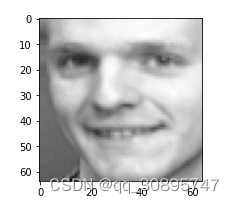
3 处理图片数据(将人脸图片分为上下两部分)

 订阅专栏 解锁全文





 扫一扫
扫一扫


 1901
1901

 被折叠的 条评论
为什么被折叠?
被折叠的 条评论
为什么被折叠?
 到【灌水乐园】发言





